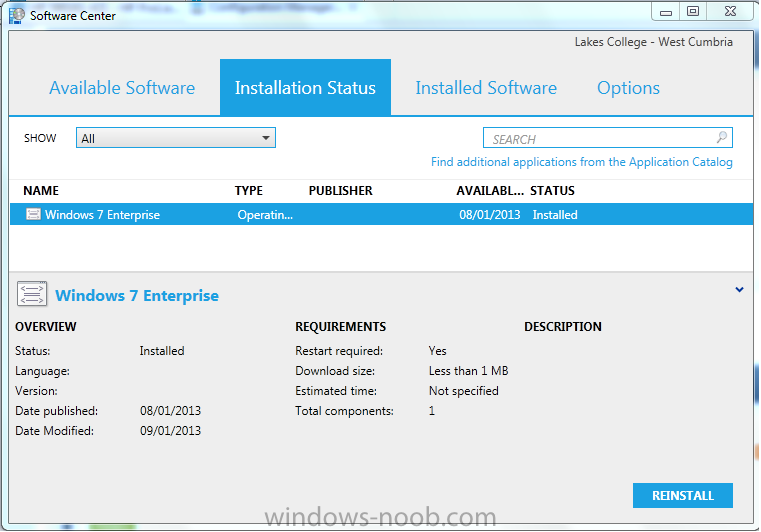
cytracks
Established Members
-
Joined
-
Last visited
Everything posted by cytracks
-
Thanks fro your replies guys, I ended up taking a different approach. I'm using a manual (e.g. I add devices manually) collection with the install Windows 7 task sequence deployed to it (rerun behavior is set to always rerun). I setup the status filter rule and vb script as described in the blog post: http://ccmexec.com/2010/03/remove-a-computer-from-a-collections-when-osd-task-sequence-is-completed/ This removes the device(s) from the collection after the task list successfully finishes, removing the task sequence from the software centre.
-
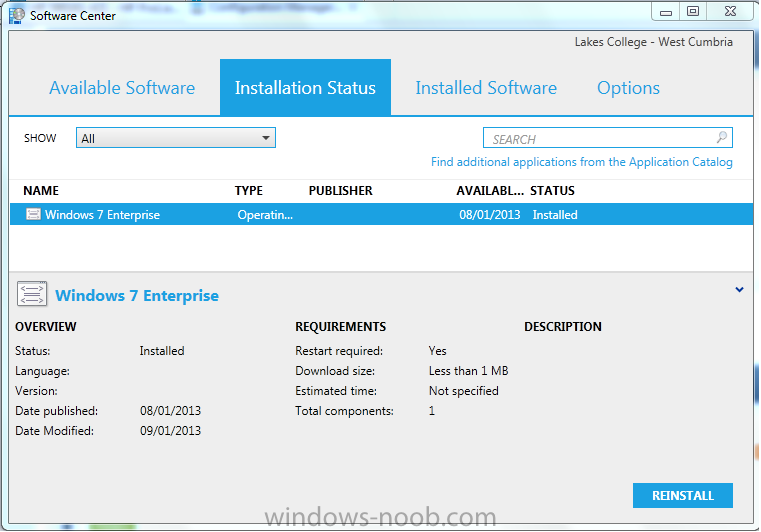
Hi, I was wondering if there was a way of preventing non admins from re-installing a task sequence that has been deployed to a client? We are a college and I'm concerned about students setting off the task sequence from the software centre for 'fun'. I've included a screen shot to illustrate my meaning. Thanks, Simon
-
If I untick "Use an unattended or Sysprep answer file..." the TS works. So I wonder if anyone has any guidance on creating the unattend.xml package (not the file itself)?
-
Hi, I'm having a problem deploying windows 7 enterprise to a reference pc via a task list. I have created a package to include a custom unattend.xml file and attached this to the TS. Not sure exactly what the problem is, I've included some of the setupact.log file below: 2012-06-12 10:33:14, Error [0x06066f] IBS CollectInformationForImage: Could not find image file [C:\_SMSTaskSequence\Packages\LCW00006\SOURCES\.\Operating Systems\Windows 7 x86 SP1\Sources\install.wim] specified for 'ImageInfo\OSImage'.[gle=0x00000003] 2012-06-12 10:33:14, Error [0x000671] SetOSImageInfoOnBB: (hr = 0x80070002) Could not cache the Windows image XML info [C:\_SMSTaskSequence\Packages\LCW00006\SOURCES\.\Operating Systems\Windows 7 x86 SP1\Sources\install.wim][gle=0x00000003] 2012-06-12 10:33:14, Error [0x00054b] Callback_SetWinPEAndOSImageInfoOnBB: (hr = 0x80070002) Failed to collect WinPE and Windows image XML info.[gle=0x00000003] 2012-06-12 10:33:14, Info IBSLIB PublishCriticalError: Publishing critical error message [Windows could not collect information for [OSImage] since the specified image file [C:\_SMSTaskSequence\Packages\LCW00006\SOURCES\.\Operating Systems\Windows 7 x86 SP1\Sources\install.wim] does not exist.] 2012-06-12 10:33:15, Info [sETUP.EXE] Called script [X:\WINDOWS\Setup\Scripts\ErrorHandler.cmd] to handle fatal error 2012-06-12 10:33:15, Info [0x070042] DIAG CallBack_DiagnosticDataSend: Called with notification for Error published by ErrorHandler 2012-06-12 10:33:15, Warning [0x070041] DIAG DiagnosticDataSendWorker: invalid arguments 2012-06-12 10:33:15, Warning DIAG CallBack_DiagnosticDataSend: DiagnosticDataSendWorker failed, hresult=0x80070057 2012-06-12 10:33:15, Info [0x090095] PANTHR WdsExitImmediate called! Execution will stop, and the queue won't be saved. 2012-06-12 10:33:15, Info IBS Callback_WinPE_SetSourceMediaInfo_Unattend:Successfully published source media path. 2012-06-12 10:33:15, Info [0x09008c] PANTHR SeqExecute -- stopping, since WdsExitImmediate() was called 2012-06-12 10:33:15, Info [0x090086] PANTHR pWorkerThreadFunc -- Stopping 2012-06-12 10:33:15, Info [0x090086] PANTHR pWorkerThreadFunc -- Stopping 2012-06-12 10:33:15, Info [0x090086] PANTHR pWorkerThreadFunc -- Stopping 2012-06-12 10:33:15, Info PANTHR DeleteCriticalSection for pExecQueue->csLock; 2012-06-12 10:33:15, Info CryptoSetup module terminated 2012-06-12 10:33:15, Info [0x0605a6] IBS Requested UI to hide the language and locale selection pages. 2012-06-12 10:33:15, Info UI CallbackWin32UITerminate: Deleted WizardUI 2012-06-12 10:33:15, Info [0x090081] PANTHR Destroying any unreferenced modules! (SEQ6) 2012-06-12 10:33:15, Info [0x0601d7] IBS InstallWindows:Error Type = 3211266 Any help would be greatly apprieciated! Simon