seanr
Established Members
-
Joined
-
Last visited
Everything posted by seanr
-
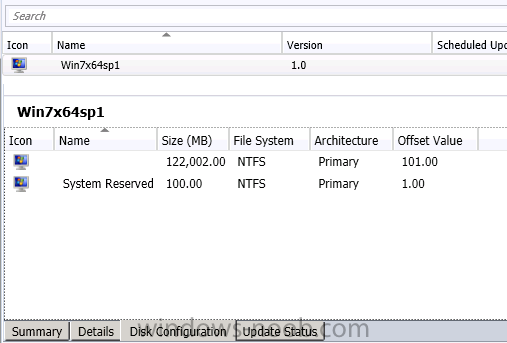
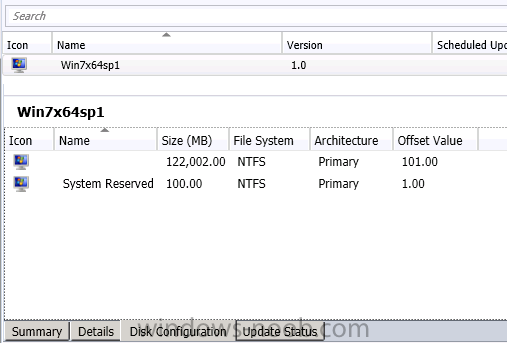
Having a issue deplying a WIM that I captured. The scenario I'm working with is I captured my image from a computer with a 120GB HDD and am trying to deploy it to one with an 80GB HDD. Naturally I am getting error 0x80070070 which from what I looked up means not enough disk space. Looking at the Operating System Image and the Disk Configuration tab I can see the large primary partition, but wanted to know if there is any way to modify that so I can install it on smaller HDDS. I know the obvious answer is to capture the image using a smaller HDD, but this is going to come up again shortly for me as we start using more 40-60 GB SSDs and I don't have any of those available. I attached a screen shot of what I'm looking at in SCCM. Thanks for any help or suggestions!