areols
Established Members
-
Joined
-
Last visited
-
This is a lab we have in the company i work for and i found and solved the problem today. It was an "conflict" with Citrix Provisioning Server which also use PXE-boot. We made Citrix Provisioning boot on an iso instead and then the sccm PXE worked like a charm:-)
-
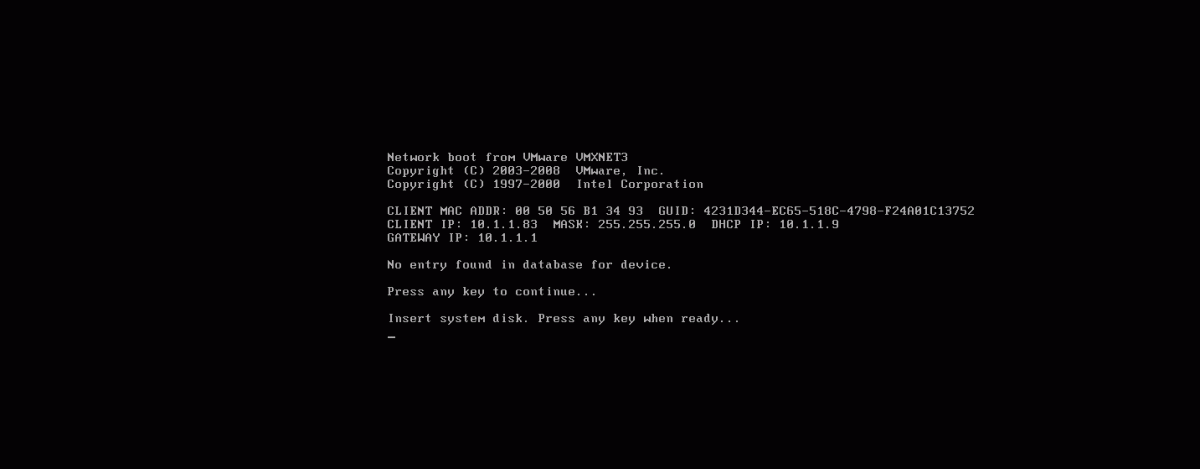
I have a lab With one DC (also a DHCP) and one server With SCCM 2012 SP1 and SQL 2012. I have enabled the pxe-option and also made the boot images available to pxe. But when i am trying to do a pxe-boot from both a vmware Virtual machine and also from a physical computer i get the same Message. The Messages says "No entry found in database for Device". The SCCM, DHCP, and Clients are all on the same subnet. I have enclosed the SMSPXE.log and the Message the Clients get trying to pxe. Can somebody please point me in the right direction?