Texasit
Established Members
-
Joined
-
Last visited
Everything posted by Texasit
-
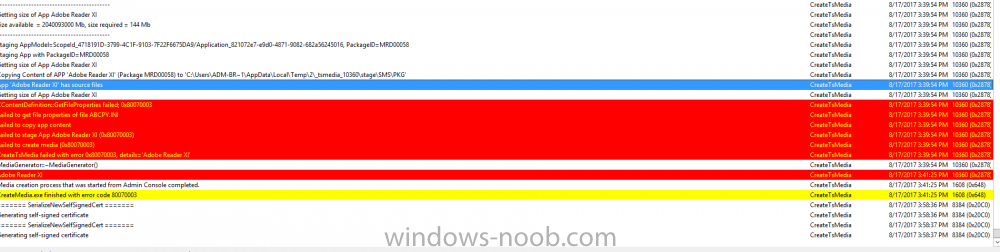
I'm trying to create a bootable usb drive with my OSD image on it but I keep getting a 0x80070003 error. I tried creating a bootable usb and I tried creating an iso using cd/dvd set , media size unlimited and saved it to a local share but I get the same error. The error happens when copying my application task sequncesa and I tried revalidating the content but I get the error still. I'm not sure what the issue is and I was hoping someone here might have some ideas. the task sequence I'm trying to copy runs perfectly via PXE.
-
ok I fixed it my task sequence was installing the old client somehow once I corrected that my task sequence worked. In my ccmsetup.log I saw the following entry Client version '5.00.7804.1000' is older than site version '5.00.7958.1000' so if anyone is having a similar issue check the ccmsetup log file.
-
ok I tried recreating my task sequence but my OSD still stops after installing the SCCM client.
-
Thanks for your help guys I'm going to try recreating my boot files , and a new task sequence and see if that helps. if that doesn't fix it I'll post my SMTS log file again.
-
I updated our SCCM environment to CU3 last week and since I saw no issues so I upgraded to SCCM R2 over the weekend. Everything else seems fine but my OSD is not working. It will PXE boot, load the base image , install the drivers and the SCCM client but right after the client install it immediately boots to the Windows 7 login screen. It stops every time before it installs any of the applications in the task sequence. Any ideas why it would do that? I have attached the SMTS log file if you can decipher anything I may have overlooked. Thanks for any help you can provide.