Ronald
Established Members
-
Joined
Everything posted by Ronald
-
Looking at, i don't think it applies to me since i am not even able to reach application steps and i don't use batch to install applications. I have deployed Windows 7 without updates and never had any problems. The problem starts to appear when i add the step install updates.
-
Hey bro thanks for the tips but this was ticked when i first setup SCCM Server. So in my case this can't be the issue.
-
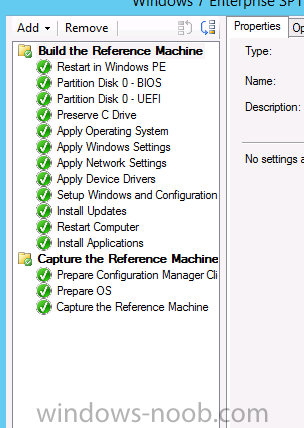
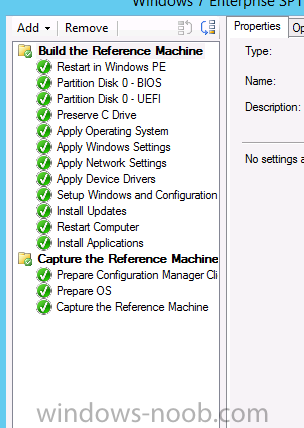
Hi, I am having problems when deploying Windows 7 SP1.The task sequence fails after the client check step and runs detect updates and fails. I added the hotfix, created a build and capture collection deployed my Windows 7 updates. Moved my PC into the collection. Added a restart after the hotfix and after updates. I got a little different error this time. I have tried different ideas online based on my search for the errors in my TS. None of them i could make it to work. I have downloaded Windows 7 updates x64 bit only since my image is x64. I have removed double restart updates. I have 327 updates. Please if you have faced similar problems or any suggestion that would help me would be much appreciated. Thank you. Here is the Smsts.log https://drive.google.com/.../0ByjaM5kbVCI.../view... Below is my TS sequence. If you need more info please let me know. I am trying new things i am reading online. If you have ideas please mention it below. smsts.log smsts-20150319-012210.log