DropKick
New Members
-
Joined
-
Last visited
Everything posted by DropKick
-
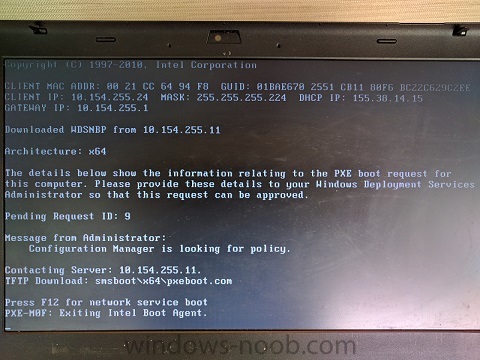
Hello! I'm currently having an issue deploying windows 10 via PXE. Its running SCCM 1606. The client will boot up get an IP and contact the WDS server but it wont find the WinPE image. The image is on the server. I've already removed and redistributed it. I've removed the PXE role from the DP and readded. I've even removed the DP role and readded it. The Boot Image is set to "Deploy this Boot image...". Still gives the same error. I am able to deploy the OS when I create deployment media. Then I'm just putting the boot image on a CD and still pulling down the OS. Client boot action reply: <ClientIDReply><Identification Unknown="0" ItemKey="16792882" ServerName=""><Machine><ClientID>GUID:37705003-F519-4C59-9592-73B0F3E03976</ClientID><NetbiosName/></Machine></Identification><PXEBootAction LastPXEAdvertisementID="" LastPXEAdvertisementTime="" OfferID="WAL20010" OfferIDTime="10/20/2016 9:46:00 AM" PkgID="WAL0002D" PackageVersion="" PackagePath="http://WAL-SCCM-OSD1.ad.edc.org/SMS_DP_SMSPKG$/WAL00027" BootImageID="WAL00027" Mandatory="0"/></ClientIDReply> SMSPXE 10/20/2016 10:12:19 AM 2264 (0x08D8) 00:21:CC:64:94:F8, 70E6BA01-5125-11CB-80F6-BC22C629C2EE: found optional advertisement WAL20010 SMSPXE 10/20/2016 10:12:19 AM 2264 (0x08D8) Looking for bootImage WAL00027 SMSPXE 10/20/2016 10:12:19 AM 2264 (0x08D8) Any help would be greatly appreciated.