Deepak Shamrao
New Members
-
Joined
-
Last visited
Everything posted by Deepak Shamrao
-
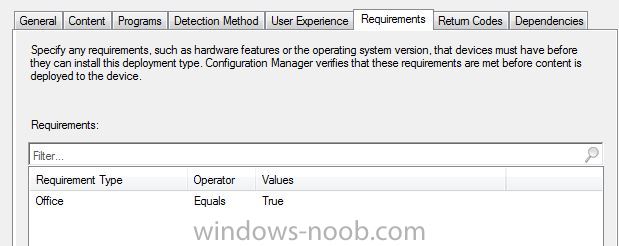
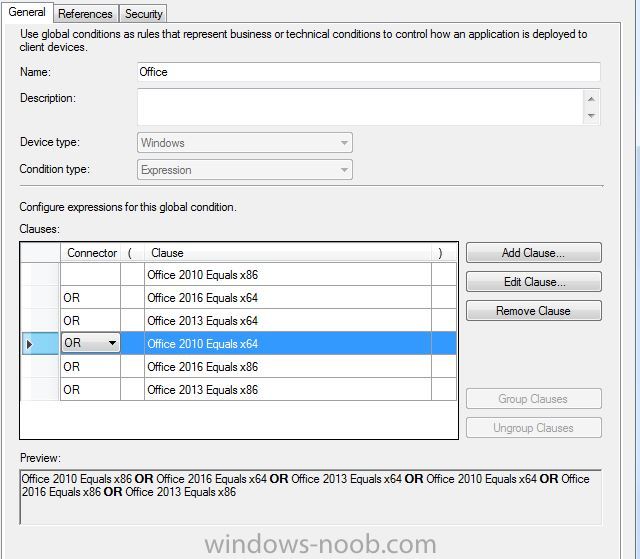
Hi It can be done by following below steps 1. Create individual Global conditions for Office 2010 and Office 2013 (I'd generally look at the hive 'HKEY_LOCAL_MACHINE\SOFTWARE\Microsoft\Office\XX.0\Outlook\Bitness' the bitness value would be x86 or x64 based on install bit) Note : XX would be 14.0 for 2010 and 15.0 for 2013 products and so on (Refer Office 2010.JPG) 2. Then create one more global condition called Office with condition type as Expression (Refer the attached file Office.JPG) and alter the connectors as you like (AND\OR) 3. Now add the 'Office' condition as Requirement in your Application (refer attached Application.JPG) Hope this helps Thanks Deepak