




Murat Demirkiran
New Members
-
Joined
-
Last visited
Everything posted by Murat Demirkiran
-
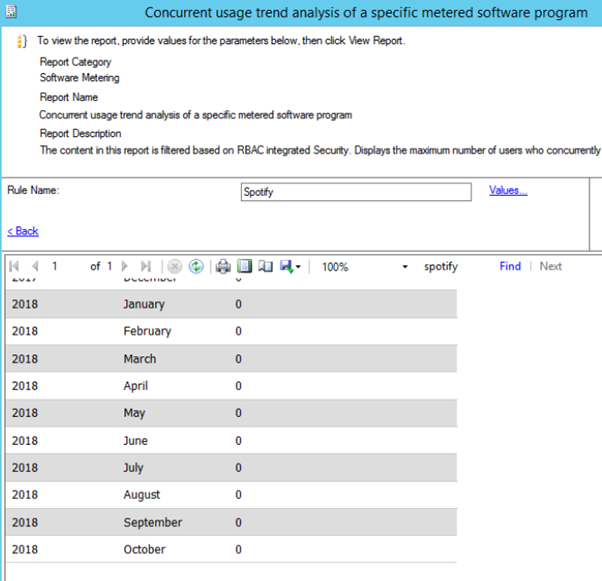
Hi Garth, Yes i have checked. It does not show any information reports about spotify also i have added software metering. Windows can not read exe files under c:\program Files\WindowsApp. I think therefore can not collect any information about that. Also I had checked Jeff solution below link. It does not show any information https://social.technet.microsoft.com/Forums/en-US/e2f18af9-7217-46f6-af74-aeddb467b3b7/reporting-on-installations-of-spotify?forum=configmanagergeneral I would be appreciated for any suggestions. Thanks
-
Hi All, I have a question for software metering or asset intelligence to determine which computer has Spotify installed. As I have checked it seems under "C:\Program Files\WindowsApps\SpotifyAB.SpotifyMusic_1.89.313.0_x86__zpdnekdrzrea0" and no one has read permission about that folder. What should be the way to inspect spotify.exe? Thanks in advance.
