jnfarmer
Established Members
-
Joined
-
Last visited
-
I'm pretty sure I just clicked through with the defaults.
-
Ok, I'll bring it back to the start... I am following this guide to set up reporting, when it comes to Specify Reporting Services settings I don't get anything in the drop where it says "Reporting Services server instance" https://www.windows-noob.com/forums/topic/4550-using-sccm-2012-rc-in-a-lab-part-11-adding-the-reporting-services-point-role/
-
Where would I find that?
-
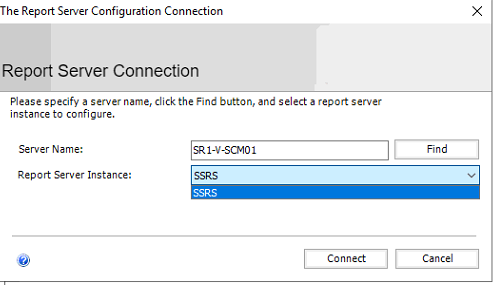
Trying to set up the Reporting Role for SCCM. Didn't have a database show up, so I was following a guide to set up the database. The guide shows that it should be an MSSQLSERVER but I only have the option for SSRS, image below. What am I missing?