vPhillipB
New Members
-
Joined
-
Last visited
-
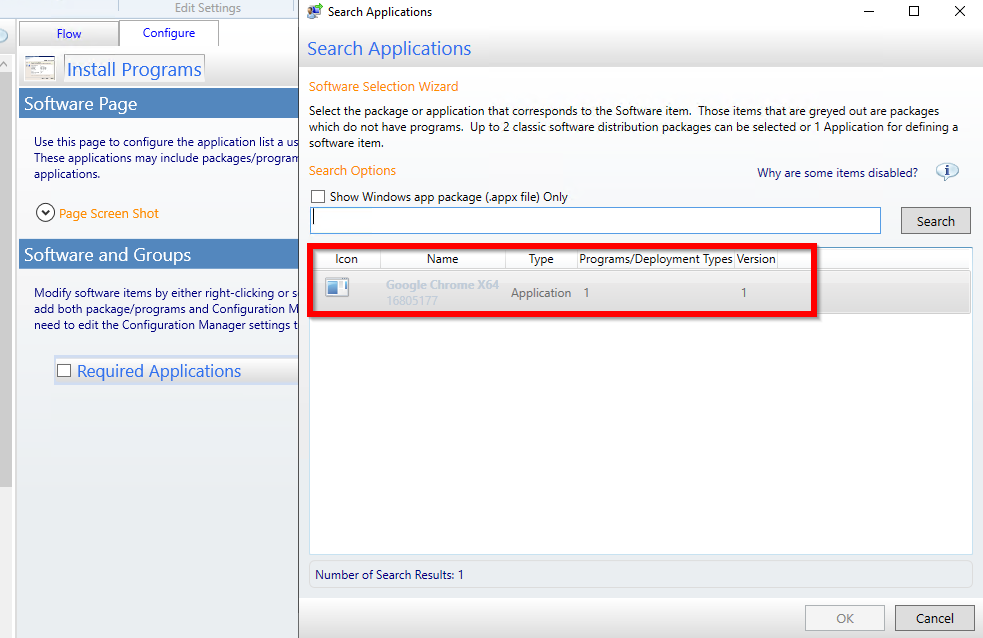
I resolved the issue by doing the following: 1.Under the Application properties select: Allow this application to be installed from the Install Application task sequence action instead of deploying it manually.2.Go to the User Experience tab and verify that the application will Install for system, whether or not a user is logged on.
-
Hello Community So, I am configuring the UDI Front End that is part of MDT SCCM integrated setup. The issue I am running into is that when trying to configure the option: "Add Software To Group Wizard". As required I created a collection and deployed the software to that collection. BUT when I go back over into the UDI designer and search for the desired application, it shows up but is grey's out. I don't understand why. Since "OK" is also grey's out, I can't move past this point. Any advice would be greatly appreciated.