RobJanssen86
Established Members
-
Joined
-
Last visited
Everything posted by RobJanssen86
-
Yes, product key is a KMS key. And the computername is set via OSDComputername variable.
-
Currently I am running in the following issue: My task sequence creates 2 partitions: Part 1 = 100 GB called OS (with variabele OSDISK) Part 2 = 100% remaining size called DATA My OS is deploying it's image to OSDISK, so always partition 1. Which is correct. Because I am deploying via Task Sequence media, my USB stick gets drive letter D and the SCCM task sequence is creating an E: partition (part 2) for me, this is not what I want!! During the task sequence I am creating folders on the D drive, which results in getting folders on my USB stick How can I solve this?
-
This is probably fixed, I generated a new unattend.xml via http://windowsafg.no-ip.org/win8.1x86_x64.html! Very useful website by the way. Next issue : My task sequence creates 2 partitions: Part 1 = 100 GB called OS (with variabele OSDISK) Part 2 = 100% remaining size called DATA My OS is deploying it's image to OSDISK, so always partition 1. Which is correct. Because I am deploying via an USB stick, my USB stick gets drive letter D and the SCCM task sequence is creating an E: partition for me, this is not what I want. During the task sequence I am creating folders on the D drive, which results in getting folders on my USB stick How can I solve this? Opening a new topic
-
Hi all, I have a Windows 8.1 task sequence which I am using to deploy our Windows 8.1 build. This works like a charm. We want to use this task sequence also for offline deployment with an USB stick. So I have made a copy of the task sequence and created task sequence media, while deploying it succeeds in all steps. After the step "Setup Windows and ConfigMgr" it reboots and then the following error appears on the screen: My xml looks like this: Is there any error in my xml? If I deploy the task sequence 'online' it runs successfully. Why not from USB stick then? Remark: The USB drive takes drive letter D while deploying, is this causing any problems?? Can please anyone help me out? I am running out of options here...
-
-
-
-
-
-
-
Divide the build and capture. So build up an machine with only the build part of the task sequence (disable the rest), scan updates to that machine with the SCCM client, Office updates may be required, install them. If all is one, capture the OS via capture ISO or TS.
-
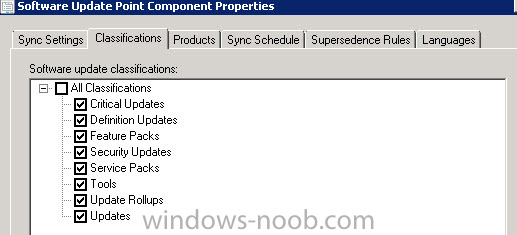
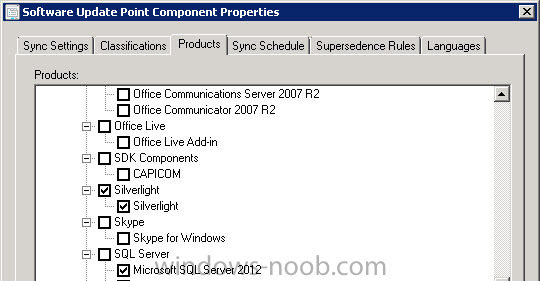
Hi all, In multiple environments we experience the same issue; Silverlight is checked in the "Software update Point" as required product. When WSUS runs it's synchronization schedule it is detecting and downloading Silverlight updates as it should. But somehow the updates are not available within SCCM 2012, so I cannot add them to a software update package or software update group. Version: SCCM 2012 R2 5.0.7958.1000 on a Windows Server 2008 R2, Left the SCCM 2012 R2 console, right the WSUS search result on that same server. - Tried to remove the SUP - Cleaned up WSUS (cleanup wizard) Now I've rolled out Silverlight updates manually but this needs to be done automatically via SCCM. Other software updates are loaded in SCCM from WSUS, only Silverlight security updates are not coming through. Has anyone an idea why SCCM does not show any Silverlight security updates?
-
The following is happened: In our test environment we restored (image level restore) the SQL server and the SCCM server. Now SCCM does start up and I can run reports and everything but when I create an new deployment (Software update for example) it doesn't do anything on the client side anymore. So everything is working except for any deployment.. What's the best way to troubleshoot those problems? Thanks a lot in common.