nstylin
Established Members
-
Joined
-
Last visited
-
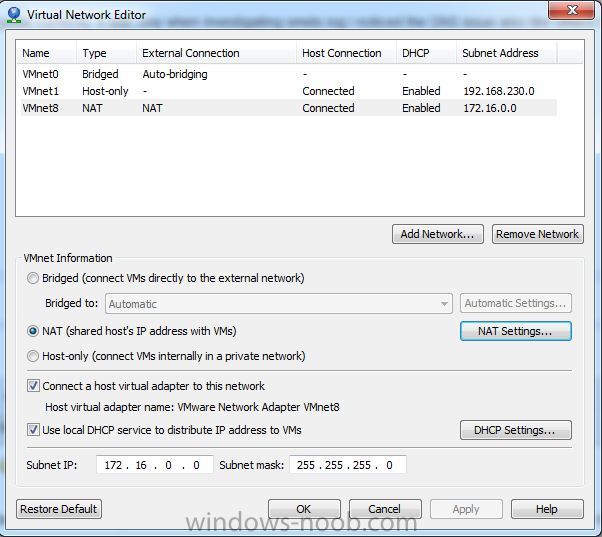
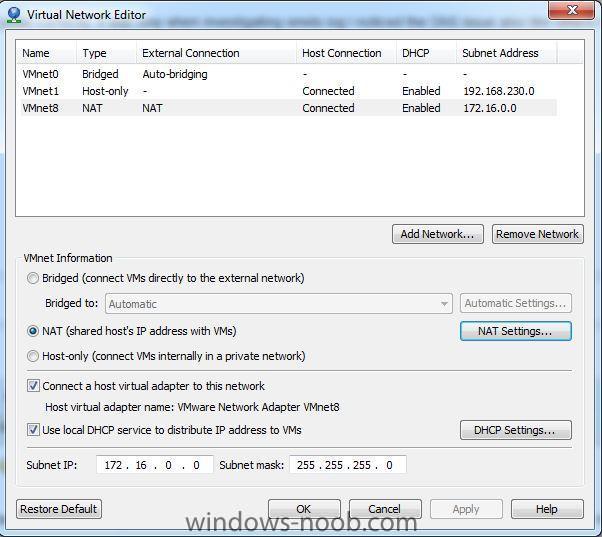
I had the PXE-E53 error when using VMware Workstation where the machines were configured to use the NAT network in VMware Virtual Network Editor. Problem for me is that I had turned DHCP off in the NAT network. Turning this back on fixed the problem and clients could PXE boot.
-
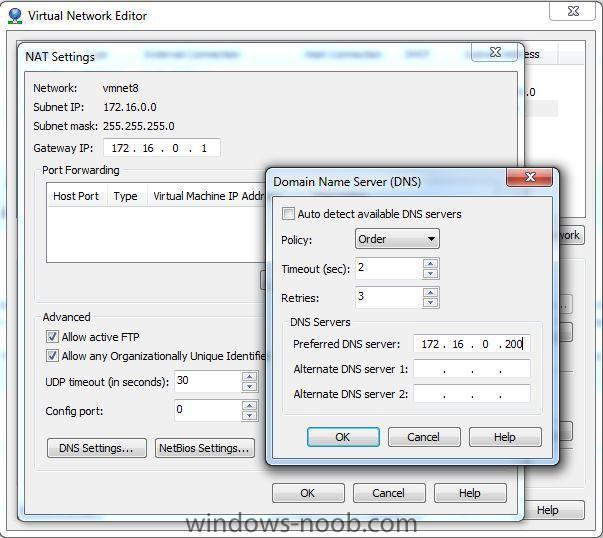
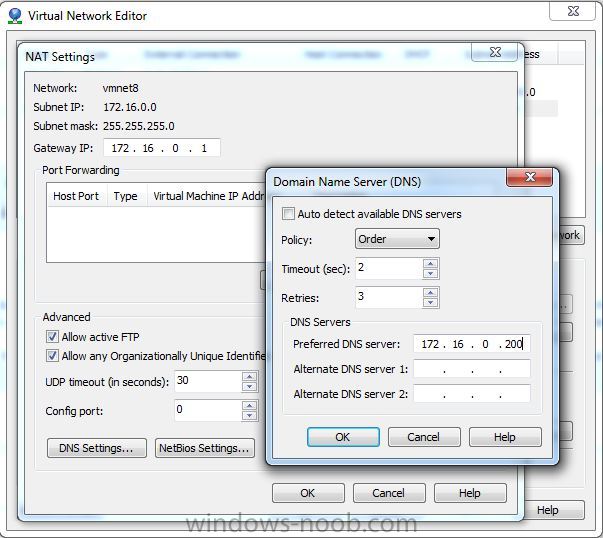
For anyone else having the Failed to Run Task Sequence with 0x80004005 where you are using the NAT Virtual Network in VMware Workstation - make sure in the Virtual Network Editor you configure the DNS server to that of your Active Directory DC / DNS server so it can resolve you internal domain name (i.e. testlab.local) when trying to find your SCCM server distribution point by FQDN (i.e. sccm.testlab.local). This was driving me nuts for ages since I followed the guide correctly. It was only when investigating smsts.log I noticed the DNS issue also like others have mentioned.