ALX
New Members
-
Joined
-
Last visited
Everything posted by ALX
-
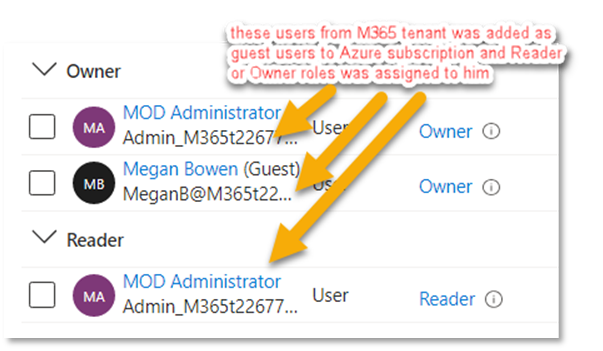
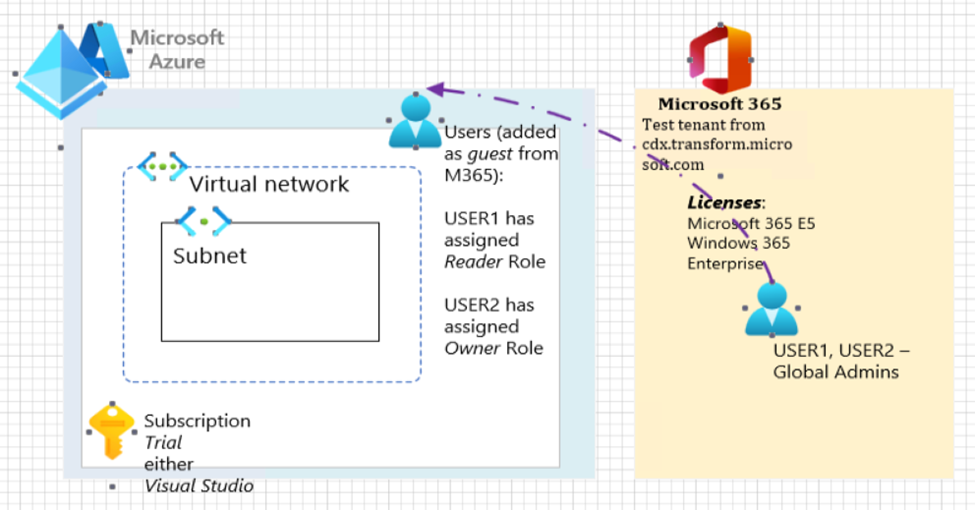
Hi, Naill, again! As I wrote, all required permissions assigned at the Azure subscription – for one user was assigned Subscription Reader role, another one has – Owner role (two different users had added for experiments) These users have all required permissions at M365 tenant – they’re Global Administrators. Downhere my test environment illustration: Of course, I read this official documentation https://learn.microsoft.com/en-us/windows-365/enterprise/azure-network-connections and related docs. Also read a lot of other articles (like yours’s) and watched many videos (officials / by bloggers). All things must be simple, but… ☹ What could be wrong? Kind regards, Alex
-
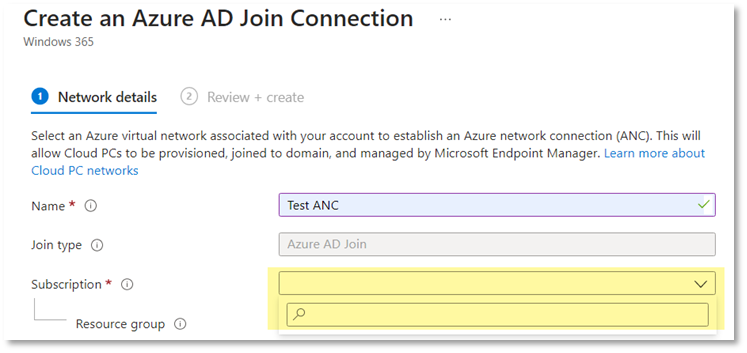
Hello, Niall! Can you describe this Windows 365 Enterprise Azure AD join scenario in details about environments/ subscriptions (M365 & Azure)/ permissions? What’s needed to organize a TEST environment like your’s for this scenario? At my test environment I can’t create Azure Network Connection because the dropdown field for subscription choice at the ANC is empty. I have a test M365 subscription by cdx.transform.microsoft.com and two Azure subscriptions – Trial and another one by the Visual Studio. All required permissions assigned at the Azure subscription, but ANC can’t see Azure subscription: Kind regards, Alex