jharlow
Established Members
-
Joined
-
Last visited
-
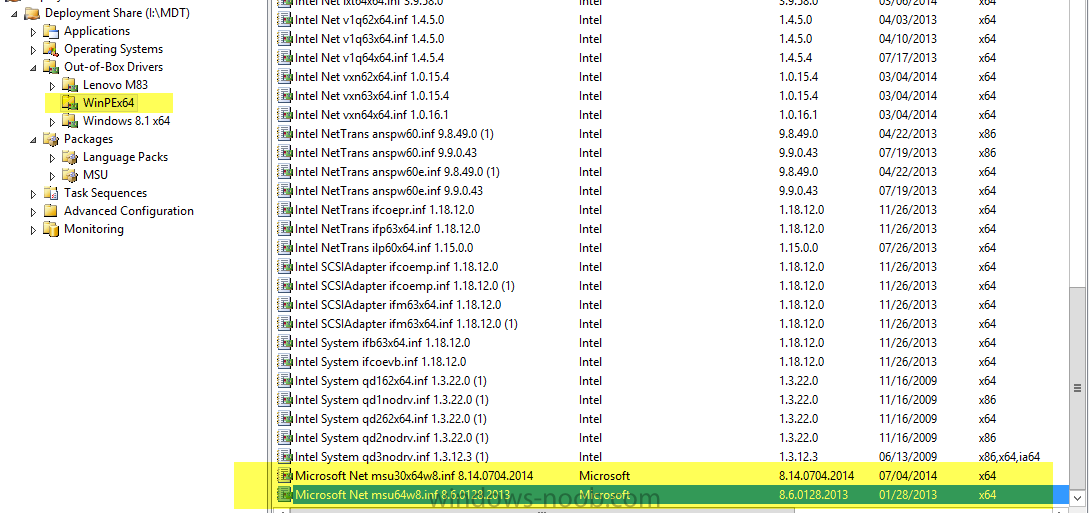
Hey Niall, Thanks for your reply. The drivers were added to the WIM image and updated to the WDS. I can send you the output (just don't want to post it publically). but in there I can see the following lines. (1) Injected driver Microsoft Net msu30x64w8.inf 8.14.0704.2014 Injected driver Microsoft Net msu64w8.inf 8.6.0128.2013
-
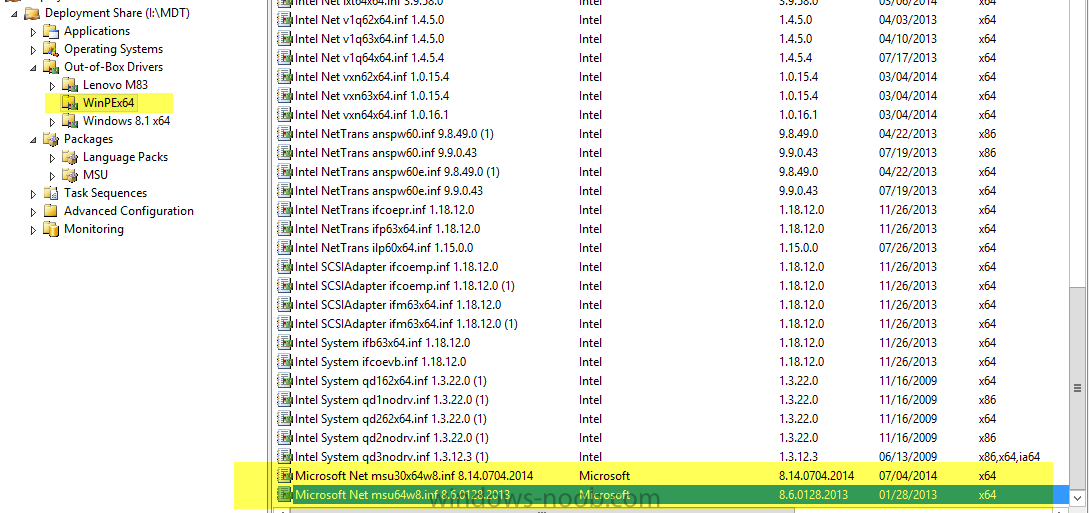
I am running into an issue trying to deploy Windows 8.1 to the Surface Pro 3. I followed the directions posted here however since I already have a working MDT/WDS deployment for other machines, I could not run the script. The issue appears to be driver related. I used the link (http://www.microsoft.com/en-us/download/details.aspx?id=38826) and downloaded both the Ethernet and GB Ethernet drivers, added them into my deployment share/OOB Driver section for WinPEx64 and updated my deployment share. The error I receive is as follows "A connection to the deployment share ([path]) could not be made. The Following networking device did not have a driver installed. PCI\VEN_11AB&DEV_2B38&SUBSYS_045E0001&REV00" Photo showing I have the two Microsoft drivers installed under the OOB Driver section. I even change my WinPE settings to include ALL DRIVERS just to make sure it was not somehow picking up the selection profile. http://1drv.ms/1C4sC0P (also attached) Any help would be appreciated. Thank you.