sacaliabu
Established Members
-
Joined
-
Last visited
-
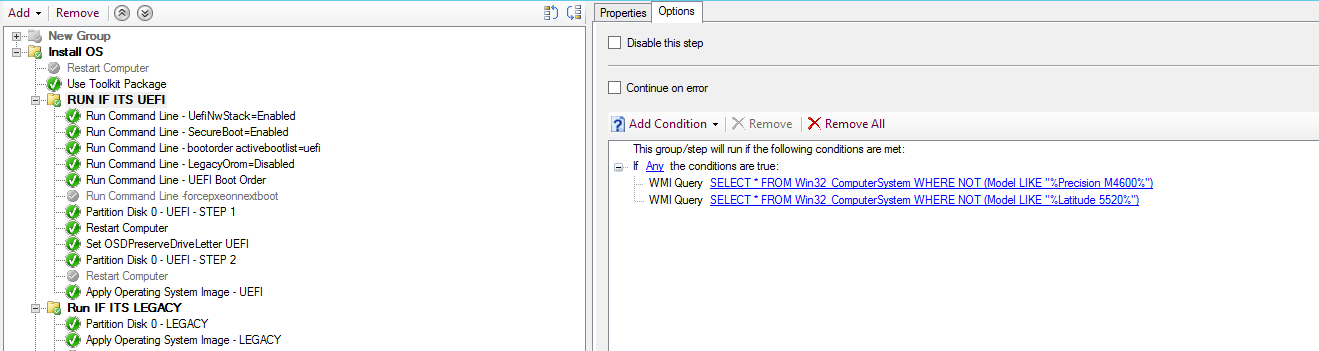
Problem solved. Had to include the 2 models in the same wmi query. Thank you.
-
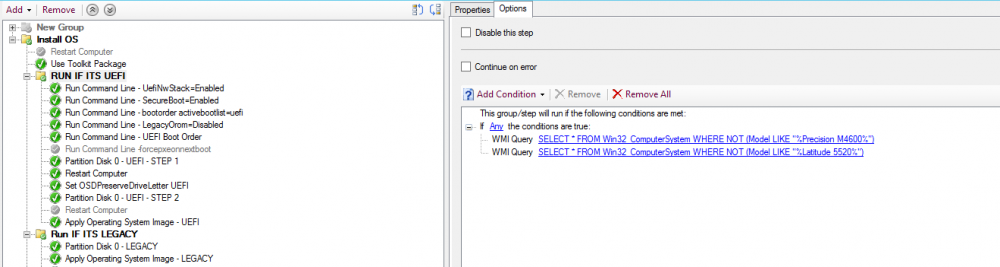
I will test it and let you know, i don't know if this is because this step is too soon in the TS. Its placed even before the OS in installed. The step "IF ITS UEFI" is being applied to machines that don't match the query. Thank you.
-
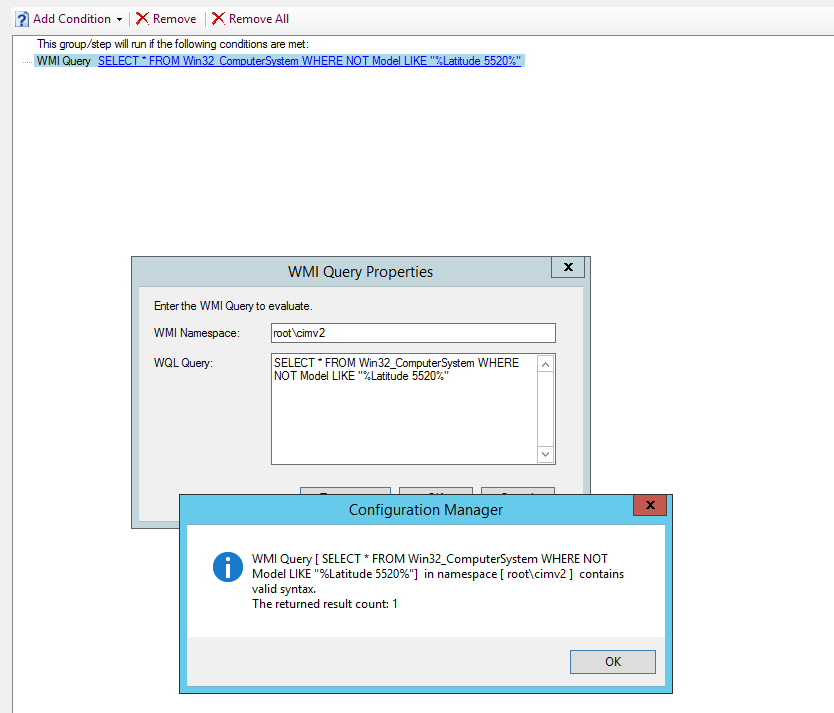
Does anyone have an idea why this query doesn't work when it's written everywhere it should? This is the query SELECT * FROM Win32_ComputerSystem WHERE NOT Model LIKE "%Latitude 5520%" And I have tried with the same results SELECT * FROM Win32_ComputerSystem WHERE Model NOT LIKE "%Latitude 5520%" Thank you.
-
Sorry, didnt understood. I only have one sccm server.
-
After updating sccm to 1706 I started getting this error on the component status. Has anyone has an idea about it? Could not write registry key "HKEY_LOCAL_MACHINE\SOFTWARE\Microsoft\SMS\Components\SMS_AZUREAD_DISCOVERY_AGENT\" on computer computername.blabla.com. I already reconfirmed that the computer account for the sccm server has the permissions on the AD folder. It was working fine until i did the last update. Thank you.
-
I am trying to set up a Task Sequence that will ask me what software i want to install. I am fallowing this tutorial - https://joshheffner.com/integrate-udi-with-your-sccm-task-sequence-for-optional-software-deployment-and-other-features/ But when i get to the step where it is supposed to install the selected software, it fails with the error 80004005 From the SMSTS log i can get this information: Failed to run the action: Install Optional Applications. Unspecified error (Error: 80004005; Source: Windows) No Env variable with specified basename COALESCEDAPPS and suffix '01' is found. No applications installed. Any ideas ? Thank you.
-
-
My TS were working and for some reason they stopped. They stop (just stays there waiting for the day that never comes). Funny thin is if i restart the server the TS continues. TS Stops at Applly Device Drivers Any idea what may be causing it ? No errors are shown in the logs. Thank you.
-
It clearly loads the right package according to the device model, but, how do i know that the drivers he installed are the ones in the package and not the ones that come with the operating system ? Any way of checking this ? Thank you.
-
That is an interesting approach.. .gonna look in to that. It made sense what you just wrote. Thank you!!
-
HI, i have fallowed this post ( https://www.windows-noob.com/forums/topic/13917-how-can-i-use-the-upgrade-task-sequence-in-system-center-configuration-manager-current-branch/ )and managed to create an image to update windows 7 clients to windows 10. How can i add drivers to this task sequence ? fallowing the post above it shows me how to add a driver package to the image. But how about when you have different models to upgrade with different hardware ? Do i create a "Download package content" for each driver package and then use wmic to query the computer model to which the driver package will be deployed to and in this way, having one task sequence for multiple hardware versions? PS: I already asked this in the link above a week ago and so far, no answer, thats why i am creating a new post hopping for some one to help me out with this. Thank you.
-
I have fallowed this tutorial to create my upgrade to the network. I have 10 different computer models and drivers that i wanted to include in this task. How would i achieve that ? Create a "Download Package Content" for each computer model with the drivers and then use wmi to query the computer model and apply it ? Thank you.
-
Thank you very much, it helped. Now i have a better understanding of MDT.
-
Thank you very much, will try tomorrow at work.
-
by wizard you mean the new menu in creating creating task sequence ? Mdt task sequence ?