gopi8883
Established Members
-
Joined
-
Last visited
Everything posted by gopi8883
-
Hi, Is there any update regarding this. I am still getting the same issue. There are no GPO applied. Thank you
-
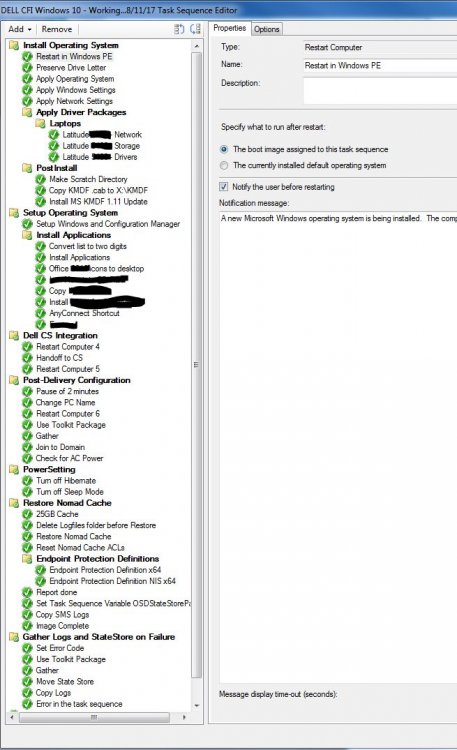
Thank you for your response. I already tested that. This issue happens only in the send half of the task sequence i.e., after the "Post-Delivery Configuration" Group. (Shown in above task sequence)
-
There are no GPO's but still I am getting this page.
-
Hi, I am doing a manual partition using the below steps before i start the task sequence STEPS before booting from USB flash drive: Diskpart Select disk 0 (0 being the disk to setup) Clean (wipe the disk) Convert gpt (convert disk to GPT) Create partition efi size=200 (EFI system partition) Assign letter=s (Any allowable letter) Format quick fs=FAT32 (Format the ESP) Create partition msr size=128 (Create the MSR partition) Create partition primary (Create Windows partition) Assign letter=c Format quick fs=NTFS (Format primary partition) Exit
-
Hi Paul, I am doing with UEFI. I am doing this image for Dell Custom factory Image (CFI) Thank you,
-
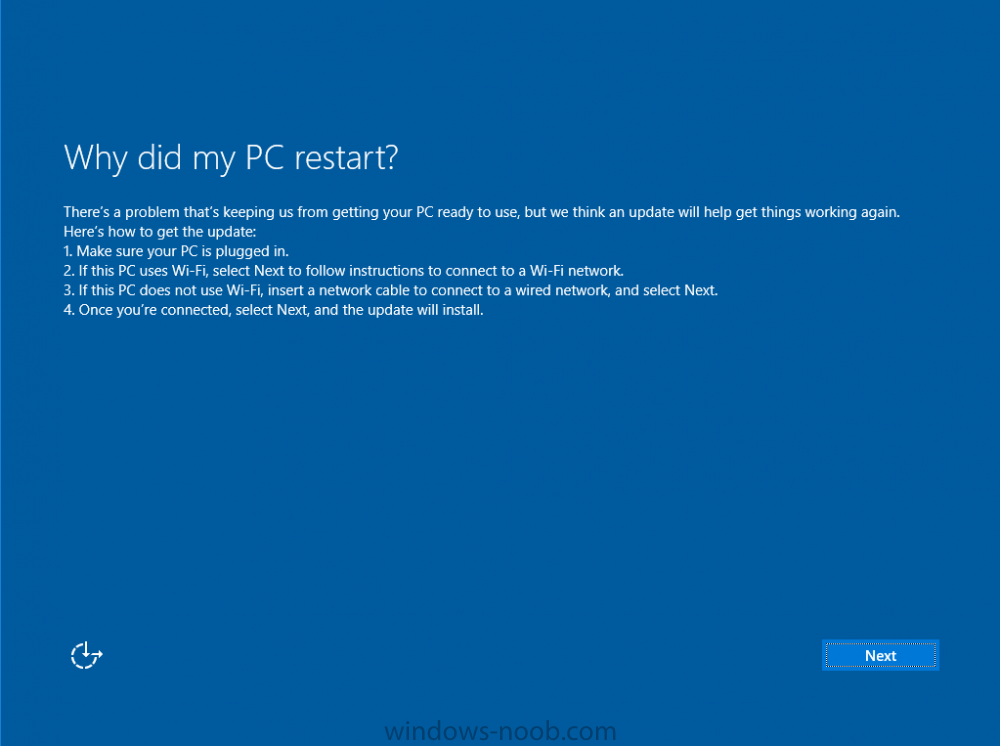
Hi, I am using a standalone media to install Windows 10 Version 1703 in my network. When almost the installation is complete, I am getting to see the page which says "Why did my PC restart?" I tried to restart the PC but still the same page comes up. Its like Ia m struck here with no clue. I am connected to the network with LAN cable but still nothing happens. Please help me fix this issue. I even cant get to any other page, i wanted to check the log files but no way i can go out of this page. Thank you,
-
-
-
-
-
Hi, I am trying to create a stand-alone media for windows 10 using SCCM 2012 integrated with MDT. The media does help in the machine joining to domain. when i checked the log file in C:\Windows\Panther\UnattendGC Setuperr.log file says: [DJOIN.EXE] Unattended Join: NetJoinDomain failed error code is [1355] [DJOIN.EXE] Unattended Join: Unable to join; gdwError = 0x54b Any help will be appreciated. Thank you,