goneutrino
New Members
-
Joined
-
Last visited
-
actually everything is now working! your guides worked perfectly, i just needed to back and understand and re-read the scripts! I am new to SQL so my understanding of media, service accounts etc was very very small. After using updated ssm18, new CU22 update, and making sure i am using the domain specified account mentioned my script.....Config Mgr passed with NO errors. Genuinely appreciate the time you dedicated into your guides, respect. -
-
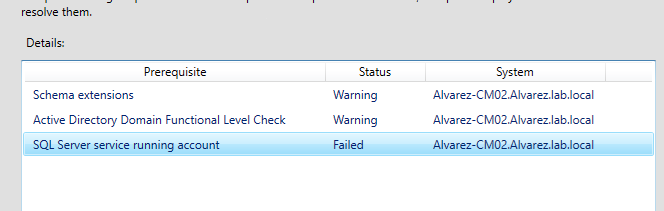
hello! thank you for the guides but i keep getting this error. I am able to extend schema extensions on the DC but do receive error on the CM server. I am aware that i dont need to run on CM server if its already ran on DC but not sure why the error pops up. As for the SQL service account, i already added a windows domain account and not sure either why its errors.