DJNova
Established Members
-
Joined
-
Last visited
Everything posted by DJNova
-
But how do I get Windows 7 fully configured? I cannot disable Windows Features during the Installation.
-
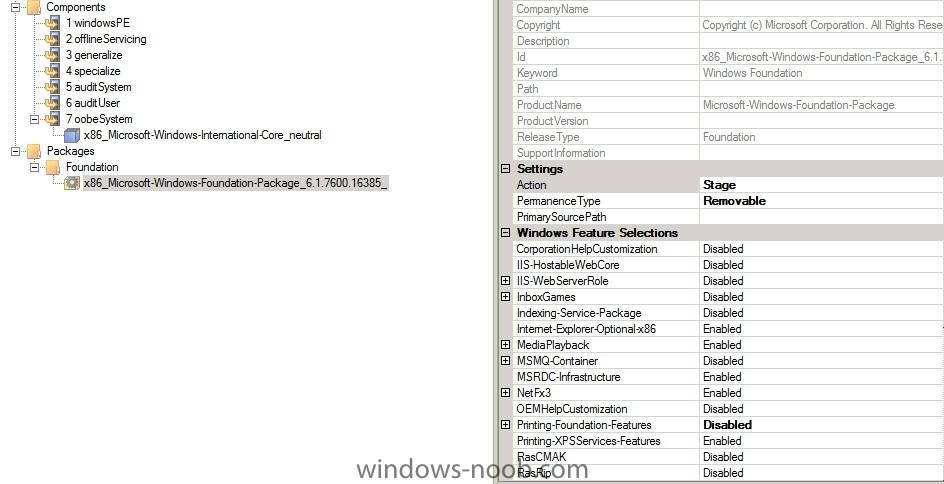
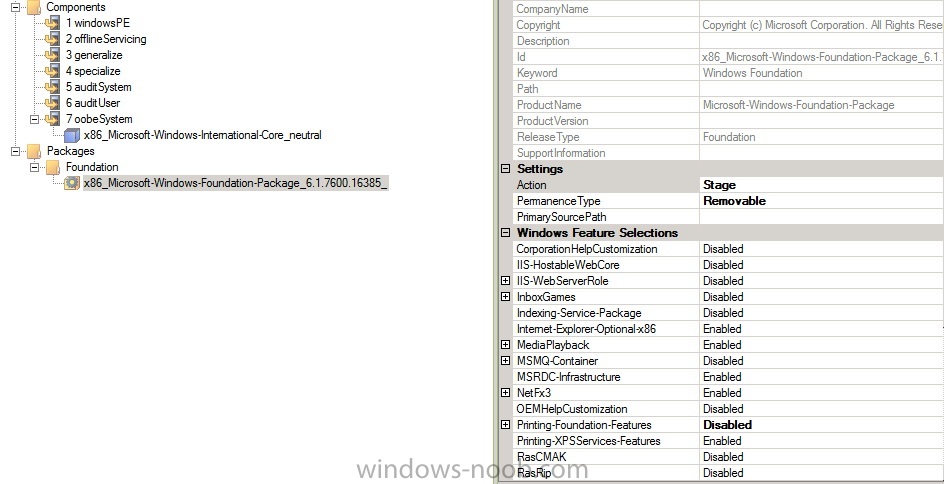
I have now tried to do it like the guides in this forum. But I don't have any deactivated Windows Features which you see in the Screenshot above. But with the Build and Capture task sequence I have an image which can be deploeyd to C:\. I need a fully configured Windows 7 deployment with no hardware dependencies. Is this possible? Becaus now I have to capture one image from every type of hardware in our company. And I don't think that this is the solution for a deployment within a company. Thanks, Mike
-
I don't find anything. The next strange thing is, that everything is installed on Partition D:\ and NOT on C:\ Thanks, Mike
-
Hello, I have a problem with the customized deployment of my Windows 7 Enterprise. I want to deploy the standard image from the source directory and configure it like it's described here. I have also added the Windows Foundation-Package to enable end disable some features. But it's not working. Is there any possibility to solve this problem without capturing a reference machine? The part with the language settings is working, but not the part with the disabled features. This is my XML with the informations: <?xml version="1.0" encoding="utf-8"?> <unattend xmlns="urn:schemas-microsoft-com:unattend"> <servicing> <package action="stage"> <assemblyIdentity name="Microsoft-Windows-Foundation-Package" version="6.1.7600.16385" processorArchitecture="x86" publicKeyToken="31bf3856ad364e35" language="" /> <selection name="MediaCenter" state="false" /> <selection name="Printing-Foundation-Features" state="false" /> <selection name="FaxServicesClientPackage" state="false" /> <selection name="Printing-Foundation-InternetPrinting-Client" state="false" /> <selection name="TabletPCOC" state="false" /> <selection name="SNMP" state="true" /> </package> </servicing> <settings pass="oobeSystem"> <component name="Microsoft-Windows-International-Core" processorArchitecture="x86" publicKeyToken="31bf3856ad364e35" language="neutral" versionScope="nonSxS" xmlns:wcm="http://schemas.microsoft.com/WMIConfig/2002/State" xmlns:xsi="http://www.w3.org/2001/XMLSchema-instance"> <InputLocale>de-AT</InputLocale> <SystemLocale>de-AT</SystemLocale> <UILanguage>de-AT</UILanguage> <UILanguageFallback>de-AT</UILanguageFallback> <UserLocale>de-AT</UserLocale> </component> </settings> <cpi:offlineImage cpi:source="wim://srv-mg01/source$/os/windows%207%20enterprise/x86/sources/install.wim#Windows 7 ENTERPRISE" xmlns:cpi="urn:schemas-microsoft-com:cpi" /> </unattend> I hope that anyone can help me. Thanks, Mike