Reyes
Established Members
-
Joined
-
Last visited
Everything posted by Reyes
-
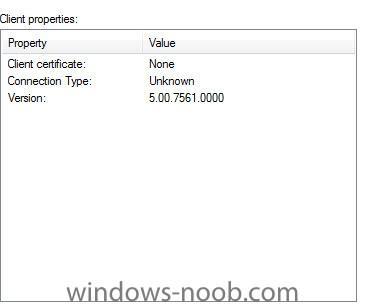
I tried the suggestions listed here, but no dice. I am using the same credentials on the Vnext as I am using on the 2007 SCCM, but to no effect. I also noticed something peculiar about the Configuration manager Properties. Please look at the screen shot below. I am going to rebuild the VM and reinstall fresh everything to see if that will fix the problem.
-
Thanks for the reply. I am sorry, but I am not clear as to what you mean. Are you referring to my account being a member of the Domain Administrator, and Schema Group in Active Directory, or a member of those groups within SCCM 2012?
-
I have the same exact problem. Computer is network joined. There are only two actions listed (Machine Policy Retrieval&Evaluation Cycle) and (user policy Retrieval&Evaluation Cycle). There are no complains about the awebsvc or portal. It is only stating "Added component 'SMS_AWEBSVC_CONTROL_MANAGER' to the Monitored Component List. SMS_COMPONENT_MONITOR 1/1/1601 12:00:00 AM 4520 (0x11A8) that Added component 'SMS_PORTALWEB_CONTROL_MANAGER' to the Monitored Component List. SMS_COMPONENT_MONITOR 1/1/1601 12:00:00 AM 4520 (0x11A8) I have tried doing a manual installation of the client, but same result. Any help in this matter will be greatly appreciated.