MatthieuAi3
Established Members
-
Joined
-
Last visited
Everything posted by MatthieuAi3
-
-
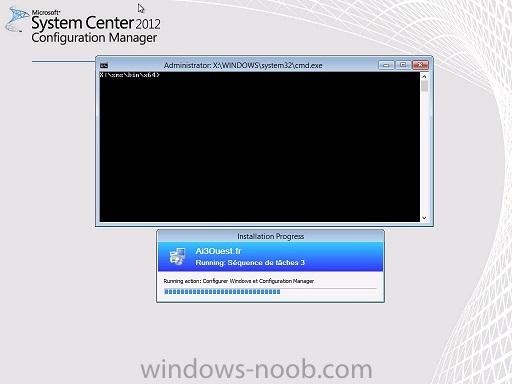
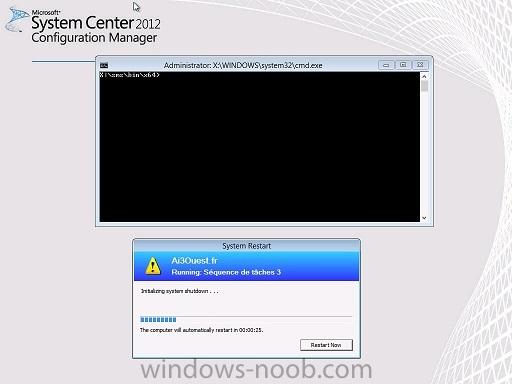
Hi everyone, I have a problem with my build and capture sequence. The build part of the process works fine. The problem is with the capture part. Just after Configure Windows and Configuration Manager, the client reboot. I have the smsts.log file but i can't see anything very useful. Maybe someone can! smsts.log I see this message that i don't understand : Failed to open Software\Microsoft\Sms\Mobile Client\Software Distribution registry key. The client should not get checked for RWH OpLock Type I have working in an Hyper V lab : 1 DC/DNS/DHCP 1 SCCM2012 SP1 1 workstation Thank you for your help !!!!!! Matthieu
-
Yes i have access to share network for the capture, I choose the smsadmin user for the capture and he has full control acces on thaht folder. And yes i can do a teamviewer session. How can we do? I write you PM?
-
Hi Anyweb, First, thanks for your help! I find the log you mentionned. http://www.sendspace.com/file/n0jjug I'm trying to find what's wrong but i don't see anything. There are a lot of errors from mobile client... What's that?
-
Here comes my log file... http://www.sendspace.com/file/yviqsp I don't see anything.... Any Idea?
-
Hi Anyweb!! I have some problem with the capture part of my task sequence. Windows Seven is deployed but just before the capture part of the sequence, the virtual machine reboot. I look to the smspxe.log but i can't see anything very usefull... And i have the key windows of the installation : Any Idea?
-
Yes, i was. I succeed to resolve the problem. I use KB947821 and the problem disappears. Now my new problem is an authentification windows when i click on the link to application catalog? (from Software Center) Why do i have this authentification? I try to connect with different user (smsadmin, an other domain user...) but i can't access to catalog anyway Any Idea?
-
Hi Anyweb, First, thanks for the guides! Very Useful. One question: When i have tried to install te WSUS role on the P01 Server, i have the following error (In french): Erreur inattendue lors de l'actualisation du Gestionnaire de serveur: Element introvable. (Exception de HRESULT : 0x80070490) In can't see roles or features installed in the server... Any Idea?