cfreeman21
Established Members
-
Joined
-
Last visited
Everything posted by cfreeman21
-
In my Production environment This appears to be working, I am guess a user has to be logged in for Encryption to start? Also Everything is working except for the Recovery Audit Report... Thoughts?
-
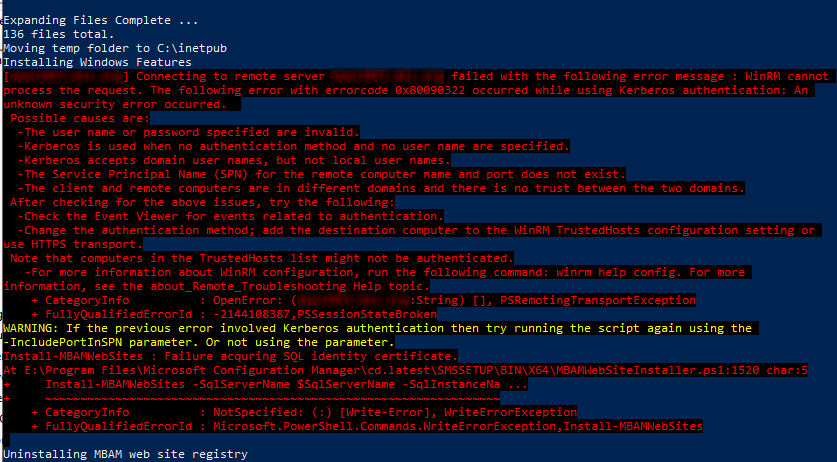
(Different Issue not trying to muddy the water) - This Issue resolved right after I posted this is how I fixed this issue. Not Sure which one resolved my issue but I did these 2 things * Added Trusted Host to Windows Remote Management * Add SPN for the Server with Port * setspn -s HTTP/server:5985 server * setspn -s HTTP/server.fqdn:5985 server Earlier post Trying to install MBAM on ConfigMgr 2203 with SQL Co-located. Using this install parameters: .\MBAMWebSiteInstaller.ps1 -SqlServerName SERVER.FQDN -SqlDatabaseName CM_DBB -ReportWebServiceUrl http://SERVER.FQDN/Reportserver -HelpdeskUsersGroupName "DOMAIN\G_Bitlocker_Helpdesk_Users" -HelpdeskAdminsGroupName "DOMAIN\G_Bitlocker_Admin_Users" -MbamReportUsersGroupName "DOMAIN\G_Bitlocker_Reporting_Users" -SiteInstall Both And I get this error... Thoughts?
-
I understand and appreciate everything you are doing to assist. Thanks!
-
FYI I just double clicked this C:\Program Files\Microsoft\MDOP MBAM\MBAMClientUI.exe and the UI did not come up but Encryption started immediately. Thoughts?
-
Any luck or getting same results as me?
-
Thanks, let me know if you need anything from me and or if we want to sync up and look at my lab together.
-
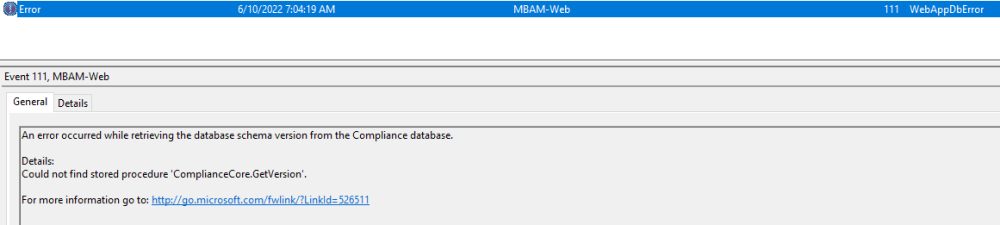
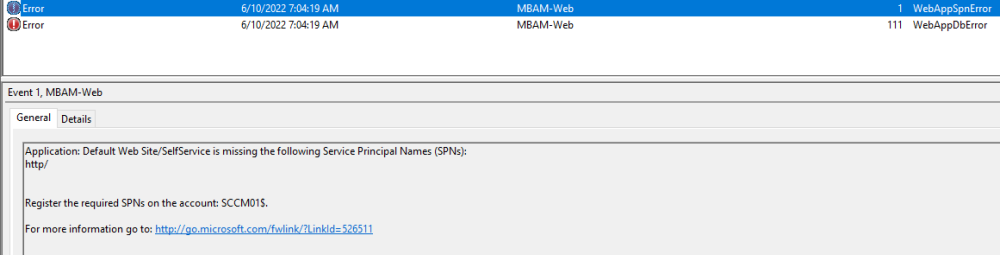
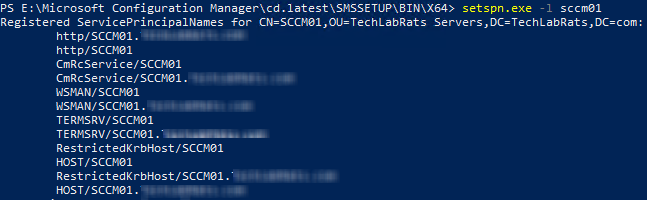
Yes e-http and yes everything else is working fine haven't made any applications in the lab but patches deploy. Also finally my I am getting a bit of logging on the web server.
-
Turned off the Windows 7 settings as requested, built a brand new Windows 10 21H2 virtual workstation and I connect to the machines from Hyper-V Conolse as below.

-
I have the same settings that you have here and I was actually getting that prompt before removing the ISO. ? Almost feels like you needed to have Bitlocker MBAM in place pre-2103 to get this functioning.
-
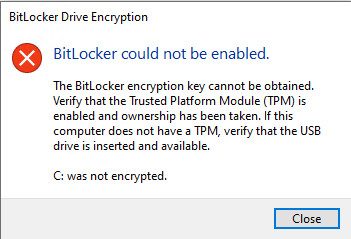
Removed Mounted ISO and doesn't seem to have changed status, on reboot I do get this prompt.
-
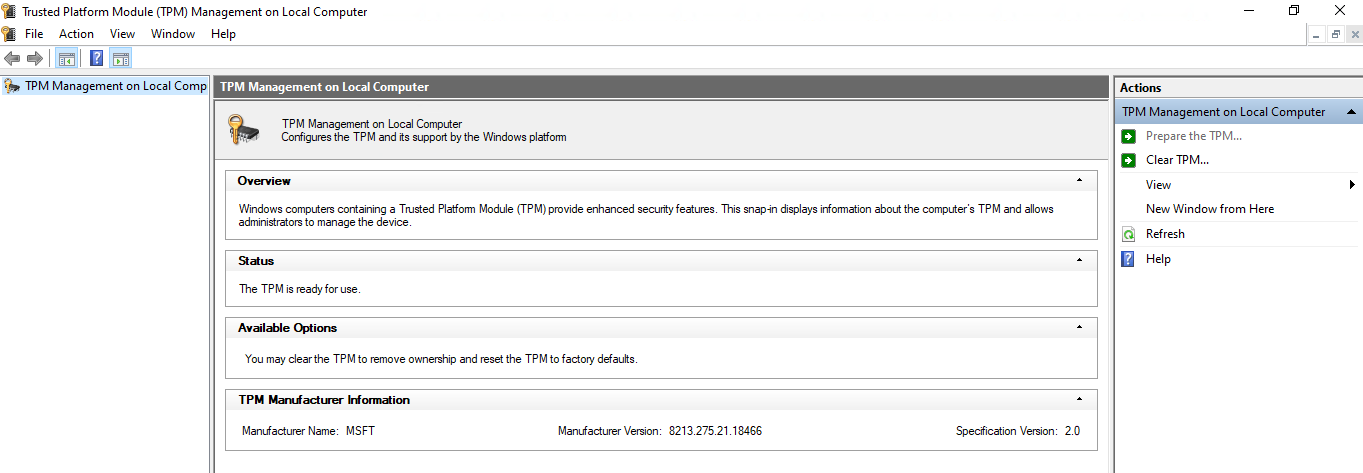
Yes Virtual TPM and is enabled. Screenshots for everything you just asked for.
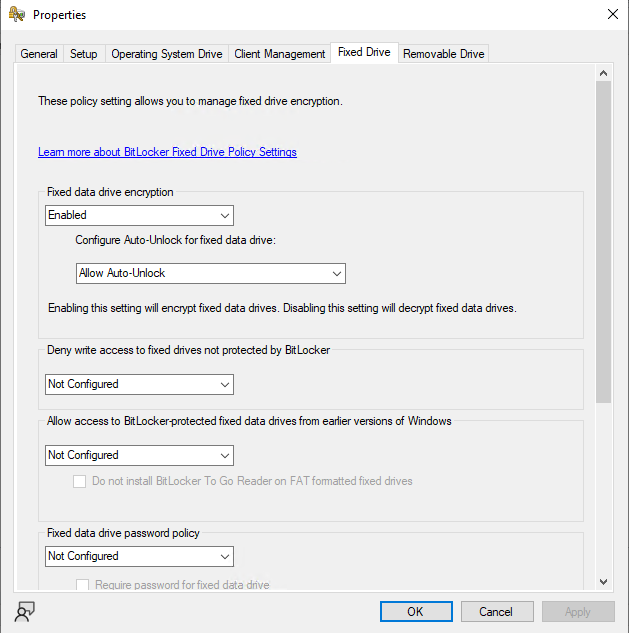
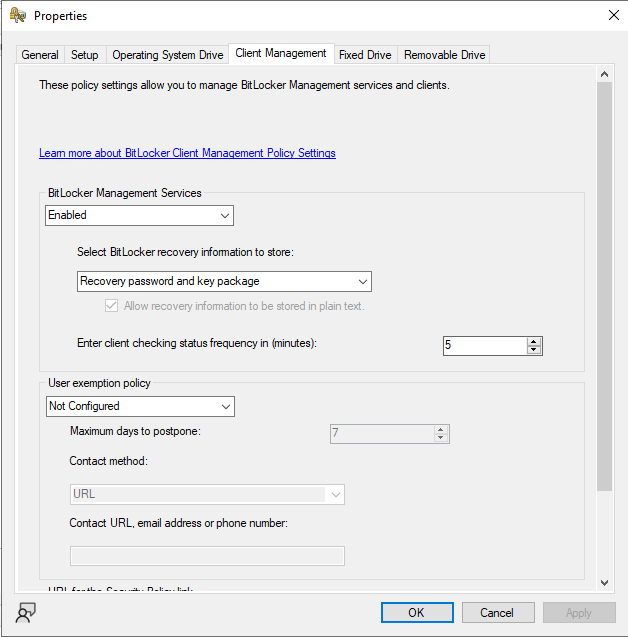
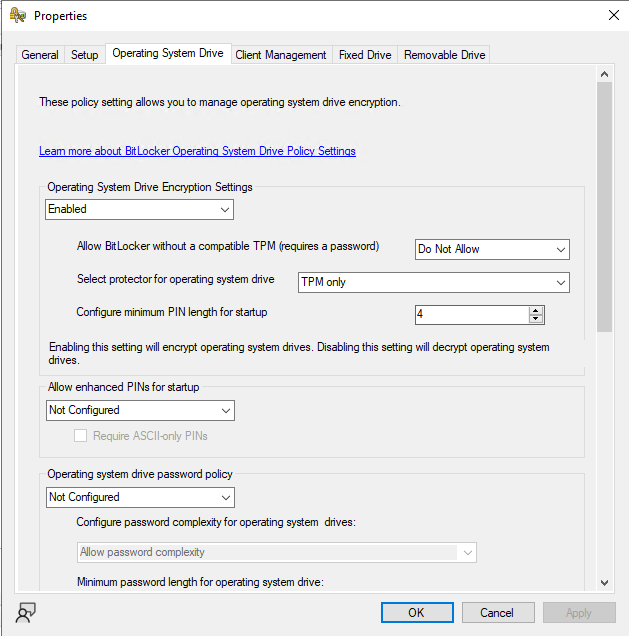
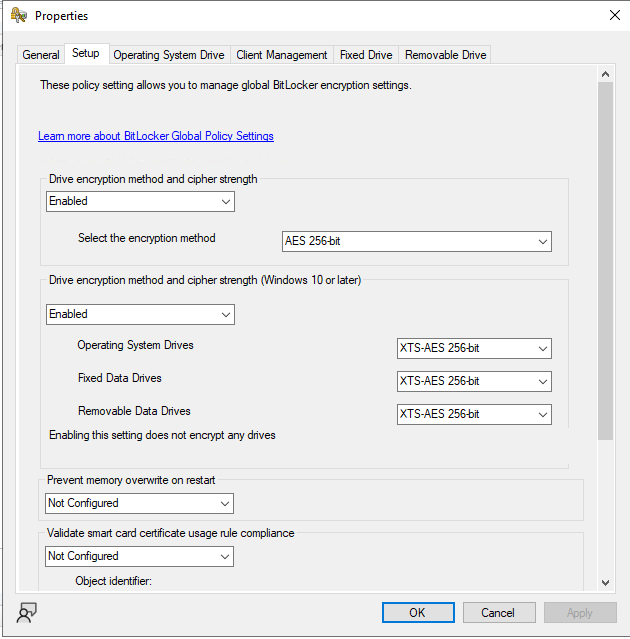
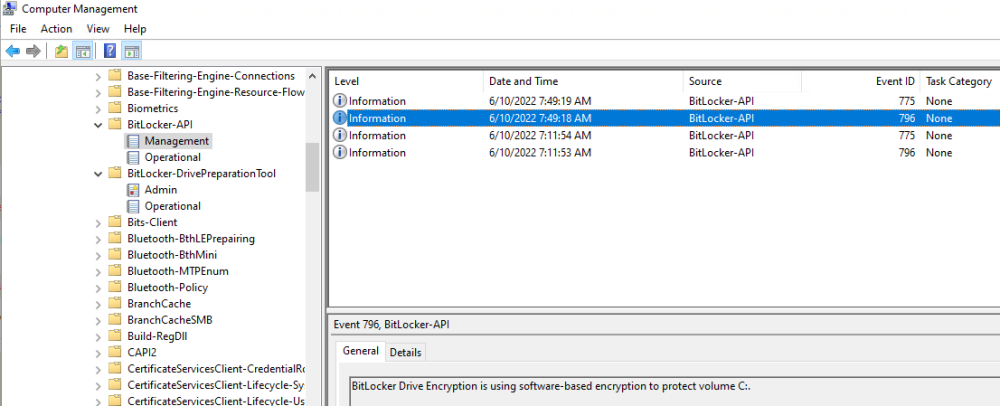
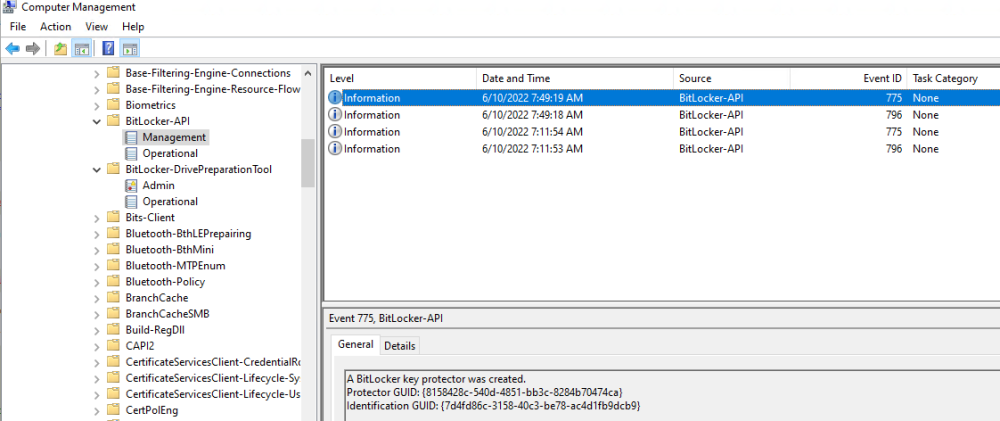
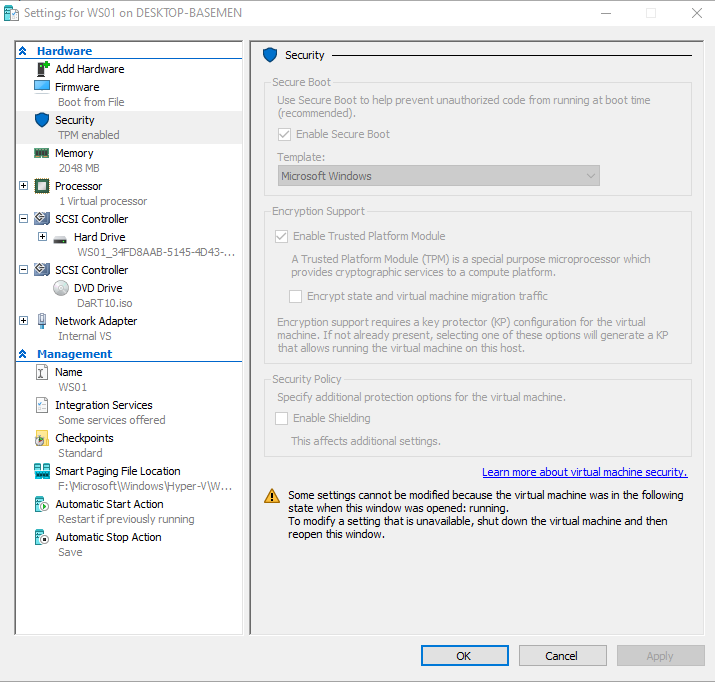
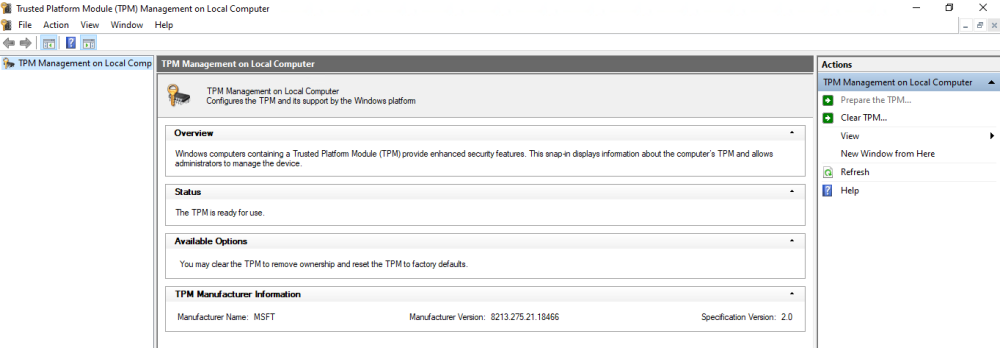
-
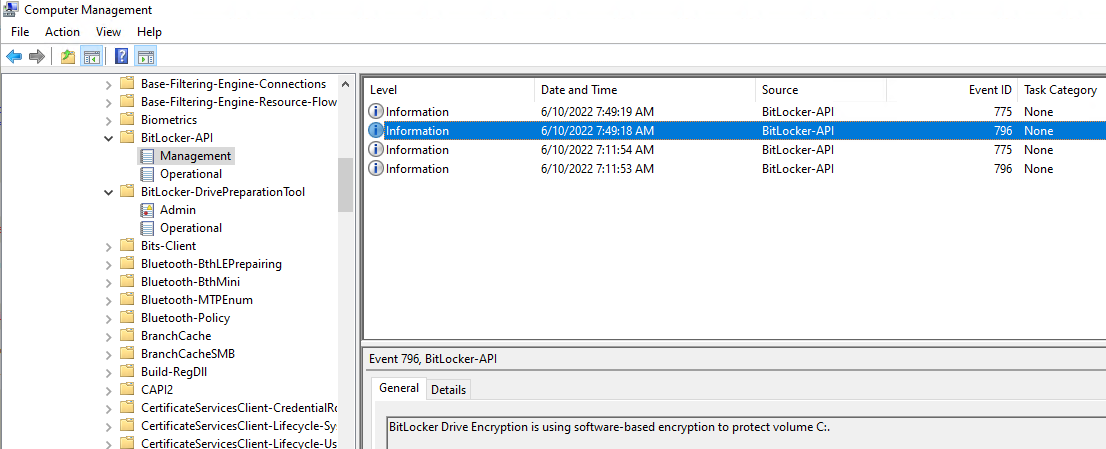
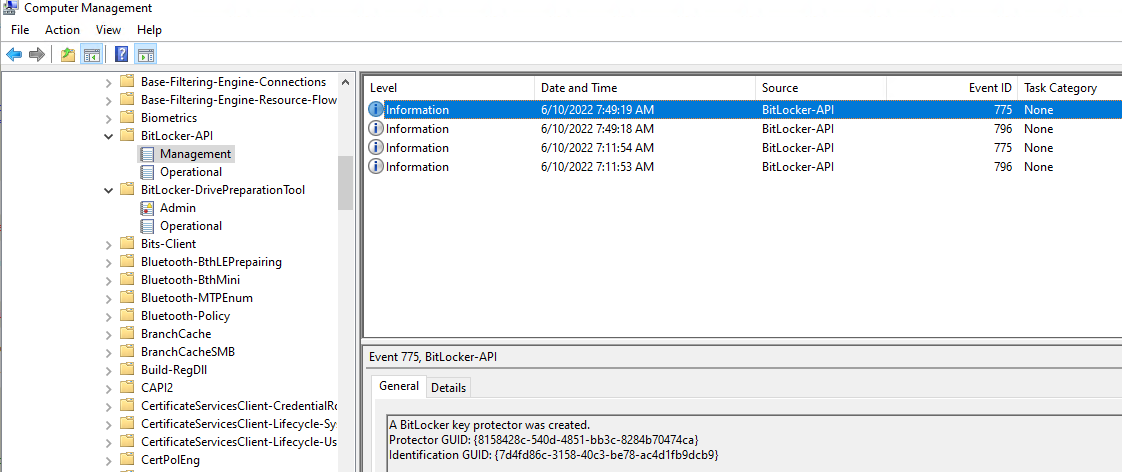
Okay that makes since, but if that is the case there is no logging in event viewer or anywhere that I can find now. Also my client will not encrypt and this all I see on workstations.
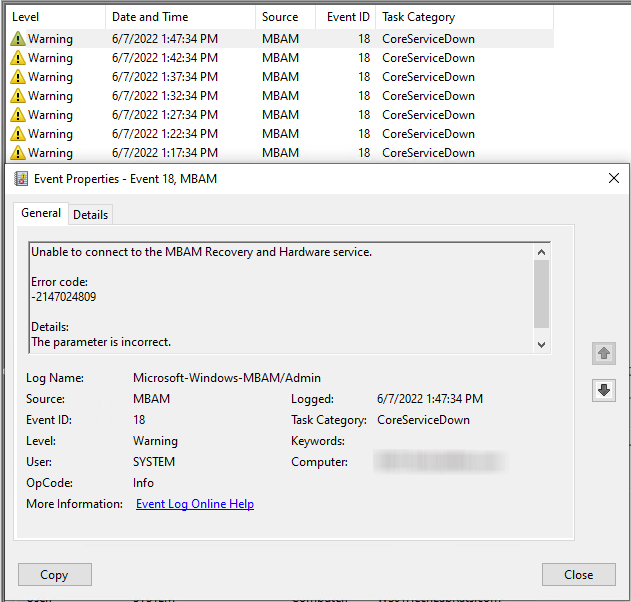
-
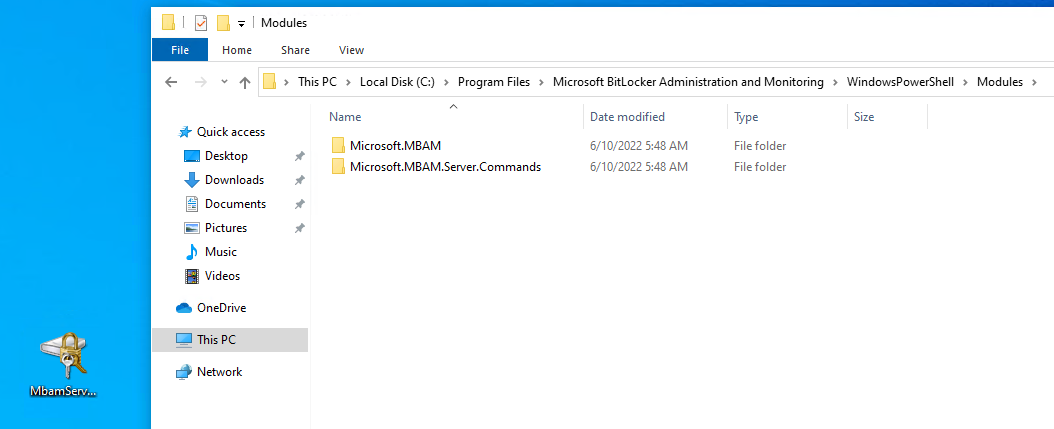
On a test machine I did just run the MbamServerSetup.exe which does in fact create the files that ConfigMgr is referencing, but I would assume these files are out dated as they are from MBAM 2.5 SP1. Thoughts?
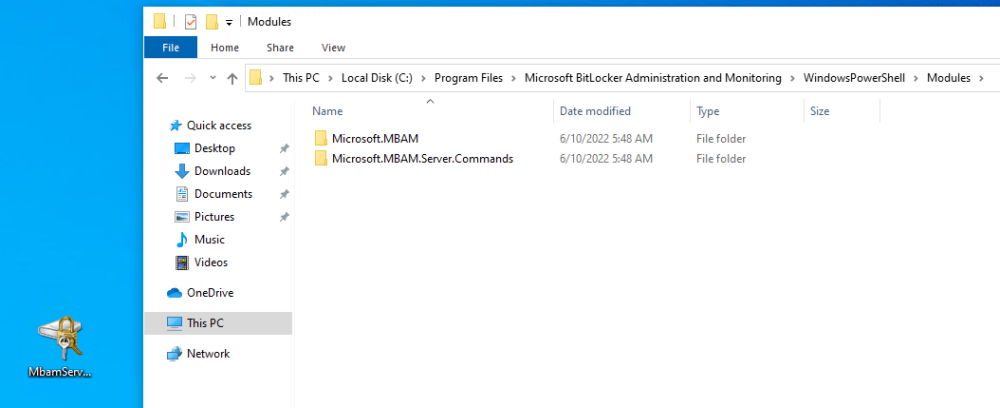
-
Any ideas on how I could get those files (Powershell Module)? Should I download MDOP and get the files there? Or is this maybe a bug?
-
Yea I can do tomorrow until about 4pm my time which would be 10PM your time. At the end of the day is there something you can think of why those files would not be there?
-
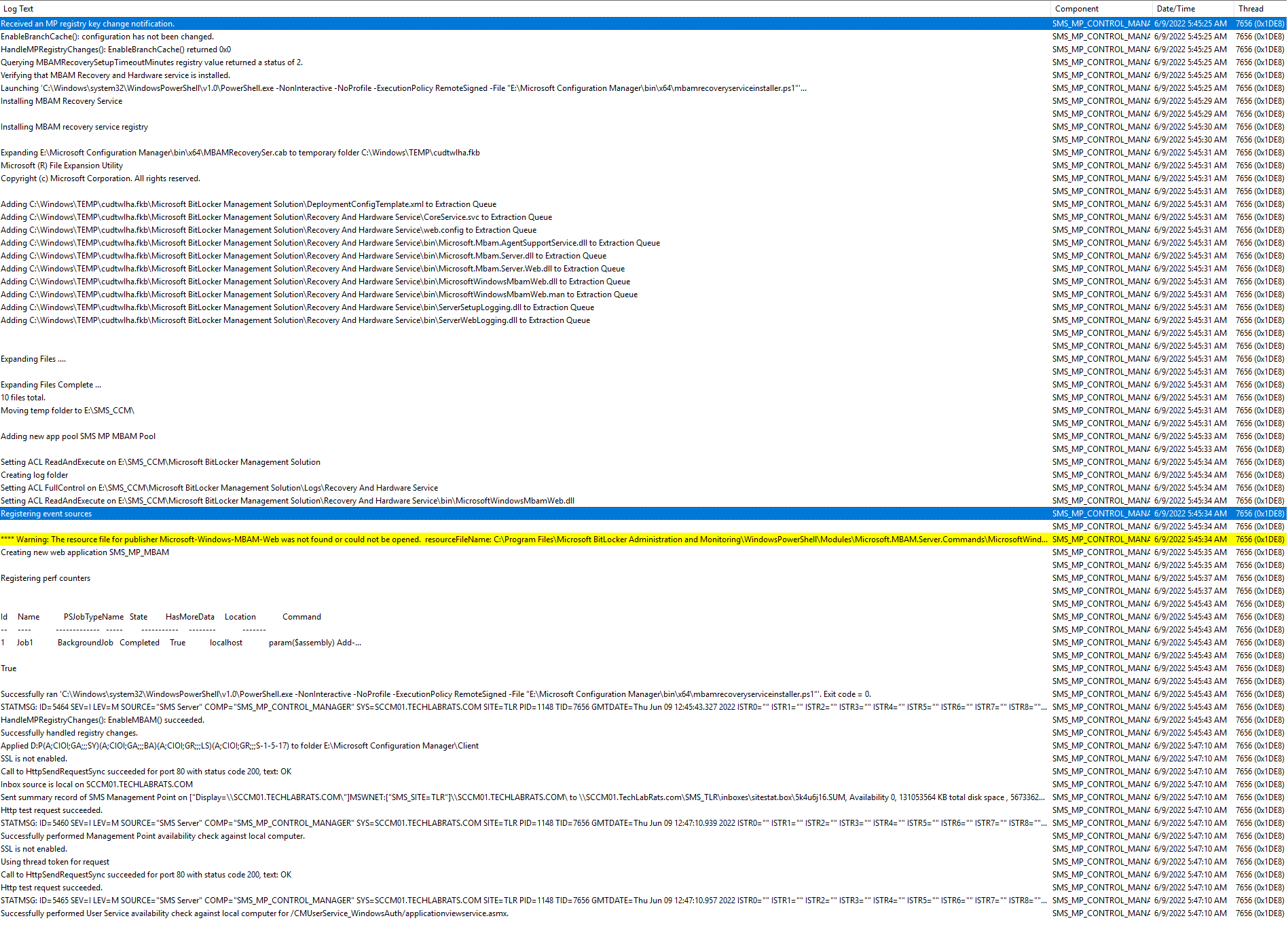
Event just starting with the Bitlocker Policy I still get an error (warning): **** Warning: The resource file for publisher Microsoft-Windows-MBAM-Web was not found or could not be opened. resourceFileName: C:\Program Files\Microsoft BitLocker Administration and Monitoring\WindowsPowerShell\Modules\Microsoft.MBAM.Server.Commands\MicrosoftWindowsMbamWeb.dll **** Warning: Publisher Microsoft-Windows-MBAM-Web resources could not be found or are not accessible to the EventLog service account (NT SERVICE\EventLog). FYI there is not C:\Program Files\Microsoft Bitlocker Administration and Monitoring\ folder on the server. The Config Mgr Console is installed on the E:\ Drive (E:\Microsoft Configuration Manager) Here is the log for the install after adding policy from mpcontrol.log
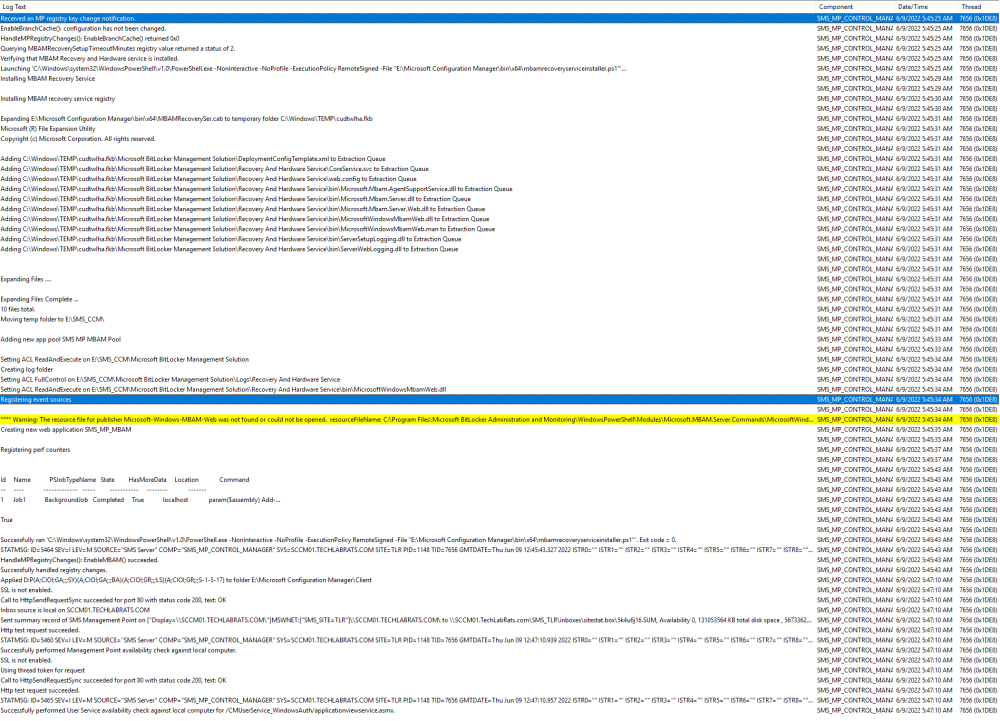
-
Feature is already on, this attempt I was trying to install portals first this time, but I have been doing policy first testing then portal but no go. So you want me to try. Enable Feature (Already on) Create Bitlocker Policy and deploy to test workstation Then install portals?
-
Haven't figured out fix yet but this is definitely the issue.
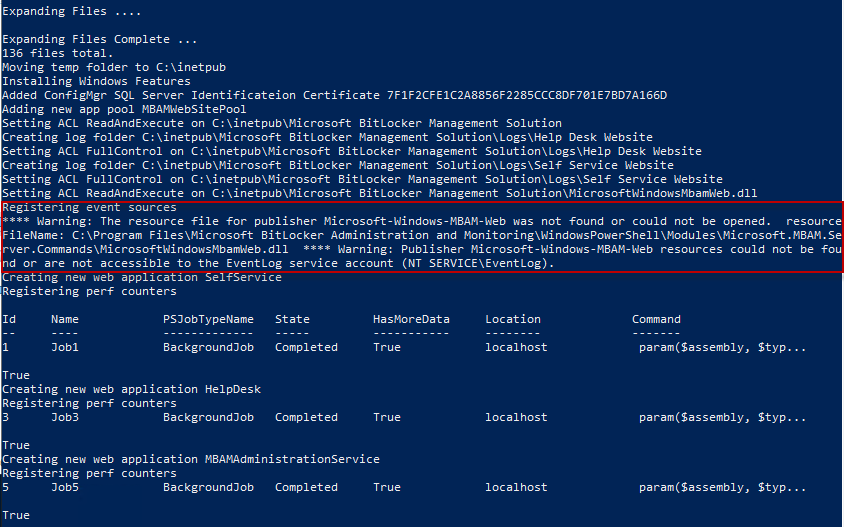
-
Happy to look at this with you over Zoom, Teamviewer, Teams if / when you have a few minutes I can roll back snapshots and we can start fresh yet again.
-
Yes I made sure of that also before starting.
-
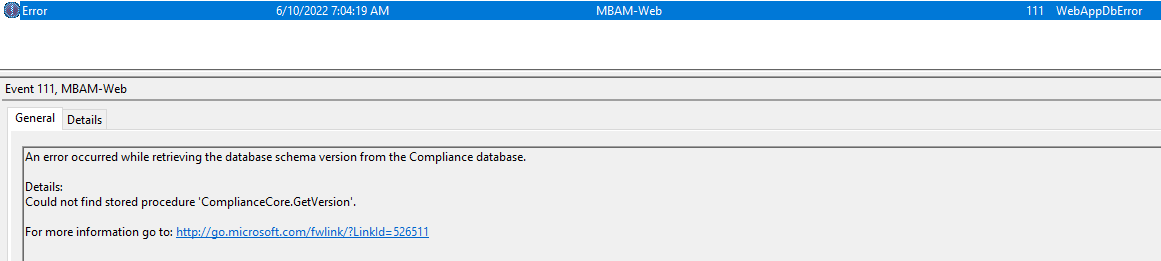
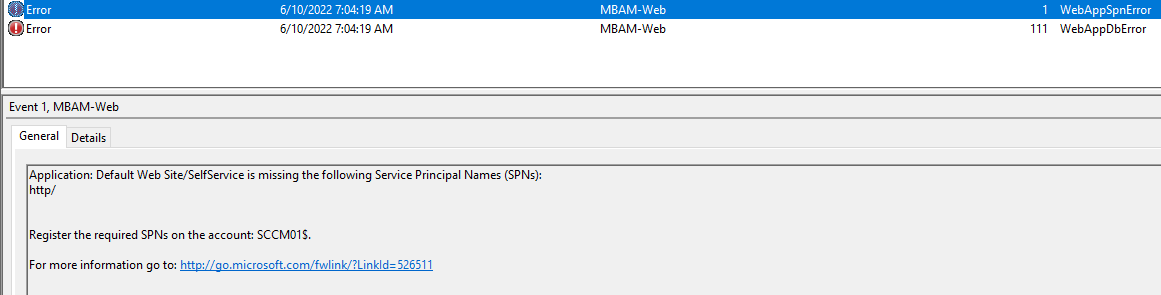
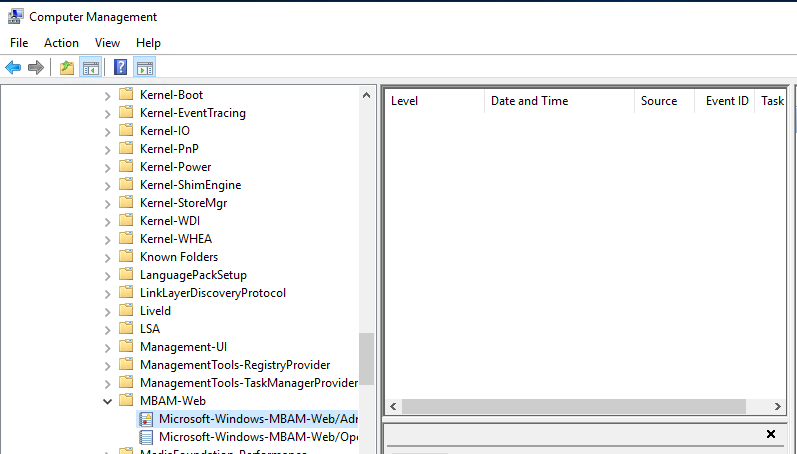
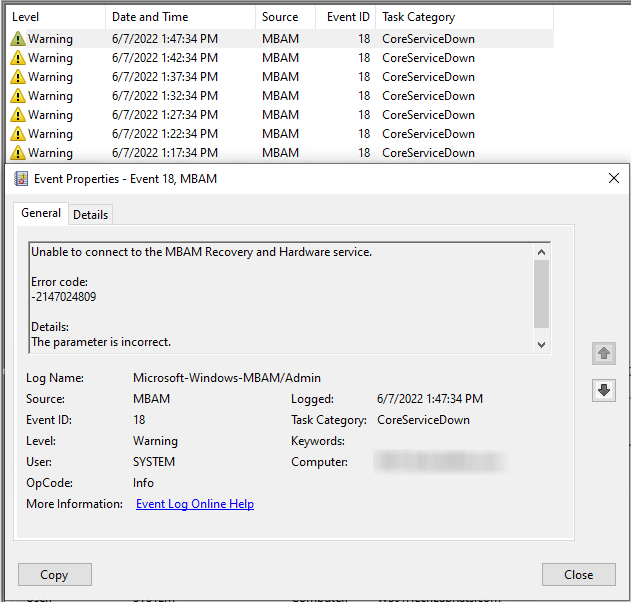
Just upgraded to 2203 in my lab to rule out issues with older versions. The portals appear to install (I can browse to both) I create the Bitlocker Policy and deploy to workstation and they get this error. I notice there are no events on the server under MBAM-WEB what am I missing?
-
We have been challenged to get 98%+ on Servers and Workstations and we usually get 9x%. Challenges I am facing are Machines not checking, online, or Not active or not rebooting as they should. What are you all doing to get Patch Compliance as High as possible. Process, Collections, Deployments, etc?
-
-
Okay so I have read this somewhere and the way I interpret this i want to make sure is correct. If I stand up a 2012R2 KMS Server and use the Windows Srv 2012R2 DataCtr/Std KMS for Windows 10 Key all Servers Standard/DataCtr/Enteprise and Windows Workstation Windows 10 Below will be activated by this KMS Server? All the KMS Keys at Microsoft VLSC with KMS are only for if you are setting up a machine with that OS and want it to be a KMS right? Next Question if I use 2012R2 will 2016 activate or would it be best to stand up a 2016 KMS? The way i understand this i would need to do the following: Stand-up 2012R2 & Use this Key Srv 2012R2 DataCtr/Std KMS for Windows 10 Add Office Keys 2010/2013/2016 And this will cover my servers and desktops... is a correct assumption?
-
Windows 7 & Windows 10. Just capture image then install updates via SCCM Console after importing into images? I also want to patch Office and such.