



Welcome to windows-noob.com!
Logging in will allow you to download scripts used in the guides.
If you came here looking for the Endpoint Manager step-by-step guides then please start here.
Register for free and ask your questions in our forums.
- 0 replies
- 2837 views
- Add Reply
- 0 replies
- 3464 views
- Add Reply
- 0 replies
- 3219 views
- Add Reply
- 0 replies
- 3643 views
- Add Reply
- 0 replies
- 3200 views
- Add Reply
- 0 replies
- 3292 views
- Add Reply
- 0 replies
- 4203 views
- Add Reply
- 0 replies
- 3369 views
- Add Reply
New Windows 10 build, 10061, includes updated Mail and Calendar apps

By anyweb,
It looks like Microsoft is delivering its promised more regular Windows builds. The company just pushed out a new build to Fast Track users of the Windows 10 Technical Preview: build number 10061.
Highlights of the new build are new Mail and Calendar apps, based on the same Universal Apps as the Windows 10 for phones apps released a couple of weeks ago, and more configurability of the operating system's appearance, including a new dark theme. The Continuum experience, used in tablet and hybrid
Windows 10 Technical Preview Build 10049 now available with Spartan included !
By anyweb,
Microsoft have released a new build for Windows 10 TP, this one has Spartan enabled.
Here are some issues we fixed in this build We’ve fixed the issue from Build 10041 for when the Photos app on your PC crashes when you tap on the circular icon (your camera roll – thanks Rafael) at the top left to view the photo you just took. We’ve also fixed the issue from Build 10041 where you might end up in a state where windows open on your desktop are accidentally visible behind the Start Screen, Tas
Windows 10 build 10041 isos are now available for download
By anyweb,
Microsoft have released the ISOs for build 10041. You can also download the ISO files for a clean installation of the operating system or if you want to do an upgrade, you can download them directly using the links below:
Download ISO file for Windows 10 build 10041 64-bit (English)
Download ISO file for Windows 10 build 10041 32-bit (English)
Download all ISO files in all the languages and platforms available here
cheers
niall
Windows 10 Technical Preview Build 10041 now available
By anyweb,
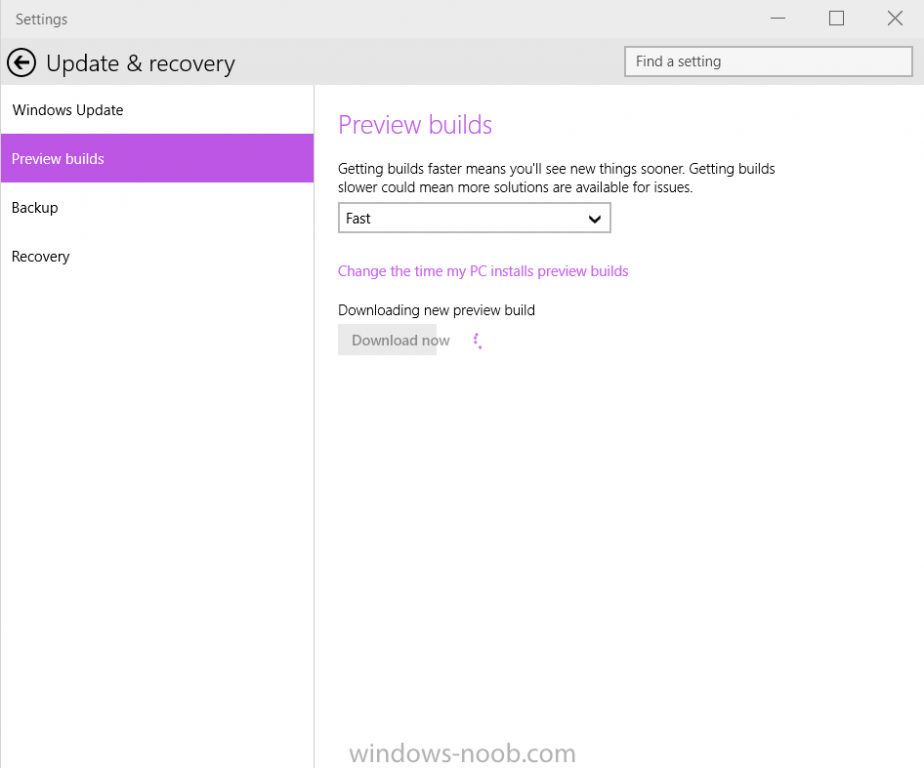
Finally.... Microsoft is rolling out Build 10041 for PCs to the Fast ring. Like all of the previous preview builds this one comes with a collection of new functionality and bug fixes.
The build will only be available through Windows Update for systems already running a previous Windows 10 build.
Once downloaded, you can install it...
Microsoft intend to release ISOs for builds that go to the Slow ring, but Fast ring builds will be direct downloads only.
Microsoft i
Windows 10 Launching This Summer in 190 Countries and 111 Languages
By anyweb,

After a Windows 10 news slump comes this exciting news, Windows 10 is set to release this summer ! and Microsoft has revealed how they are partnering with many different Chinese OEM companies to offer free upgrades to Windows 10.
Lenovo, one of the world’s leading PC manufacturers, announced they will offer Windows 10 upgrade services at 2,500 service centers and select retail stores in China when the Windows 10 upgrade is available. This will help customers quickly and easily upgrade the
4 new security updates released for Windows 10, Build 9926
By anyweb,
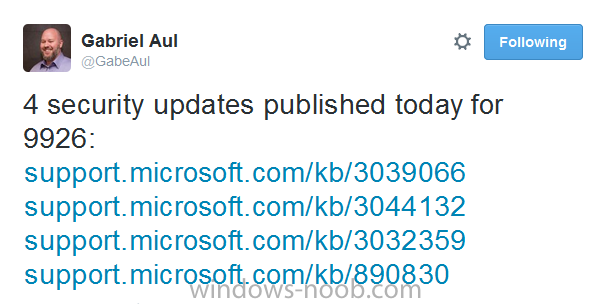
Gabe Aul tweeted the following today
those updates I've linked below:-
https://support.microsoft.com/kb/3039066
http://support.microsoft.com/kb/3044132
http://support.microsoft.com/kb/3032359
http://support.microsoft.com/kb/890830
so at least Microsoft is still securing Windows 10 build 9926 and hopefully this in preparation for the new build we are all waiting for, although in addition to the above, he referred to the Windows blog here which goes into detail about the cadence of W
New Windows 10 build coming shortly
By anyweb,
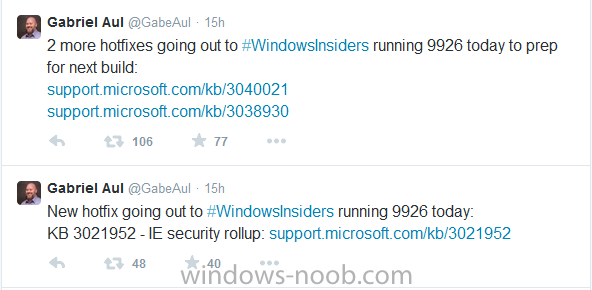
Those of you running Windows 10 build 9926 will be pleased to know that a new build is coming shortly and in preparation for that there are a few updates being made available to prepare your system for that new build. The updates were mentioned yesterday by Gabe Aul via Twitter
so if you haven't done so already, check for Windows updates (search for windows update settings in the start menu)
and apply these as soon as you can to prepare yourself for the coming new build, the three upda
Enabling Spartan rendering engine in IE11 in Windows 10 is easy
By anyweb,
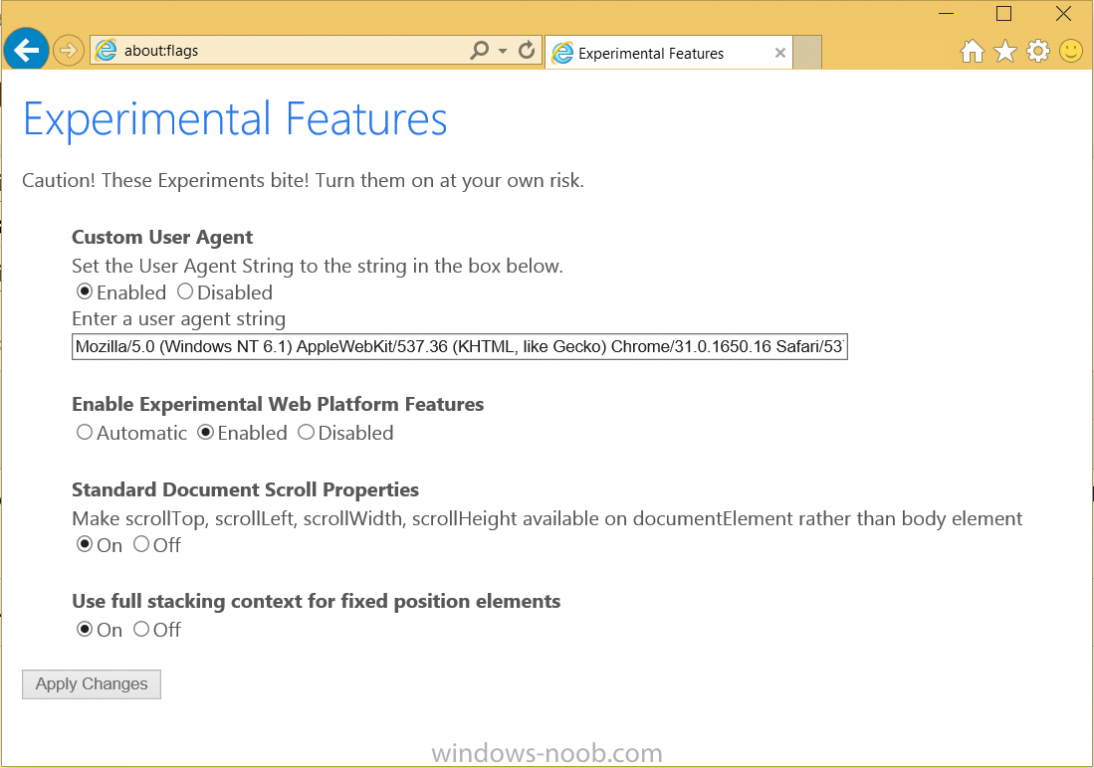
If you'd like to try out the new Spartan rendering engine in IE11 in Windows 10 then do as follows, start IE, and in the address field enter
about:flags
you'll see something like the below
change the settings to the following
Custom User Agent: Disabled
Enable Experimental Web Platform Features: Automatic
Standard Document Scroll Properties: Off
Use full stacking context for fixed position elements: On
as shown below
restart your browser and you are done !
rela