



Welcome to windows-noob.com!
Logging in will allow you to download scripts used in the guides.
If you came here looking for the Endpoint Manager step-by-step guides then please start here.
Register for free and ask your questions in our forums.
- 1 reply
- 2620 views
- Add Reply
- 0 replies
- 8493 views
- Add Reply
- 4 replies
- 8658 views
- Add Reply
- 24 replies
- 79037 views
- Add Reply
- 0 replies
- 1568 views
- Add Reply
- 3 replies
- 4962 views
- Add Reply
- 3 replies
- 2873 views
- Add Reply
- 0 replies
- 3881 views
- Add Reply
Getting obsolete Software Inventory results.

By Maestro,
Hello, comrades!
I've created the report "Products from .exe files"- and it's working in a strange way.
I.e. I'm looking for SW product '222'. OK, I find it on computers "aaa", "bbb", 'ccc'. Particulary, i find this file at '\\bbb\d$\install\222'.
But on computer 'bbb' drive D have been changed a month ago and there the directory 'd:\Install' not exists at all.
Is there a chance that "Software Inventory" are put to some kind of cache? Any ways do drop the cache?
Thank yo
What's new in Microsoft Endpoint Manager - part 2

By anyweb,
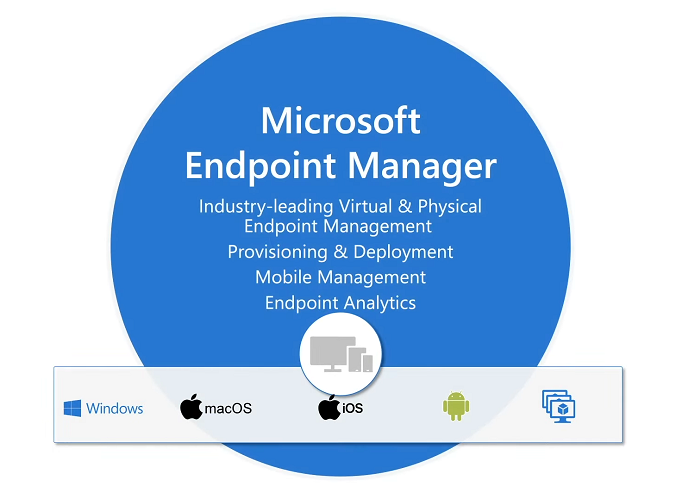
Introduction
These are my notes from a session @ Microsoft Ignite 2020, the session was hosted by Steve Dispensa (Director of Program Management at Microsoft Endpoint Manager) and Ramya Chitrakar (Director of Engineering at Microsoft Endpoint Manager).
For the last couple of years at Ignite I blog my notes for sessions I'm interested in as I always find it nice to later refer to this reading material and punctuate it with content I've covered, and sometimes the videos just flow by too
Pulling OSDComputername into Powershell for Task Sequence

By Grover,
Hello Everyone,
I'm still fairly new to the OSD task sequence portion for Imaging and Re-imaging in SCCM.
I need help with the Powershell cmdlets on how to call/carry over the OSDComputername variable from a previous Task Sequence step, which I believe contains the Computer name from reading the information in the BIOS, over to the Powershell environment so that I can run the following powershell commandline : remove-adgroup -identity "$computername-admin"
At my work
How can I dynamically install Windows 10 language packs and associated features on demand in an offline environment
By anyweb,
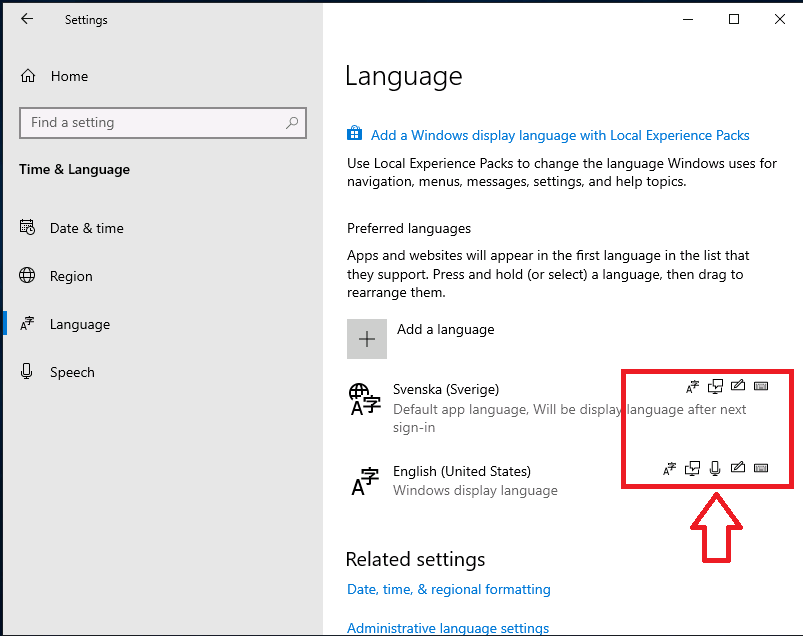
Introduction
Sometimes you need to install Windows features that normally need internet access (to install other components), language packs installed today are done in a modular and different format from previous years. In previous times you could simply install a language pack for the associate language and all was good, now there are additional components that also need to be installed otherwise Windows will attempt to download them from the internet (and notify you via the notification
software updates

By Quinten,
I have enabled 3rd party software updates within SCCM. When I try to download any 3rd party update I get this error "All software updates in this selection are expired and meta-data only, and cannot be downloaded" What causes this and how do you fix it?
Thank you.
SCCM Scheduled deployments not installing when scheduled

By Joe20123,
I am new to SCCM and my agent and most other things are set to default. I can install an app from software center but if i schedule it to deploy at 9:30 am and the installation is asap or 9:40 the installation just randomly installs when ever. sometimes hours later. I don't have a maintenance window setup for my collections. I am trying this with installing chrome.
Any Help would be appreciated.
Software Center - 3rd Party Patching
By Quinten,
We have enabled 3rd party patching and we've noticed that when we deploy Dell 3rd party updates they do deploy down to our systems (both Latitudes and Optiplex) We setup our SUGS to run at night. on any target system once the updates run you can view them in Software Center \ Updates. They show as Installed. Here is the problems. The updates never clear out of Software Center \ Updates and each night they reinstalled. I've sat there and watched at the Software Center \ Updates and eac
The migration of sccm2002 management center site and main site to AlwaysOn environment causes problems

By radish,
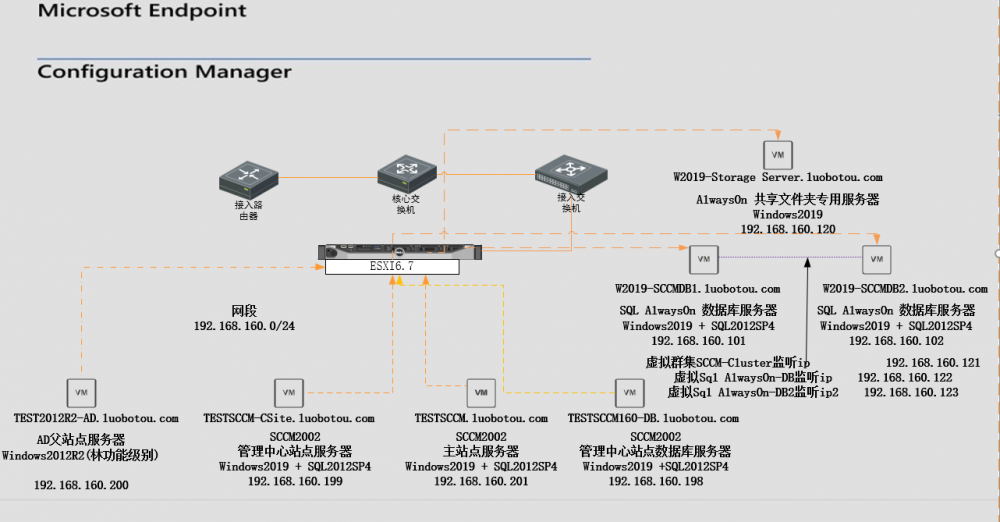
AlwaysOn server multi-instance, 2 member servers
W2019-SCCMDB1\MSSQLSERVER 1433,4022
W2019-SCCMDB1\MSSQLSERVER2 1633,4023
W2019-SCCMDB2\MSSQLSERVER 1433,4022
W2019-SCCMDB2\MSSQLSERVER2 1633,4023
AlwayOn-DB 192.168.160.122 5022 5044 port
AlwayOn-DB2 192.168.160.123 5023 5045 port
First migrate the management center site to W2019-SCCMDB1\MSSQLSERVER2. Everything is fine, even if the members of the alwayson database are restarted.
After the management center site co