anyweb
-
Posts
9290 -
Joined
-
Last visited
-
Days Won
371
Everything posted by anyweb
-
 thanks ! can you attach the windowsupdate.log file from that client ?
 -
actually it's a WinPE4 feature and as such you should be able to pre-provision BitLocker for windows 7 deployments also, I just have not tested it yet, cheers niall
-
SCCM 2012 Problem with Build and Capture
anyweb replied to Wizarden's topic in Configuration Manager 2012
if windows is ending up on D: then you are using install.wim from the Windows media (this probelm is resolved in Configuration Manager 2012 Service Pack 1). -
Task Sequence appears to be partitioning my USB drive (the boot media)?
anyweb replied to Dsbloom's question in Deploying Operating Systems
yeah see if your notebook has a usb 2 port, does it ? -
here's a guide explaining how to setup a Virtual Machine (Step 3. Create New hyperV virtual Machine) which you can use in the guide above.
-
Software Updates not installing in Build & Capture TS
anyweb replied to rkh's topic in Configuration Manager 2012
all you need for the setup windows and configmgr step is SMSMP=FQDN.OF.YOUR.SERVER and as it's build and capture, don't join the DOMAIN join a WORKGROUP instead -
SCCM 2012 Problem with Build and Capture
anyweb replied to Wizarden's topic in Configuration Manager 2012
and add it as an attachment instead of pasting the entire log in a quote -
if the pxe client is on a separate vlan to the dhcp server/pxe server then you'll need to configure ip helpers
-
update: to save you time i've exported the Task Sequence used above and uploaded the ZIP file, it's available for download now at the end of Step 4 above.
-
problems upgrading configuration manager...
anyweb replied to ogeccut's topic in Configuration Manager 2012
hi there, i had to moderate your post as it was attached to a unrelated post about BitLocker provisioning, please raise new topics when you have problems and only reply to relevant threads anyway, are you trying to upgrade your LAB or a production environment ? SP1 beta is NOT for use in production... -
when you created the virtual machine in hyperv, did you set the network card to Legacy Adaptor ? it wont work for PXE boot otherwise
-
today I received the following mail from Microsoft, it was a very welcome mail indeed and I'm very proud to share the contents with you thanks to Microsoft for re-awarding me, I'm very grateful indeed, thanks to my family for supporting me through this, thanks to the members of windows-noob.com and niallbrady.com for following me and motivating me to keep on writing content, cheers niall
-
SCCM 2012 Problem with Build and Capture
anyweb replied to Wizarden's topic in Configuration Manager 2012
post the smsts.log file from your build and capture and we'll take a look,. any issues should be logged in there, you shouldn't be joining the domain during Build and Capture (join a workgroup instead) -
very cool indeed, once you get the hang of UEFI it's very straightforward, next you need to try UEFI and pre-provisioning of bitlocker together ! by the way the Dell E6430 has Network UEFI boot capability
-
currently SP1 BETA is NOT supported in production, so only do this in your LAB, or use the supported OS and you'll be just fine.
-
we are not using Wake on Lan in this setup therefore you need to manually start up the virtual machine, I hope that explains it for you
-
so is your primary server running Server 2012 ?
-
using Multiple Task Sequences via PXE
anyweb replied to anyweb's question in Troubleshooting, Tools, Hints and Tips
standalone media only supports one task sequence. -
you do not need MDT, you need up to three components from the Windows Assessment and Deployment Kit all described in great detail here. The requirement for the ADK is in order to deploy Windows 8 and Windows Server 2012. Side note: while you do not need MDT (Microsoft Deployment Toolkit) it is a very useful addition to any Configuration Manager deployment.
-
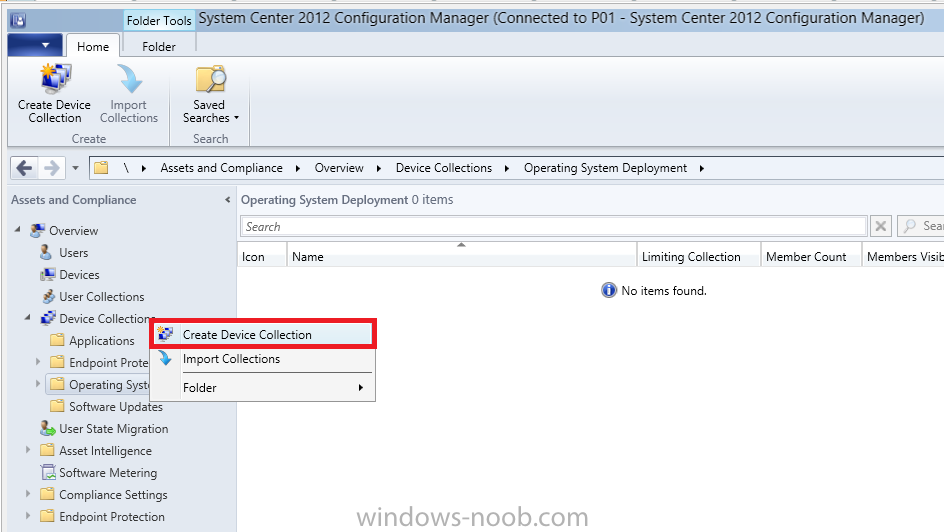
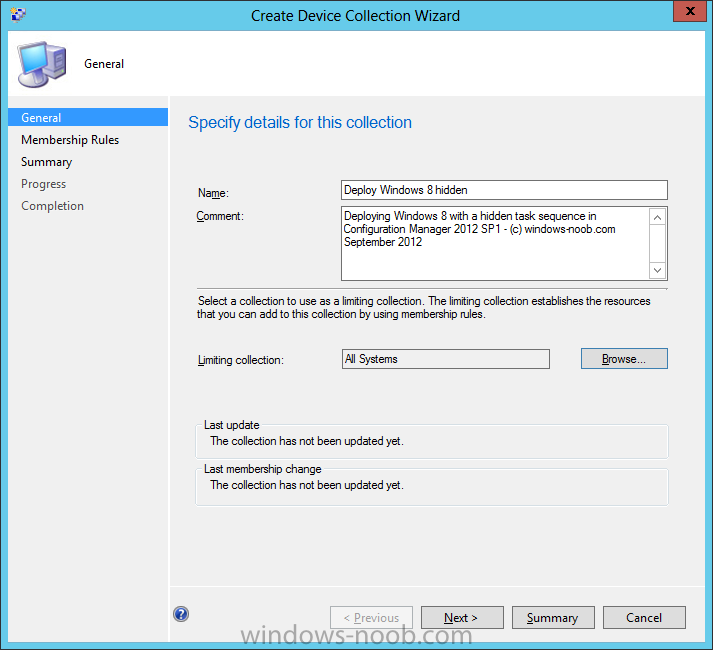
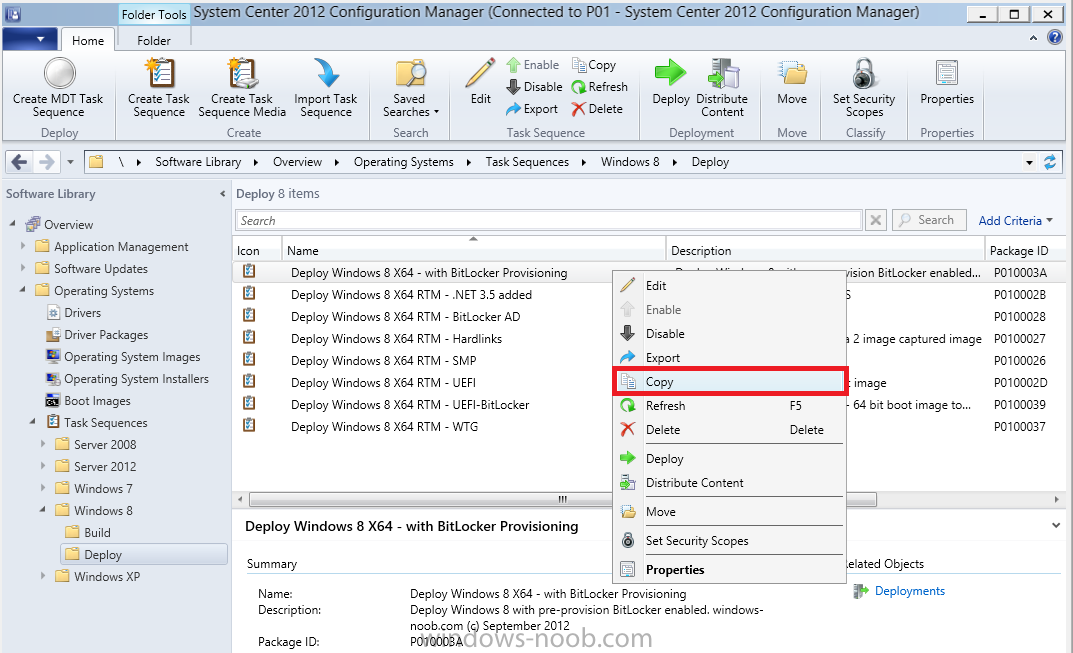
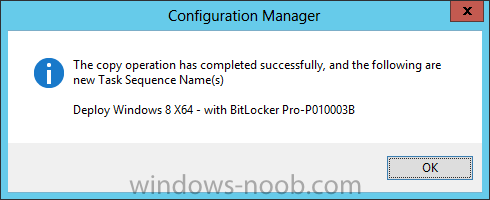
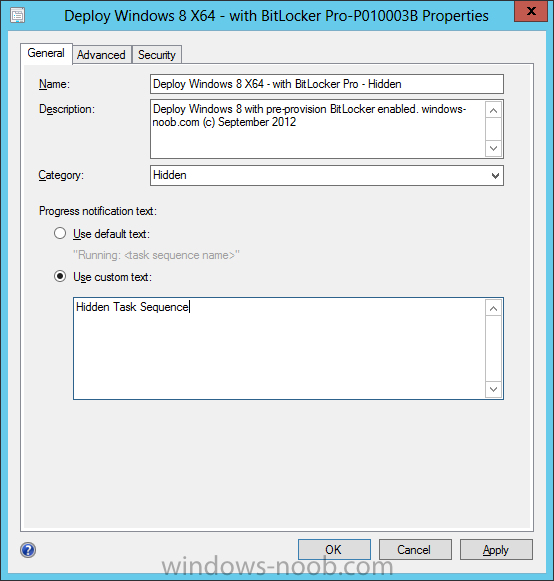
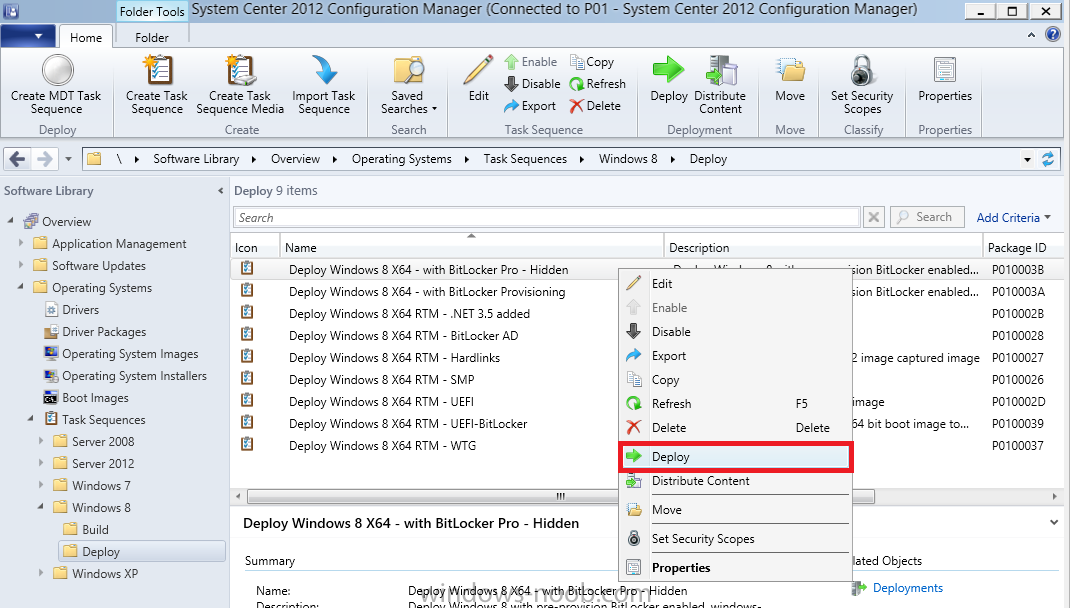
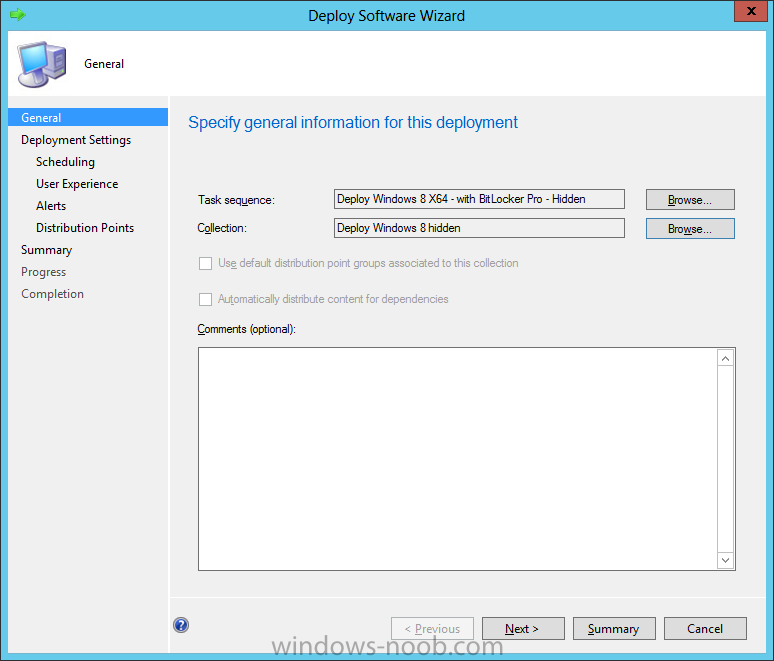
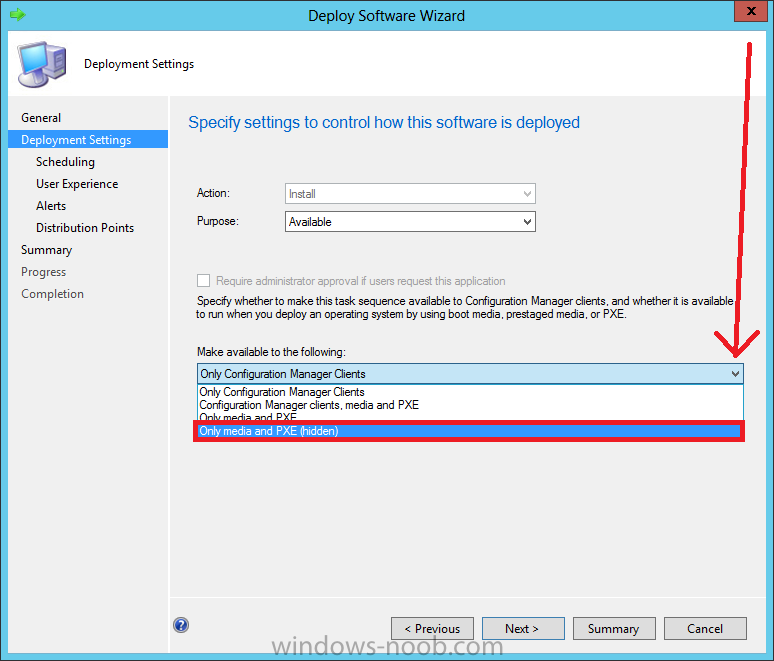
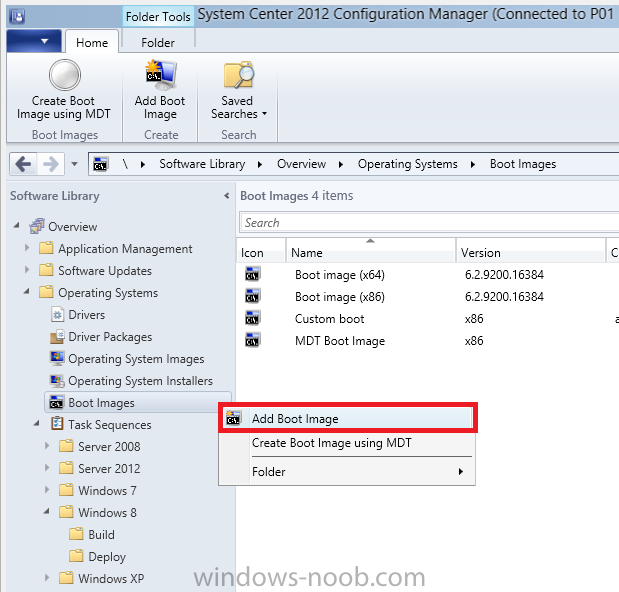
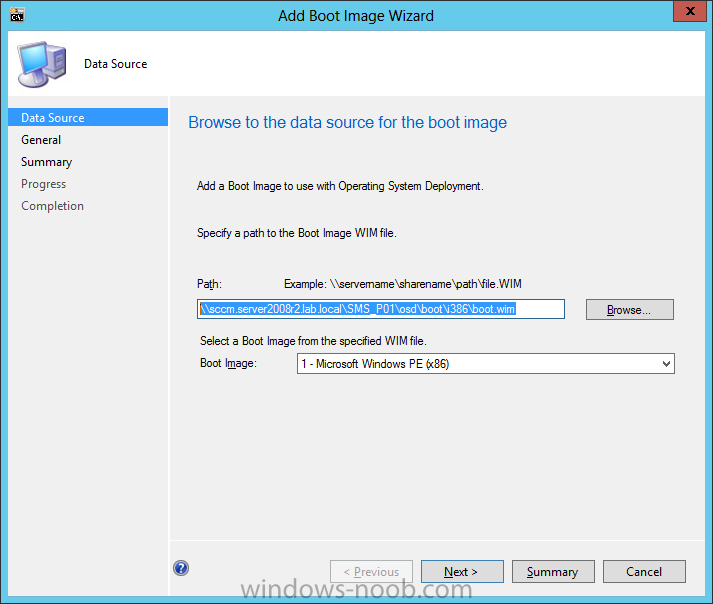
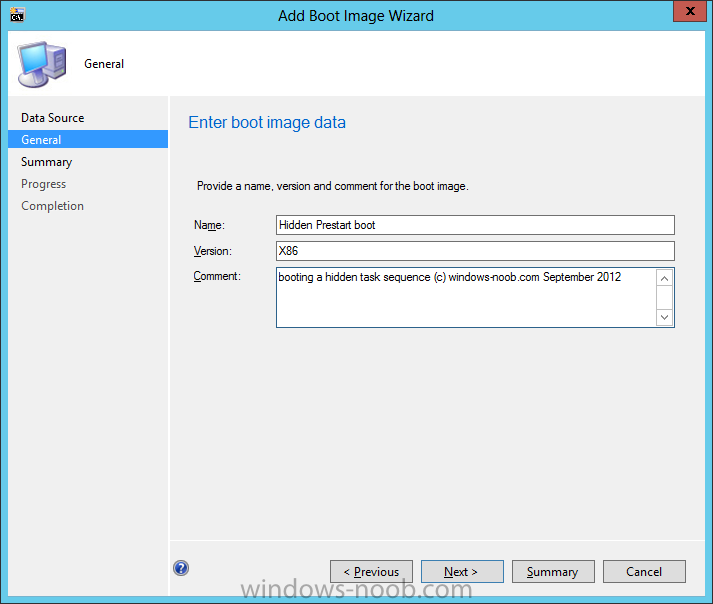
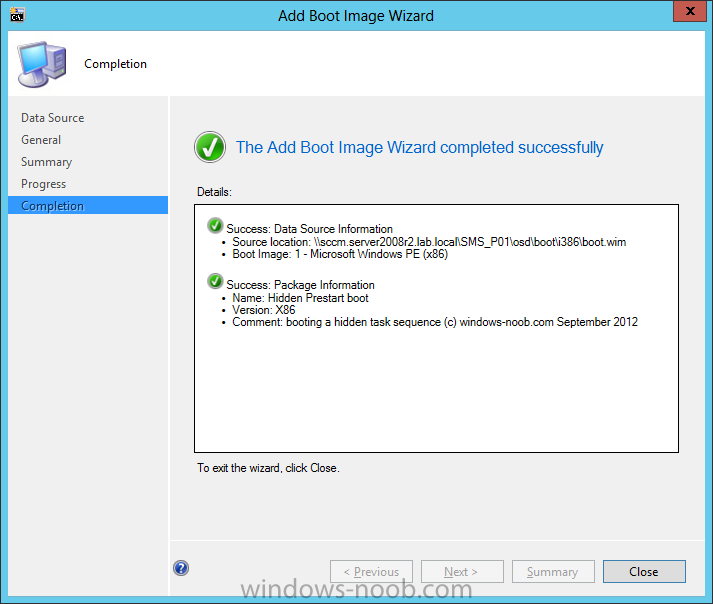
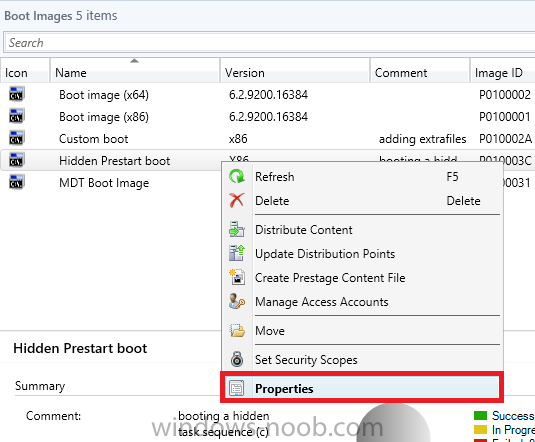
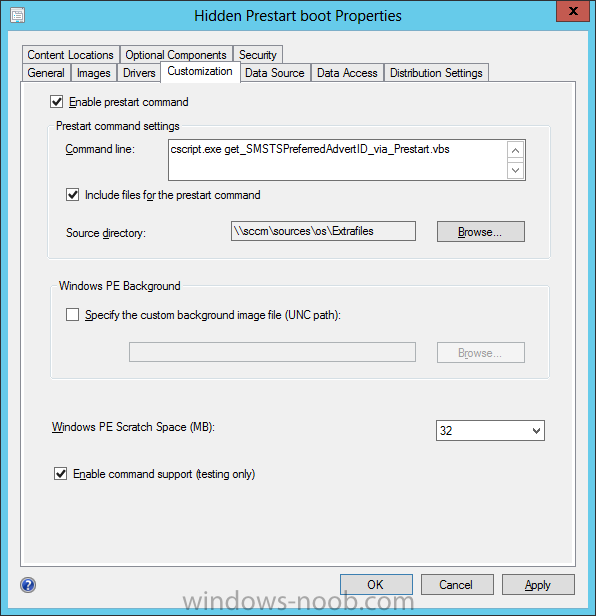
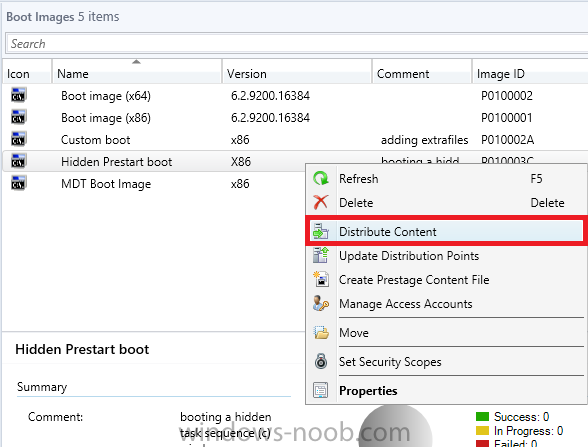
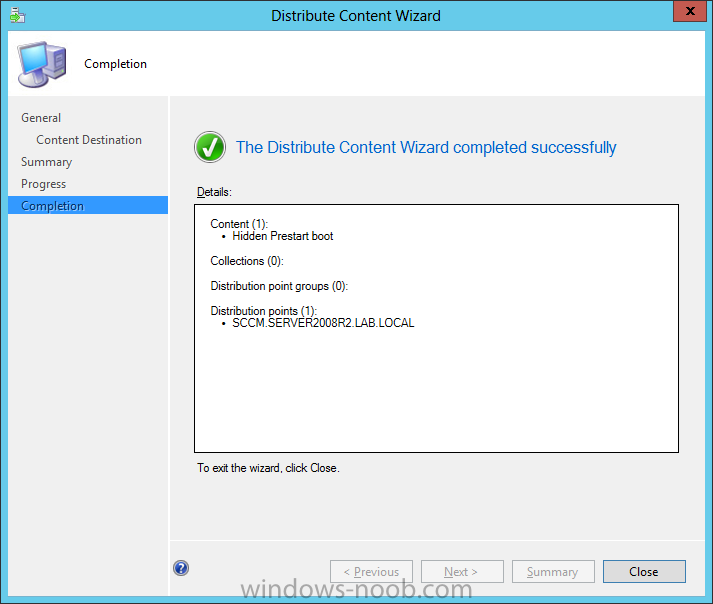
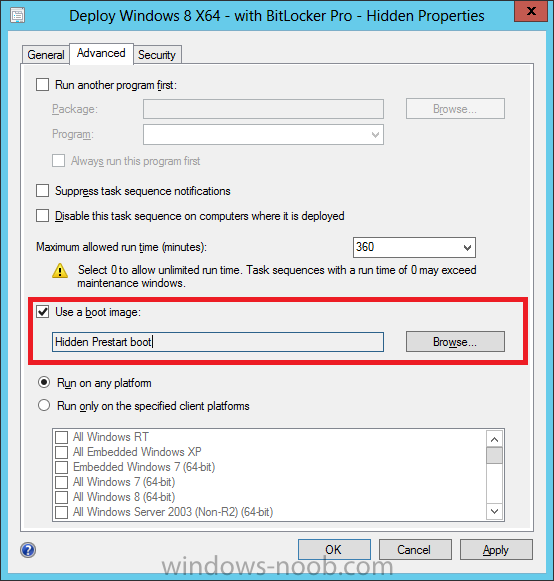
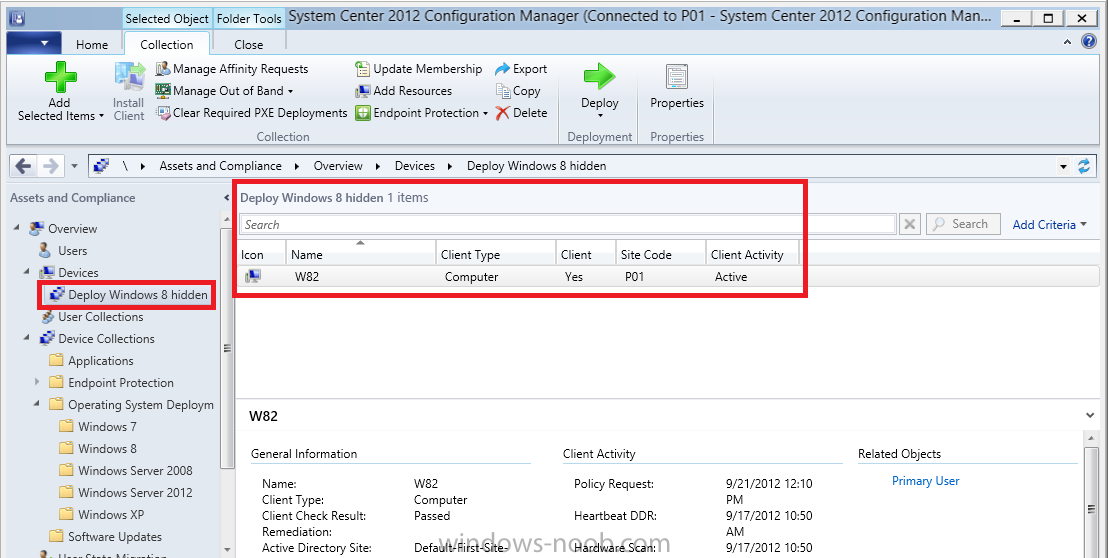
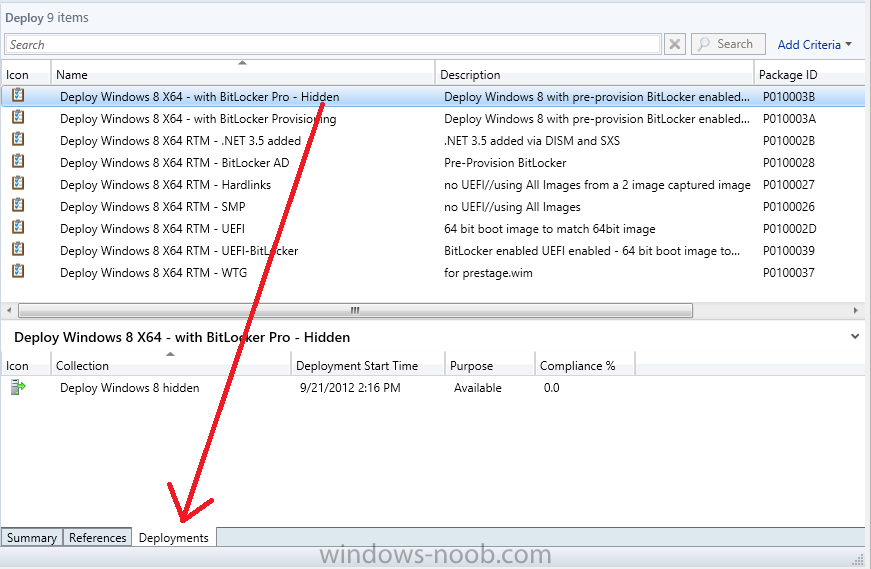
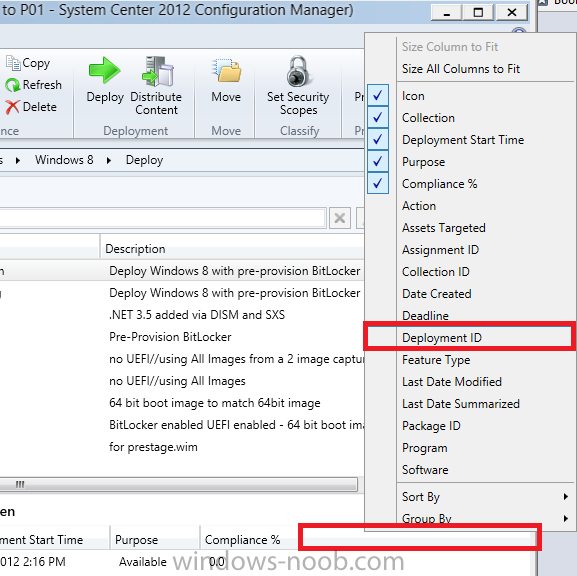
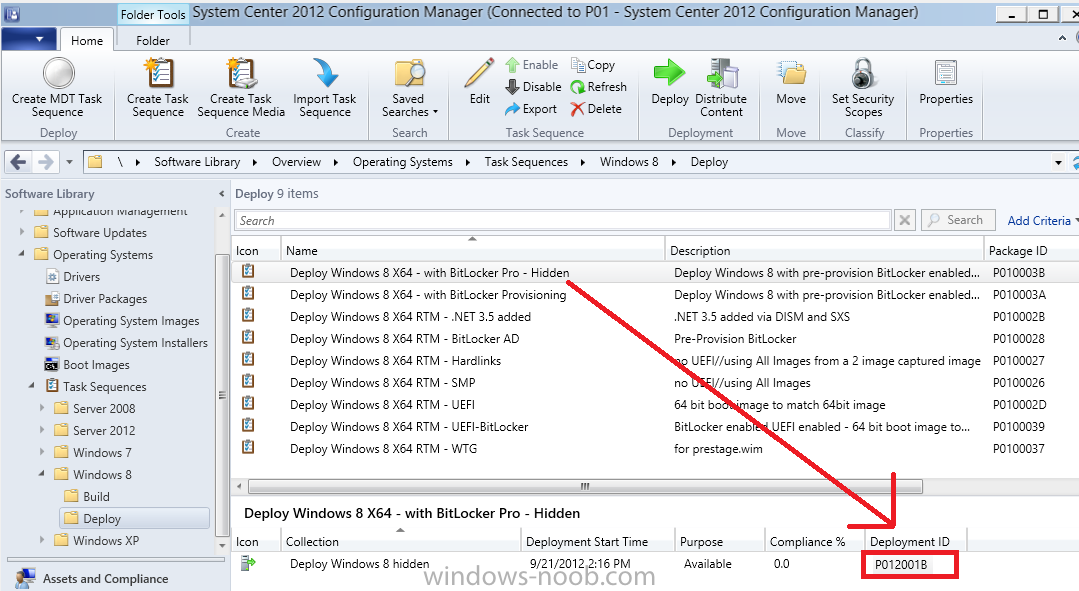
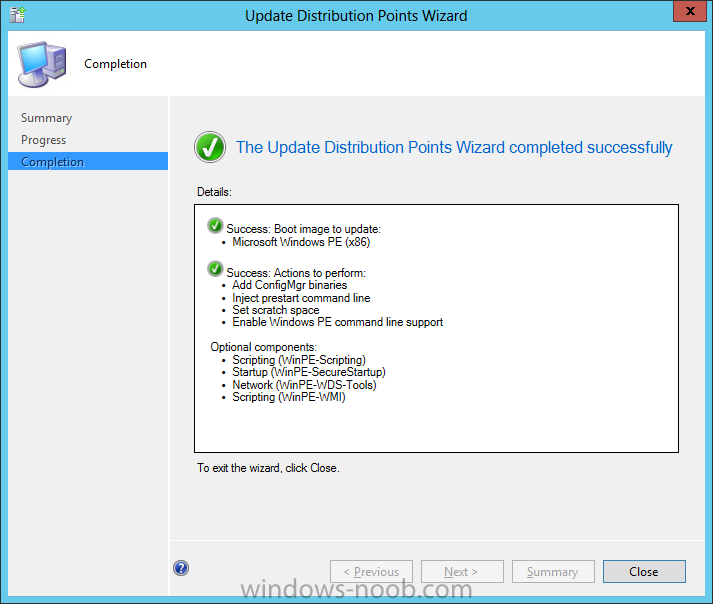
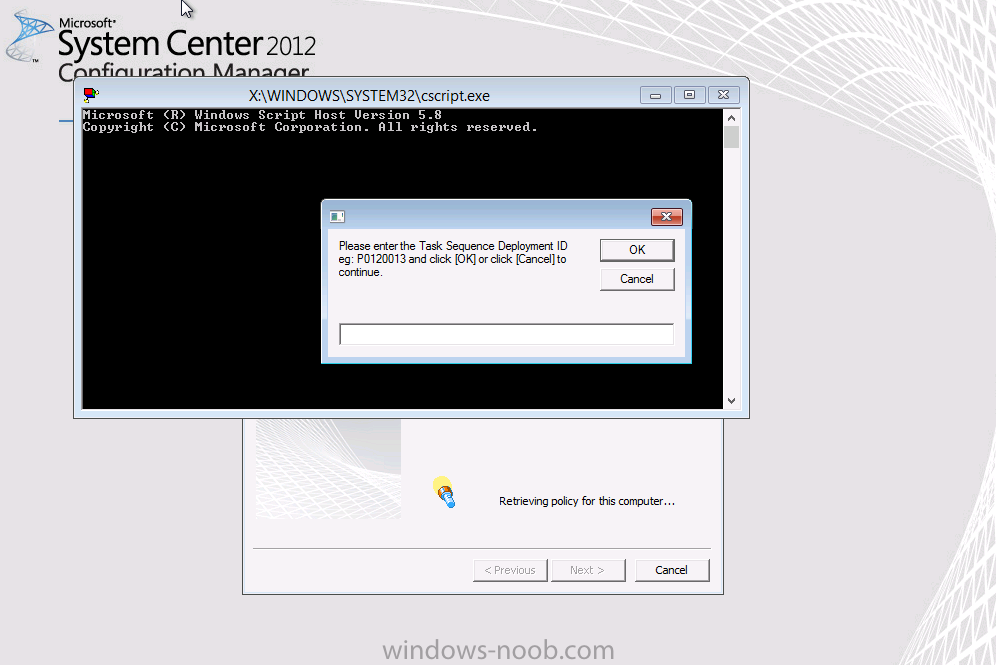
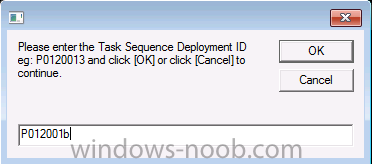
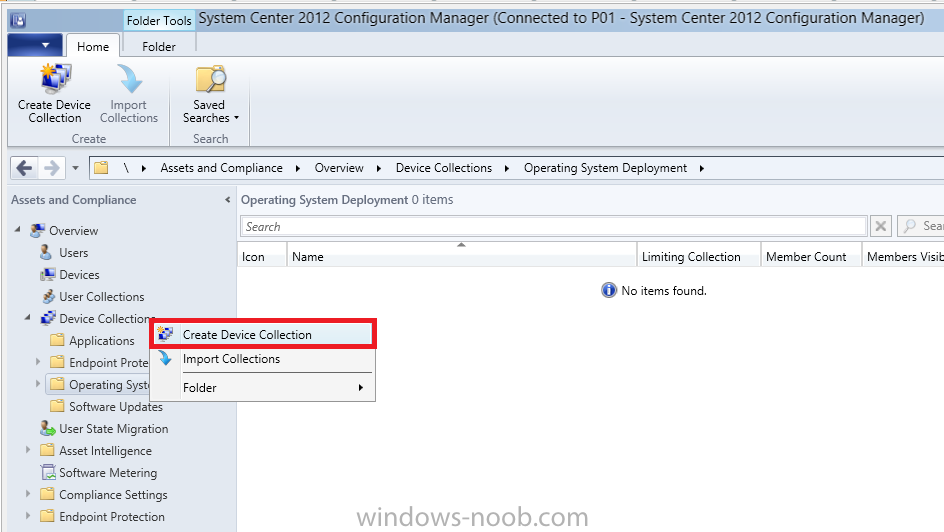
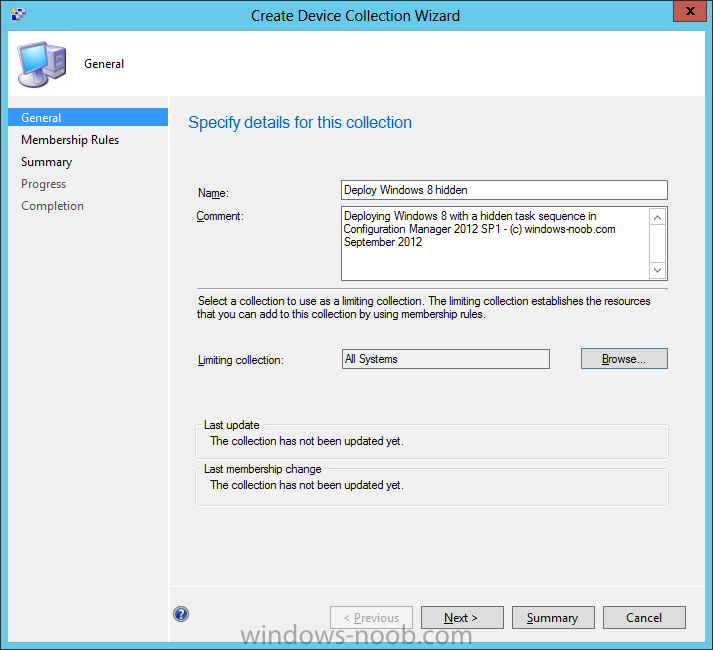
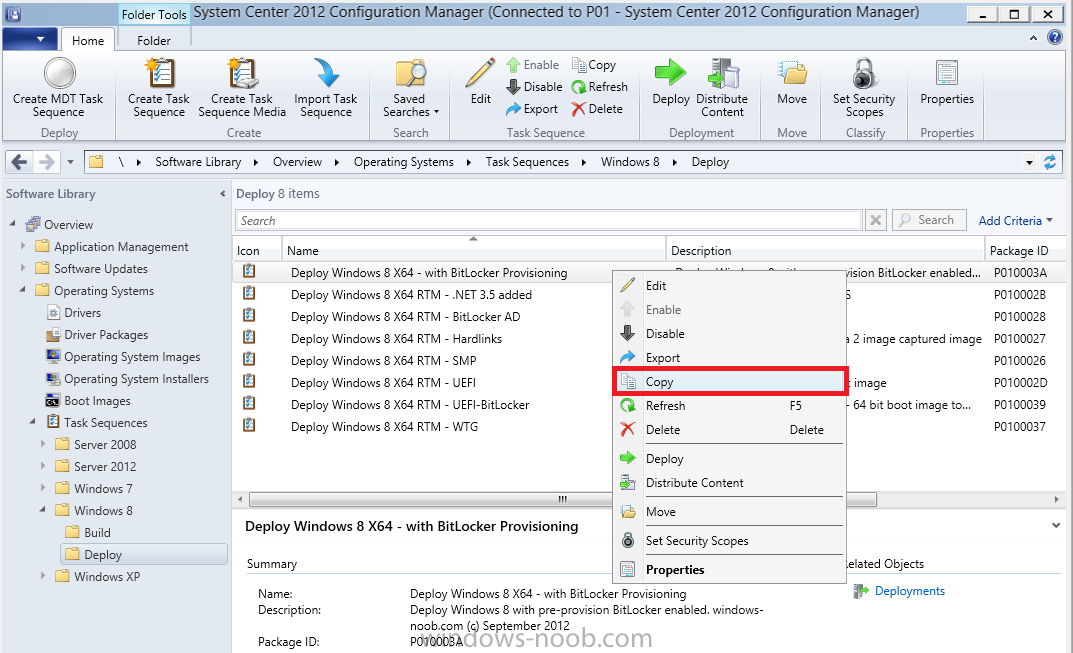
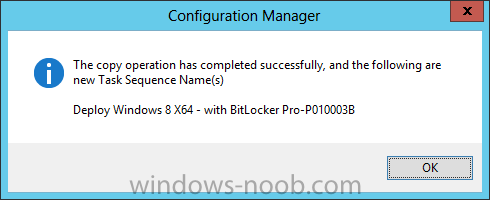
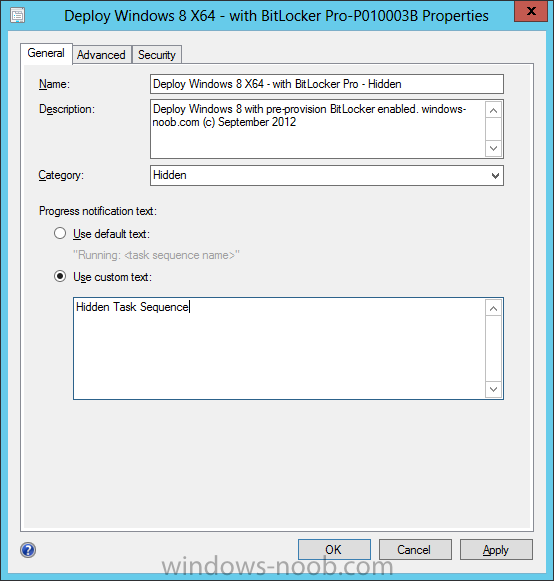
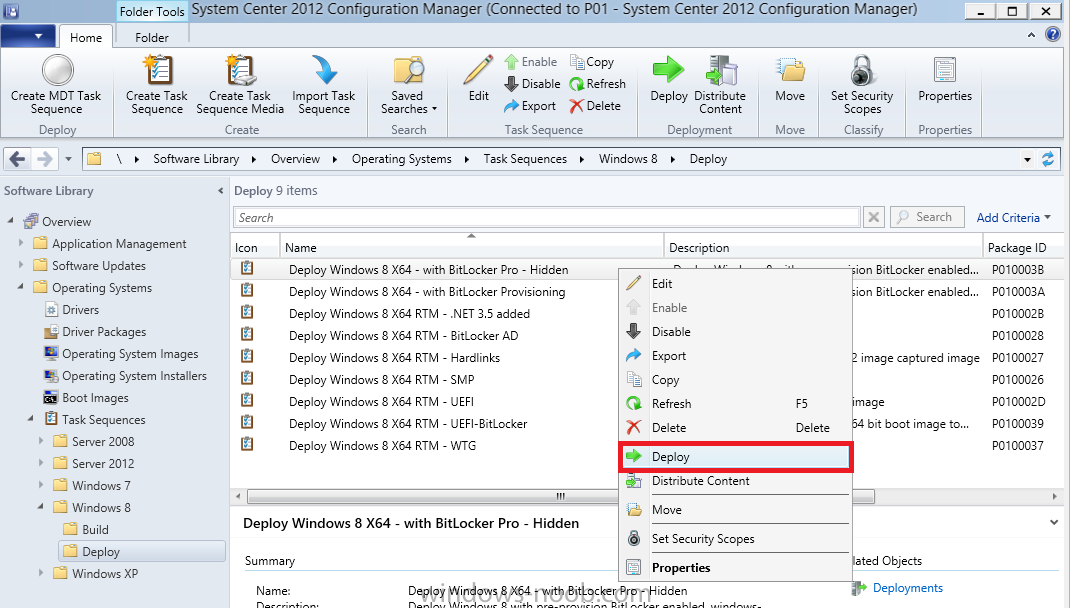
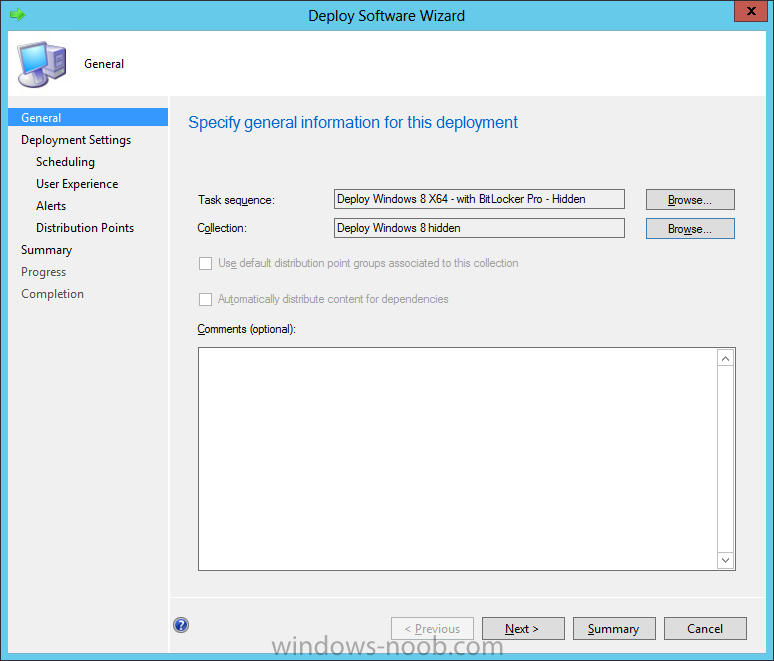
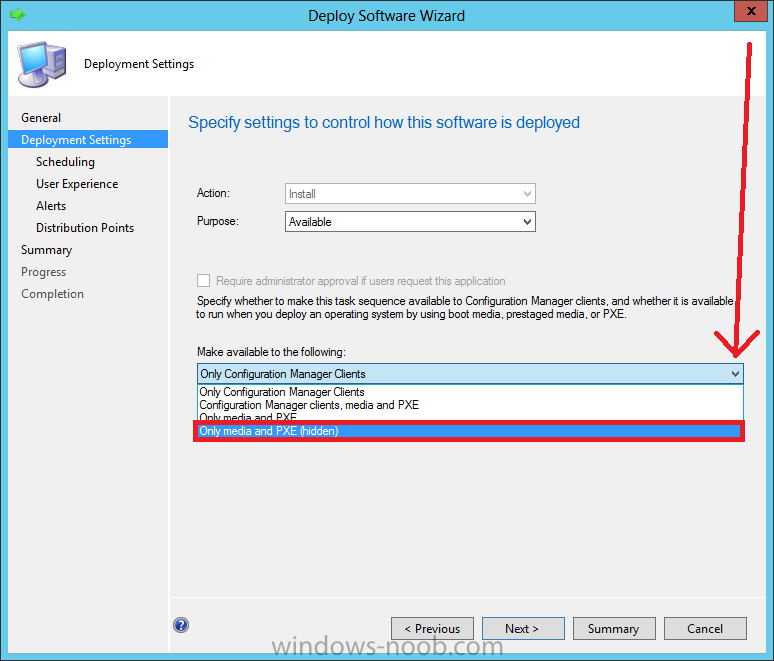
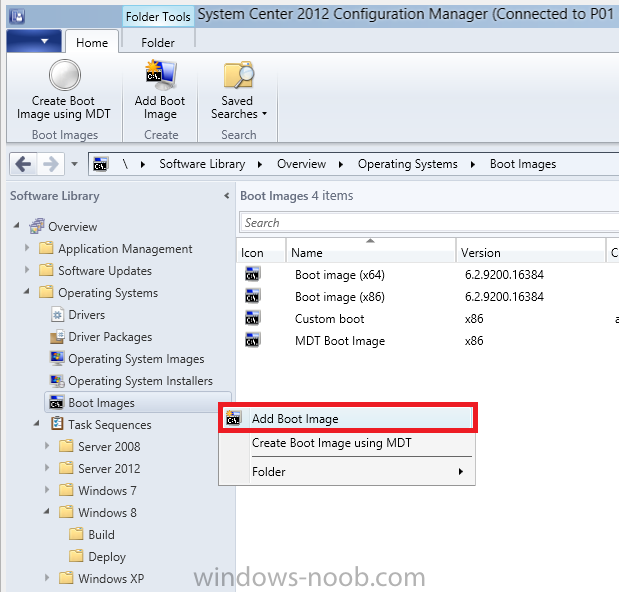
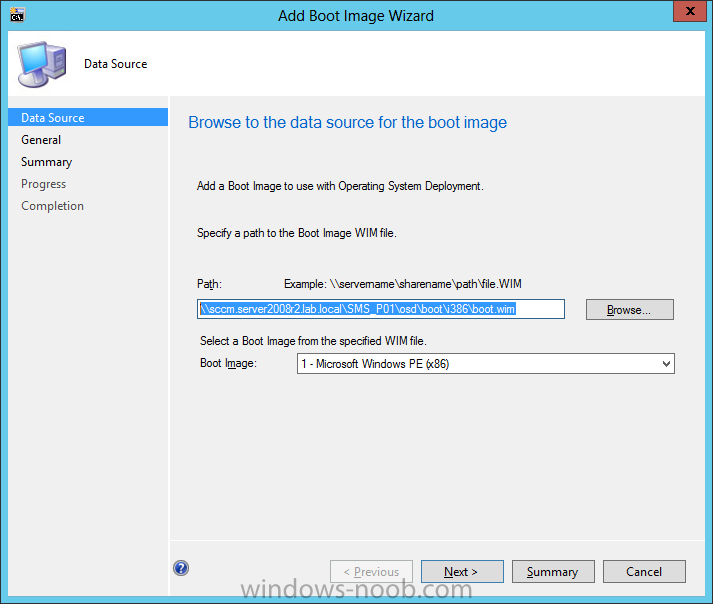
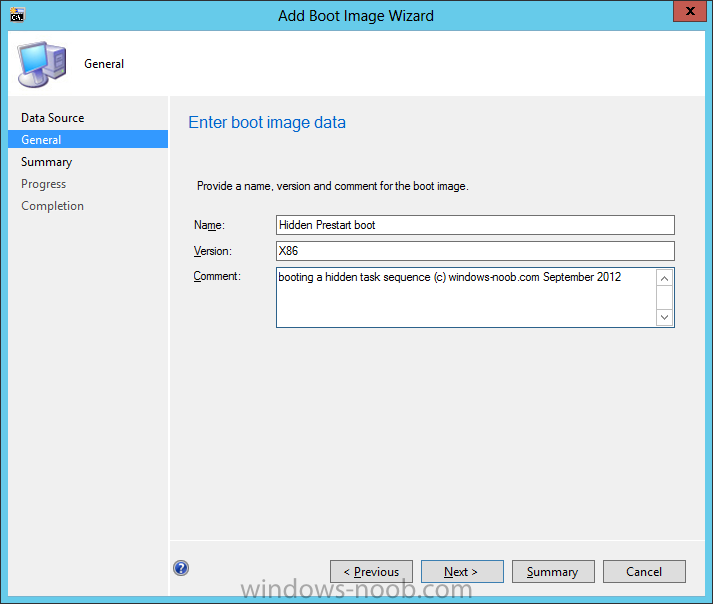
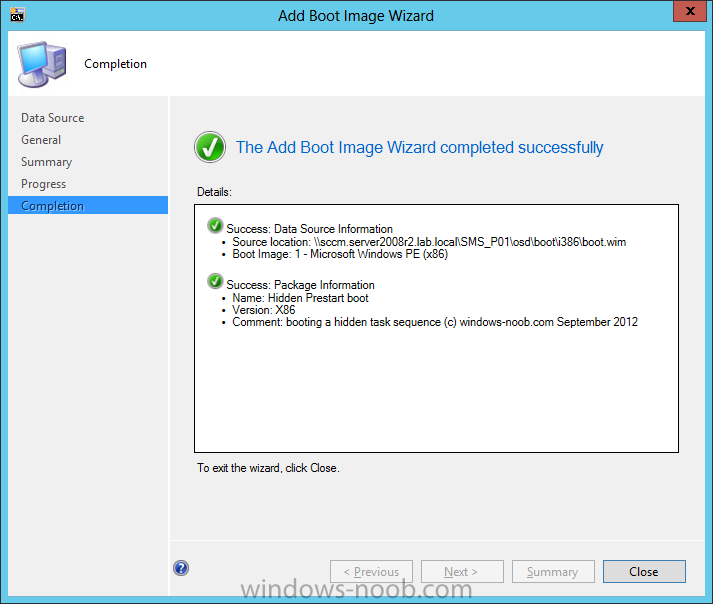
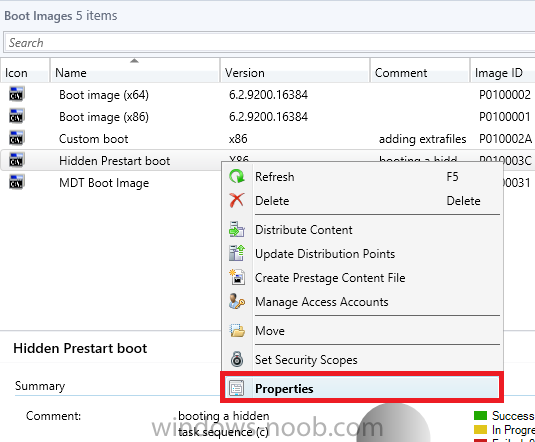
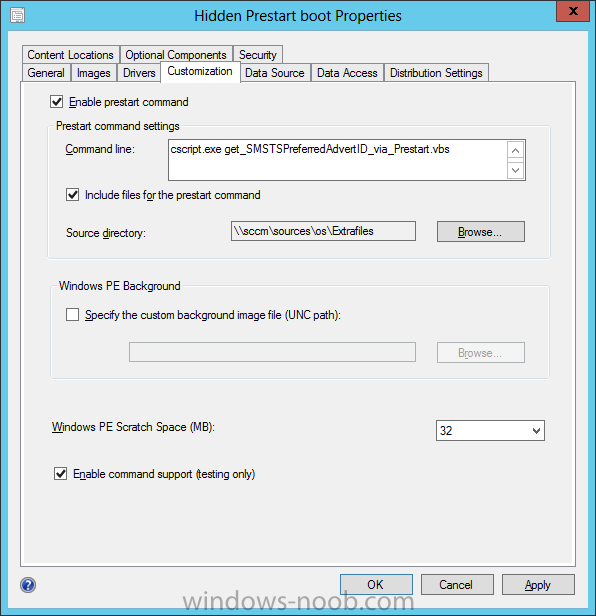
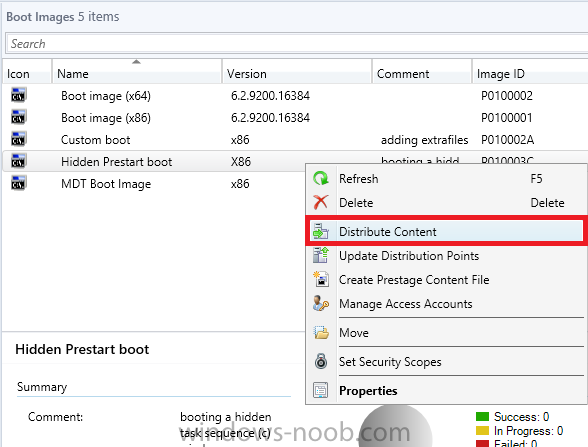
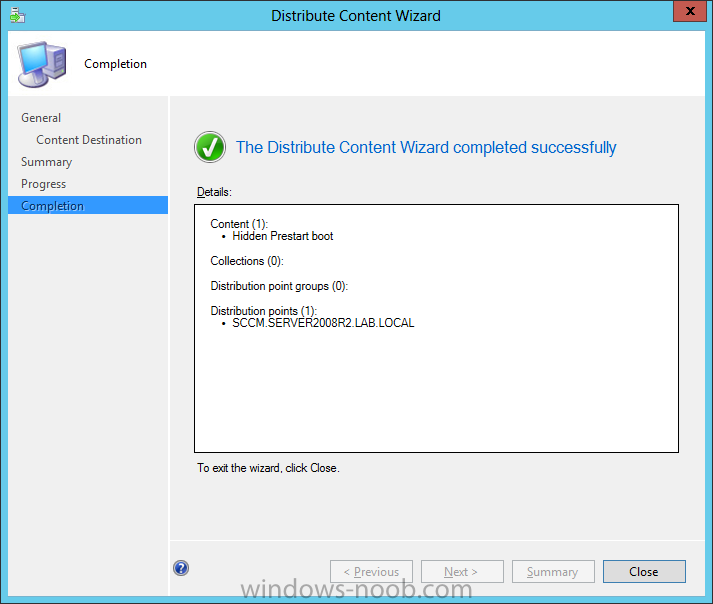
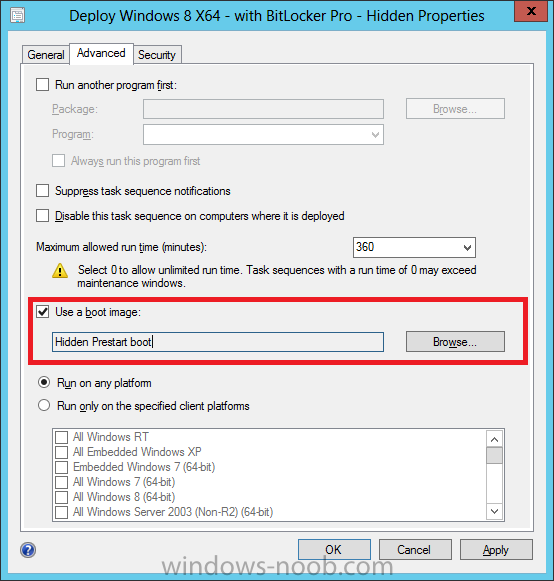
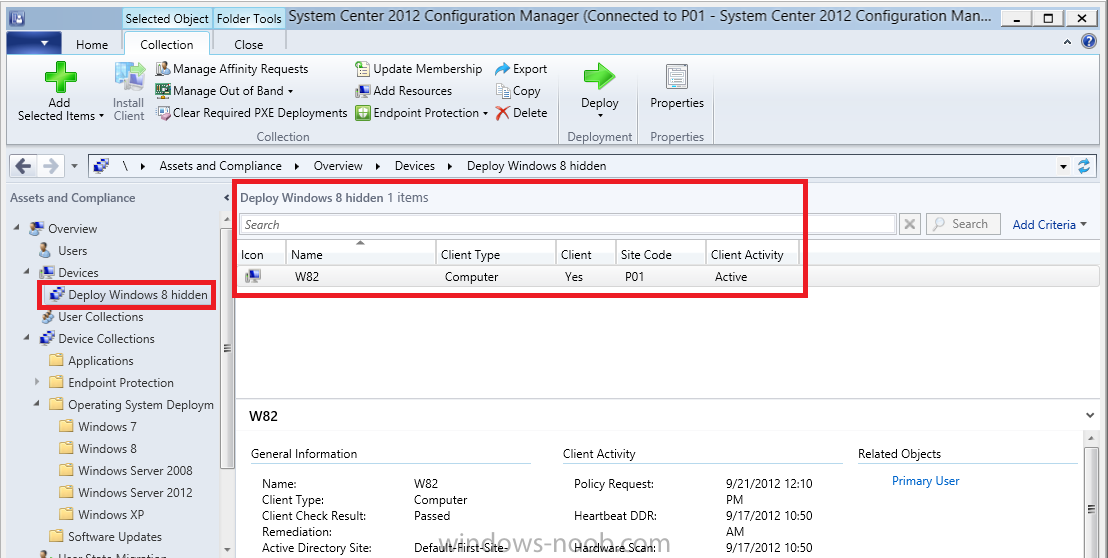
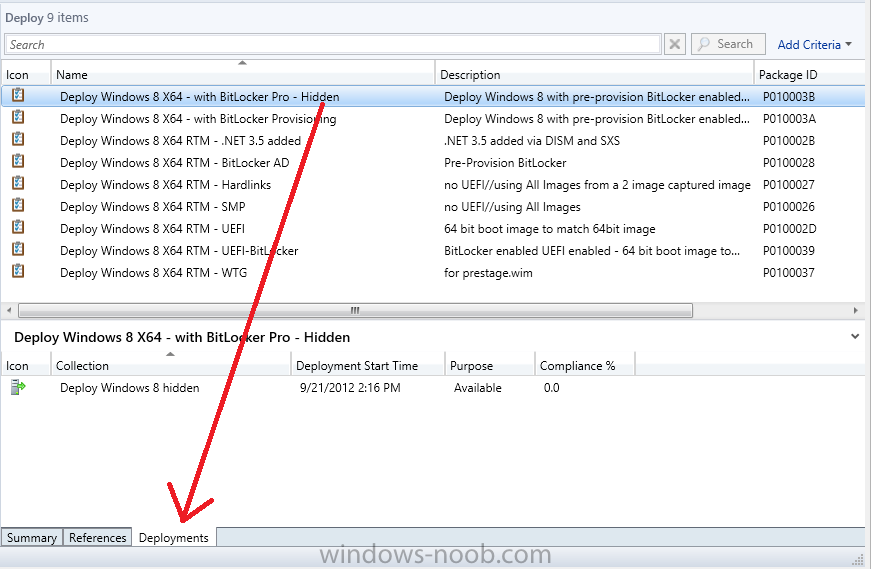
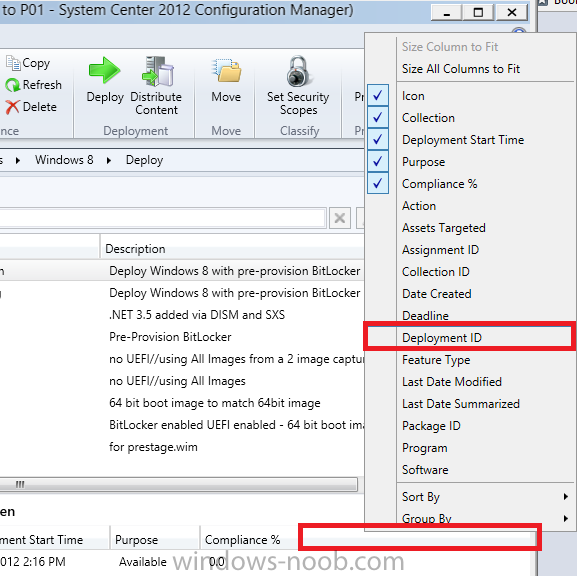
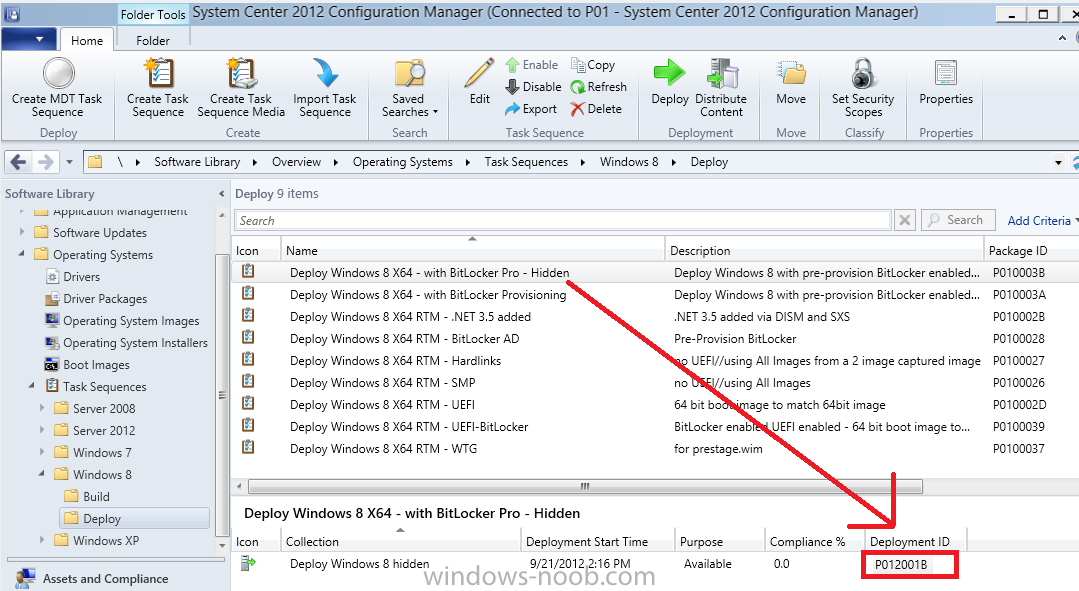
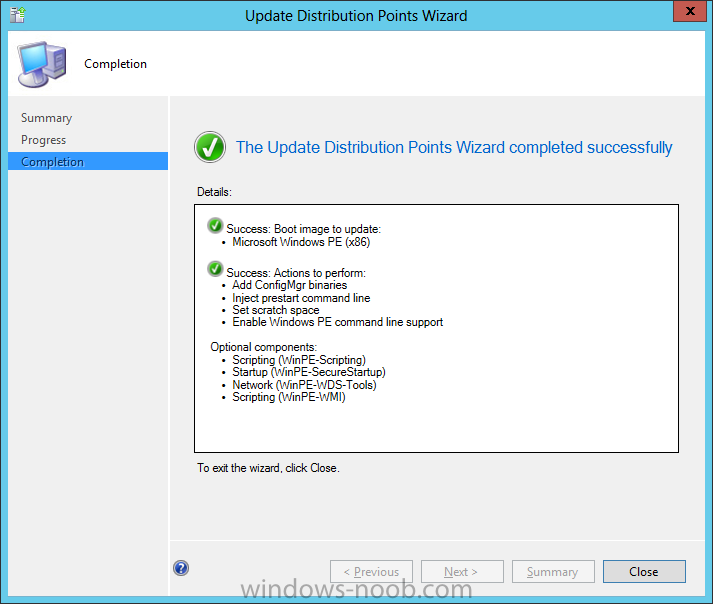
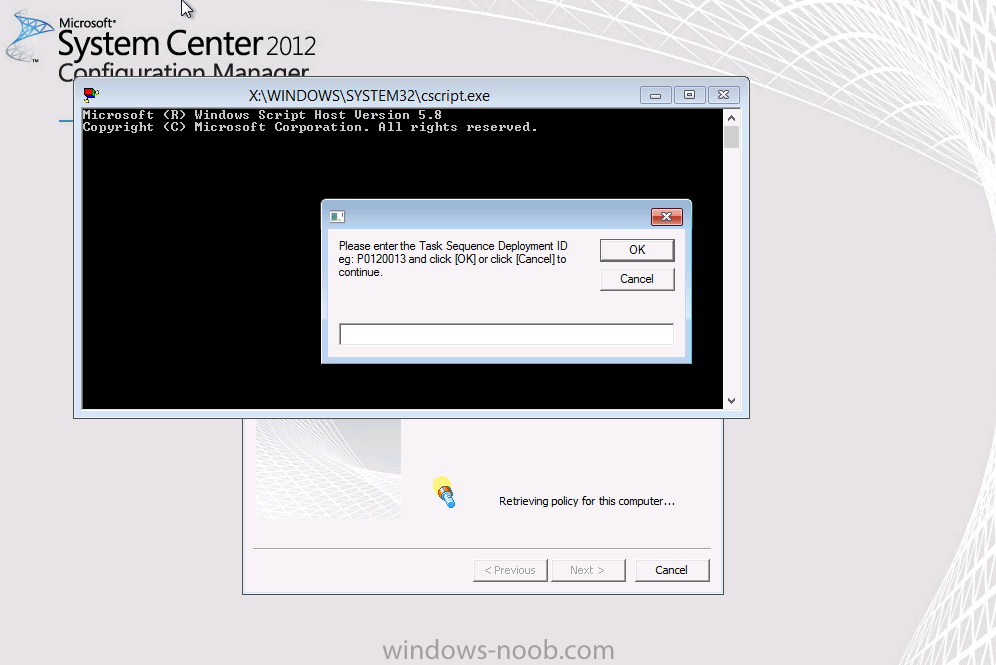
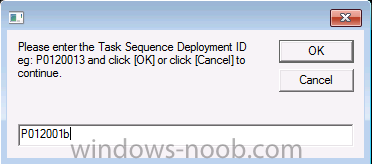
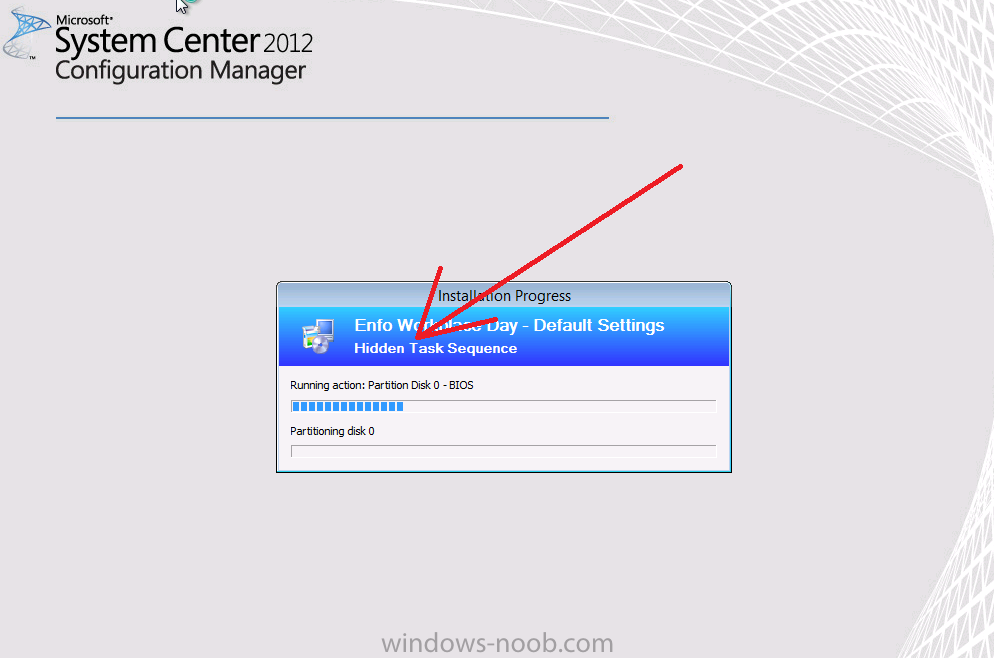
Configuration Manager 2012 SP1 provides several new features when it comes to OSD and one in particular that I like is the ability to deploy hidden task sequences, what this means is that you can target task sequences to a collection and they will be hidden from view in Software Center, Boot Media and PXE boot unless you know how to access them. I will assume that you already have a Deploy Windows 8 X64 (or similar) task sequence created at this point and now want to avail of making one hidden. Why would you want to hide a task sequence ? well perhaps you are still testing features within the task sequence that you do not want readily available to your users so hiding it is a good idea indeed. Step 1. Create a Hidden collection We will be deploying our hidden task sequence to a specific collection, so to make this easy to understand we'll create a new collection called Deploy Windows 8 Hidden, right-click on Device Collections and choose Create Device Collection, give the collection a suitable name like Deploy Windows 8 hidden and limit it to All Systems and click your way through the rest of the wizard, no need to configure any membership rules at this point as we will add computers to the collection later. Step 2. Copy an existing task sequence Locate a task sequence that you want to make hidden or create a new one from scratch, right click on the task sequence and choose Copy. once the task sequence is copied you'll get a message informing you. Locate the copied task sequence (the name was in the message above) and right click on it and rename it by choosing Properties, append the word Hidden. You can optionally add a category of Hidden and change the custom text to read Hidden Task Sequence as per the screenshot below. Step 3. Add a prestart file to a custom boot image This step is important as in order to access the hidden task sequence we need to add a prestart command via a file added to a custom boot image. The boot image should be separately created from your default X86 and X64 boot images as we don't want our normal task sequence deployments to be prompted with the prestart script. To create the custom boot image do as follows, right click on boot images and choose Add Boot Image. browse to the UNC path of your default X86 boot image (something like \\sccm.server2008r2.lab.local\SMS_P01\osd\boot\i386\boot.wim) and select that boot wim file fill in some details about this custom boot image including it's version (x86) and click your way through to the end of the wizard. Now that we have a custom boot image, let's right click on it and add some changes. select the Customization tab, and make sure to place a checkmark in the following options Enable prestart command Include files for the prestart command Enable command support (testing only) so that it is like the screenshot below Point the prestart command to the following script file by typing cscript.exe get_SMSTSPreferredAdvertID_via_Prestart.vbs here's the VBS get_SMSTSPreferredAdvertID_via_Prestart.vbs.txt Note: remove the .TXT extension on the file above before using it. save get_SMSTSPreferredAdvertID_via_Prestart.vbs to \\sccm\sources\os\extrafiles next click on the Deploy tab, make sure that Deploy this boot image from the PXE enabled distribution point is selected click ok and answer NO when prompted to update to Distribution points as we have not selected any distribution points for this boot image yet. Continue to the end of the wizard. Step 4. Distribute our prestart boot image Right click on our Prestart boot image and choose Distribute Content the distribute content wizard appears, add your distribution points and continue through the wizard until completion once done, right click on the Prestart Boot Image and choose Update Distribution Points, continue through that wizard. Step 5. Attach our prestart boot image to our hidden task sequence In Task Sequences, select our hidden task sequence, right click and choose properties, select the Advanced tab and change the boot image from the X86 default boot image to our hidden prestart boot image as per the screenshot below click apply and ok. Step 6. Add a computer to the hidden collection using direct membership (or whatever method you wish) add a computer to the hidden collection, verify the computer object exists in the collection before moving on to the next step. Step 7. Deploy the hidden task sequence right click on our new Hidden task sequence and choose Deploy choose our previously created Deploy Windows 8 hidden collection and click next and on the Deployment Settings screen click the down arrow beside Make available to the following and select Only media and PXE (hidden) click your way through the rest of this wizard. Step 8. Locate the Deployment ID of the hidden task sequence In Task sequences, select our hidden task sequence and click on the Deployments tab below it our Deployment is listed, click on the column in a blank space and right click to add new column options, select Deployment ID from the list. and now we can see our Deployment ID, take note of what it says (write it down). Step 9. PXE boot your client Now that the hard work is done, PXE boot the computer you added to the hidden collection, note the boot WIM file listed is the Image ID of our Prestart Hidden boot wim if you did everything above correctly you'll see the following immediatly after entering your PXE password (if you set one) and before the task sequences are normally displayed (assuming you have some available task sequences) enter the Deployment ID we noted from above, that was P012001B or don't enter it and just get to see the normal list of available task sequences. and if you entered the Deployment ID correctly you'll see your hidden task sequence kicking off, cool huh ? yup, cool. until next time, adios ! Next Steps: Perform the above 'on-demand', if you want to learn how, click here.

-
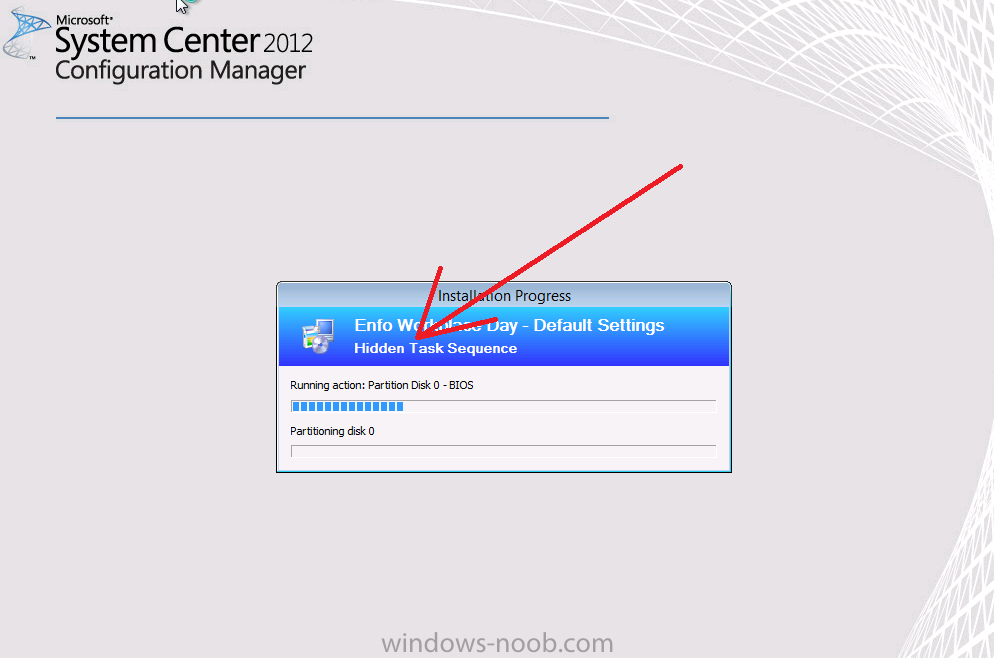
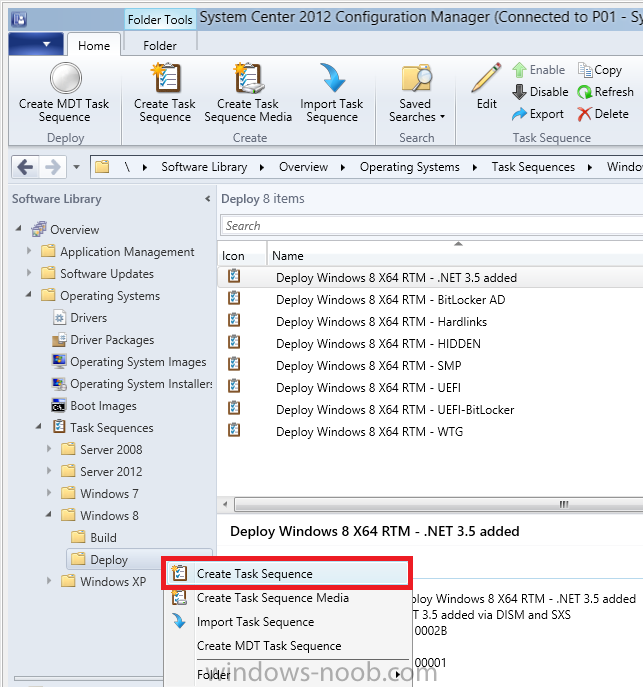
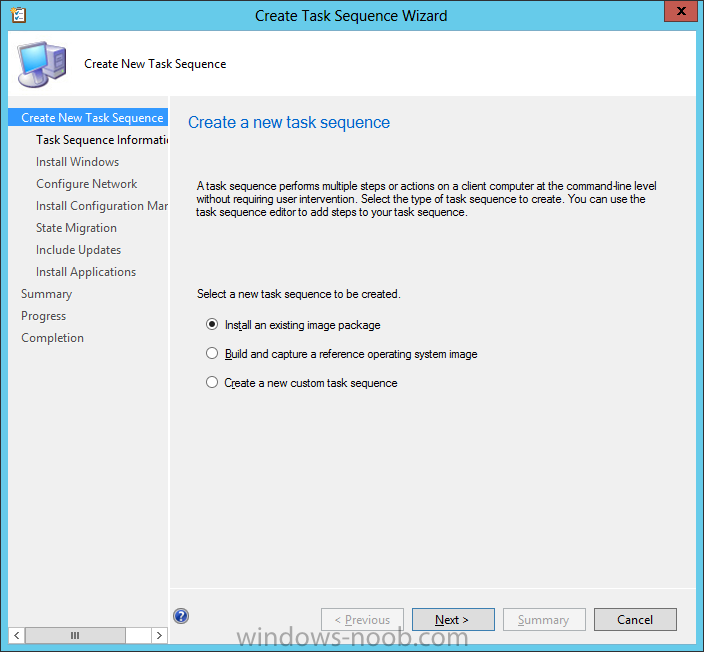
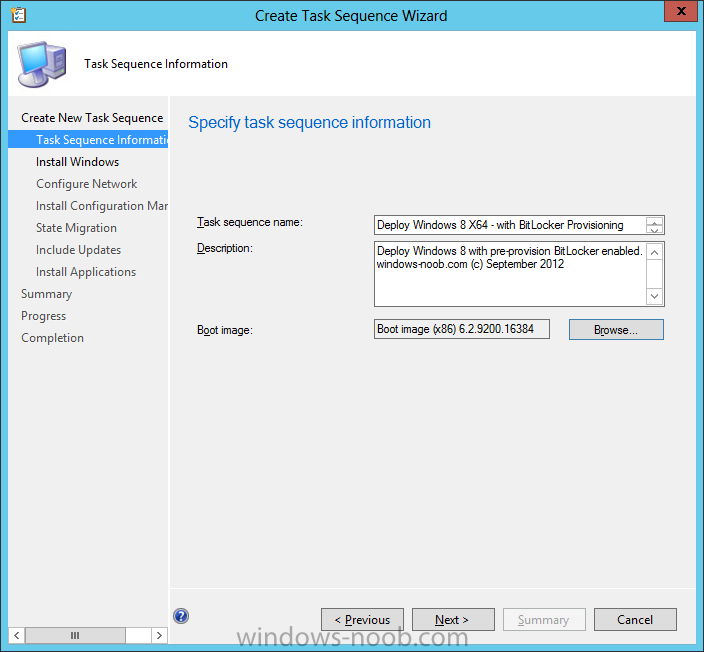
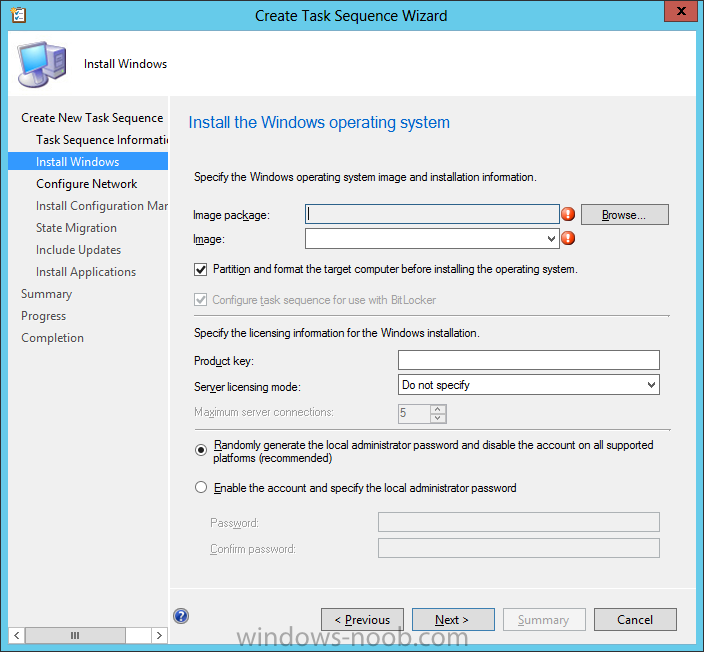
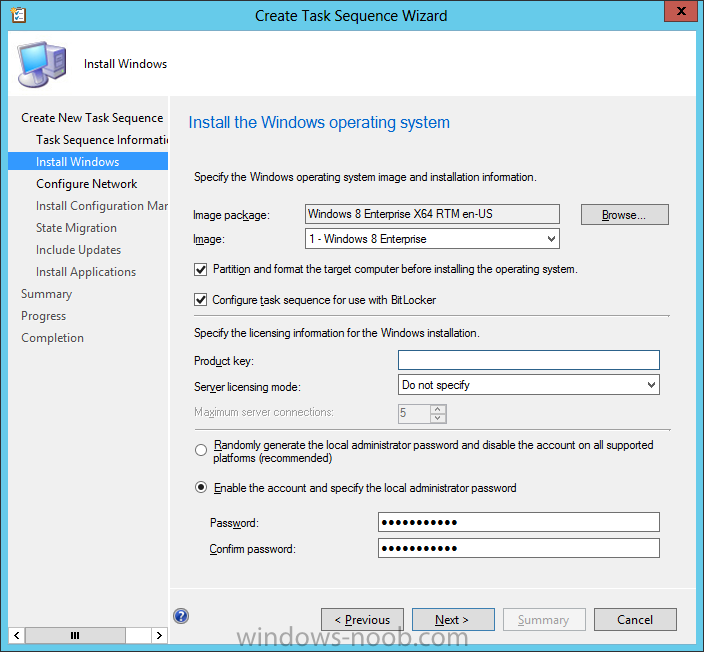
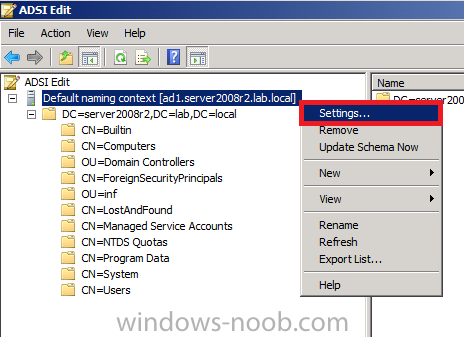
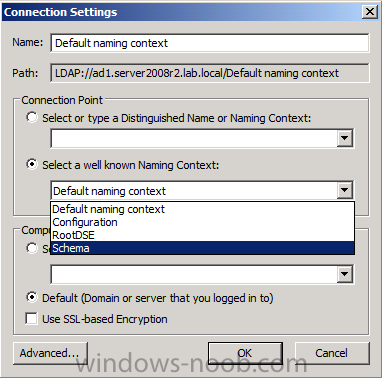
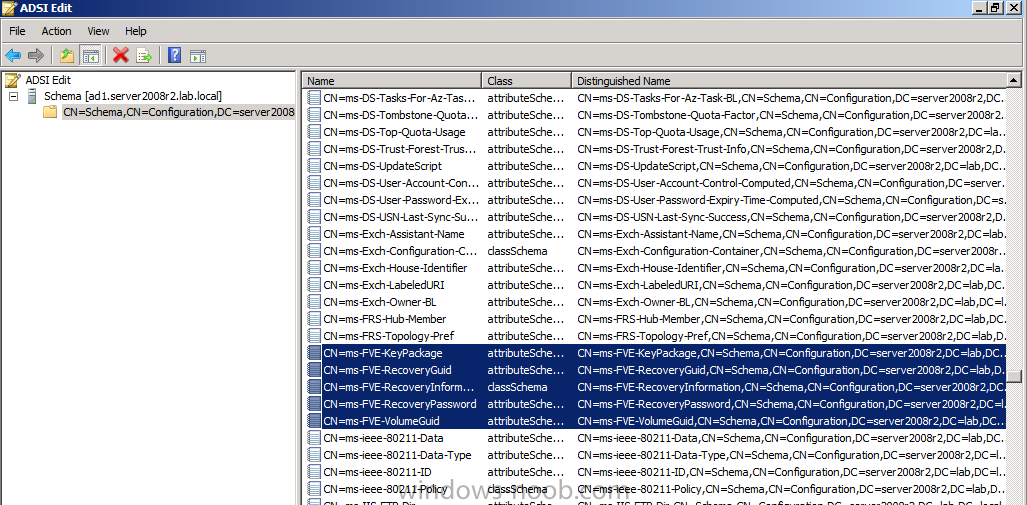
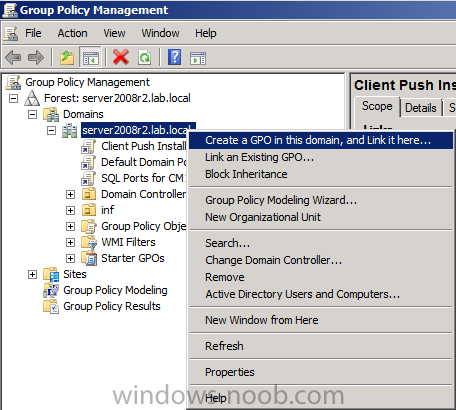
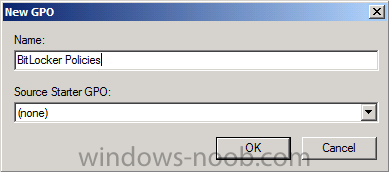
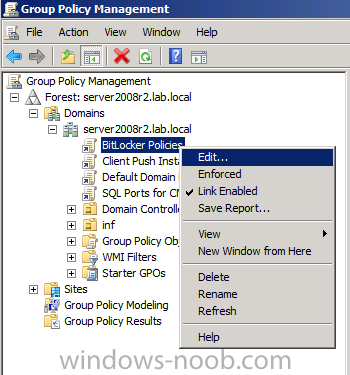
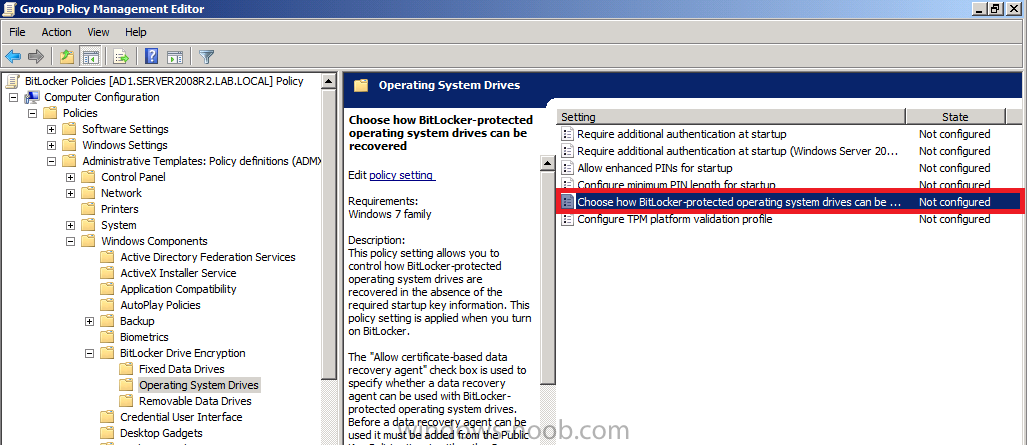
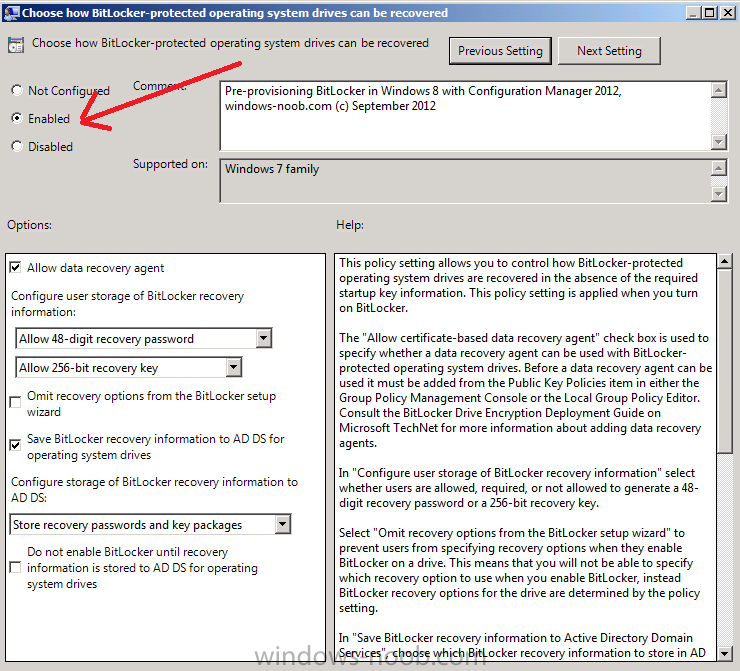
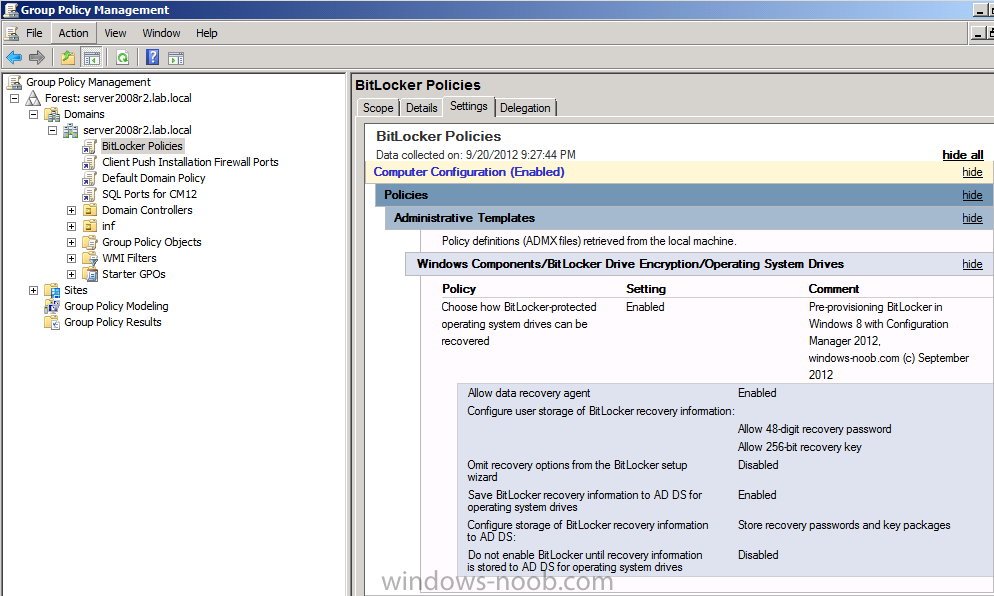
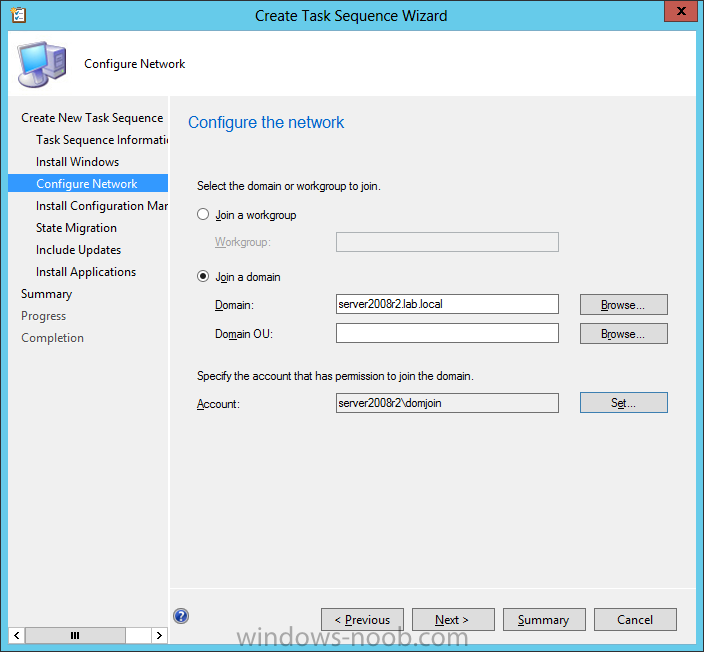
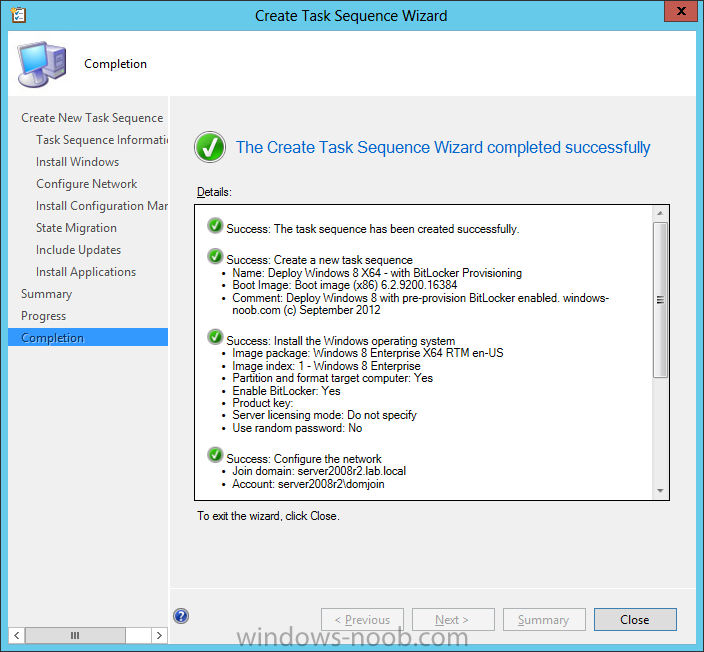
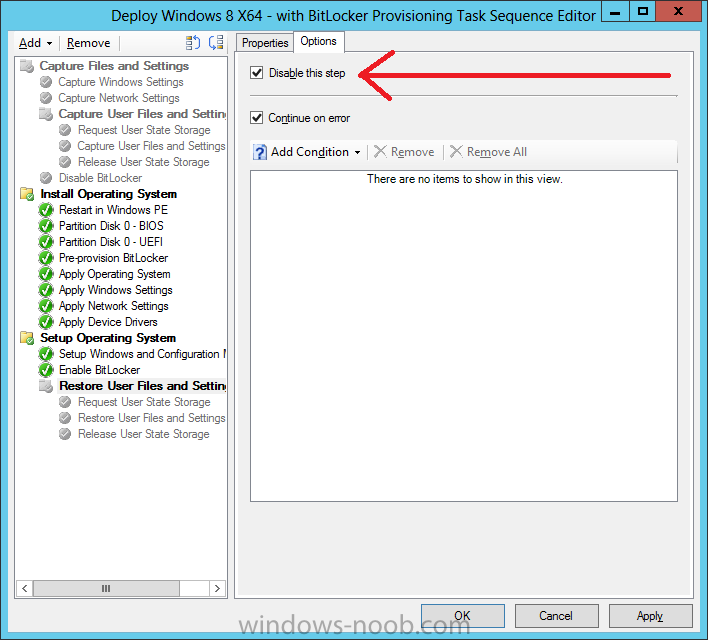
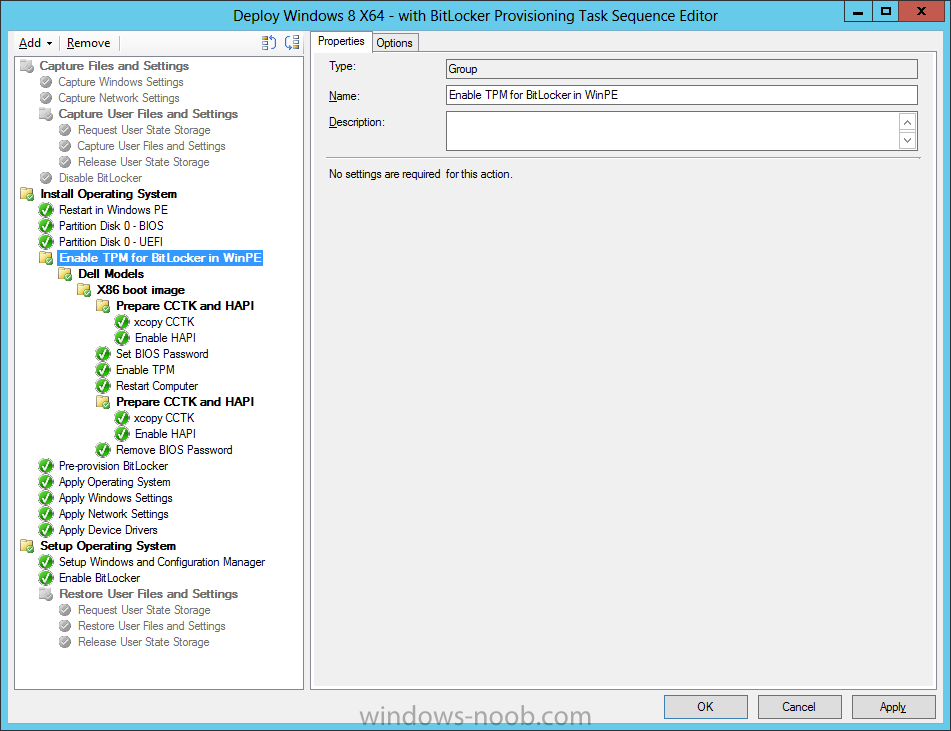
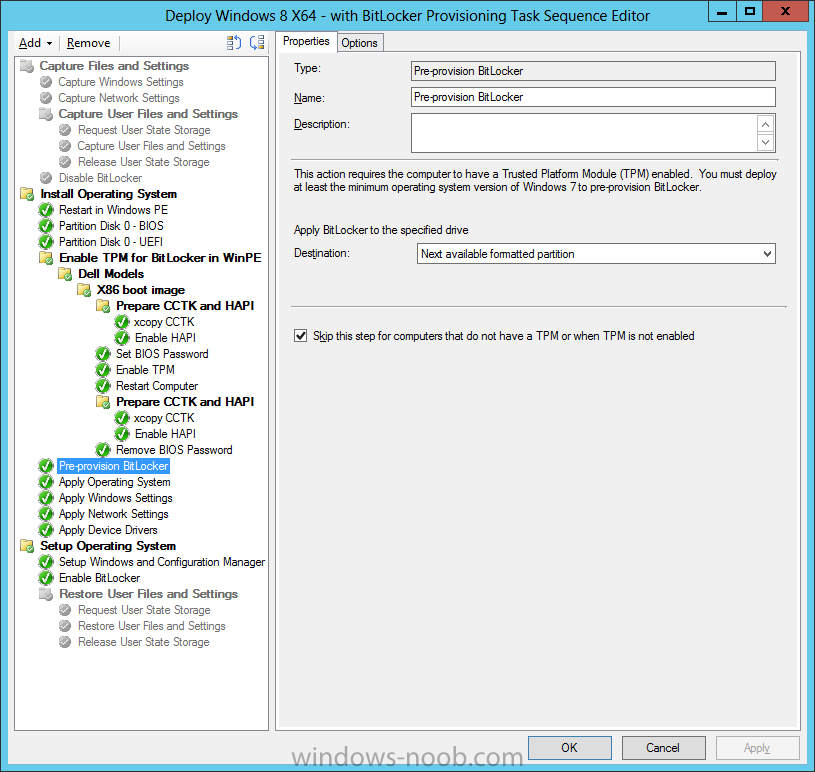
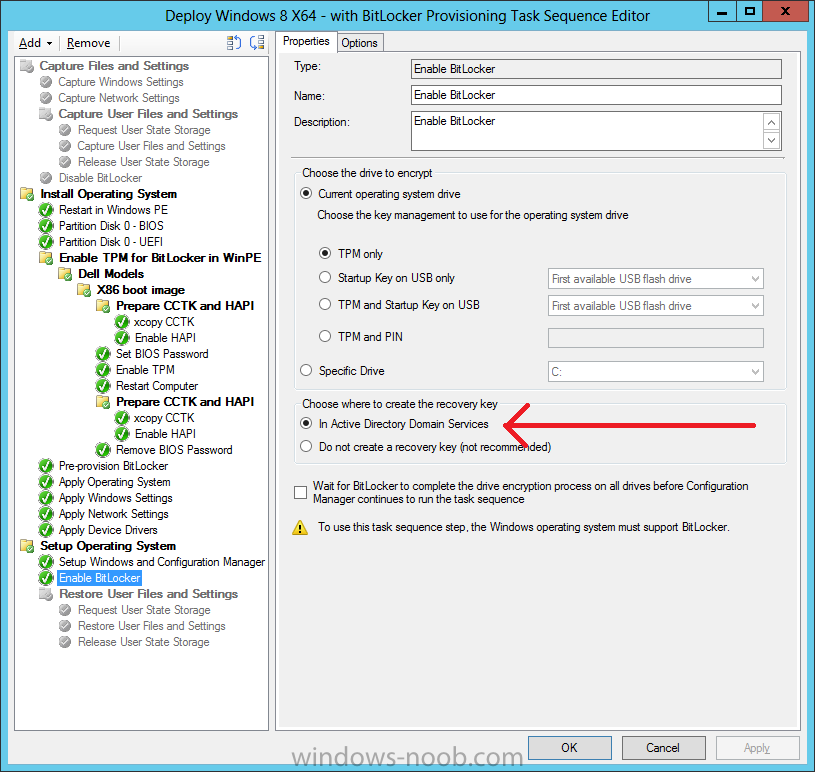
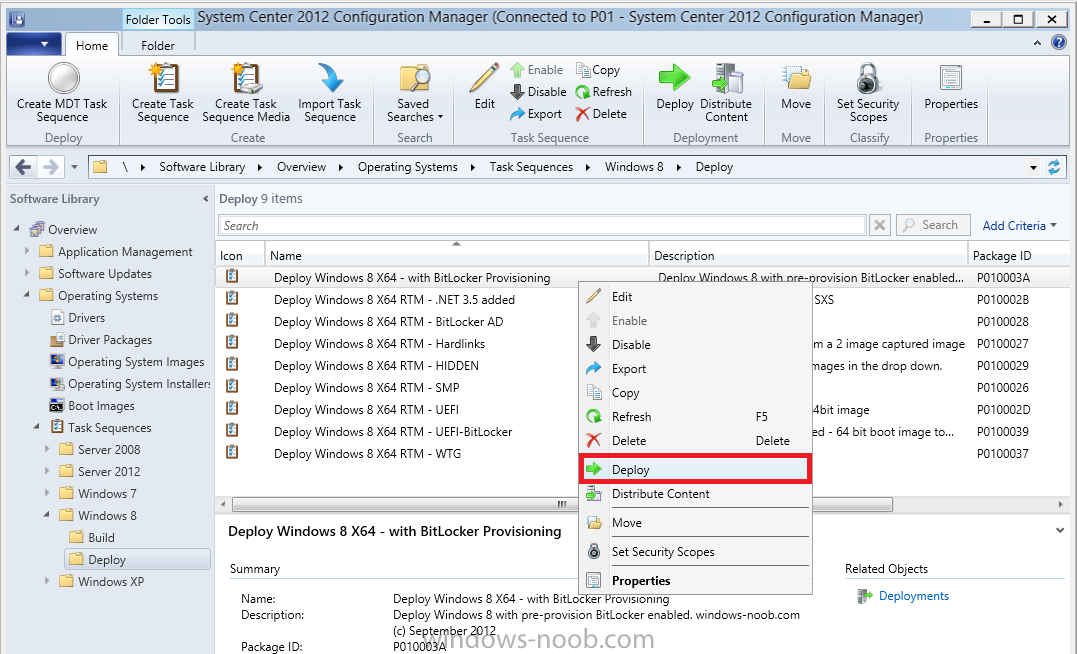
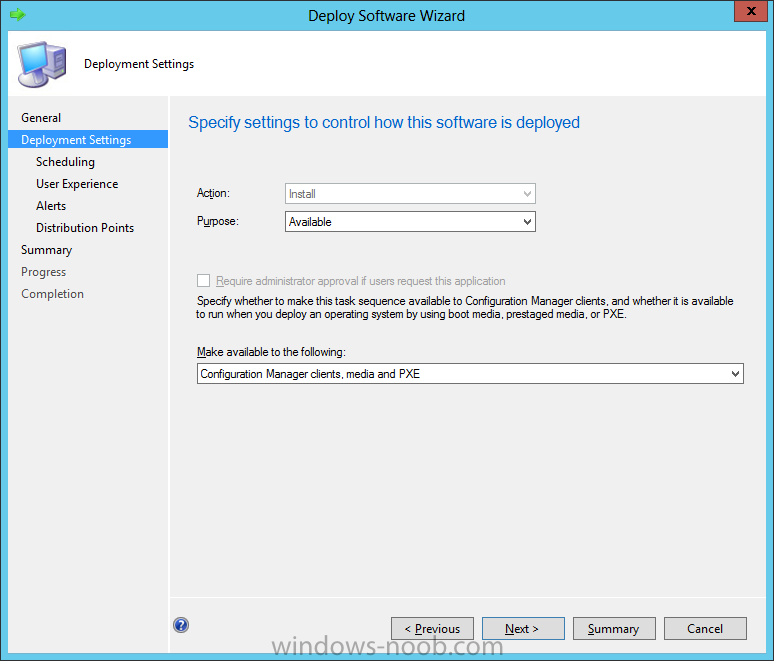
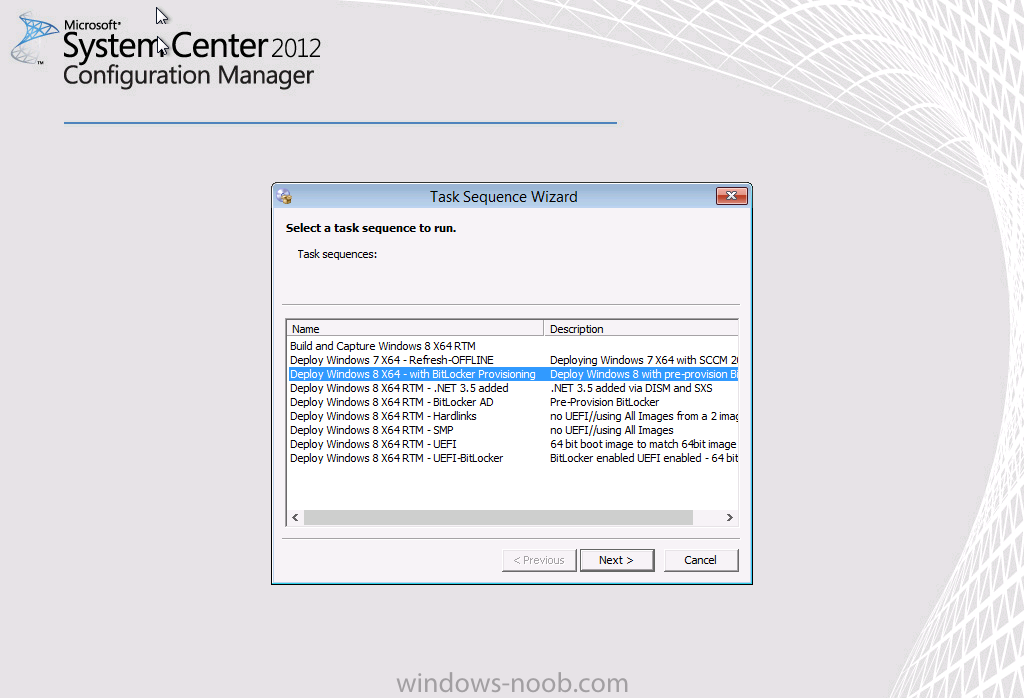
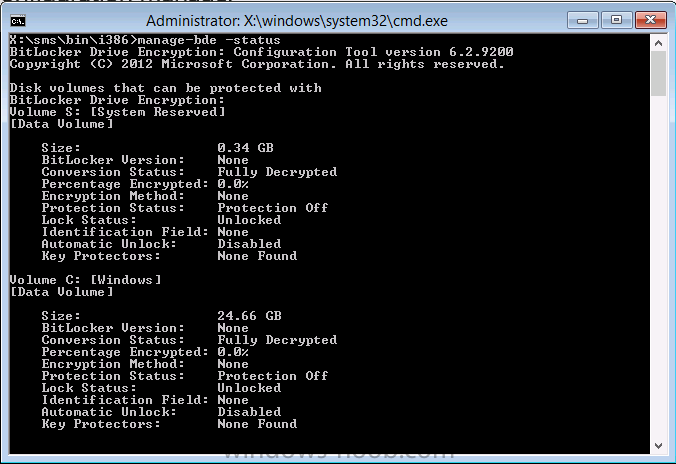
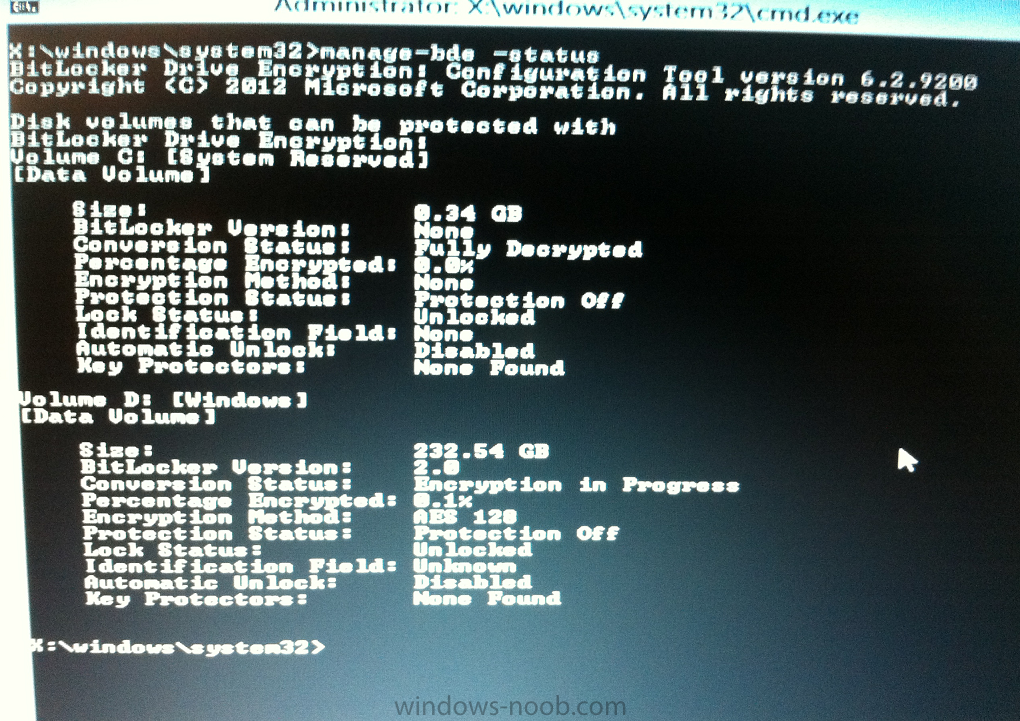
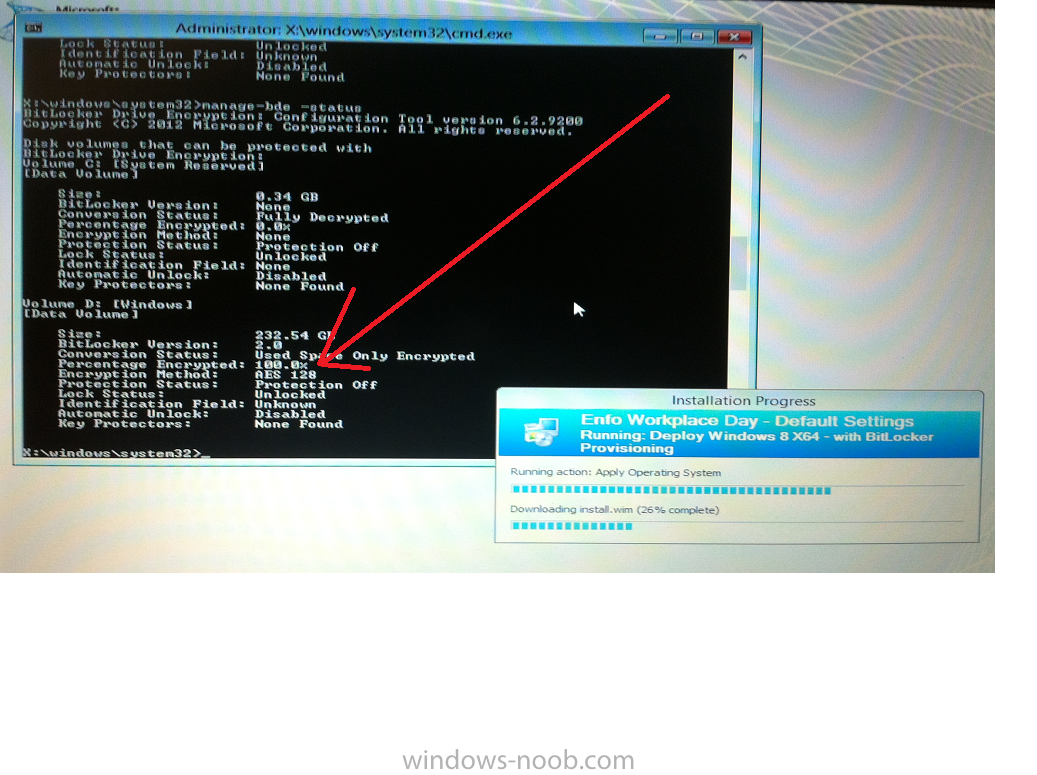
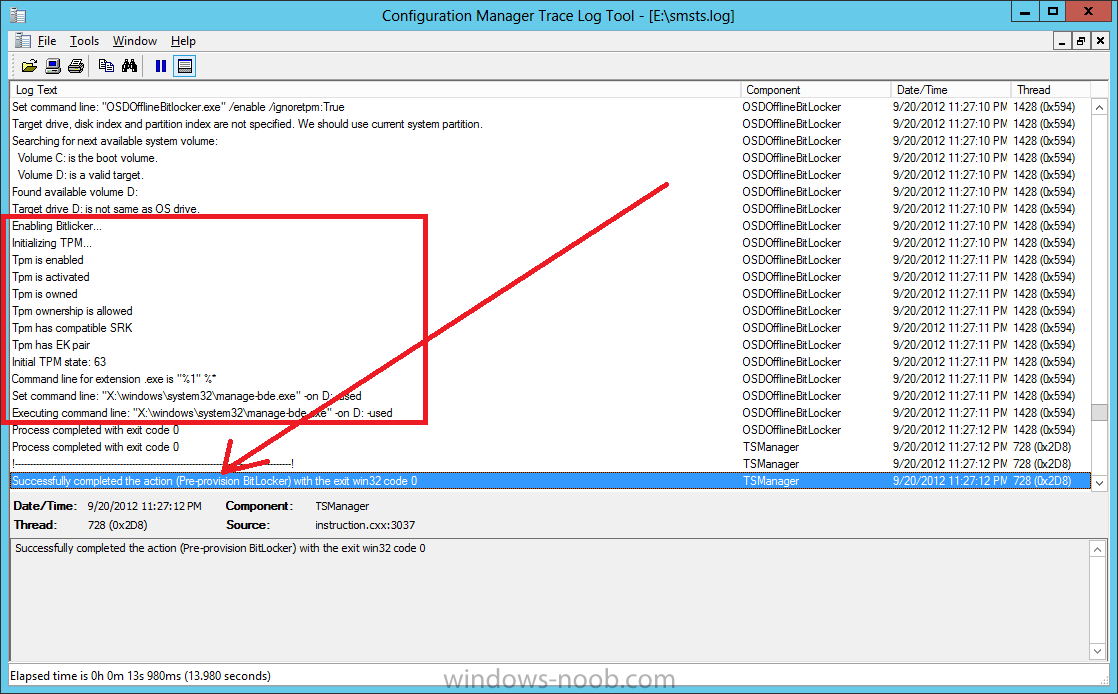
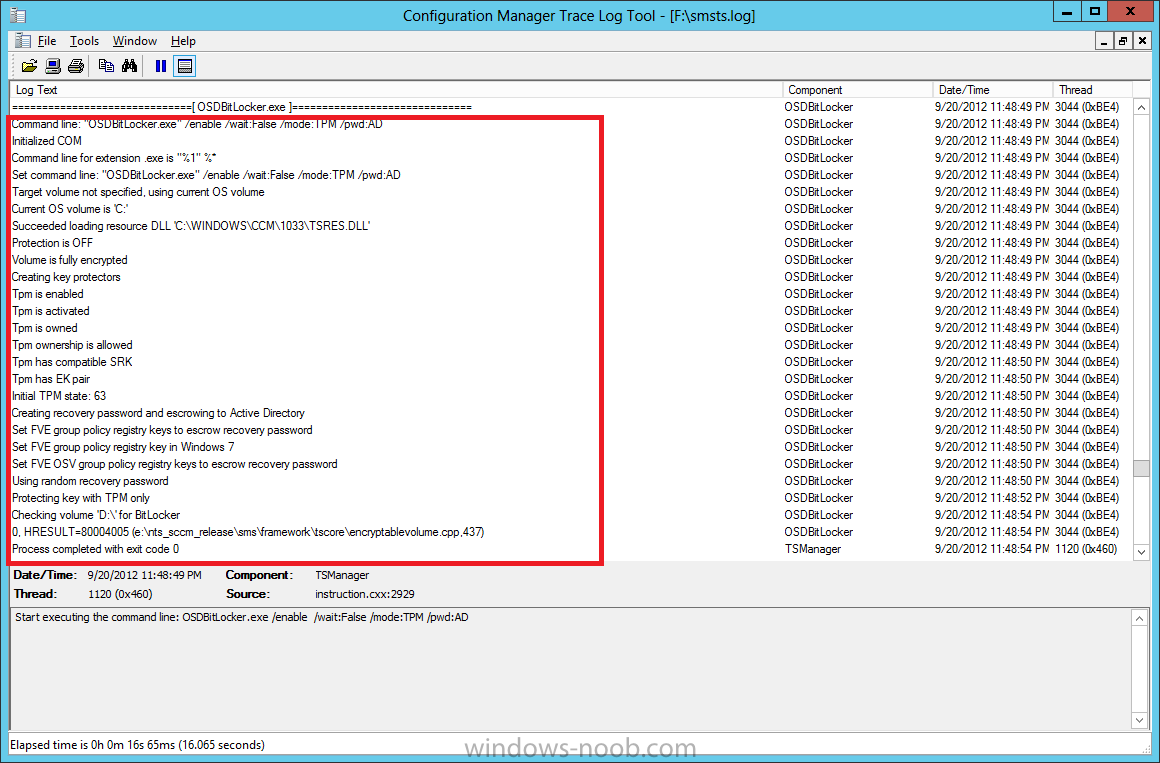
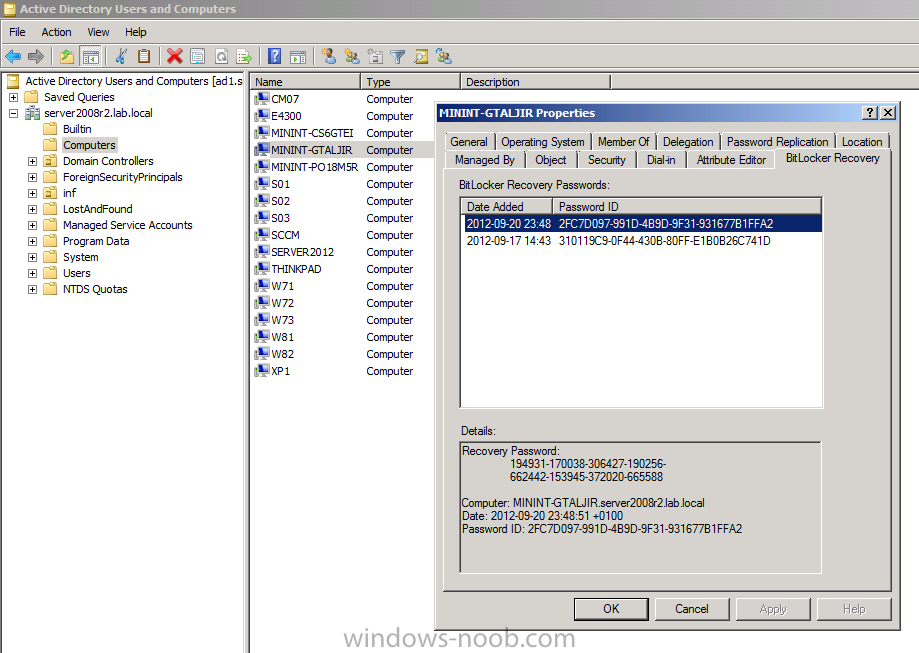
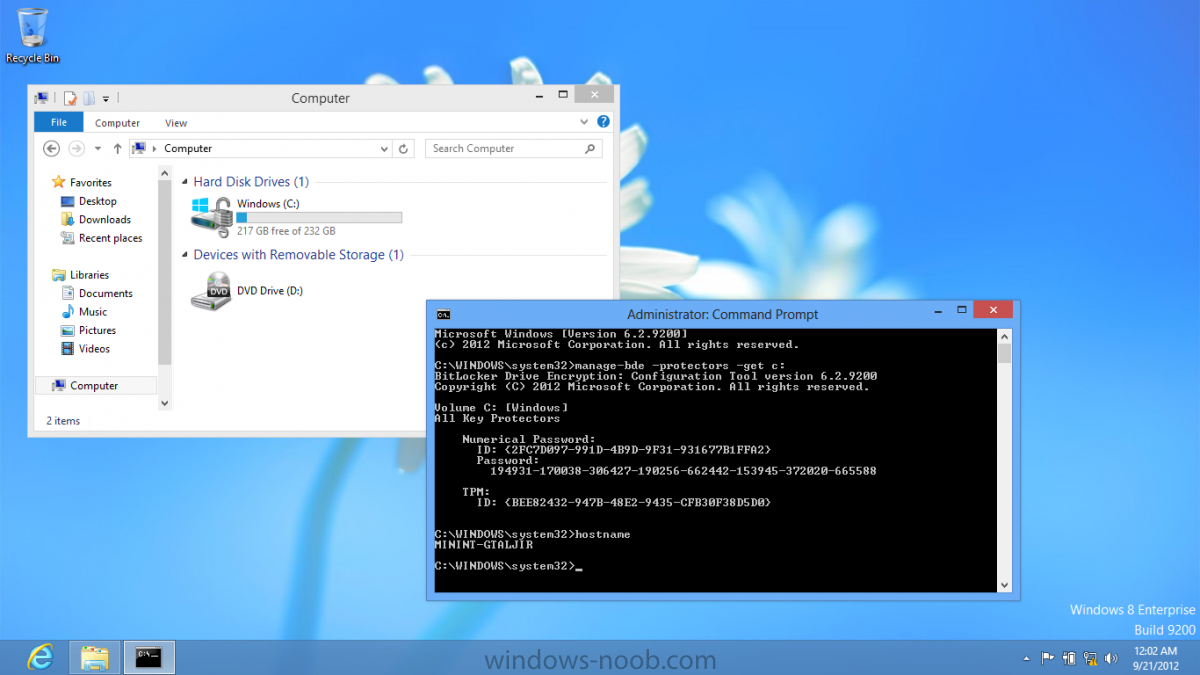
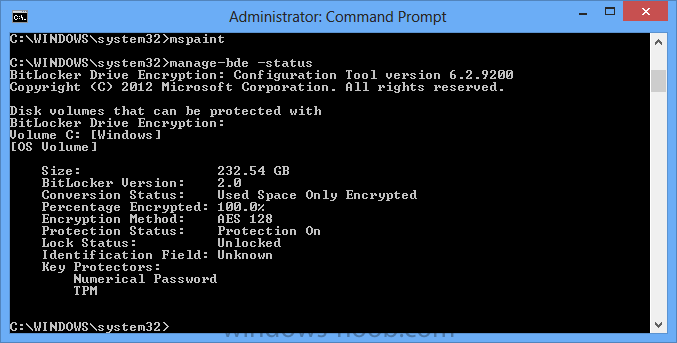
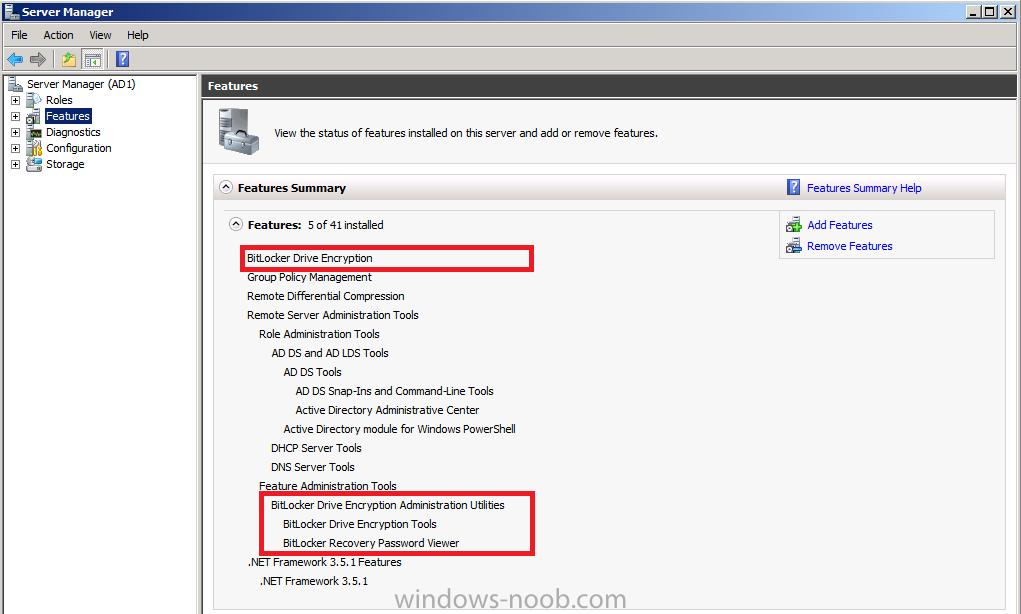
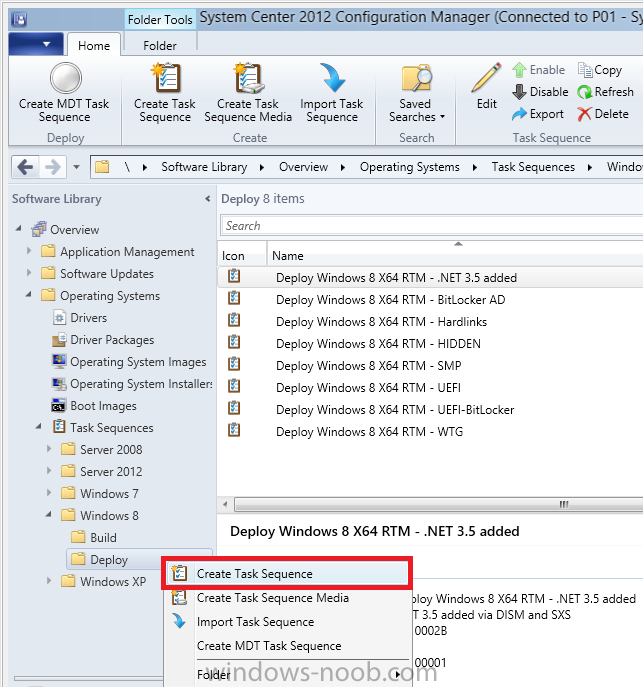
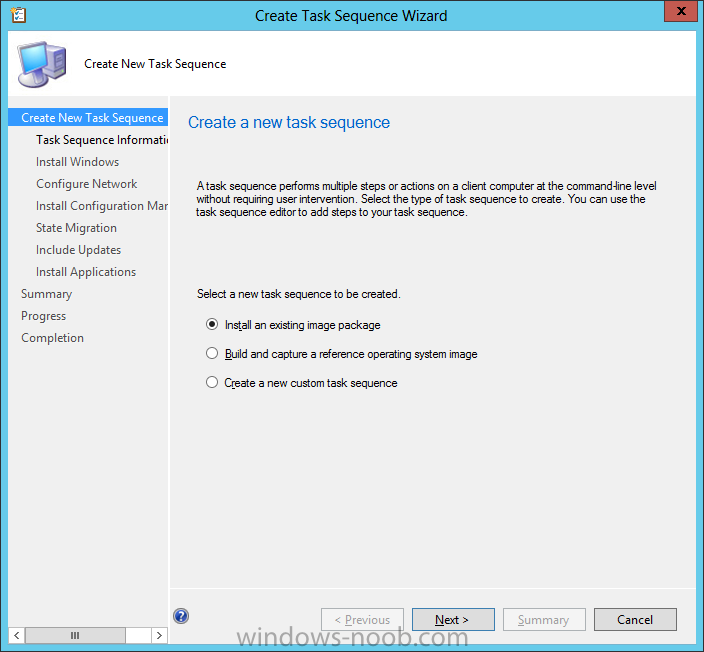
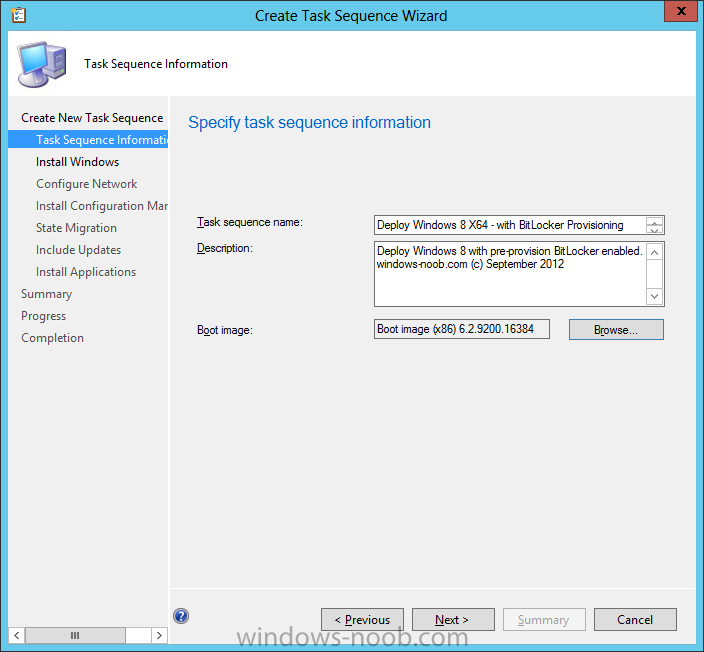
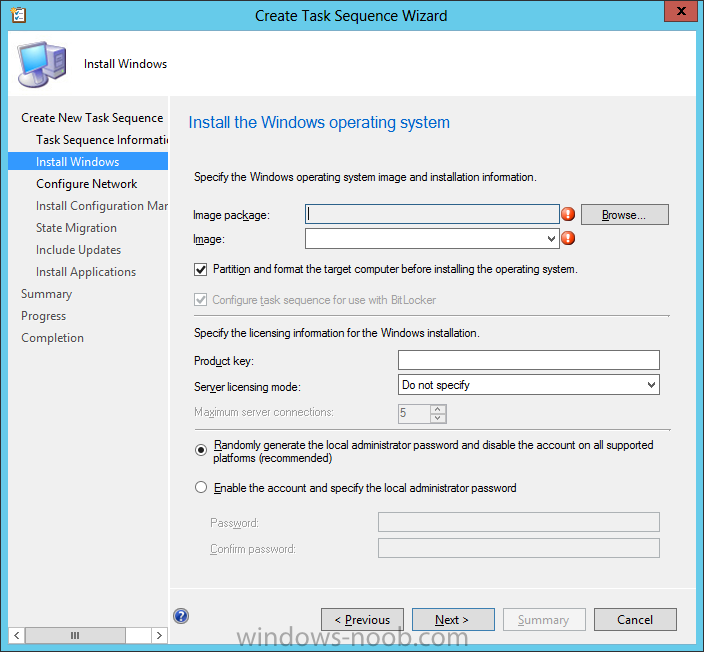
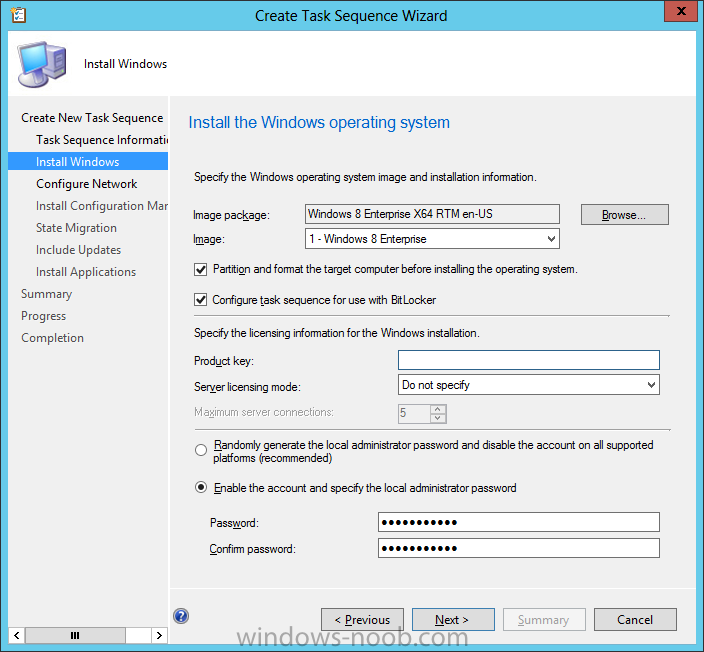
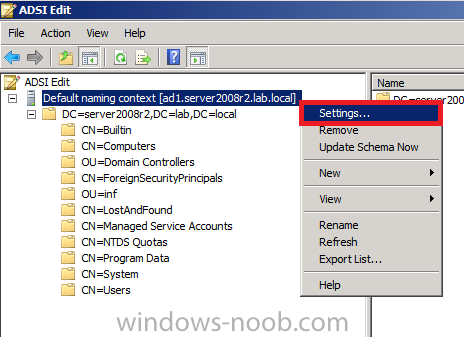
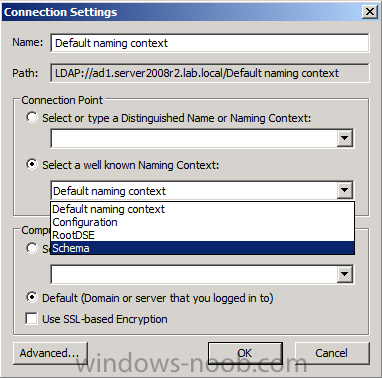
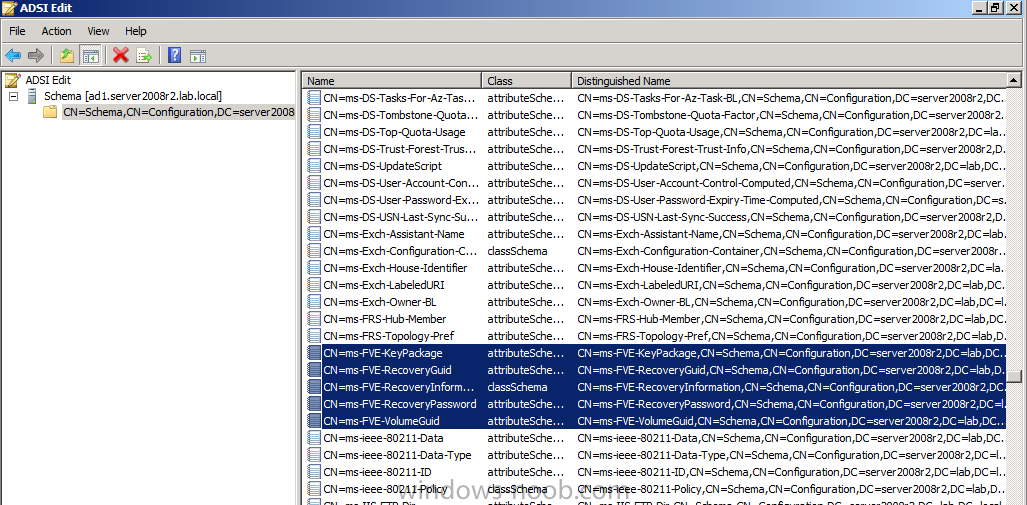
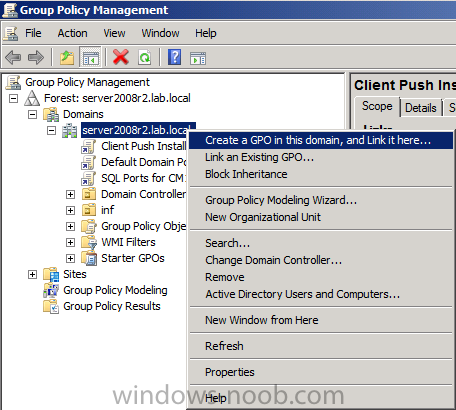
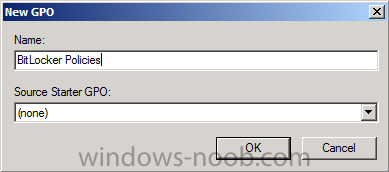
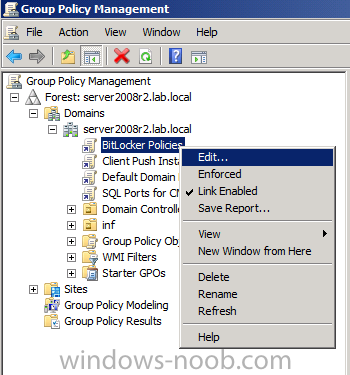
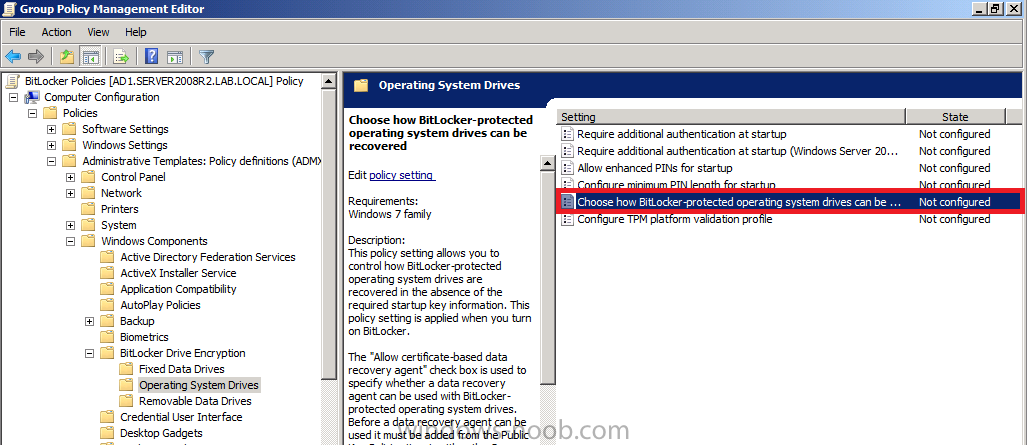
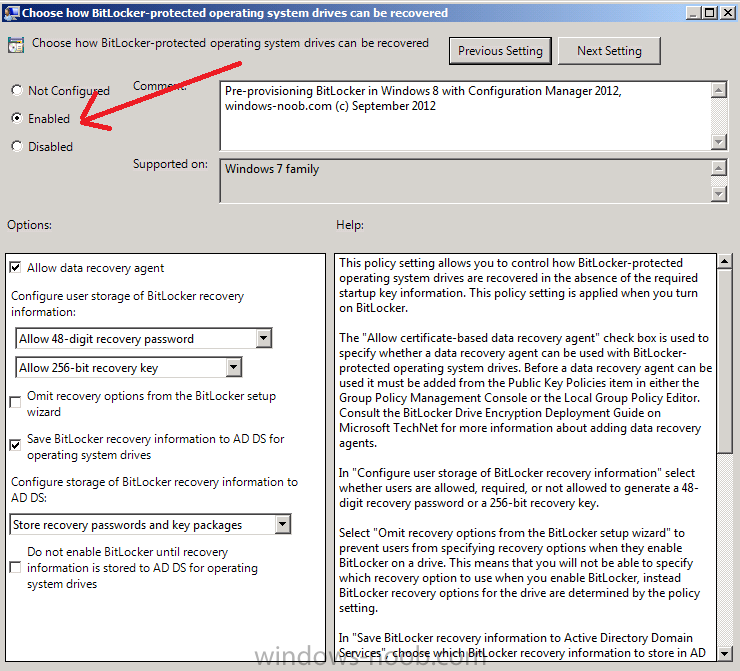
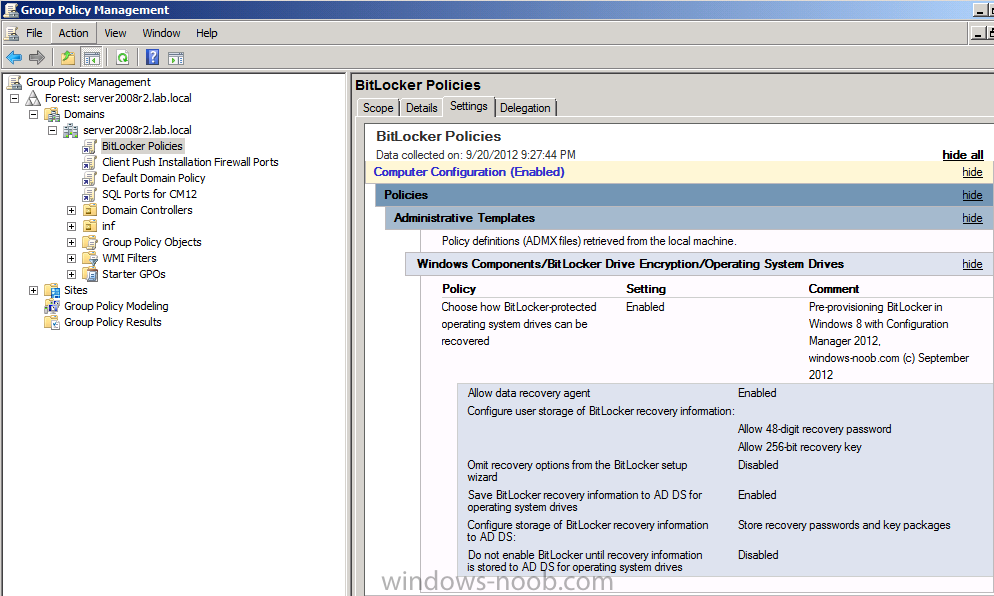
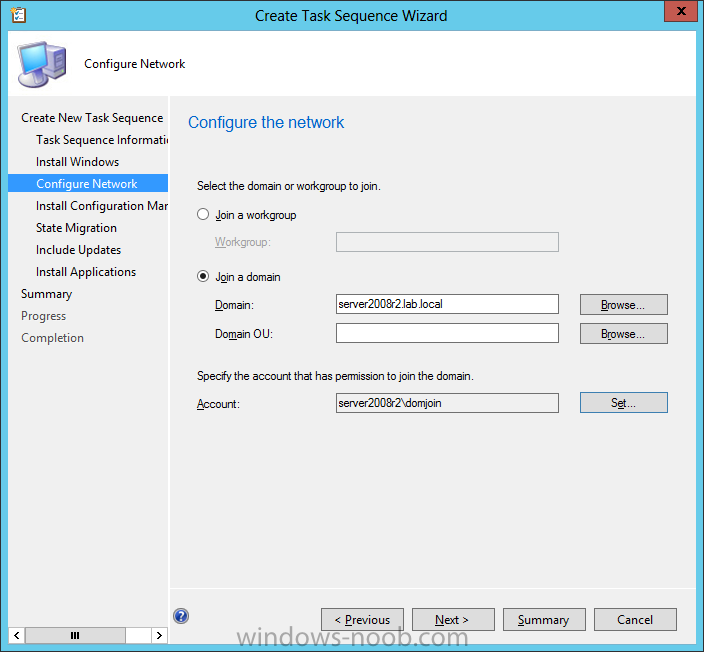
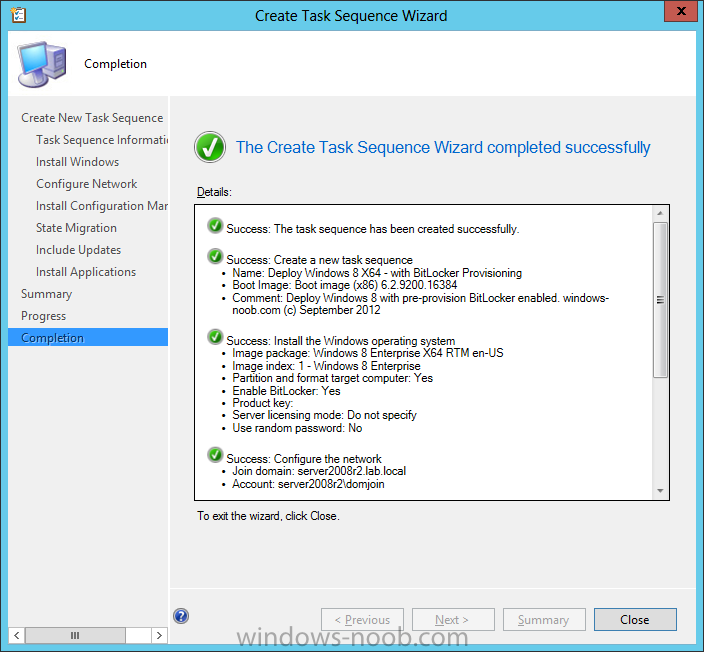
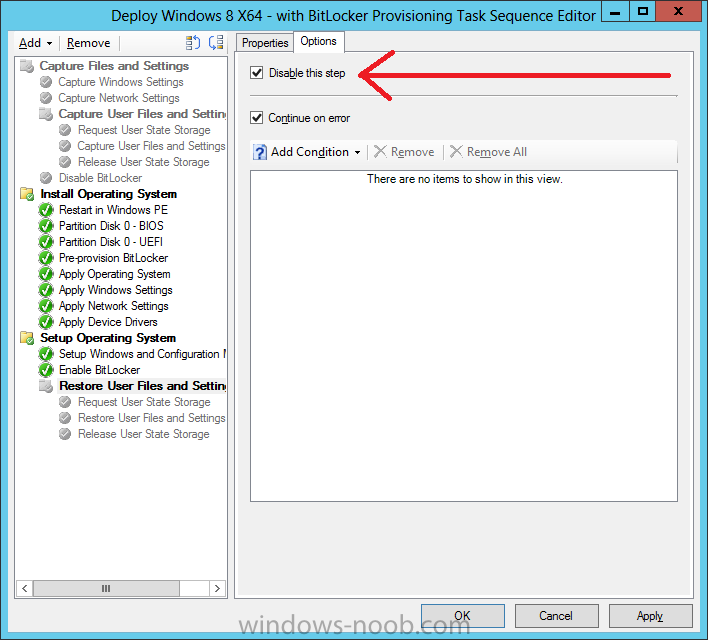
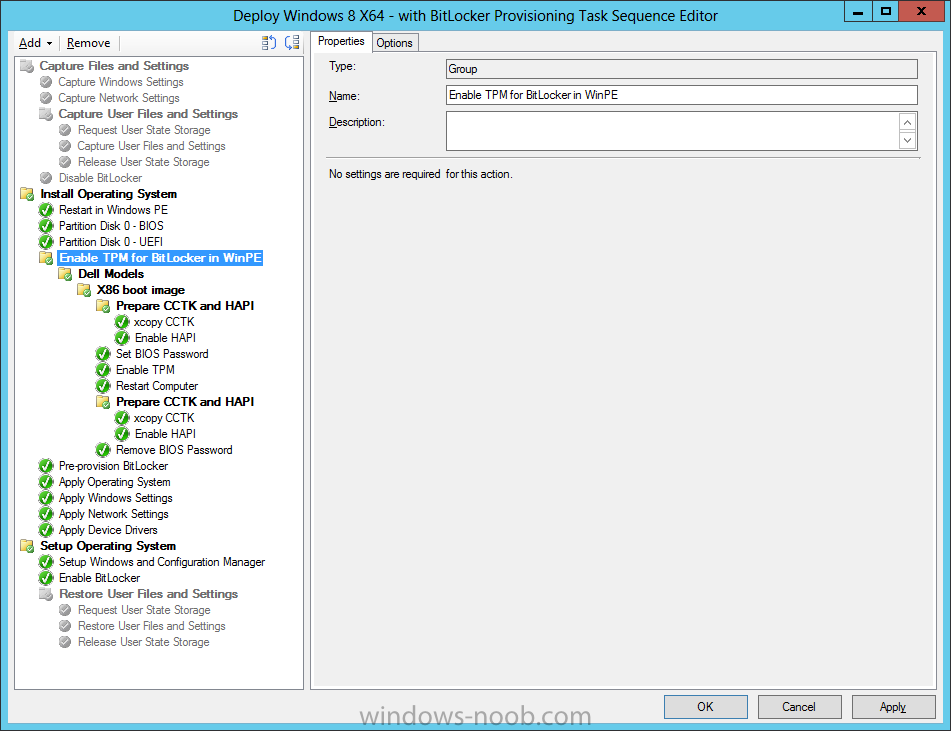
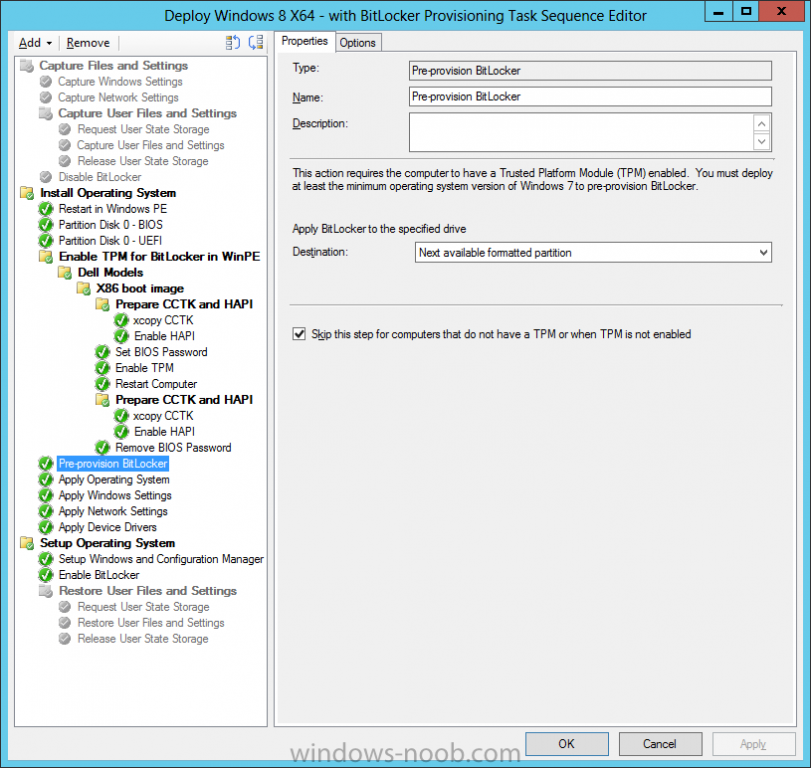
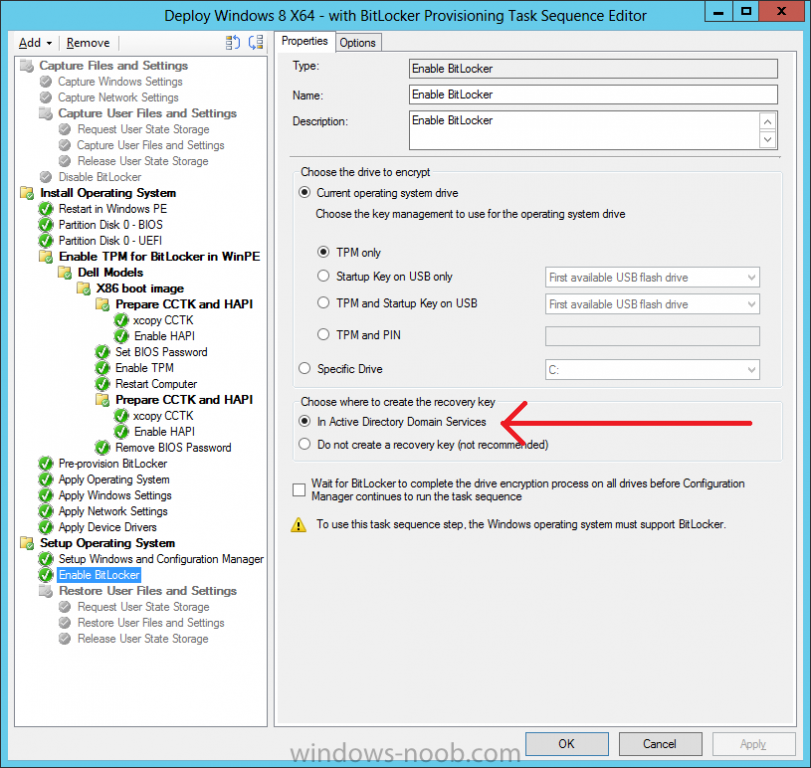
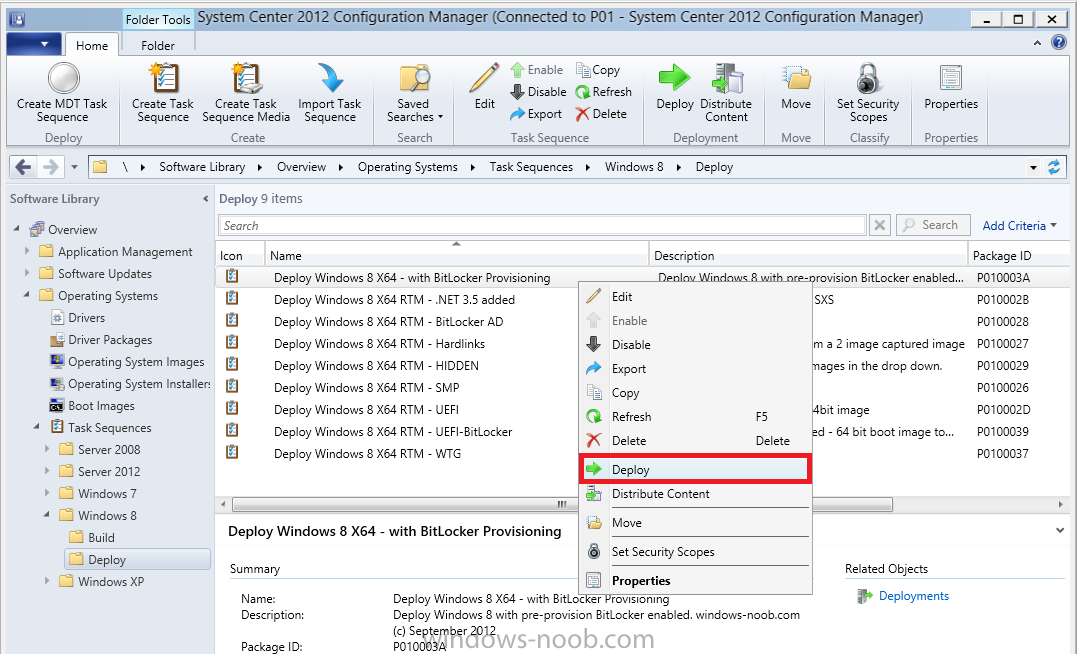
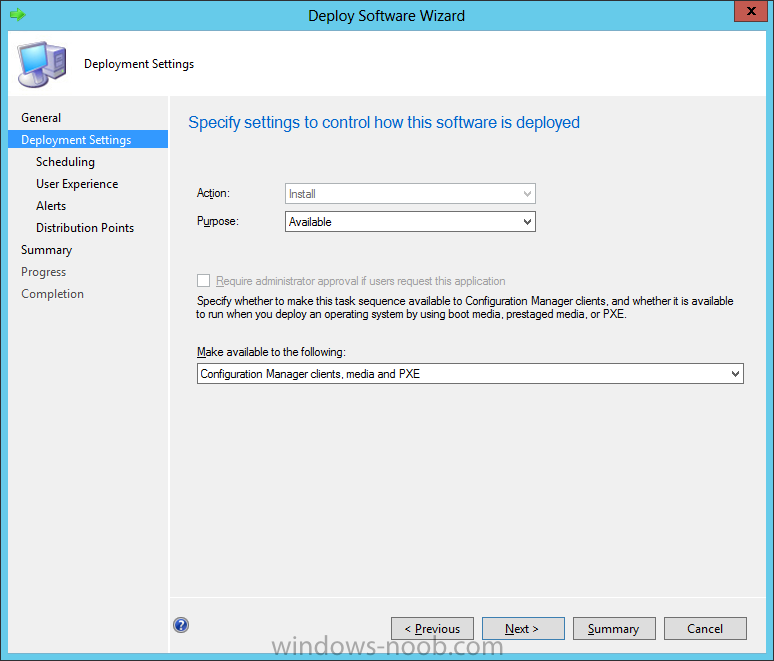
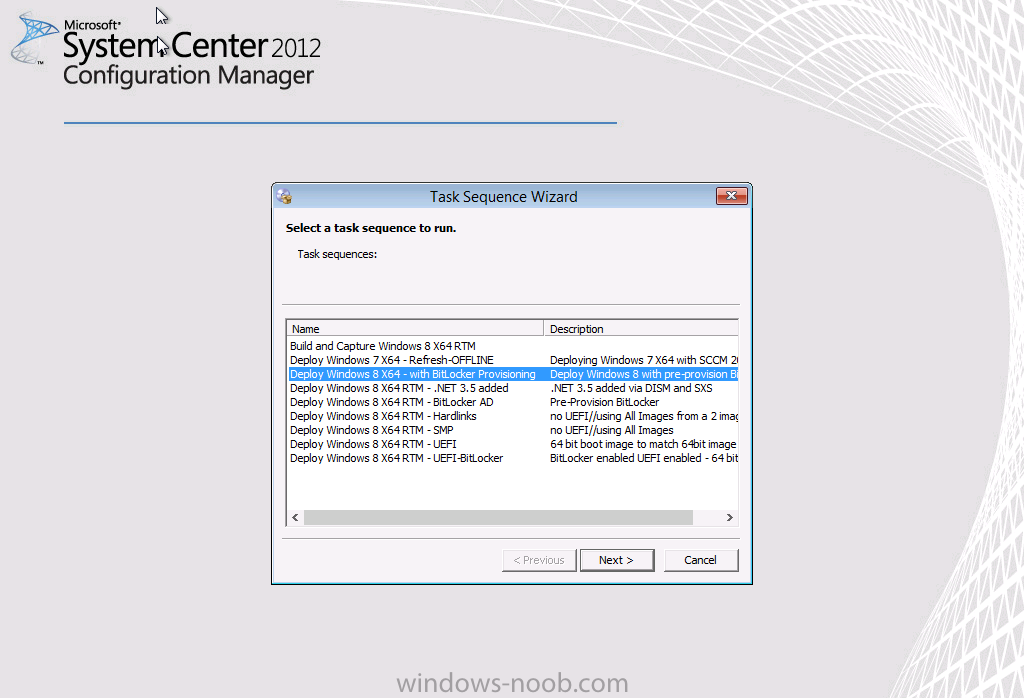
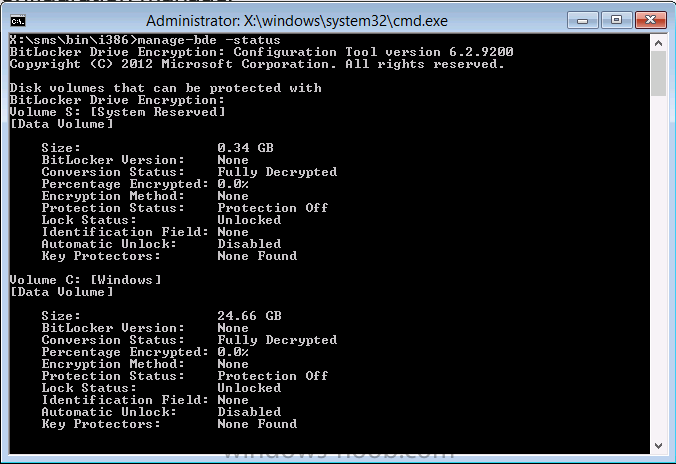
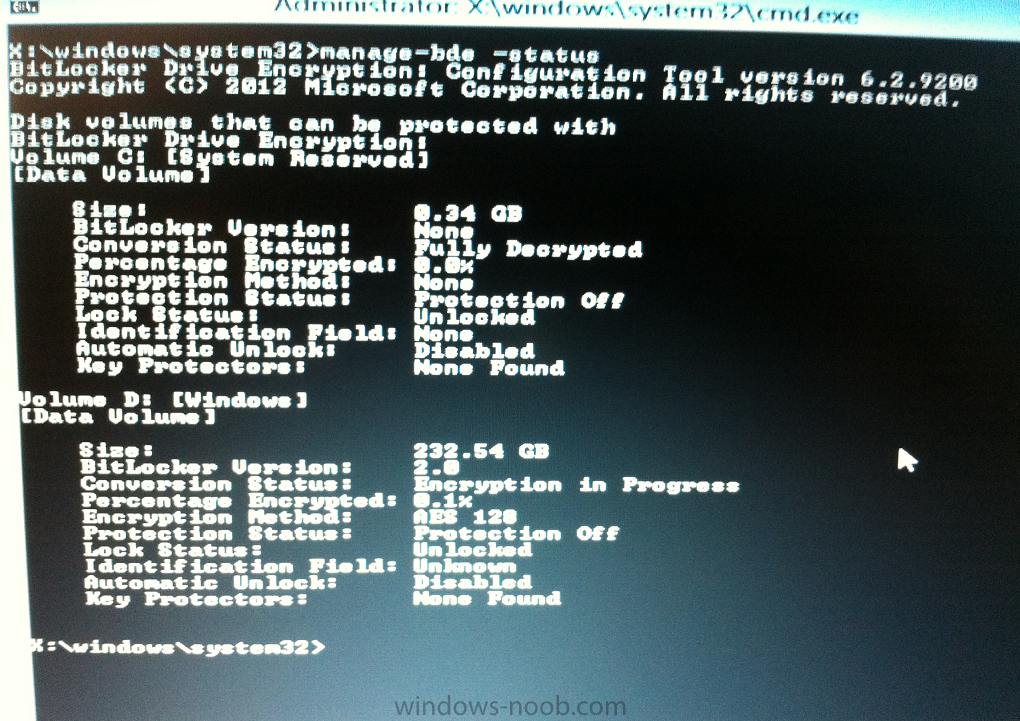
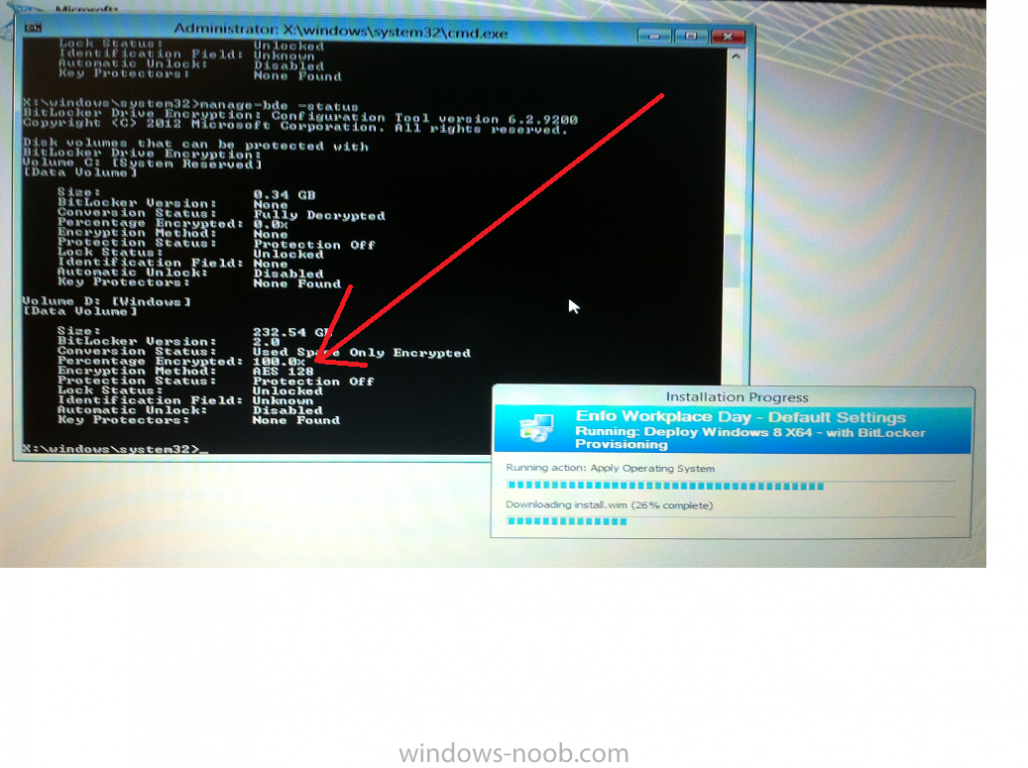
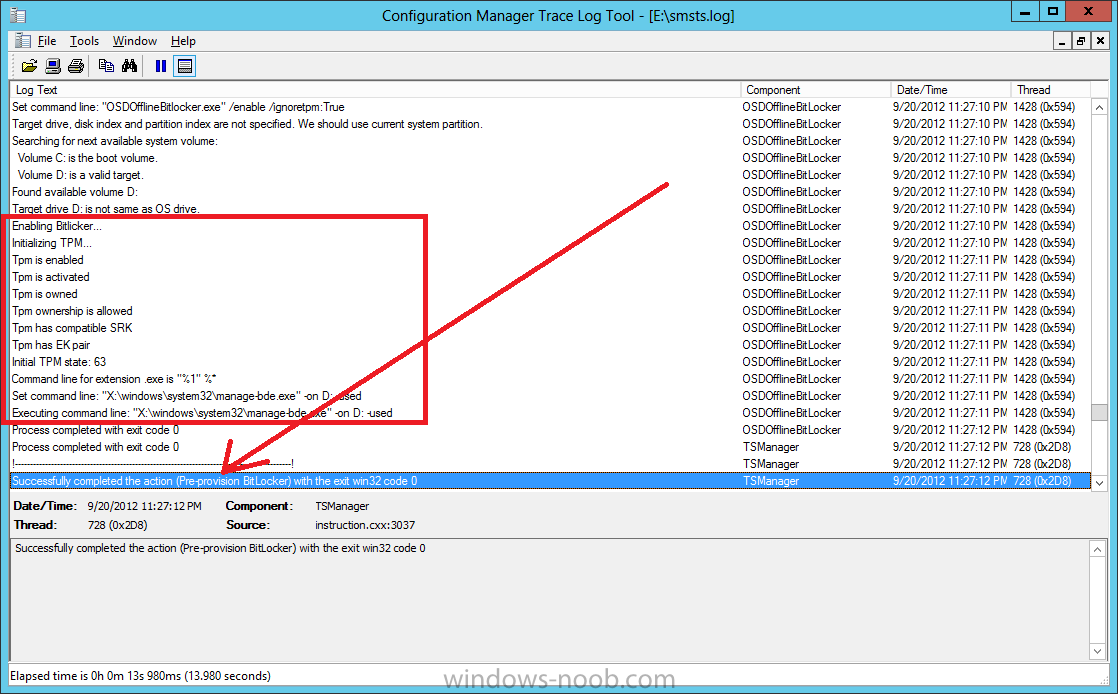
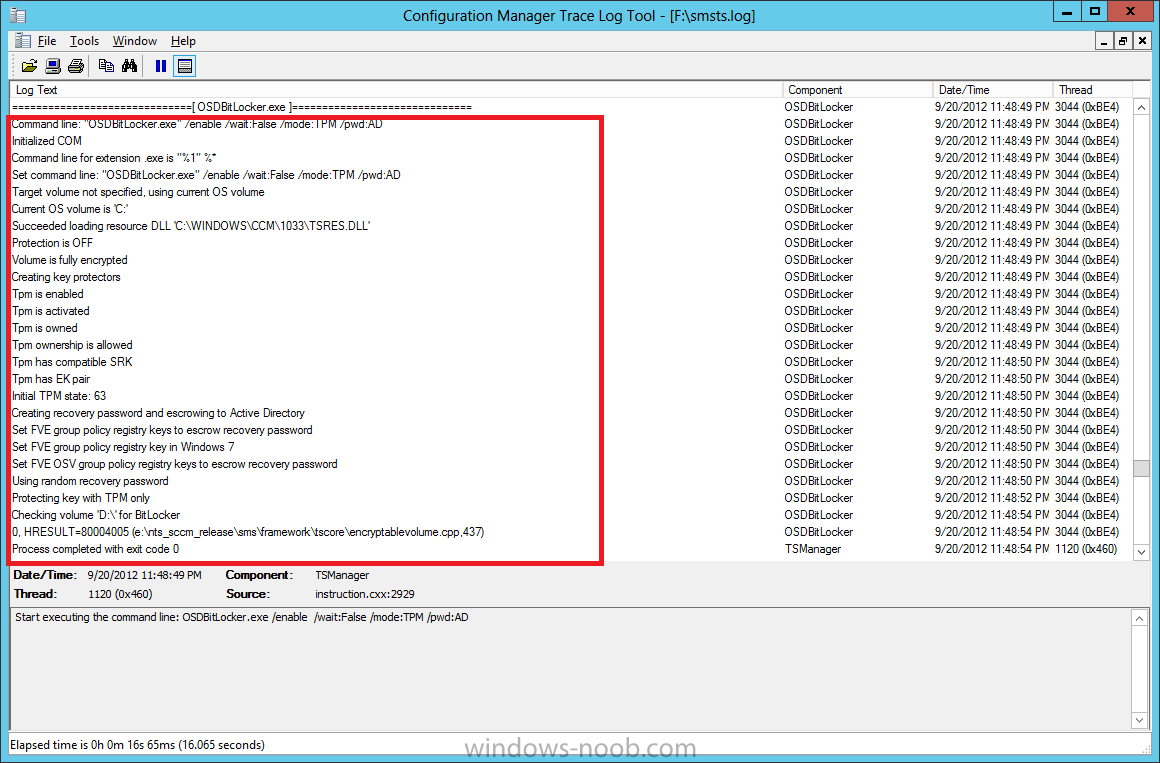
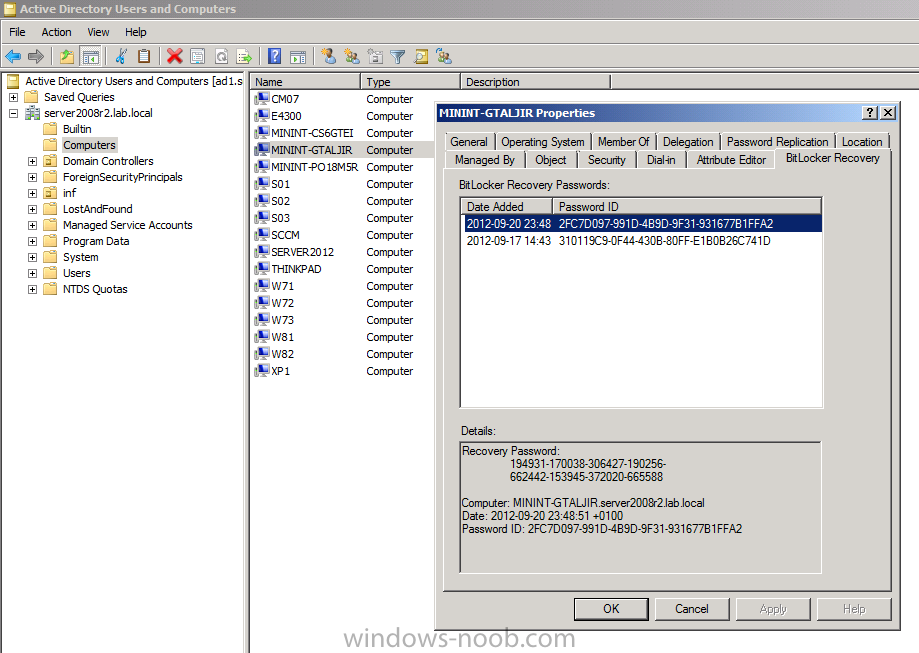
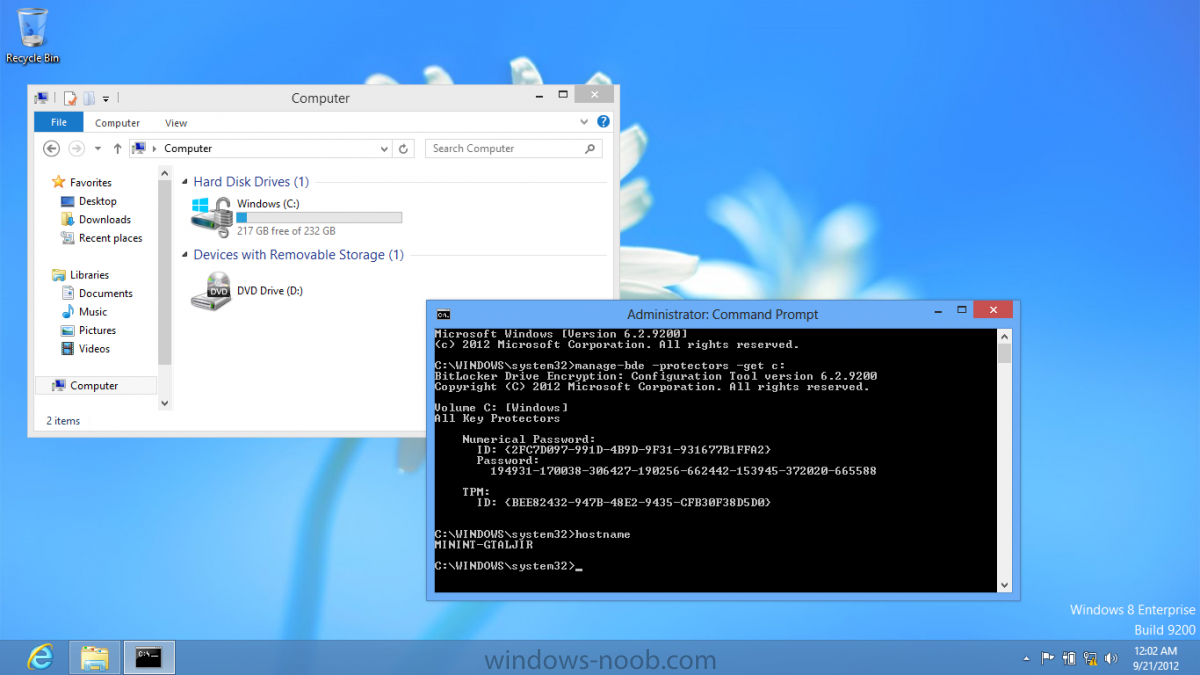
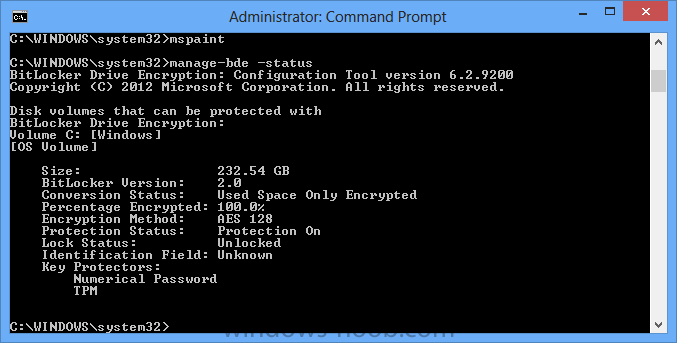
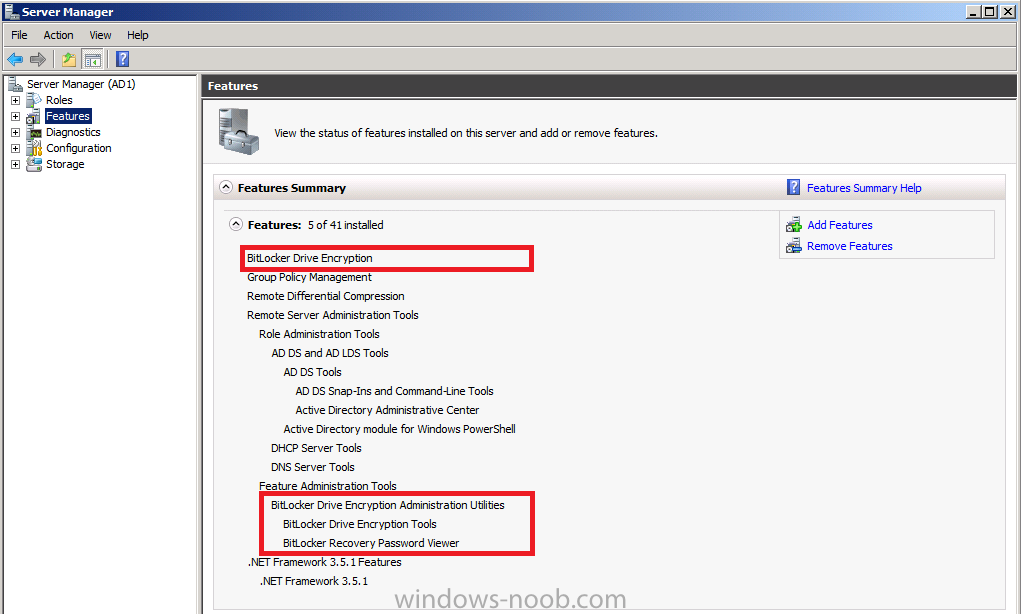
Now that we have Configuration Manager 2012 SP1 beta to test, there is a new BitLocker step in the default task sequences that allows us to enable BitLocker during the deployment and it is called pre-provision BitLocker. Pre-provision BitLocker gives us the ability to Encrypt the data on the disc (not the free space, just the used space) on the fly and that means you end up with an encrypted disc much faster than we are currently used to. Before you undertake this task though you'll need a few things in place, namely you need Configuration Manager 2012 Service Pack 1 installed and you'll need to be familiar with Deploying Windows 8 and BitLocker itself. WinPE 4 is a key part of pre-provisioning BitLocker, so if you don't have that version of WinPE you can forget about trying this. Installation of the ADK will upgrade your default WinPE boot images to the correct version. In this guide I'm assuming that you have already upgraded to Configuration Manager 2012 Service Pack 1 and that you have imported a Windows 8 install.wim image as described here. Step 1. Verify that Active Directory is ready for BitLocker perform the following on your Active Directory domain controller as a domain administrator. As part of our task sequence we will use the built-in Enable BitLocker which is configured by default to store the recovery key in Active Directory. Note: You can save BitLocker recovery information in AD DS if your domain controllers are running Windows Server 2003 with Service Pack 1 (SP1) or Service Pack 2 (SP2), Windows Server 2003 R2, Windows Server 2008, or Windows Server 2008 R2. You cannot save recovery information in AD DS if the domain controller is running a version of Windows Server earlier than Windows Server 2003 with SP1. In this guide I'm using a domain controller running Windows Server 2008 R2 Service Pack 1. On your active directory domain controller start up AdsiEdit, right click on Default naming context and select settings The Connection Settings window appears, in the Select a well known naming context section click on the drop down menu and select Schema. you should see a bunch of values starting with ms-FVE (scroll down to see them, it's a long list). The common name (CN) for the BitLocker recovery object is ms-FVE-RecoveryInformation. You have now verified that the Active directory Schema has the nescessary objects to store the keys. CN=ms-FVE-KeyPackage – attributeSchema object CN=ms-FVE-RecoveryGuid – attributeSchema object CN=ms-FVE-RecoveryInformation – classSchema object CN=ms-FVE-RecoveryPassword – attributeSchema object CN=ms-FVE-VolumeGuid – attributeSchema object CN=ms-TPM-OwnerInformation – attributeSchema object If the above objects are not present and you are running an earlier version of Windows Server then you may need to extend the Active Directory Schema to support Bitlocker, please review this page on Technet for information on that. If you want to easily check BitLocker recovery keys from within Active Directory then add the Windows Server BitLocker features below and reboot the server if prompted Step 2. Create a BitLocker Policies Group Policy Object perform the following on your Active Directory domain controller as a domain administrator. Start up Group Policy Management and right click on your domain name, choose Create a GPO in this Domain and link it here. give the new GPO a name, call it BitLocker Policies as per the screenshot below. Right click on the newly created GPO and choose Edit navigate to Policies, Administrative Templates, Windows Components, BitLocker Drive Encryption, Operating System Drives and select the following policy, Choose how BitLocker-protected operating system drives can be recovered. Right click on the policy, choose edit, then Enable the setting and apply your changes. At this point our Group Policy is complete. Note: You can use a GPO Policy setting for encryption type. You can use Group Policy settings to enforce that either Used Disk Space Only or Full Encryption is used when BitLocker is enabled on a drive. Group Policy settings for BitLocker Drive Encryption are located under the \Computer Configuration\Administrative Templates\Windows Components\BitLocker Drive Encryption path of Group Policy Editor Step 3. Create a new deploy task sequence with Bitlocker enabled perform the following on your Configuration Manager Server as SMSadmin BitLocker options get dynamically added to your task sequence during the create task sequence wizard based on the choices you make during the wizard. In the operating system deployment workspace of ConfigMgr right click on task sequences and select Create Task Sequence. The Create Task Sequence wizard appears, choose the first option Install an existing image package. fill in the Task Sequence Information, be specific, and select a boot image, we are deploying Windows 8 X64 in this example with BitLocker, however we select an X86 boot image. Note: If you are deploying Windows 8 X64 in UEFI mode in combination with BitLocker then you need to select a X64 boot image in this step otherwise it will not boot. The Install the Windows Operating System step decides whether or not we'll get the BitLocker steps added to our task sequence. By default the Bitlocker options are greyed out until we add an image that is BitLocker capable. (Windows Vista, Windows 7, Windows 8, however pre-provisioning with Vista is not supported). so select a Windows 8 image that you've added earlier and enter the product key and set an administrative password. Now you can see the BitLocker option is available, make sure that Configure Task sequence for use with BitLocker is selected. enter your domain join user credentials in the Configure Network step we can click through the next few screens (with the default settings) as we are only interested in BitLocker operations for the purpose of this guide Step 4. Add support for TPM operations in WinPE perform the following on your Configuration Manager Server as SMSadmin For the purposes of this guide we need to edit the task sequence to remove some un-needed functionality and add required functionality. We will disable all Capture and Restore User State Groups in the task sequence, we don't need those steps for verifying Pre-Provisioning of BitLocker, so right click on our newly created task sequence, choose Edit and disable the Capture and Restore User state sections as per the screenshot below. You can always re-enable these sections later to complete your deployment solution but for now, disable them. Next we need to add support for the hardware in question in terms of enabling the TPM in WinPE, I've covered this in great detail in the following post and in this task sequence we will use the exact same steps and software (I've tested and verified this on Dell Latitude E4200, E5510, E6320, should newer models require a newer version of CCTK for WinPE or a different method of doing this in Windows PE then i'll update this post with that information). Update: I've confirmed the above works even on brand new Dell Hardware (Dell Latitude E6430 bios version A03) using the latest CCTK available from here. Below is the same task sequence with the Enable TPM for BitLocker in WinPE section added from the post referenced above. Failure to add this section to your task sequence will mean you cannot do any TPM operations in WinPE. The Pre-Provision Bitlocker step looks like so in the task sequence and the Enable BitLocker step is already set to store the recovery key in active directory domain services as you can see here Tip: If you have no access to your AD environment and really want to test pre-provisioning BitLocker you can select the second option (do not create a recovery key) which will allow your Task sequence to complete but it of course won't store the recovery key anywhere and data could get lost if you don't know what you are doing. Be warned. Note: If you want to download the task sequence I created above then import the following ZIP file. Deploy Windows 8 X64 - with BitLocker Provisioning.zip Step 5. Deploy the task sequence perform the following on your Configuration Manager Server as SMSadmin Right click your new task sequence and choose Deploy, deploy it to a suitable collection as an Available deployment. for Deployment Settings choose Configuration Manager Clients, media and PXE click your way through to the end of that wizard. Step 6. PXE boot and monitor the deployment perform the following on your client computer PXE boot the computer and select our newly deployed Available (optional) task sequence (Deploy Windows 8 X64 - with BitLocker Provisioning) and off it goes....if you have a chance press F8 and type the following line manage-bde -status this should reveal something similar to the following saying that it's fully decrypted in order to set TPM options in Windows PE we use CCTK on Dell hardware, and these actions will reboot the computer, after the reboot it'll fly through the Pre-Provision BitLocker step so the thing to remember here is the Pre-Provision BitLocker is FAST, really FAST, so in order to see it you have to be fast, press F8 after that reboot and keep cycling through the manage-bde -status command while it gets to the Pre-Provision Bitlocker step and just after, you'll see something like this (sorry for the screenshots, it's on real hardware so difficult to take photos) here directly after the Pre-Provision BitLocker step we see encryption in progress seconds later it's up to 7.5%, yes that was seconds later !! you'll also note it's applying the operating system and it's referring to Enfo Workplace day, so if you are in the South of Sweden on September 28th drop by and say hi and i'll demo this in action. Let me know you are coming ok ? a few seconds later and it's done, yup 100% used space only encrypted ! while you are waiting for Windows 8 to deploy you can review SMSTS.log in X:\windows\temp\smstslog\smsts.log here's what mine looks like during the apply operating system step right after it has successfully Pre-Provisioned BitLocker, the screenshot below shows the step from the log on another computer just to highlight the step for you and what the TPM actions above it should look like. smsts.log after the Setup Windows and ConfigMgr step is complete the Enable Bitlocker step will take place and if you configured Active Directory correctly it will store the recovery key in AD, look for the line creating recovery password and escrowing to active directory. Below is the SMSTS.log file after the task sequence has completed... smsts.log At this point you can check Active Directory, in Active Directory Users and Computers right click n the computername in question and choose the BitLocker Recovery tab and that's it, you can verify it on the computer in question by opening a command prompt in Windows 8 and typing the following line manage-bde -protectors -get c: and finally, even though we already saw that Encryption was at 100% while in WinPE you'll notice that your hard disc is NOT busy encrypting because it's already DONE. Recommended Reading What's New in BitLocker - http://technet.micro...y/hh831412.aspx Bitlocker Changes in Windows 8 - http://www.windowsit...indows-8-142661 Backing Up BitLocker and TPM Recovery Information to AD DS - http://technet.micro...529(WS.10).aspx Verify BitLocker and TPM Schema Objects - http://technet.micro...3(v=ws.10).aspx Requirements to save Bitlocker Recovery Key to AD using MDT - http://blogs.technet...-using-mdt.aspx Understand and Troubleshoot BitLocker in Windows Server "8" Beta - http://www.microsoft...n.aspx?id=29032 BitLocker Enhancements in Windows Server 2012 and Windows 8 (Part 2) - Cluster Share Volume Support - http://www.windowsecurity.com/articles-tutorials/Windows_Server_2012_Security/BitLocker-Enhancements-Windows-Server-2012-Windows-8-Part2.html So there you have it, Pre-Provisioning BitLocker in WinPE during a Windows 8 deployment (Update: or Windows 7) is possible right now using Configuration Manager 2012 SP1. And doesn't it just rock ? oh yeah :-) Enjoy ! cheers niall
-
if you want it to be zero touch then you should make your deployments Required (mandatory) but be very very careful doing so, only target these task sequences to Deploy OS collections and never to collections containing lots of computers (like All Systems)
-
review this post, does it give you some ideas. also, include some logs so that we can understand your issue better.
-
error 31 is usually related to the product key specified in the apply operating system step, however it can be other things as determined via the smsts.log or setupact.log files.
-
Change domain of CM primary site server?
anyweb replied to japijap's topic in Configuration Manager 2012
not supported, so no, uninstall ConfigMgr, remove the server from that domain, rejoin it to a new domain and start again.