
anyweb
-
Posts
9277 -
Joined
-
Last visited
-
Days Won
371
Everything posted by anyweb
-
well go ahead and develop a solution, we'll be happy to test it for you !
-
I'd recommend you integrate it, and yes time to start learning using virtual labs, a couple of virtual machines (hyperv is great) and you'll be up and running in no time at all.
-
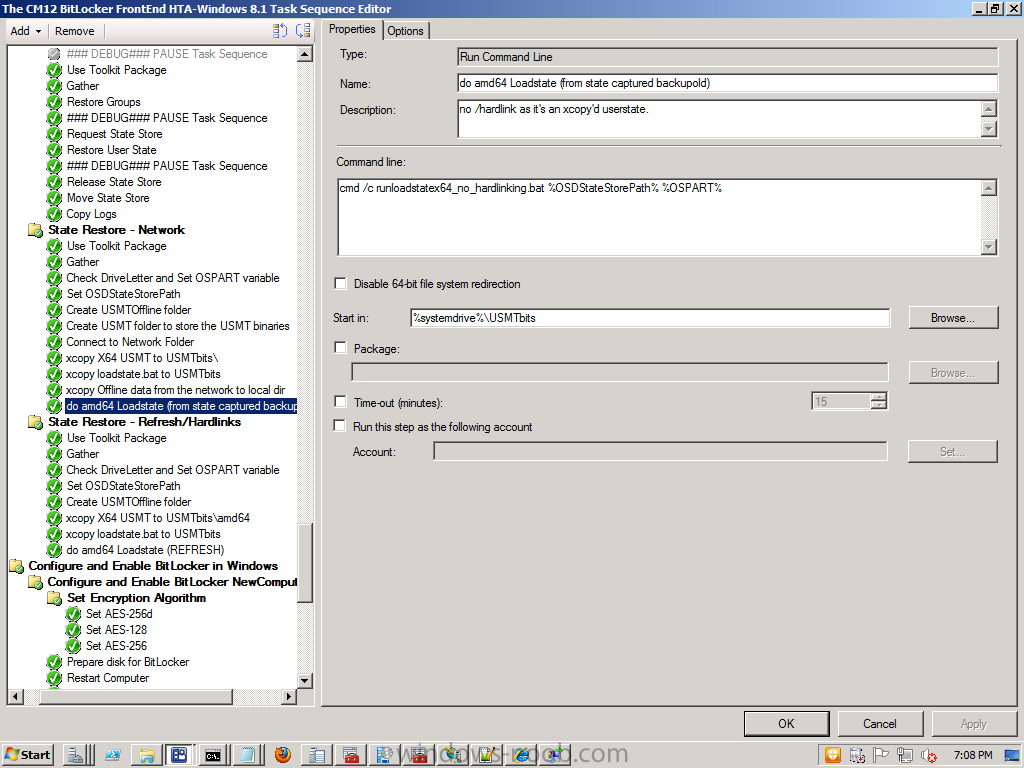
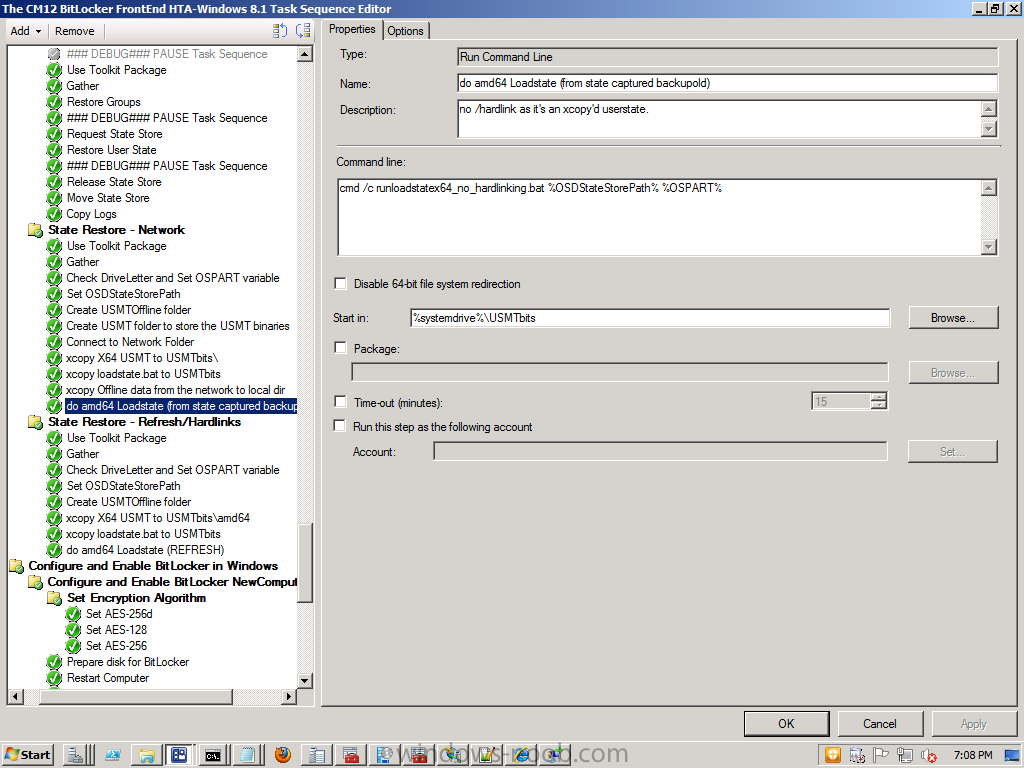
when debugging stuff like this set your debug level to /v:13 like so http://www.niallbrady.com/2012/01/25/troubleshooting-usmt/ that will give more output in the logs above, in addition, you can simply add a /lac statement like in the following batch file below @set USMT_WORKING_DIR=%~2%\USMTbits\amd64 "%~2\USMTbits\amd64\loadstate.exe" "%~1" /c /lac:Password123 /i:%~2\USMTbits\amd64\miguser.xml /i:%~2\USMTbits\amd64\migapp.xml /i:%~2\USMTbits\amd64\wallpaper.xml /i:%~2\USMTbits\amd64\printers.xml /nocompress /v:13 /l:%~2\Windows\CCM\logs\SMSTSLog\loadstate.log the variables used above (%~1 and %~2 are as follows) if you dont want to use a batch file then modify the statements in your task sequence to match the above (more or less) and you'll be ok, the restore and backup parts of the above are all in the CM12 BitLocker Frontend HTA code available for download here http://www.windows-noob.com/forums/index.php?/topic/7294-the-cm12-bitlocker-frontend-hta/ why reinvent the wheel ;-)
-
 what version (and CU Level) are you running in Configuration Manager ?
 -
well do you want to use MDT only or MDT integrated with Configuration Manager ? if you are working in an enterprise I'd recommend the latter. See below for some guides for same. http://www.windows-noob.com/forums/index.php?/topic/4045-system-center-2012-configuration-manager-step-by-step-guides/
-
as Peter33 says, either remove the computer/user from the collection that the application is deployed to, or adjust the notifications (in custom client settings) for the Client Agent itself.
-
well have you tried to gollow the advice in the description of each of the Message ID's above ?
-
while Johans method is great, not every customer is willing to have copies of their apps both in MDT and Configuration Manager,
-
Can a Task Sequence "try again" in WinPE?
anyweb replied to LimeProselyte's topic in Configuration Manager 2012
If you want to re-start the Task Sequence, issue the following command x:\sms\bin\i386\TsmBootstrap.exe /env:WinPE /configpath:x:\sms\data -
Wingding gibberish font taking over during OSD Task Sequence
anyweb replied to kelemvor's topic in Configuration Manager 2012
which is not a good sign, are you continuing on error on the Setup Windows and ConfigMgr step ? you should not... the error above means... The keyset is not defined. Source: Windows ----- after a quick search I found this http://support.microsoft.com/kb/840784 -
The CM12 BitLocker FrontEnd HTA
anyweb replied to anyweb's question in Frontends, HTA's and Web Services
shouldn't need to see the comments above up a few posts.. -
Computers failing during OSD (1 out of 20)(5 out of 80)
anyweb replied to Dirtymalu's topic in Configuration Manager 2012
probably missing content on the nearest distribution point, please attach the smsts.log file from a failed install and we can verify. -
Restore MDT .MIG backup to already imaged PC
anyweb replied to AaronBISSELL's topic in Configuration Manager 2012
look at the task sequence it contains restore sections which you can rip out and use to 'restore' your stuff. No need to re-image if that's what you want -
Restore MDT .MIG backup to already imaged PC
anyweb replied to AaronBISSELL's topic in Configuration Manager 2012
you can restore data backed up via USMT using this task sequence (Configuration Manager 2012 R2) -
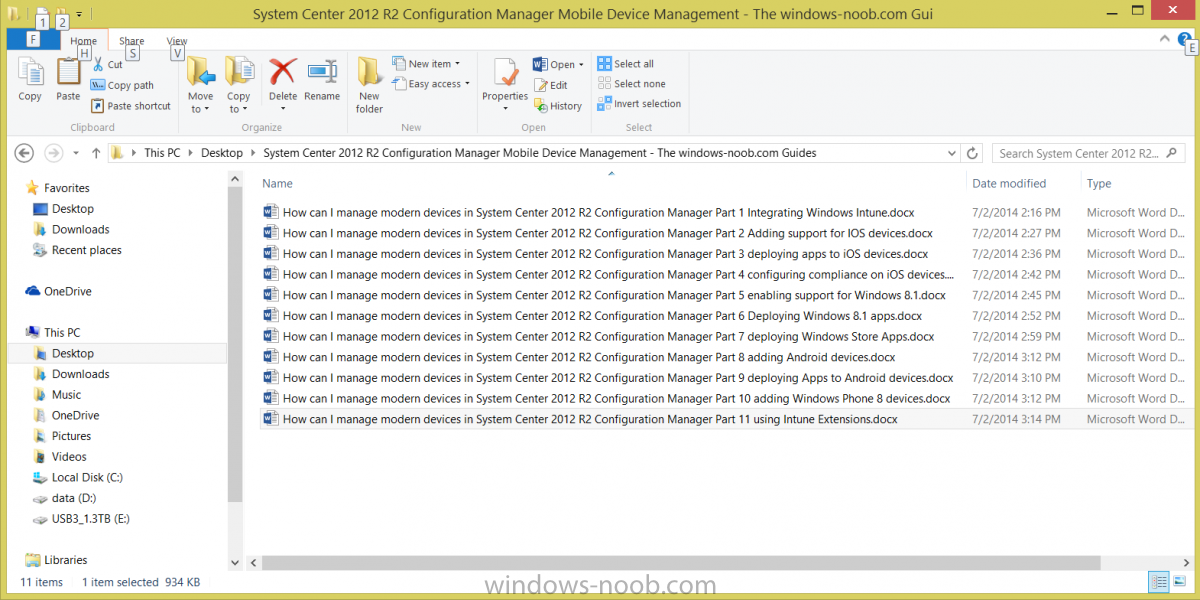
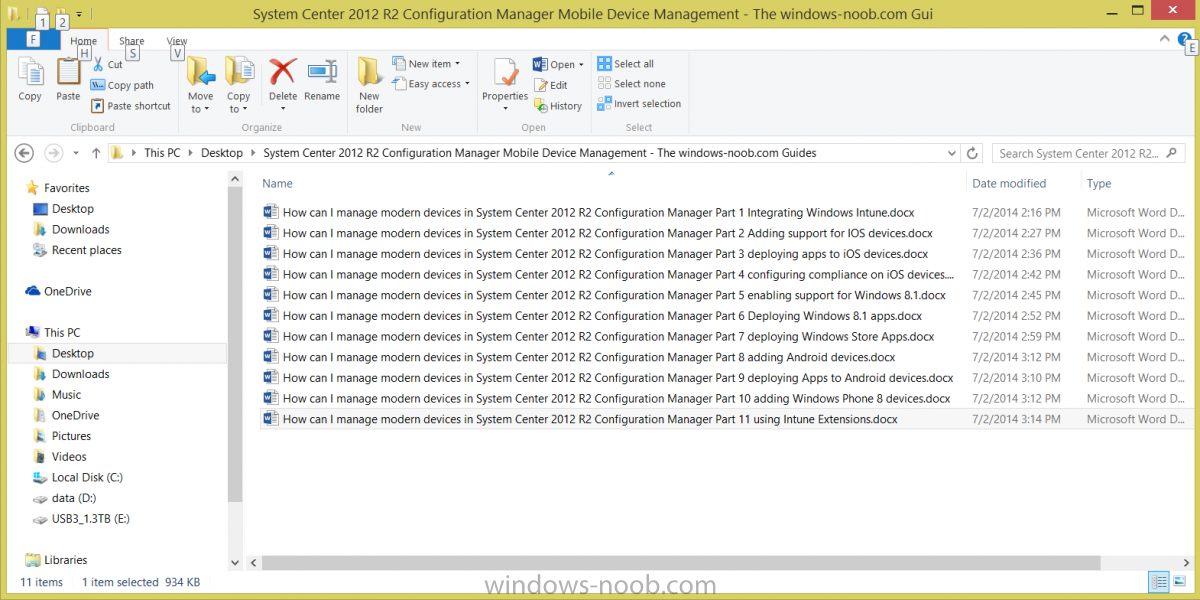
After the huge popularity of the windows-noob.com Configuration Manager 2012 Guides (609,165 views as of July 2nd, 2014), which were subsequently made available for download, (and downloaded 63521 times as of July 2nd, 2014) I've now made the following guides available in Microsoft Word format (zipped). These are the windows-noob Mobile Device Management guides which help you integrate Microsoft Intune with Configuration Manager 2012 R2, and then go on to add support for the following mobile devices" iOS Android Windows RT Windows 8.1 Windows Phone Mobile Device Management with Microsoft Intune integration (UDM) CM12 in a Lab – Part 1, integrating Microsoft Intune CM12 in a Lab – Part 2, adding Support for iOS devices CM12 in a Lab – Part 3, deploying apps to iOS devices CM12 in a Lab – Part 4, configuring compliance on iOS devices CM12 in a Lab – Part 5, enabling support for Windows 8.1 devices CM12 in a Lab – Part 6, deploying Windows 8.1 apps (appx) CM12 in a Lab – Part 7, deploying Windows Store apps CM12 in a Lab – Part 8, adding Android devices CM12 in a Lab – Part 9, deploying Apps to Android devices CM12 in a Lab – Part 10, adding Windows Phone 8 devices CM12 in a Lab – Part 11, using Intune Extensions Note: To download this zip file you need to register your account on windows-noob.com You can download the windows noob Mobile Device management guides in one ZIP from here: System Center 2012 R2 Configuration Manager Mobile Device Management - The windows-noob.com Guides.zip Once extracted you'll have the guide in Word format like below Please do spread the word ! cheers niall
-
good idea, i'll put that together shortly and here it is ! http://www.windows-noob.com/forums/index.php?/topic/10905-the-windows-noob-mobile-device-management-guides-now-available-to-download/
-
Wingding gibberish font taking over during OSD Task Sequence
anyweb replied to kelemvor's topic in Configuration Manager 2012
wow, interesting, please can you attach your logs from an affected machine so I can take a look -
you can find the logs (in Configuration Manager 2012) on the client before windows is running (in WinPE) in x:\windows\temp\smsts.log and after windows is setup in C:\Windows\CCM\Logs\SMSTSLOG you can copy them from the client to a network share using net use h: \\someserver\someshare then enter the domain\password
-
if a software update forces the ts to reboot it can break the ts in some cases, so yes you may need to get more methodical about what updates you are applying and remove suspect updates suce as KB2965788 which does cause double reboots on some hardware
-
what exactly is the problem ? where is it failing, feel free to attach your smsts.log files so we can take a look.
-
what version of configuration manager are you using and what nic drivers are you adding ?
-
AirServer by App Dynamic packaging and deployment
anyweb replied to derksen42's question in Deploy software, applications and drivers
no problem, just checking, good article. -
well whatever is the LAST deployed task sequence will be the task sequence that runs and that decides what boot wim is downloaded so if you have a task sequence with a x64 bit boot wim, and you deploy it to All Unknown Computers, and if you then network boot an unknown computer, it will attempt to run that task sequence.
-
the hard disc partitioning steps need to be present for UEFI - see this post for more info
-
AirServer by App Dynamic packaging and deployment
anyweb replied to derksen42's question in Deploy software, applications and drivers
this sounds a bit like an Advertisement. Is it ?