anyweb
-
Posts
9292 -
Joined
-
Last visited
-
Days Won
371
Everything posted by anyweb
-
as you said the operating system image was failing with hash errors did you do as I advised ? both of those actions should have alerted you to problems with the package as would monitoring the smsdpmon.log same goes for any other package with an issue on the affected dp glad it's working now
-

Server 2012 Multi-site Clustering - Heartbeat Fails
anyweb replied to SRKegger's topic in Windows Server General
have you tried using wireshark to confirm if the port is blocked ? -
What´s the sense of a build and capture task sequence?
anyweb replied to clickmaster's topic in Configuration Manager 2012
the logic behind it is to automate everything so that you dont have to do manual tasks, this becomes useful and apparent if you have to have many 'gold' images supporting servers, desktops and so on -
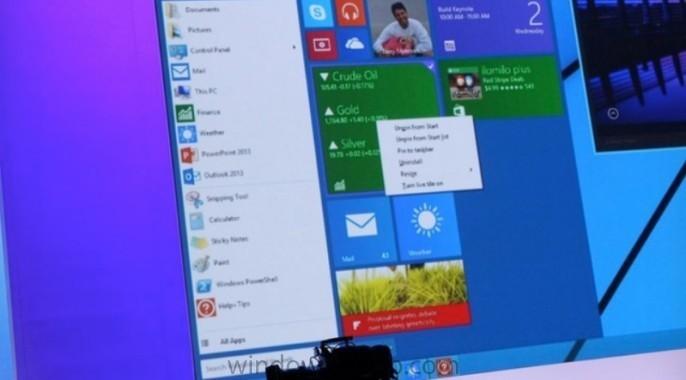
According to this data on finance.Yahoo.com Microsot's stock price is at it's highest trading level since 1999 when the dot-com boom was in full swing. Neowin have stated that this is probably due to a couple of factors. "The less likely (but still slightly plausible) reason is that Wall Street likes the new Lumias that were announced at IFA this week. What is more plausible is that the rumors of the upcoming announcement of the next version of Windows at the end of this month could be moving the needle forward." Personally I think that the new Microsoft Chairman is firmly making his mark, pushing out Office for IOS and focusing on “productivity and platforms.” This new vision and strong leadership is moving Microsoft in new directions and gaining public trust judging by the stock price high. Once the Windows 9 Technology Preview rolls out at the end of this month I think the stock price will continue to climb, let's wait and see ! What do you think is driving the high stock price ? cheers niall


-
Pushing a BAT file to servers and workstations, KMS repoint
anyweb replied to BWDenver's topic in Configuration Manager 2012
you can do it in many ways, if you want to use a batch file then create a package in software library, in that package create a program, the program should point to your batch file, here's an example you have no error checking in your batch file though and that might be a good thing, why not use vbs or powershell instead ? once you've created a working script, and packaged it as a package/program, distribute that package to at least one of your distribution points, once done, test it by deploying the package to a test virtual machine, monitor the behaviour and confirm it's doing what you want, if so, deploy it to a collection containing more computers, and so on... -
OSD - Setup Windows and Configuration Manager Step
anyweb replied to xc3ss1v3's topic in Configuration Manager 2012
this sounds like your osd deployments are actually failing and leaving the client in provisioned mode or you have boundaries incorrectly setup, the way to find out is to start looking for those things, for provisioned mode check the registry as described here http://blogs.technet.com/b/configurationmgr/archive/2012/10/23/support-tip-configmgr-2012-client-goes-to-provisioning-mode-after-running-the-ccmeval-task.aspx and here http://social.technet.microsoft.com/Forums/systemcenter/en-US/5f33afe9-ca61-4a41-a192-fdb08c5cc619/sccm-client-issues-during-task-sequence-issues -
you can setup a PXE enabled distribution point in server 2012 r2, and it supports UEFI network boot no problem.
-
or look at this, ignore the bitlocker part and focus on what it can do with data (network, share, smp, hardlinking.) CM12 in a Lab - The CM12 BitLocker FrontEnd HTA - video CM12 in a Lab - The CM12 BitLocker FrontEnd HTA
-
SQL server on primary server or dedicated server
anyweb replied to trumby's topic in Configuration Manager 2012
the advice from me is keep SQL on box, in other words, don't separate it from Configuration Manager, unless of course you like trying to figure out why things are not working as expected, later on. -
press f8 when it's running gather, and locate the smsts.log in x:\windows\temp\smstslog attach that file here.
-
Learning ressources for App-V
anyweb replied to christian.schroeder's question in Application Virtualization
something to get you started > http://www.niallbrady.com/2012/11/12/how-can-i-sequence-applications-using-app-v-version-5-for-configuration-manager-2012-sp1/ -
eh, you need to be more specific, what are you trying to do and can you attach some logs
-
add a boot image to your task sequence and try again.
-
do you have any QOS software/hardware on your network that could be causing issues ? have you checked if the switches inbetween the dp and the clients are ok ?
-
Enabling Bitlocker encryption / SCCM 2012 SP1
anyweb replied to Elscorpio's topic in Configuration Manager 2012
do you get the same error if you specify bdeHdCfg.exe -target default -size 300 -quiet instead (without the path) -
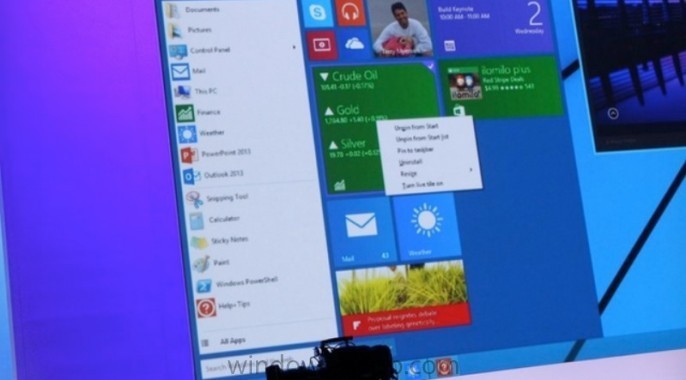
Windows 9 (Threshold) preview coming end of September
anyweb replied to anyweb's topic in Windows News
it will be great, don't worry ! -
have you tried to redistribute/revalidate the package on that dp where it's generating the hash error ? what does the smsdpmon.log tell you about validation of that package ?
-
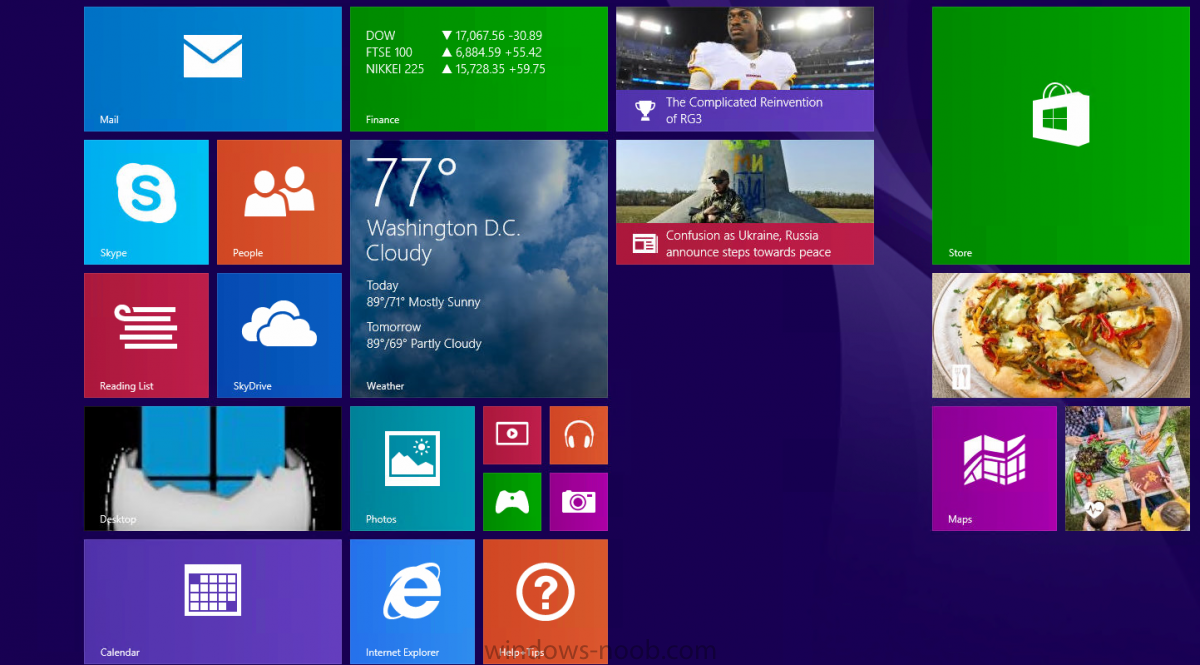
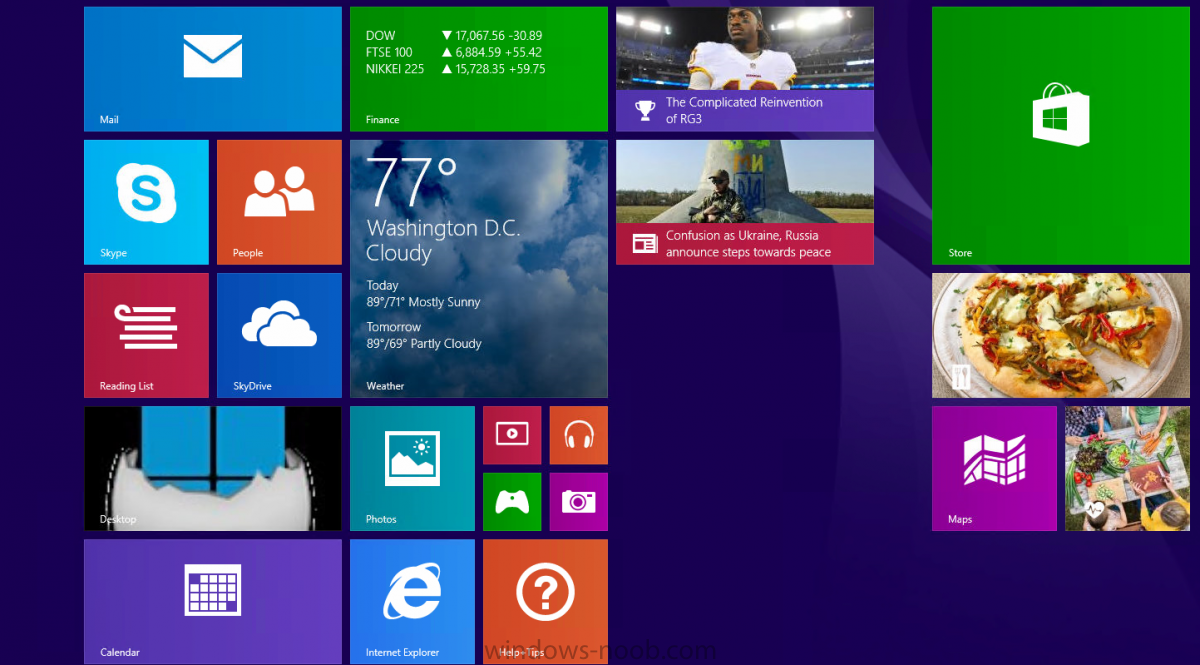
Microsoft staff will likely be raising a glass or two, thanks to the latest available data. According to new data released by StatCounter on Tuesday, the latest version of Windows, Windows 8.1 has overtaken its predecessor Windows 8 for the first time, in terms of internet usage worldwide. The research firm's data shows Windows 8.1 has grown steadily to 7.5 percent in August, passing Windows 8's share of 6.6 percent. In the UK market the software giant's operating system (covering desktops, tablets, and consoles) surpassed its older sibling in April, with the US following a month later in May. By comparison, Apple's latest versions of OS X have a combined share of 7.8 percent — a speck compared to Windows' overall reach. "Following a mixed reaction to Windows 8, perhaps because of its radical new look, Windows 8.1 appears to be winning over users," StatCounter's chief executive Aodhan Cullen said in prepared remarks. Windows 7 remains the world's global leader in the operating system space, data from the company suggests, with just over 50 percent of the internet usage share. But StatCounter data should always be taken with a pinch of salt, as ZDNet's Ed Bott previously explained. Compared to the latest Net Applications' data, which is generally considered to be stronger overall data, Windows 8 has a 6.3 percent share, while Windows 8.1 has a 7.1 percent share — totaling 13.4 percent. read the rest at ZDNet > http://www.zdnet.com/windows-8-1-overtakes-windows-8-worldwide-as-windows-xp-refuses-to-die-7000033199/
-
have you tried the below:- Identify the systems with a duplicate GUID Delete the c:\windows\smscfg.ini file from the client Run CCMDELCERT on the client (*) Restart the SMS Client agent (SMS Agent Host) A new GUID will be generated
-
you can create a new Deployment Package every month if you wish or reuse the existing, this guide is just one way of doing it and of doing it in an automated way, use whatever works best in your environment. If you do create a new deployment package every month you'll need to edit the ADR every month to point to a new Deployment package as by default, it will point to the previous one created when you last ran the ADR, so if you select 'new deployment package' and call it 'new package', then the following run it will already be pointing at the existing package called 'new package' so you'll have to edit it to point to 'new package #2' and so on...
-
looks like you need to add network drivers for the hardware you are booting to your boot.wim, the file you need to look at is on the client, press F8 and look for smsts.log in x:\windows\temp\smsts.log
-
SCCm 2012 R2 - OS Installer Content not appearing under TS
anyweb replied to mandy78's topic in Configuration Manager 2012
as you are using Configuration Manager 2012 R2, things have changed between that version and the version I wrote the guide for see my note here Note: [update] if you are completing this guide using Configuration Manager 2012 SP1 then this option is not available, instead, select the WIM file from a previously captured WIM image or point to the Install.WIM file on the Windows media. Please see this post for details\ alternatively, complete the task sequence wizard, and then go back and edit that step to point to the installer -
Can I add an existing 2012 primary site into another primary site
anyweb replied to trumby's question in How do I ?
not exactly, but here is what you can do http://technet.microsoft.com/en-us/library/jj591551.aspx however, i'd suggest you don't go adding a CAS unless it's really necessary, instead you should just bite the bullet and get rid of the other primary, how many clients are there ? -
we need to see your smsts.log file(s)
-
SCCM 2012 R2 - Refresh scenario from Windows 7 to Windows 7
anyweb replied to Tof006's question in How do I ?
well are you sure the data is captured, what do your scanstate.log and loadstate.log tell you ?