



Welcome to windows-noob.com!
Logging in will allow you to download scripts used in the guides.
If you came here looking for the Endpoint Manager step-by-step guides then please start here.
Register for free and ask your questions in our forums.
- 0 replies
- 3257 views
- Add Reply
- 6 replies
- 5114 views
- Add Reply
- 7 replies
- 20627 views
- Add Reply
- 0 replies
- 3172 views
- Add Reply
- 5 replies
- 15169 views
- Add Reply
- 3 replies
- 5171 views
- Add Reply
- 0 replies
- 3532 views
- Add Reply
- 0 replies
- 5412 views
- Add Reply
Task Sequence taking twice the amount of time to complete after enabling Pre-Release

By RiDER07,
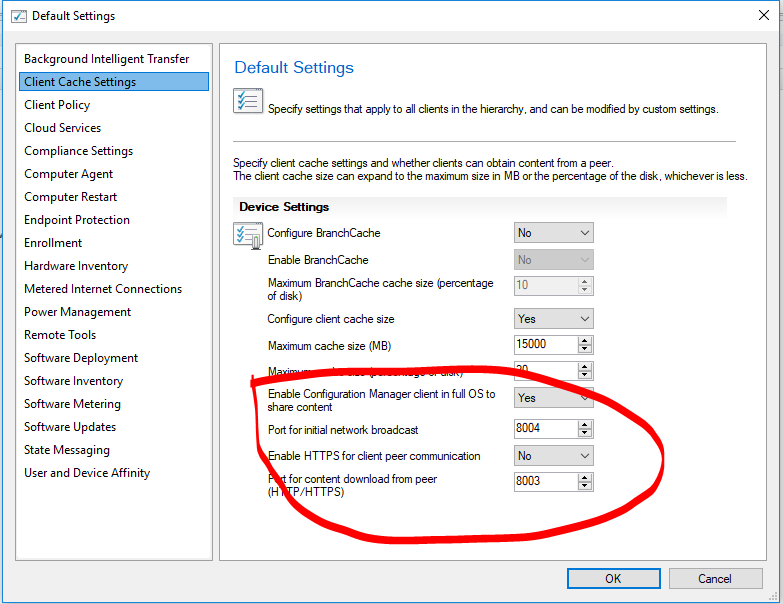
My TS OSD used to take around 35-40 minutes to complete. But after enabling Pre-Release in Hierarchy, my TS now takes over 1 hour. It struggles when it gets to packages/applications.
This is the changes I made after enabling pre-release
Time it takes to complete the TS
OLD TS
After enabling Pre-Release and Share Content
It looks like it's waiting for something to happen, but I don't know what.
How do I fix this? Or go back to how apps/
Automate Software Metering Monthly Report.

By rickym61,
Just wondering if anyone has any ideas how to automate a software metering report for all future months, currently setup as an SSRS subscription.
example, new rule created for Visio, if you run the built in software metering reports, you have to select the values, so software metering rule name (easy part), year (easy part too) then the month is required, now if I want future months, I have to edit the SSRS subscription parameters every month as that data/value isn’t available until
How can I patch 3rd party applications using System Center Configuration Manager (Current Branch) and Patch My PC

By anyweb,
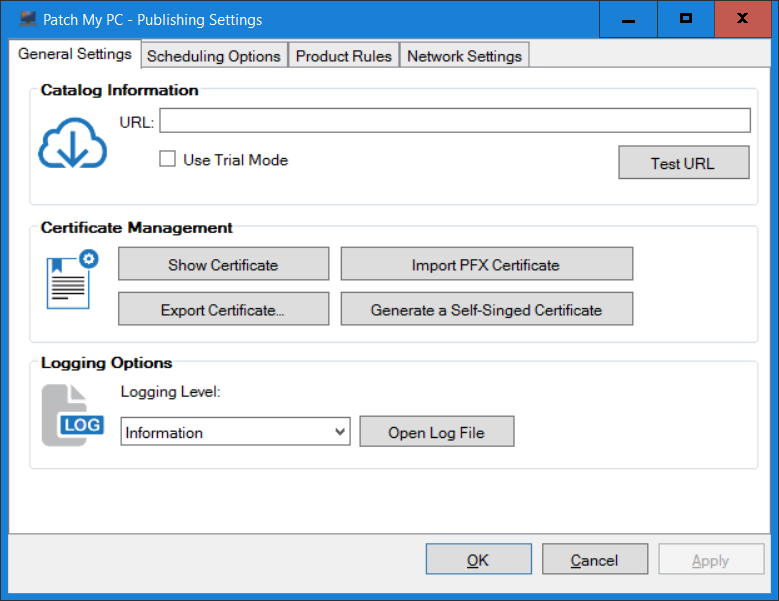
Introduction
Security is a bigger focus today than ever before, and rightly so. As part of that focus ongoing patching is a requirement, both of the operating system (quality updates and feature updates) and the application layer too. Microsoft provides updates for their supported operating systems and applications that can be downloaded manually or automatically on the client via Microsoft Update, or deployed using on premise infrastructures like WSUS or SCCM or even via cloud based techn
Software Center Extremely slow downloading Application

By helpo11,
Hi All,
I'm have a weird issue, and can't seem to solve it. It seems that deploying application via SCCM CB, it takes an extremely long time to download the software locally. It seems to be stuck at 0% downloading but eventually does download the software locally. It was working fine atleast a couple of weeks ago without issue, and it just started to take along time on client systems. I'm downloading the the files locally first, before installing. I've looked at CAS.log, and LocationService
Two different Software Centre on two machines that are on the same domain/site
By RiDER07,
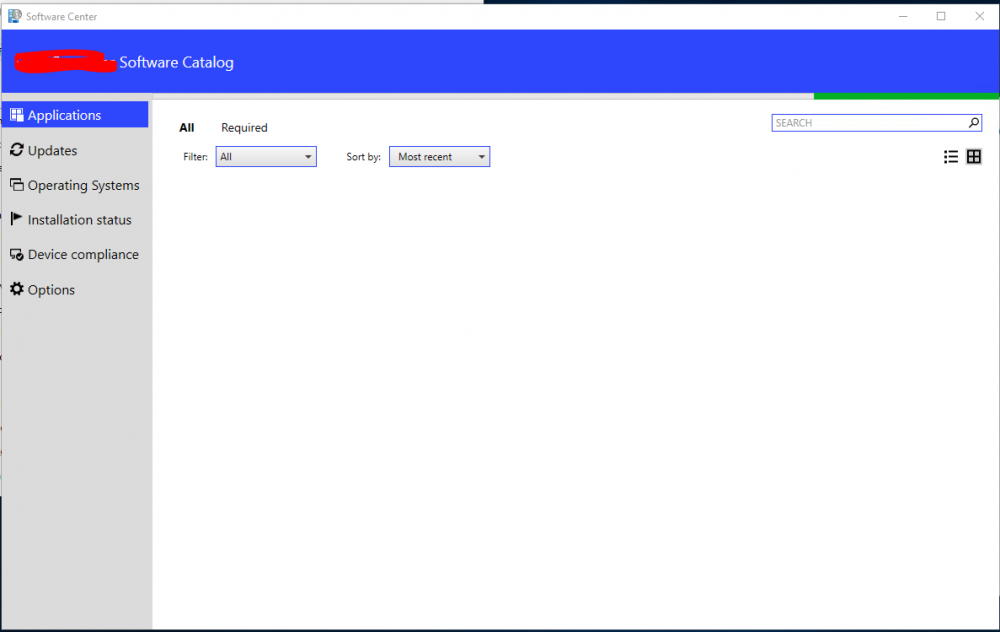
We upgraded our SCCM to 1702 a few weeks back and I noticed that Software Centre now takes ages to load the Application Tab. This has happened to 800+ machines, except very few. (1 or 2)
SoftwareCentre1 ( look at the name on top, it says xxxxxxx Software Catalog - xxxx being the company name) - this one takes at least 1 minute to load - this is the SoftwareCentre that is on 800+ machines
and then there's SoftwareCentre2 (which is on 1 machine so far) which works perfectly, it
sccm client not running powershell script on some machines

By jblackburn,
I'm getting an error back on around 20% of clients failing to run scripts.
When my script runs that is part of an advert I get an error in execmgr.log listing error
"Invalid executable file powershell"
The exact same script is working on 80% of machines!! I am currently on Windows 10 generally build 1703 but the issue happens on build 1709 as well. If I rebuild the machine I get no issues the scripts run on the same machine. I'm trying to figure out the cause so I don't need to re
Issues with Co-Management

By jfarmer,
Having some weird issues after setting up Co-Management between SCCM and Intune. I've set up a couple of devices and they enroll, I look in Intune and can see that the MDM is set to Intune and they are being managed by MDM/ConfigMgr Agent. After a while, they seem to completely drop off from Intune and then won't re-enroll. I am getting the errors below:
On one device, MDM enrollment failed with error 0xcaa7000a 'The Internet connection has timed out'. Will retry in 15 minutes...
On an
When you download MS updates and deploy to a collection of just a few pcs it deploys to all pc. Servers are not impacted

By Djackson,
The desktop team I work with said after the latest update to SCCM they download the latest MS patches and approve them and they get deployed to all pcs even if they specify only a set collection. I do not have the issues with my servers. I think they said they get deployed even if they don't deploy them. Anyone seen something like this?