anyweb
-
Posts
9283 -
Joined
-
Last visited
-
Days Won
371
Everything posted by anyweb
-

Configuring Software Update Point within SCCM
anyweb replied to anyweb's question in Software Update Point
you need to understand that the initial sync (and all subsequent syncs) only downloads the METADATA of the updates, ie: the information pertaining to what the update is, where it is, what os it's for, etc. therefore we need to download the updates into a deployment package to actually use them, also understand that if you have downloaded the updates already that they will not be re-downloaded unless they have changed, does this answer your question ? if not, please tell me what is unclear -
What is Asset Intelligence and how can I use it in SCCM
anyweb posted a question in Asset Management
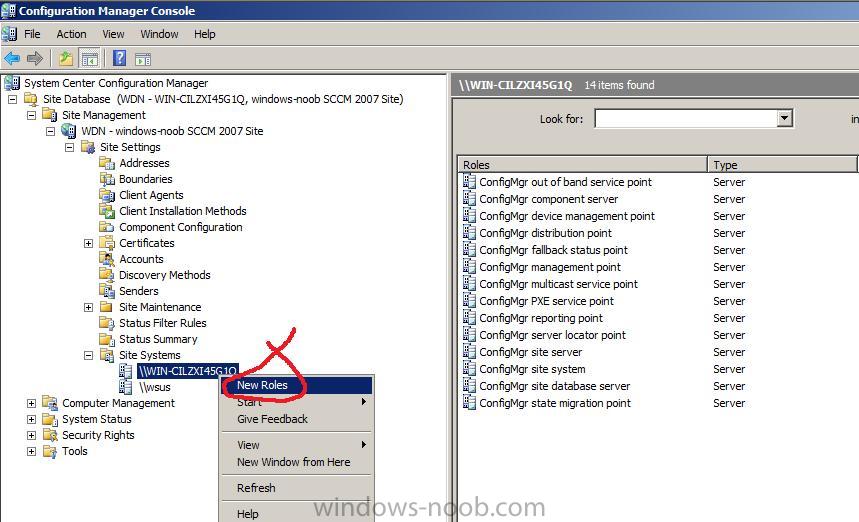
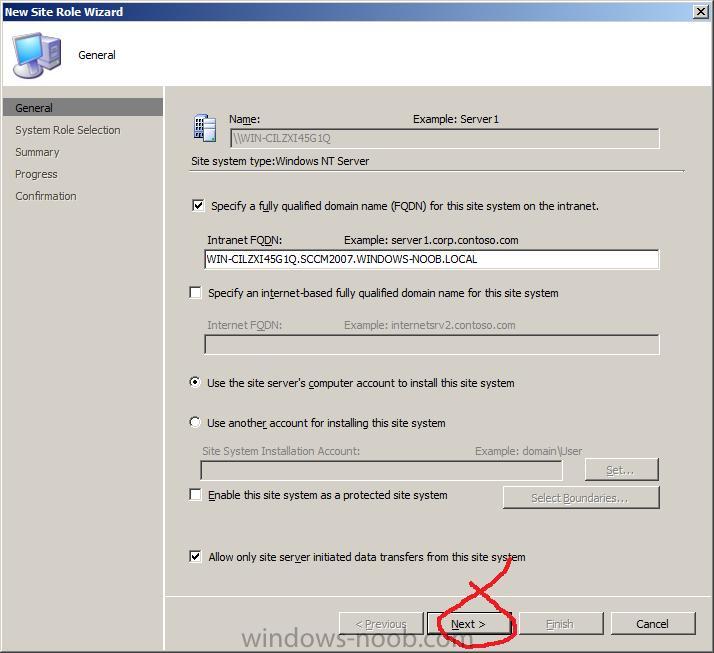
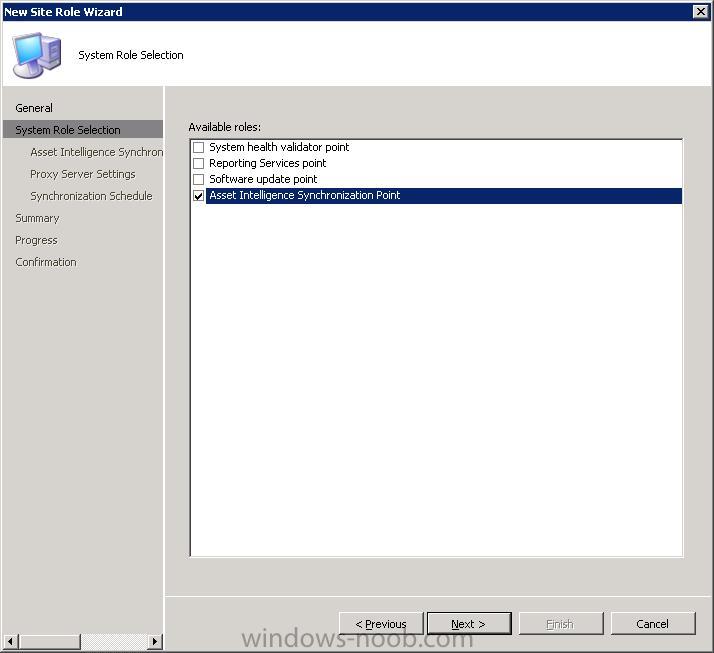
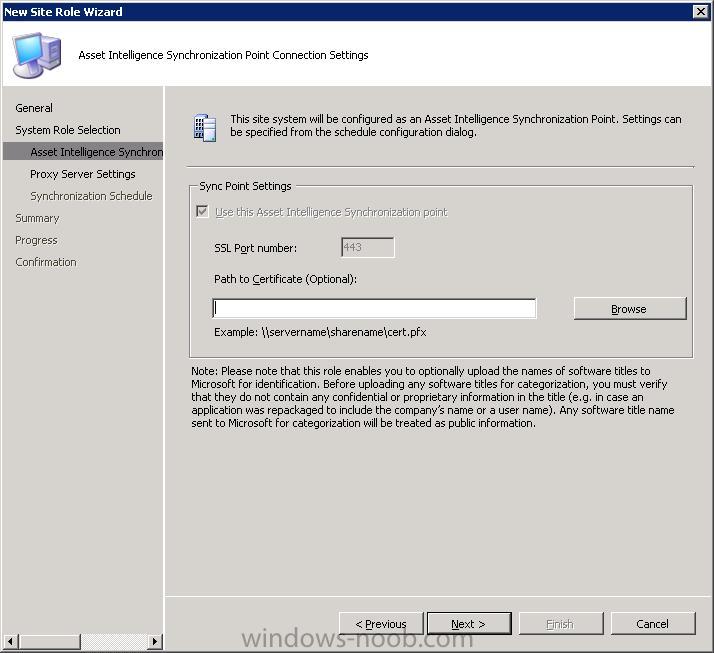
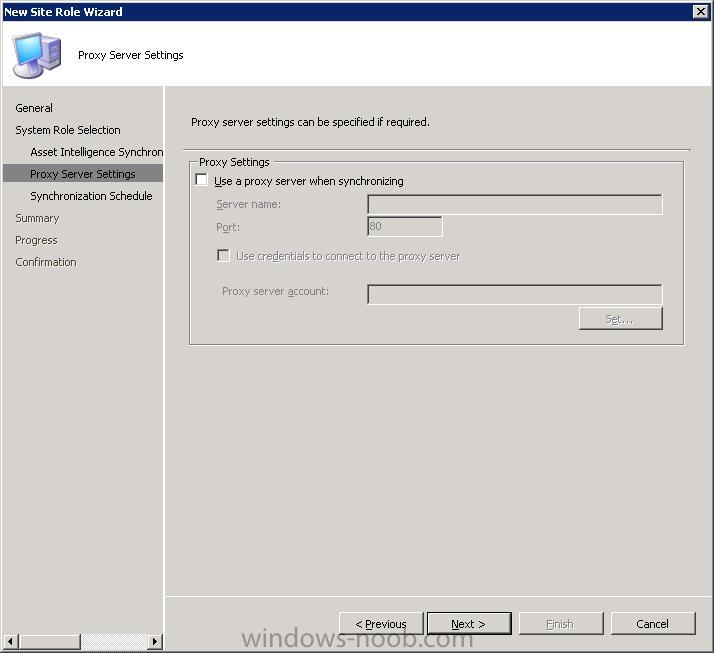
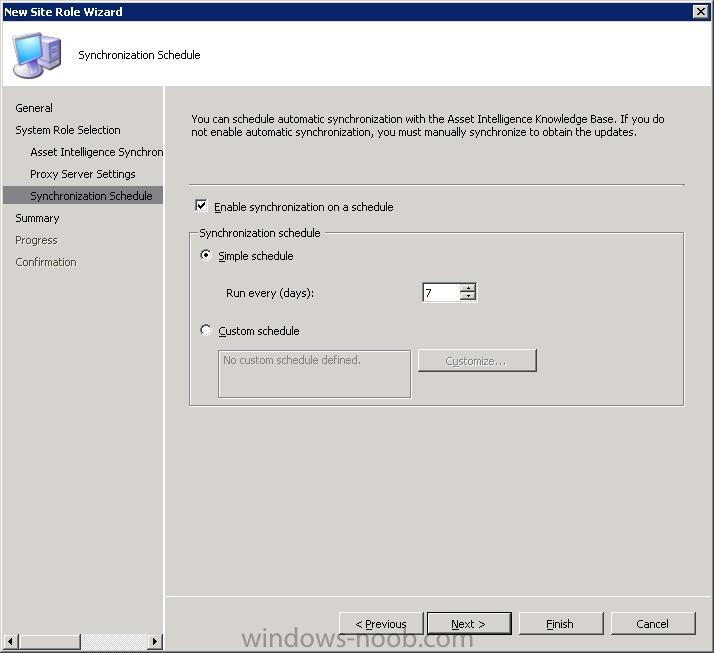
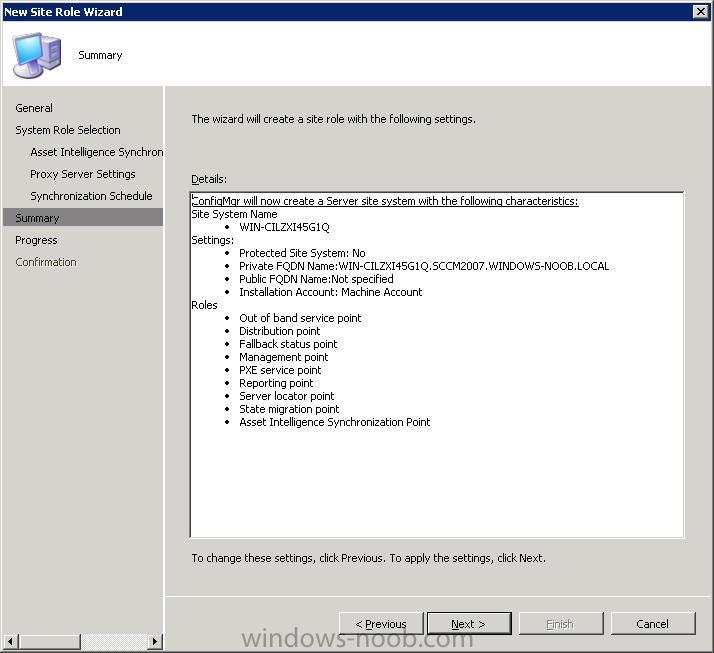
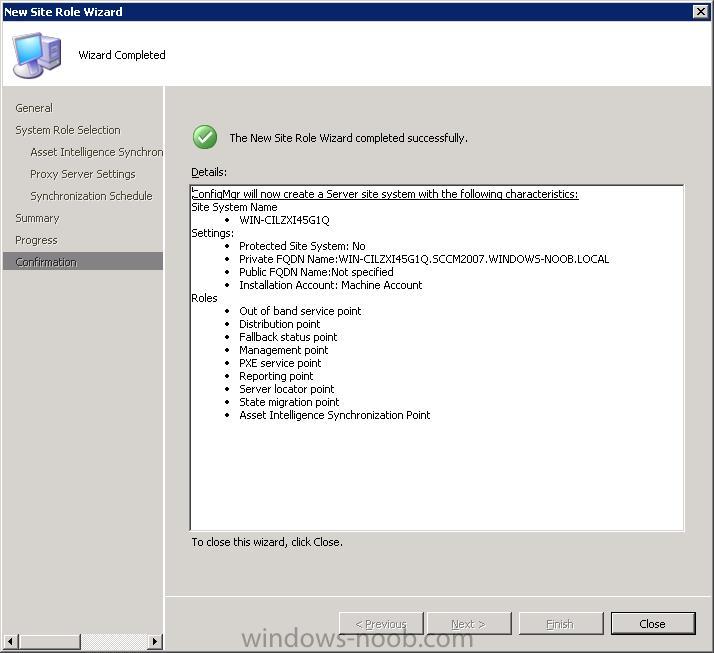
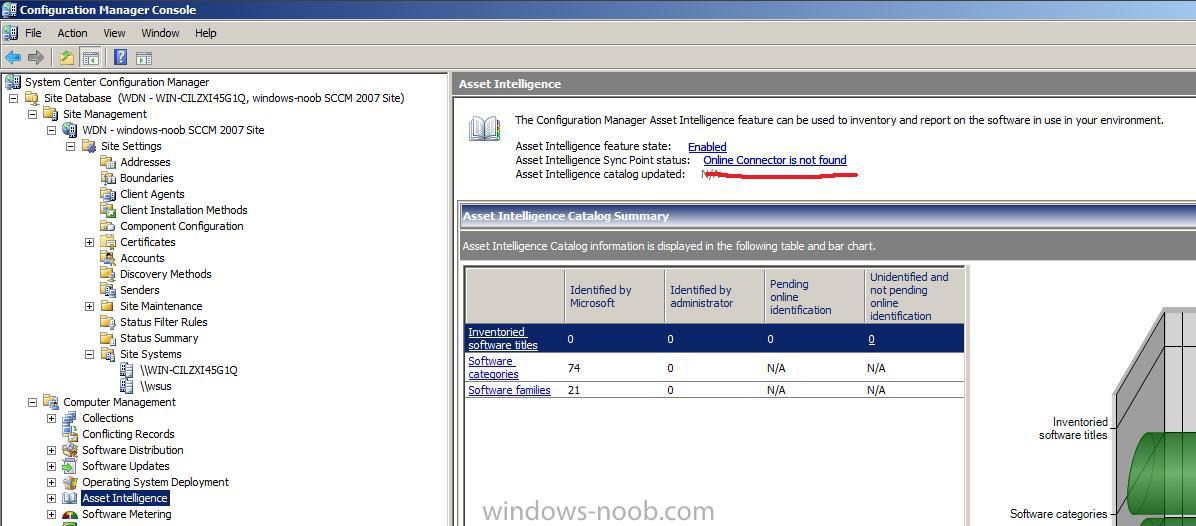
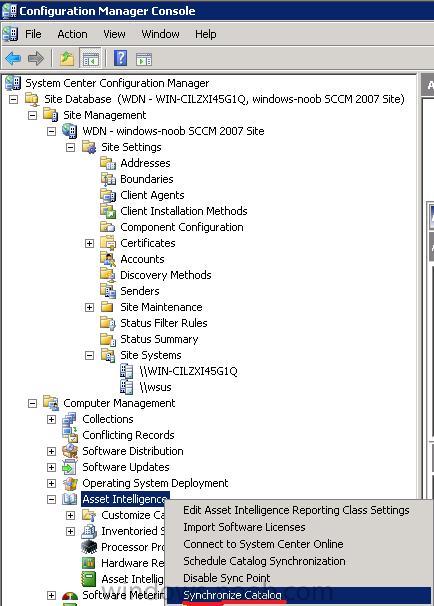
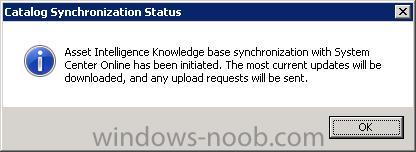
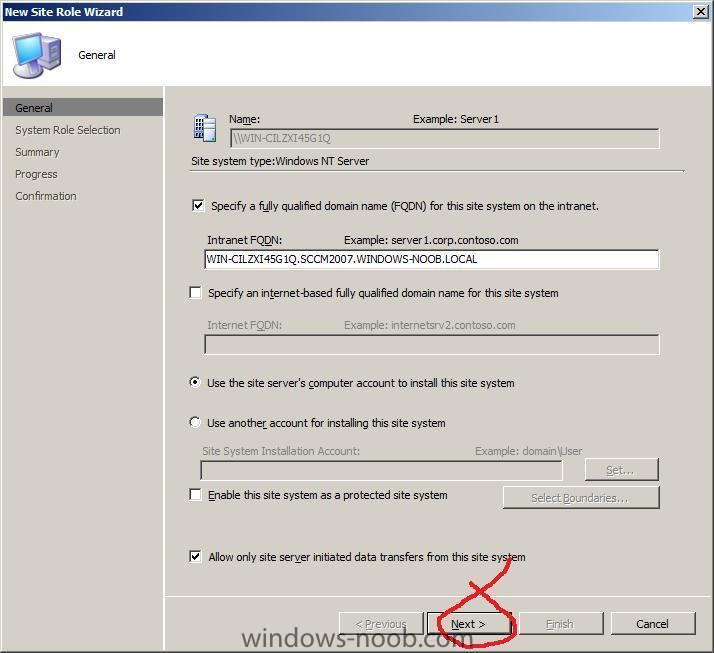
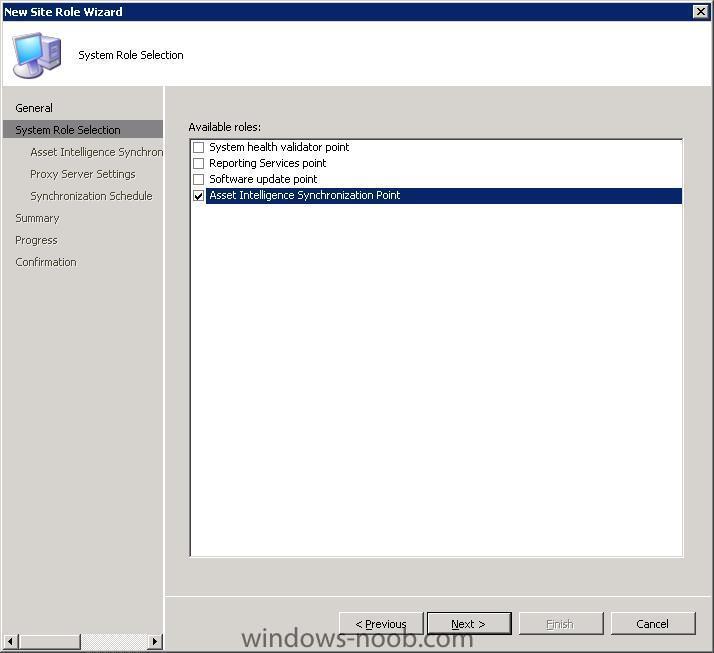
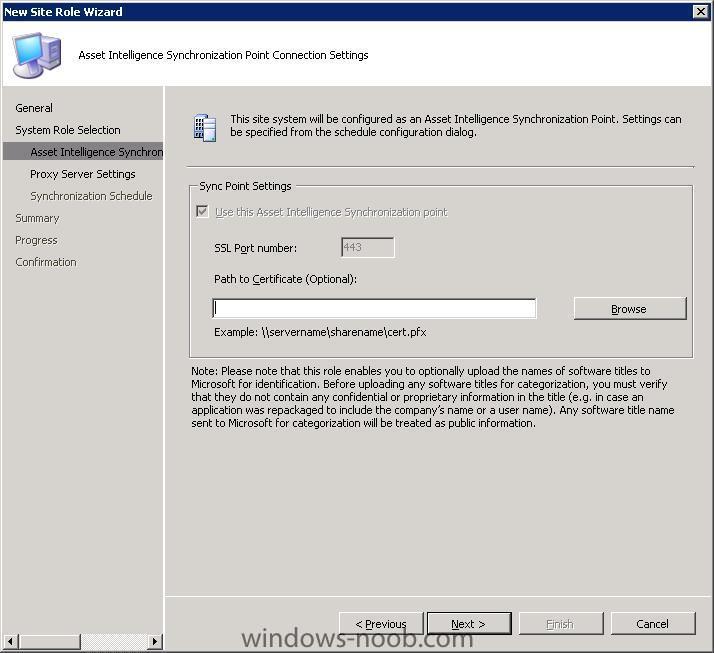
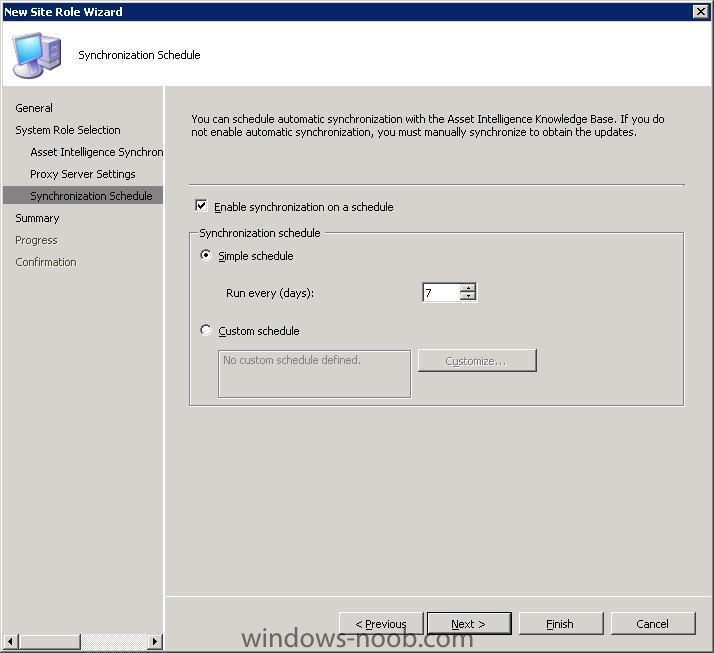
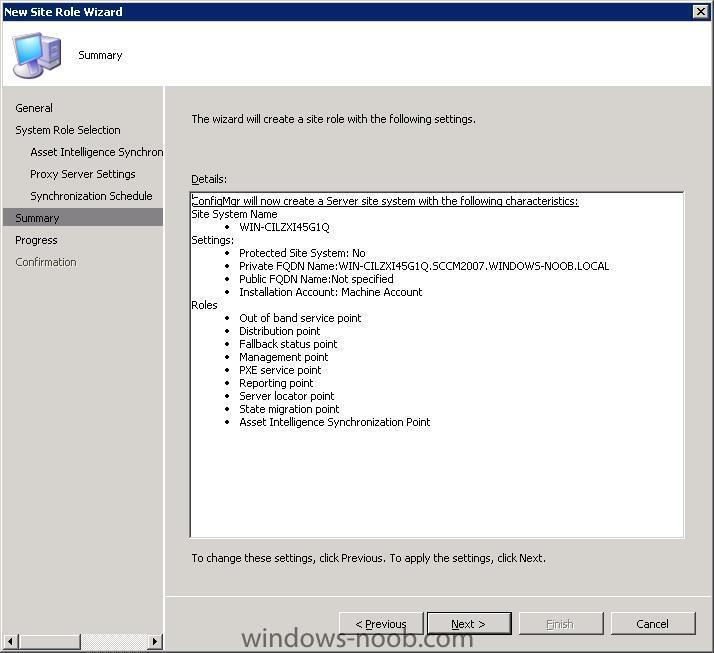
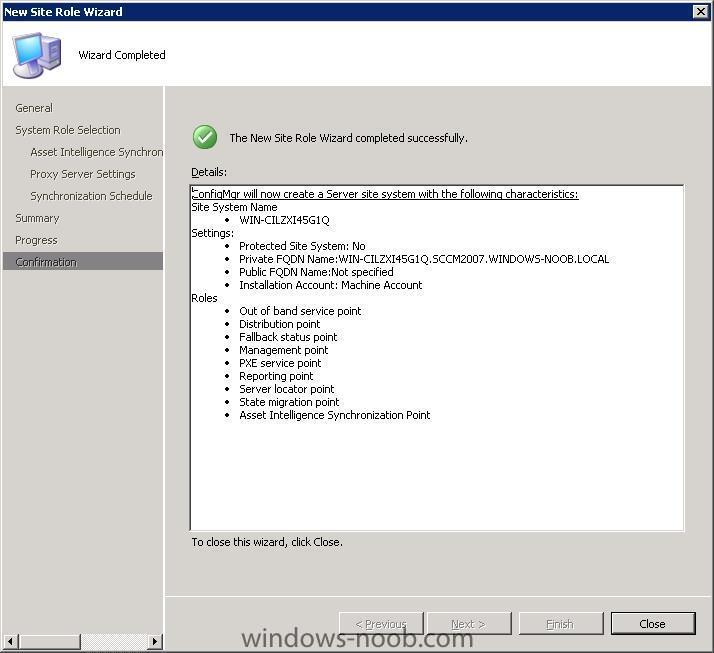
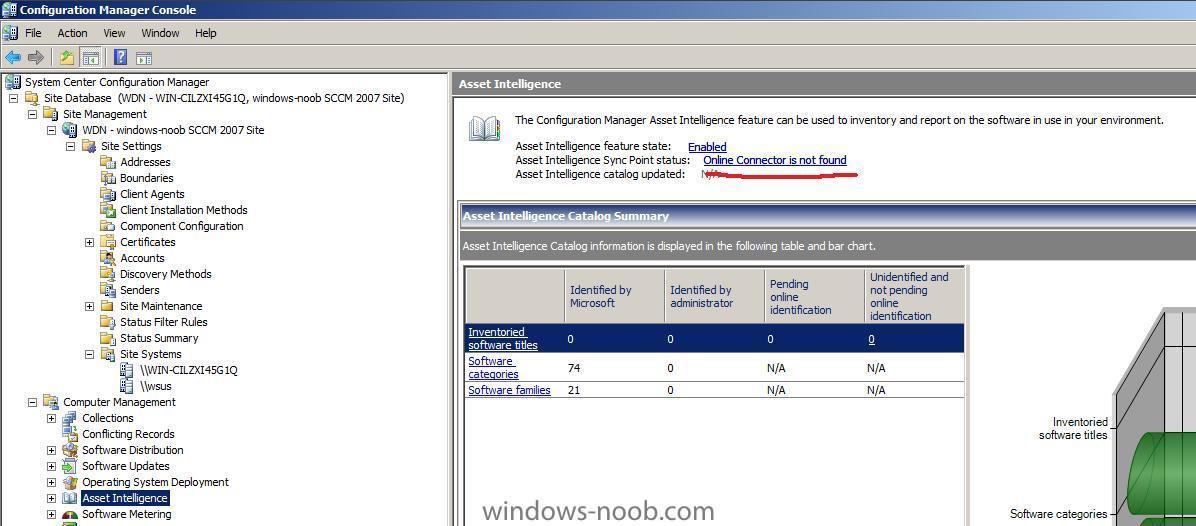
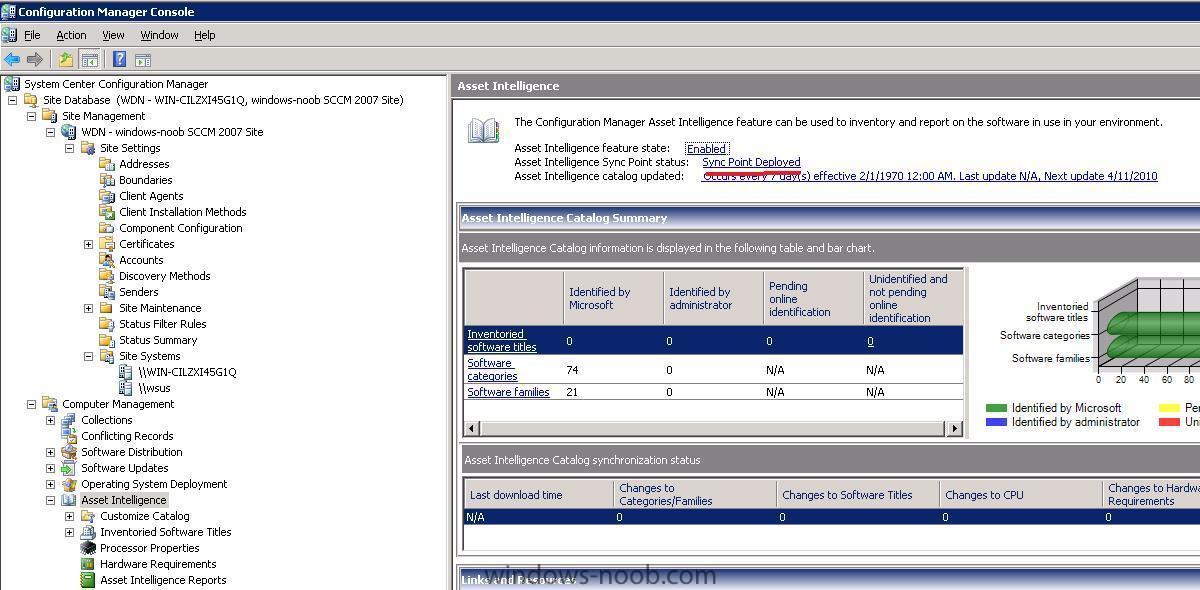
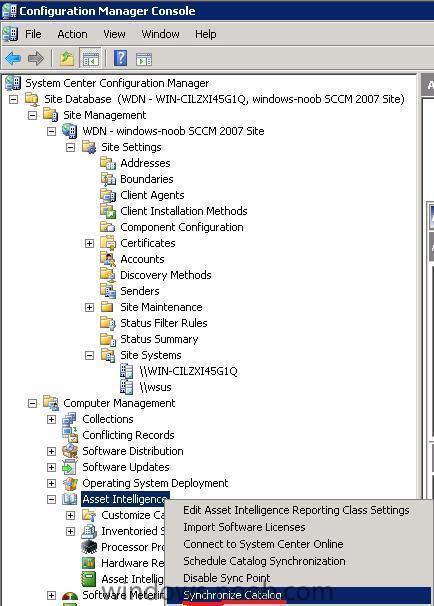
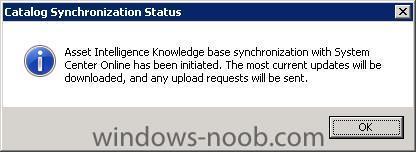
In part one we enabled Asset Intelligence. Now we will add the Asset Intelligence Role and enable the Online Connection Feature. Please refer to Technet for best Practise advise. Before we start, we can see that the Online Connector is Not Found. So let's fix that. Adding the Asset Intelligence Role In Configuration Manager, expand Site Systems, locate your site server, expand it right click and choose New Roles When the New Site Role Wizard appears, click Next Select the Asset Intelligence Synchronization Point role and click next When the Asset Intelligence Synchronisation Point connection settings window appears, browse to the path of your Certificate if using SCCM 2007 Sp1. Note: This step is not necessary for Configuration Manager 2007 SP2 sites because the connection certificate is automatically provisioned during site role installation. Click Next to continue. enter your proxy settings set your Synchronization schedule settings Review the summary and the confirmation... Now that we are done, go back into the Asset Intelligence node and refresh (F5), you should see the Sync Point is Deployed. Starting a Manual Sync To initiate a manual Syncrhonisation, right click on Asset Intelligence and select Synchronize Catalog review the Sync initiated message Note: you can only do one sync in any 12 hour period, if you try again it will pop up a message telling you this.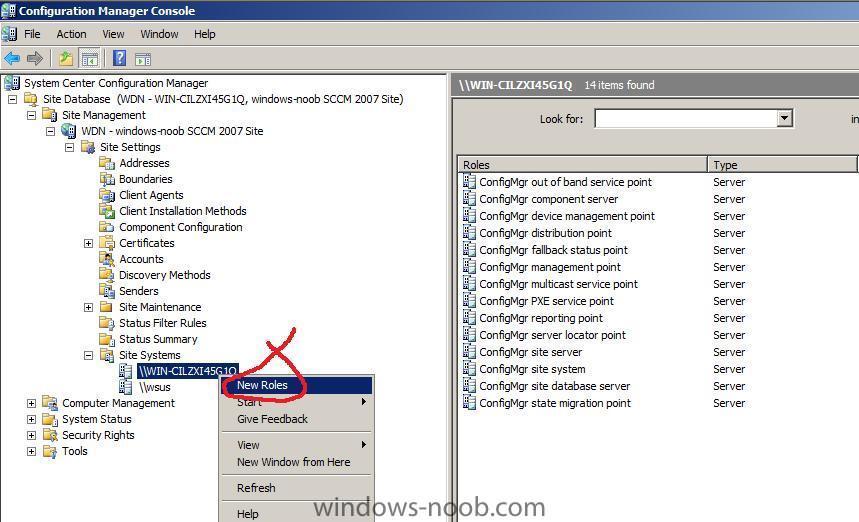

-
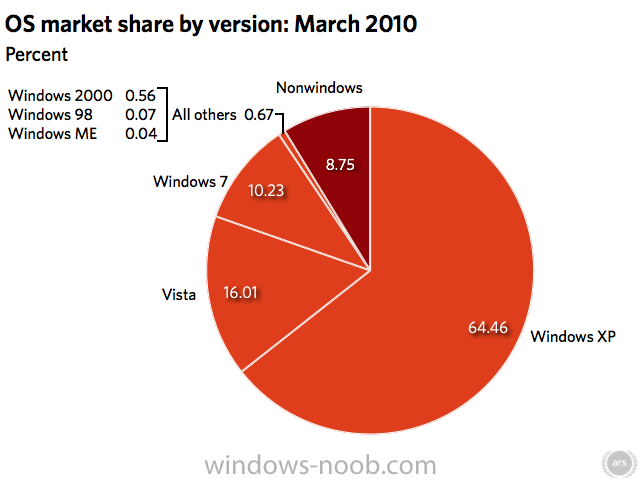
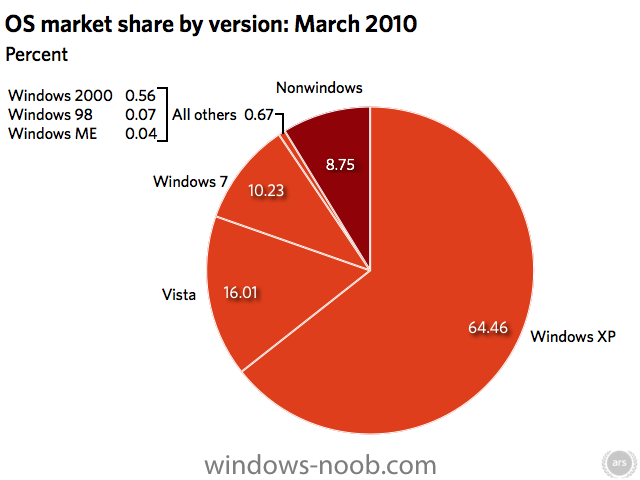
Last month, Windows 7 crossed into double-digit market share numbers. Microsoft disclosed that it sold more than 60 million copies of Windows 7 by the end of 2009, and now we know this very quick growth has continued through the first quarter of 2010. On the whole, between February and March 2010, Windows dropped a sizeable 0.54 percentage points (from 92.12 percent to 91.58 percent). More specifically, Windows XP dropped 1.03 percentage points (from 65.49 percent to 64.46 percent), Windows Vista dipped 0.50 percentage points (from 16.51 percent to 16.01 percent), and Windows 7 jumped 1.31 percentage points (from 8.92 percentage points to 10.23 percent). read more > http://arstechnica.com/microsoft/news/2010/04/windows-7-surpasses-10-market-share.ars?utm_source=microblogging&utm_medium=arstch&utm_term=Main%20Account&utm_campaign=microblogging
-
are you sure DNS is working ? do an nslookup test on any pc in the domain
-
R2 is not a requirement it just makes your job easier (unknown computer support amongst other things) have you tried restarting the WDS service ? and.. did you distribute both X86 and X64 boot images to your distribution points ?
-
the smsts.log file is on the client, check the following post for details of finding that log file
-
hi and welcome, did you import the computer into SCCM first ? if not please try that, have you installed R2 in SCCM ? if so are you going to enable the Unknown Computers support ability ?
-
System Center Service Manager 2010, a new addition to the System Center suite of products, delivers an integrated platform for automating your organization’s IT Service Management best practices and adapting them to meet your organization’s requirements. Service Manager can help your organization to increase productivity, reduce costs, improve resolution times, and meet compliance standards. Its built-in processes are based on industry best practices such as those found in Microsoft Operations Framework (MOF) and the IT Infrastructure Library (ITIL). more info > http://www.microsoft.com/systemcenter/en/us/service-manager.aspx download the beta > http://www.microsoft.com/downloads/details.aspx?FamilyID=19226783-AE6C-4CE5-82FD-59357A7BD365&displaylang=en
-
As geeks, we're well aware of the importance of running as a normal user instead of as root (UNIX/Linux/BSD) or administrator (Windows). However, while this should be common knowledge to anyone reading OSNews, it's often hard to illustrate just how important it is - until now, that is. A report by BeyondTrust looked at how many security bulletins issused by Microsoft are mitigated by simply... Not running as administrator. Despite the advances made by Microsoft on securing Windows, the fact of the matter is that the first user created on a new system is always administrator. This means that many (most?) Windows users out there are running as administrator, and as BeyondTrust's report shows - that's incredibly insecure. Of the total amount of security vulnerabilities put out by Microsoft in 2009, across all versions of Windows and Office, 64% are mitigated by removing administrator rights. Microsoft published 190 security vulnerabilities last year, and 121 of them are thwarted by running without administrator rights. Breaking it down per product, the figures become even more interesting. Microsoft reported 55 Office vulnerabilities in 2009, and all of them are mitigated by removing admin rights. Of the 33 Internet Explorer issues reported, 94% were thwarted by removing admin rights. For Internet Explorer 8, 100% would be. If we restrict the vulnerabilities to just Windows, we see that 53% can be mitigated by not running as admin. The threat of the most severe type of vulnerability, the ones that would allow remote code execution, can be greatly educed by not running as admin: 87% of them are ineffective when you do not run as administrator. These figures how us exactly what we already knew: running as administrator is stupid, and asking for trouble. All the more reason for Microsoft to finally abolish that quaint custom of making the first user an administrator. via > http://www.osnews.com/story/23088/64_of_MS_Vulnerabilities_Mitigated_by_Removing_Admin_Rights
-
if you want to use the unknown computer feature of R2 then you'll need to advertise some task sequences to the Unknown Computers collection, if you make them optional then you'll get a list to choose from
-
Deploying SCCM 2007 client using SUP?
anyweb replied to GopherRob's question in Troubleshooting, Tools, Hints and Tips
Microsoft recommends keeping sql on box so i wouldn't move it, you can adjust the amount of RAM sql eats if you want help with that i'll tell you, as regards your other problem, are we talking one boundary here or more than one ? and more than one site ? -
MDT uses the ztitatoo script to do something very similar, have you looked into that and looked into integrating mdt into sccm ?
-
Strange issue pushing software to BDP's
anyweb replied to Zero's question in Troubleshooting, Tools, Hints and Tips
if you disable antivirus software on that bdp does it work then ? -
as Kinom correctly says you need SCCM 2007 sp2, more details here http://www.windows-noob.com/forums/index.php?/topic/1475-operating-system-deployment-support-in-sccm-2007-sp2/
-
just install the SCCM Admin console on a computer and do it there, have you tried that ?
-
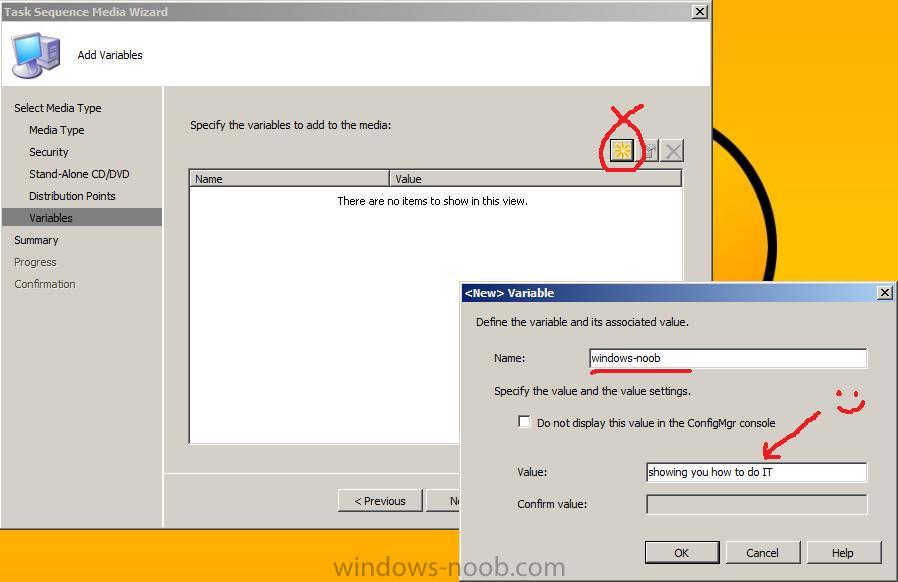
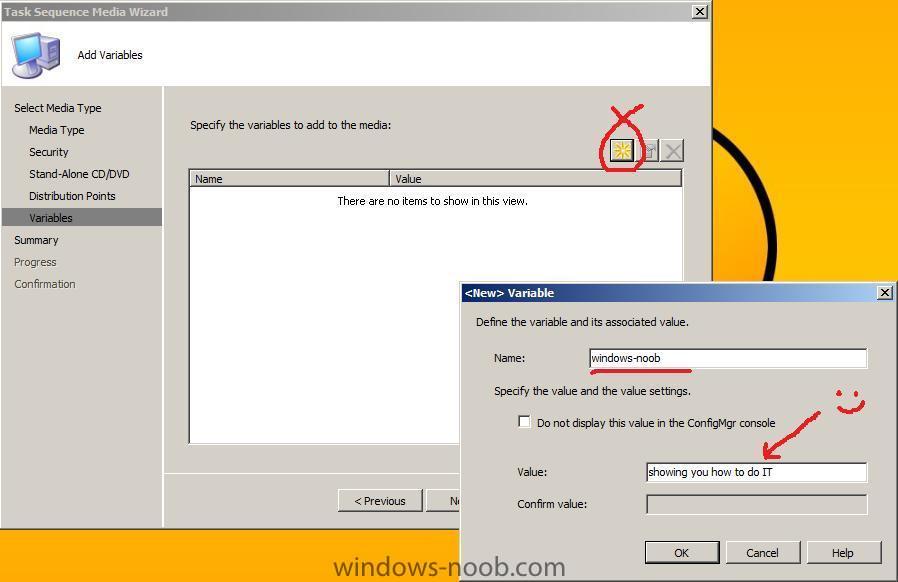
adding variables using Create Task Sequence Media (standalone)
-
and don't forget there's here too ! http://www.windows-noob.com/forums/index.php?/topic/1660-customising-windows-7-deployments-part-1/ (Changing the keyboard layout using unattend.xml) and http://www.windows-noob.com/forums/index.php?/topic/575-what-is-windows-sim-and-how-can-i-use-it/ cheers
-
how can I configure SCCM 2007 in Windows Server 2008 - Part 3
anyweb replied to anyweb's topic in Configuration Manager 2007
Configuring the Clients Firewall:- If the configuration Manager client is NOT INSTALLING on your clients then verify that the firewall rules are set to allow SCCM traffic, or disable the firewall for testing...). Next step > Create a package and then a program and advertise it to a collection and then distribute it The guide covers:- Creating the Package Creating a Program for the package Advertising the Package Creating and updating distribution point -
yes its possible to start over fresh but dont reuse the site code cheers niall
-
how can I configure SCCM 2007 in Windows Server 2008 - Part 3
anyweb replied to anyweb's topic in Configuration Manager 2007
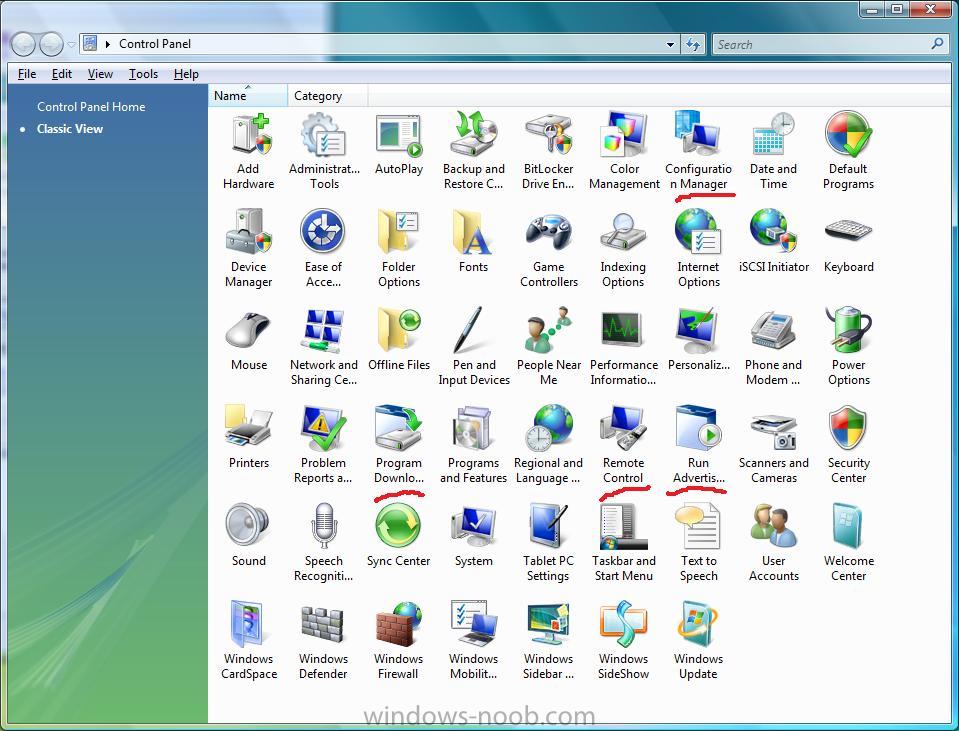
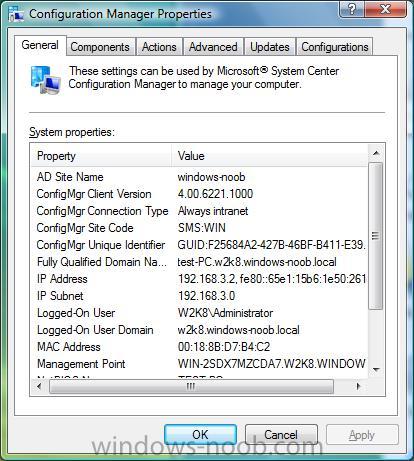
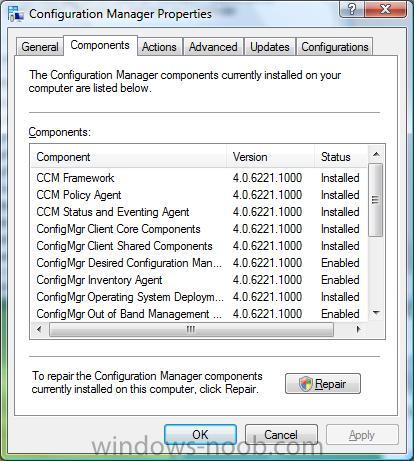
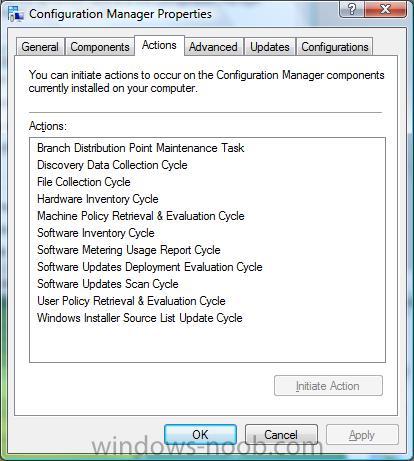
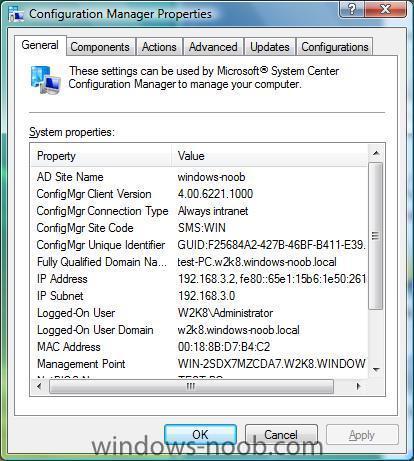
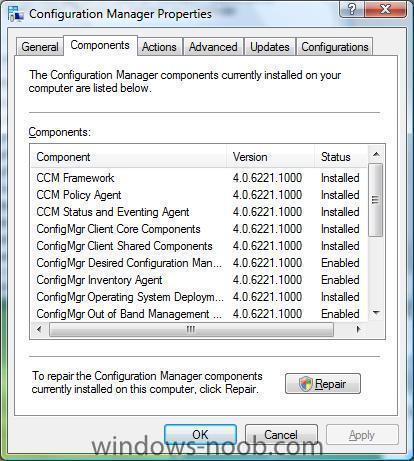
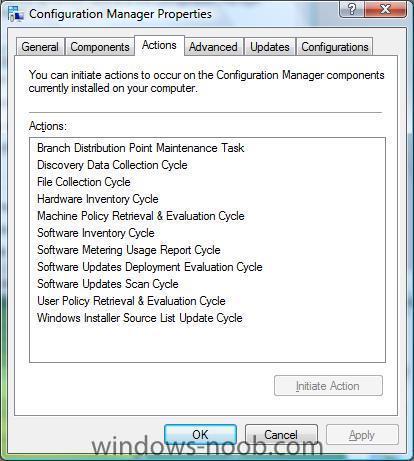
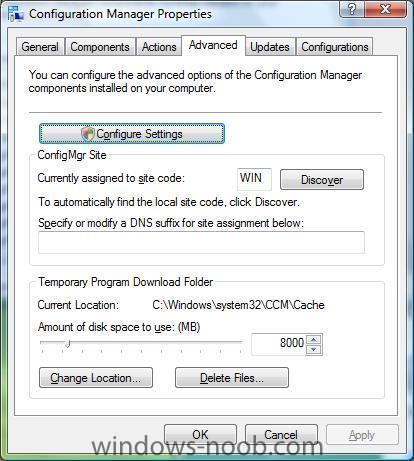
Screenshots of the Configuration Manager client Below are some screenshots of the Configuration Manager client installed using this guide on a Windows Vista Ultimate machine (test-pc). Here's the control panel with some new icons from SCCM and here is the Configuration Manager client General tab the components tab... the Actions tab... the Advanced tab... If you have pushed out the client install and you don't see the Configuration Manager listed in control panel, then make sure you are doing the client push installs with a user that has local administrative rights on the client pc, plus for troubleshooting check c:\windows\system32\ccmsetup and look at any LOG files present for errors.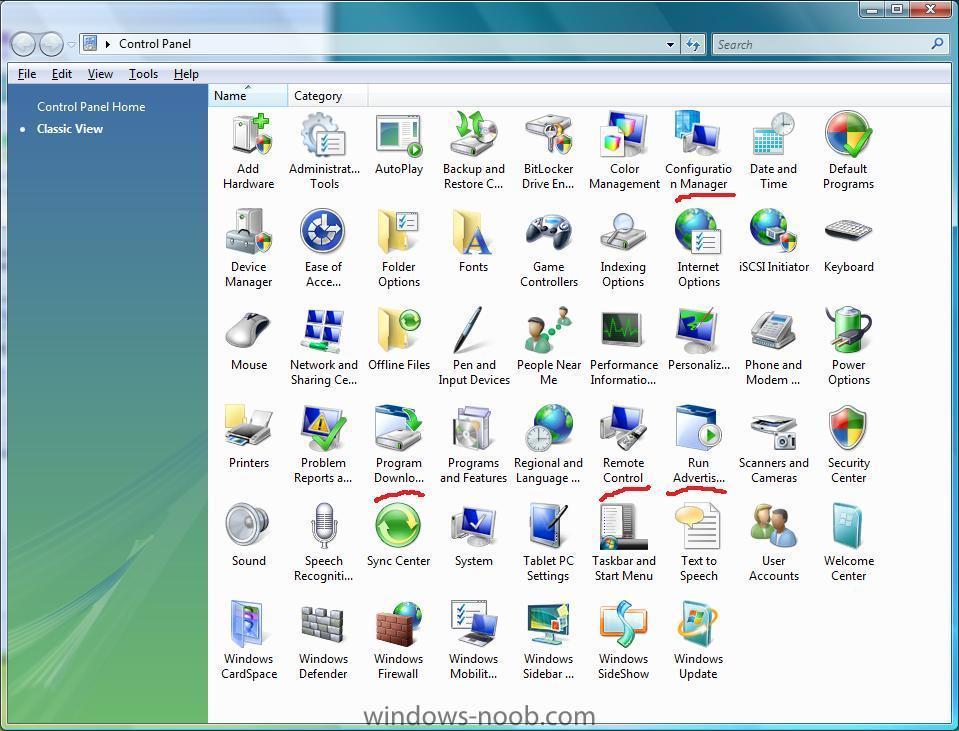
-
I've added the first webcast now, please check it out and tell me what you think ! http://www.windows-noob.com/forums/index.php?/topic/1885-webcast-%23-1-using-offline-mode-in-windows-pe/ cheers niall
-
Deploying SCCM 2007 client using SUP?
anyweb replied to GopherRob's question in Troubleshooting, Tools, Hints and Tips
did you at any stage create a client from definition package ? -
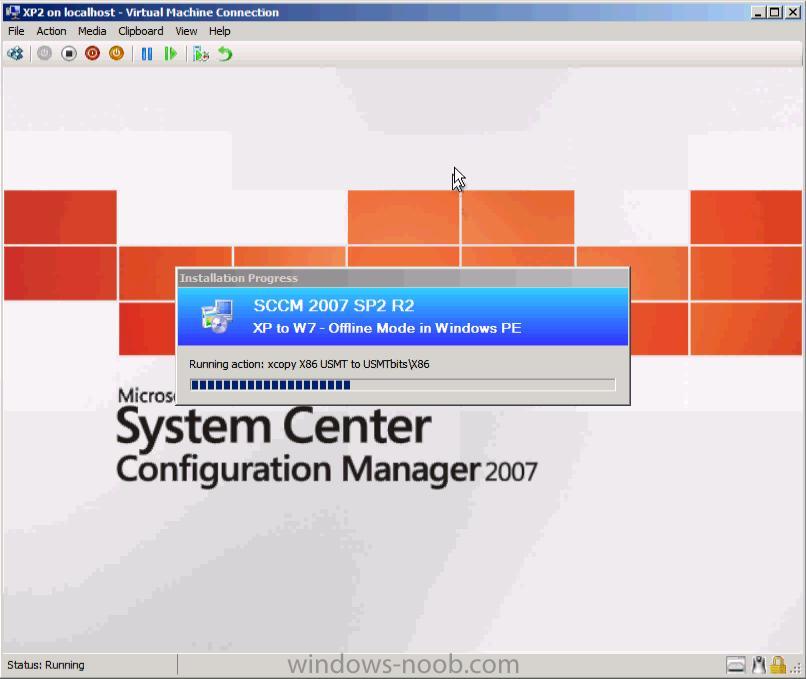
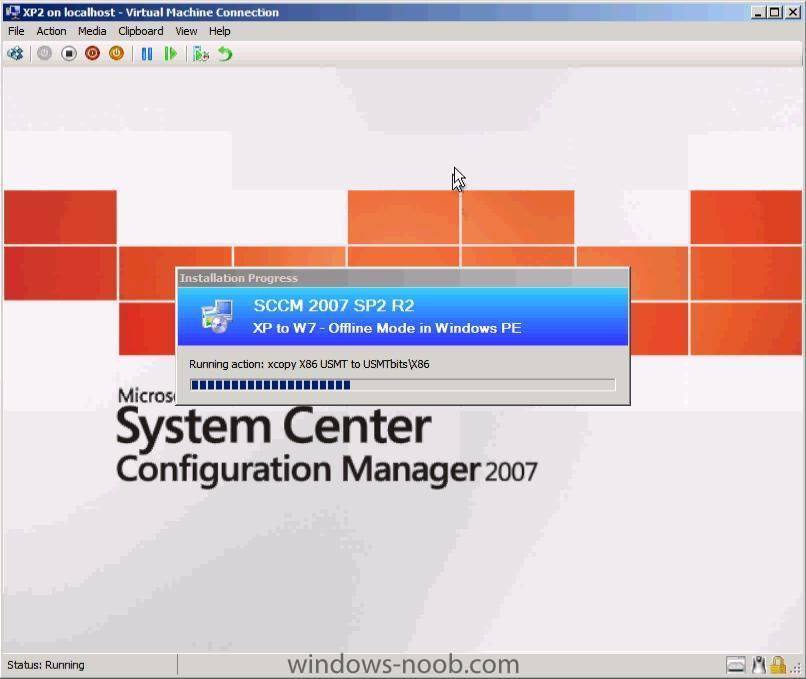
hi all, I'm very proud to present windows-noob.com's first webcast, please let me know what you think. I know a lot of you have asked for more details and clarification so here it is, it's Offline Mode in Windows PE and references the following post. I hope the webcast brings some clarity into how the process works in SCCM. You can download the webcast here: Offline Mode in WinPE - offline_mode_full.wmv (65mb) please leave feedback about the webcast here and if you have any special requests then post them in this section of the forum, thanks to my eldest son Christopher for giving me some help with Windows Movie Maker. more webcasts coming soon, cheers niall
-
Deploying SCCM 2007 client using SUP?
anyweb replied to GopherRob's question in Troubleshooting, Tools, Hints and Tips
in your site settings, how are your boundaries setup for this site ? -
are you sure you pasted all of it in the right place ?