anyweb
-
Posts
9292 -
Joined
-
Last visited
-
Days Won
371
Everything posted by anyweb
-

script to push CMtrace
anyweb replied to frank offei's topic in System Center Configuration Manager (Current Branch)
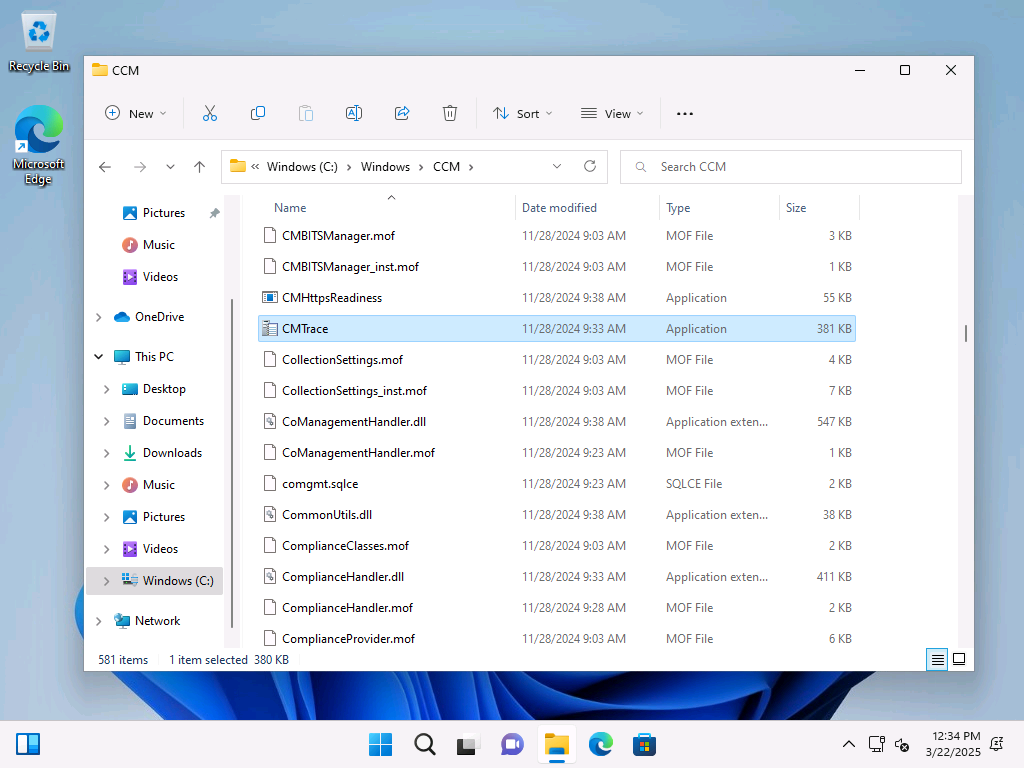
I guess you were trying to ask a question, but in case you didn't know CMTrace.exe is already in the C:\Windows\CCM folder see here so as long as you have the ConfigMgr client installed, you'll also have CMTrace.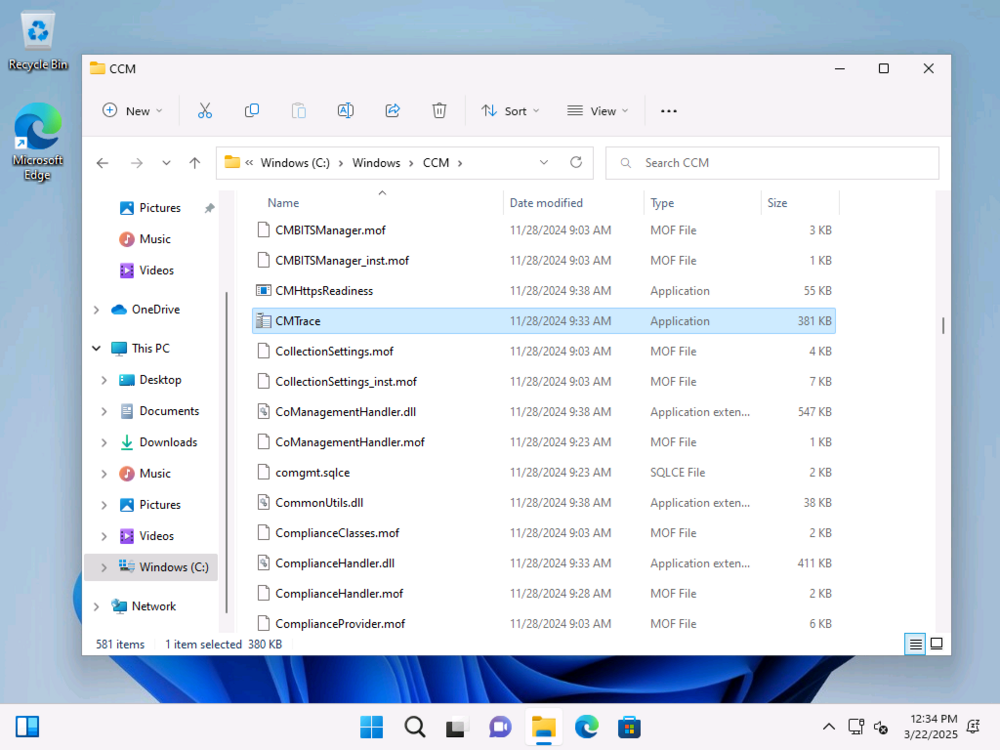
-
Introduction Last month I posted about my CMG (Cloud Management Gateway) going AWOL (absent without leave) and staying broken, this was in response to a tweet from Panu, and I documented the sorry story here. I tried many things including the hotfix that was available at the time of posting, but nothing helped. My CMG remained broken and stayed in a state of disconnected. I had planned on removing it entirely and recreating the CMG but time got the better of me. Today however I got a notification from Linkedin that someone had responded to one of my posts about that problem so I took a look. Steven mentioned a hotfix rollup (HFRU) and it was a new one. https://learn.microsoft.com/en-us/mem/configmgr/hotfix/2409/30385346 The issues fixed with this hotfix rollup are pasted from that article below, with the important CMG bits highlighted in bold italic: Issues that are fixed Internet based clients using the alternate content provider are unable to download content from a cloud management gateway or cloud distribution point. Deployment or auto upgrade of cloud management gateways can fail due to an incorrect content download link. Internet based clients can fail to communicate with a management point. The failure happens if the SMS Agent Host service (ccmexec.exe) on the management point terminates unexpectedly. Errors similar to the following are recorded in the LocationServices.log file on the clients. Console [CCMHTTP] ERROR INFO: StatusCode=500 StatusText=CMGConnector_InternalServerError The Configuration Manager console displays an exception when you check the properties of a Machine Orchestration Group (MOG). Membership of the MOG can’t be modified; it must be deleted and recreated. The exception happens when the only computer added to a MOG doesn’t have the Configuration Manager client installed. Hardware inventory collection on a client gets stuck in a loop if the SMS_Processor WMI class is enabled, and the processor has more than 128 logical processors per core. If a maintenance window is configured with Offset (days) value, it will fail to run on clients if the run date happens on the next month. Errors similar to the following are recorded in the UpdatesDeployment.log file. Console Failed to populate Servicewindow instance {GUID}, error 0x80070057 The spCleanupSideTable stored procedure fails to run and generates exceptions on Configuration Manager sites using SQL Server 2019 when recent SQL cumulative updates are applied. The dbo.Logs table contains the following error. Console "ERROR 6522, Level 16, State 1, Procedure spCleanupSideTable, Line 0, Message: A .NET Framework error occurred during execution of user-defined routine or aggregate "spCleanupSideTable": System.FormatException: Input string was not in a correct format. System.FormatException: at System.Number.StringToNumber(String str, NumberStyles options, NumberBuffer& number, NumberFormatInfo info, Boolean parseDecimal) at System.Number.ParseInt64(String value, NumberStyles options, NumberFormatInfo numfmt) at Microsoft.SystemsManagementServer.SQLCLR.ChangeTracking.CleanupSideTable(String tableToClean, SqlInt64& rowsDeleted) ." Multiple URLs are updated to handle a back-end change to the content delivery network used for downloading Configuration Manager components and updates. The Configuration Manager console can terminate unexpectedly if a dialog contains the search field. This gave me some hope so I powered up that lab and took a look. As you can see the hotfix rollup is ready to install. Note: Yes I’m aware one of my app secrets is about to expire, that’s not part of this blog post or problem so I’ll ignore it for now. Before installing the hotfix rollup however I checked on the status of my CMG. And to my great surprise after weeks (a month even) of being broken and disconnected it was now………. connected. Uh… what ? Ok, that’s weird. I ran the connection analyzer as well just for giggles, and for the first time in a long time it passed with flying colours. As the server log files have unfortunately rolled over, I cannot see ‘when’ it self-fixed itself or whether that was on the backend (the CMG in Azure) or on the CM server itself. Just as a reminder, my now working CMG is in this state without me doing anything further after my original blog post, so it self fixed itself after many weeks of being broken. Installing the hotfix rollup To wrap things up, I decided I’ll install the hotfix rollup, to see what if anything it can do. And after some time it was done, however as you can see I still have 2 Configuration Manager 2409’s listed (one was the early ring upgrade). Well that’s it for this blog post, thanks Steven for the heads up on the hotfix rollup, however it didn’t resolve my issue, which seemed to solve itself prior to the rollup.
-
10 years actually
-
have you verified that the cert in your dp is updated also ? see step 5 here
-
ah great to hear it and thanks @Cerberus24 for posting your findings, i'm sure it'll help someone !
-
hi @Martinez in my #11 lab (domain controller) I have a DHCP server running, so any device that connects into that lab will receive a valid ip address I hope that helps cheers niall
-
Introduction Panu Sakku posted the following tweet recently asking if anyone noticed their CMG (Cloud Management Gateway) was broken after it got a recent update. I checked my lab, and sure enough, it was also dead in the water, and could not start. After checking the logs I replied to Panu. The errors in the SMS_CLOUD_PROXYCONNECTOR.log file in red were many, and here’s a paste of some of them to help others find out how to resolve this problem. ERROR: Web socket: Failed to online with Proxy server CLOUDATTACHCMG.AZURENOOB.COM:443. System.AggregateException: One or more errors occurred. —> System.Net.WebSockets.WebSocketException: Unable to connect to the remote server —> System.Net.WebException: Unable to connect to the remote server —> System.Net.Sockets.SocketException: A connection attempt failed because the connected party did not properly respond after a period of time, or established connection failed because connected host has failed to respond 20.126.223.196:443~~ at System.Net.Sockets.Socket.InternalEndConnect(IAsyncResult asyncResult)~~ at System.Net.Sockets.Socket.EndConnect(IAsyncResult asyncResult)~~ at System.Net.ServicePoint.ConnectSocketInternal(Boolean connectFailure, Socket s4, Socket s6, Socket& socket, IPAddress& address, ConnectSocketState state, IAsyncResult asyncResult, Exception& exception)~~ — End of inner exception stack trace —~~ at System.Net.HttpWebRequest.EndGetResponse(IAsyncResult asyncResult)~~ at System.Threading.Tasks.TaskFactory`1.FromAsyncCoreLogic(IAsyncResult iar, Func`2 endFunction, Action`1 endAction, Task`1 promise, Boolean requiresSynchronization)~~— End of stack trace from previous location where exception was thrown —~~ at System.Runtime.ExceptionServices.ExceptionDispatchInfo.Throw()~~ at System.Runtime.CompilerServices.TaskAwaiter.HandleNonSuccessAndDebuggerNotification(Task task)~~ at System.Net.WebSockets.ClientWebSocket.<ConnectAsyncCore>d__21.MoveNext()~~ — End of inner exception stack trace —~~ at System.Net.WebSockets.ClientWebSocket.<ConnectAsyncCore>d__21.MoveNext()~~ — End of inner exception stack trace —~~ at System.Threading.Tasks.Task.ThrowIfExceptional(Boolean includeTaskCanceledExceptions)~~ at System.Threading.Tasks.Task.Wait(Int32 millisecondsTimeout, CancellationToken cancellationToken)~~ at Microsoft.ConfigurationManager.CloudConnection.ProxyConnector.WebSocketConnection.Online()~~—> (Inner Exception #0) System.Net.WebSockets.WebSocketException (0x80004005): Unable to connect to the remote server —> System.Net.WebException: Unable to connect to the remote server —> System.Net.Sockets.SocketException: A connection attempt failed because the connected party did not properly respond after a period of time, or established connection failed because connected host has failed to respond 20.126.223.196:443~~ at System.Net.Sockets.Socket.InternalEndConnect(IAsyncResult asyncResult)~~ at System.Net.Sockets.Socket.EndConnect(IAsyncResult asyncResult)~~ at System.Net.ServicePoint.ConnectSocketInternal(Boolean connectFailure, Socket s4, Socket s6, Socket& socket, IPAddress& address, ConnectSocketState state, IAsyncResult asyncResult, Exception& exception)~~ — End of inner exception stack trace —~~ at System.Net.HttpWebRequest.EndGetResponse(IAsyncResult asyncResult)~~ at System.Threading.Tasks.TaskFactory`1.FromAsyncCoreLogic(IAsyncResult iar, Func`2 endFunction, and ERROR: Failed to build WebSocket connection 1800a2f4-5e7c-4aa7-9c5d-0b4027ab939d with server CLOUDATTACHCMG.AZURENOOB.COM:443. Exception: System.Net.WebException: Failed to online~~ at Microsoft.ConfigurationManager.CloudConnection.ProxyConnector.WebSocketConnection.Online()~~ at Microsoft.ConfigurationManager.CloudConnection.ProxyConnector.ConnectionBase.Start()~~ at Microsoft.ConfigurationManager.CloudConnection.ProxyConnector.ConnectionManager.MaintainConnections() and ERROR: Failed to build HttpV2 connection 1800a2f4-5e7c-4aa7-9c5d-0b4027ab939d with server CLOUDATTACHCMG.AZURENOOB.COM:443. Exception: System.Net.WebException: Unable to connect to the remote server —> System.Net.Sockets.SocketException: A connection attempt failed because the connected party did not properly respond after a period of time, or established connection failed because connected host has failed to respond 20.126.223.196:443~~ at System.Net.Sockets.Socket.InternalEndConnect(IAsyncResult asyncResult)~~ at System.Net.Sockets.Socket.EndConnect(IAsyncResult asyncResult)~~ at System.Net.ServicePoint.ConnectSocketInternal(Boolean connectFailure, Socket s4, Socket s6, Socket& socket, IPAddress& address, ConnectSocketState state, IAsyncResult asyncResult, Exception& exception)~~ — End of inner exception stack trace —~~ at Microsoft.ConfigurationManager.CloudConnection.ProxyConnector.HttpConnectionV2.SendInternal(HttpMethod method, String path, String payload, Int32& statusCode, Byte[]& responsePayload)~~ at Microsoft.ConfigurationManager.CloudConnection.ProxyConnector.HttpConnectionV2.SendInternal(HttpMethod method, String path, Byte[] payload)~~ at Microsoft.ConfigurationManager.CloudConnection.ProxyConnector.HttpConnectionV2.Online()~~ at Microsoft.ConfigurationManager.CloudConnection.ProxyConnector.ConnectionBase.Start()~~ at Microsoft.ConfigurationManager.CloudConnection.ProxyConnector.ConnectionManager.MaintainConnections() Shortly after I replied, Johnny Radeck posted an update, he solved it by uninstalling an extension and then making a change to the CMG properties. But let’s see why he did that. If you go to the Azure portal and locate your CMG, you’ll see it’s got a Failed status (1). If you click Restart (2) after a few minutes it’ll be failed again but you’ll get a notification (3) explaining what failed. Failed to restart virtual machine scale set Failed to restart virtual machine scale set ‘cloudattachcmg’. Error: VM has reported a user failure when processing extension ‘InstallCMG’. Please correct the error and try again. (publisher ‘Microsoft.Compute’ and type ‘CustomScriptExtension’). Error code: ‘2’. Error message: ‘Command execution finished, but failed because it returned a non-zero exit code of: ‘1”. Detailed error: ”. More information on troubleshooting is available at https://aka.ms/VMExtensionCSEWindowsTroubleshoot. So it’s clear that Azure has problems starting the CMG due to “VM has reported a user failure when processing extension ‘InstallCMG’.” I wonder what the ‘user failure’ means ? Let’s try Johnny’s advice then. Fixing the problem ? Click on Settings, select Extensions + applications and then place a checkmark in InstallCMG, it’ll bring up it’s properties and you can now select Uninstall. The settings in that extension are listed here, just to see if they change after the fix. “commandToExecute”: “powershell.exe -File cmgsetup.ps1 -storageAccountName cloudattachcmg -storageEndpointSuffix core.windows.net -serviceName cloudattachcmg -serviceCName cloudattachcmg.azurenoob.com -certStoreName My -certThumbprint 2D2F89A0F44335C0D57678DA5AC80663660B0250 -crlAction enable -tls12Enforced True -nodeName localhost -bDisabledSharedKey True”, “fileUris”: [ “https://cloudattachcmg.blob.core.windows.net/stageartifacts/cmgsetup.ps1” ] } After a while it’ll be uninstalled and you’ll get a notification telling you that it’s done. After changing Client revocation settings, and changing the maintenance window to be in the future (otherwise you’ll get an error) before clicking Apply. A quick look at the CloudMgr.log reveals it’s updating the CMG and the status of the CMG in SCCM changes to Upgrading. while in Azure, the CMG has a status of Updating. and after a while everything should hopefully be fixed. Note: If it works for you, then don’t forget to set the client revocation option back on again. Oops In my case however, no matter how many times I tried my CMG remained well and truly broken. It’s still broken. I’ll update this post if/when I come up with a solution that works for me, but for now, this is just where I’m at with this problem and I’m blogging this as I’ve spent so many hours on it already.
-
if you have access to teams we can do a session to talk about this, ping me there niall AT windowsnoob DOT com, i'm based in Europe.
-
@Cerberus24 what client OS are you testing this on as a matter of interest? I'm, happy to do a remote session to compare my lab to yours but it would be good to get more info about your setup
-
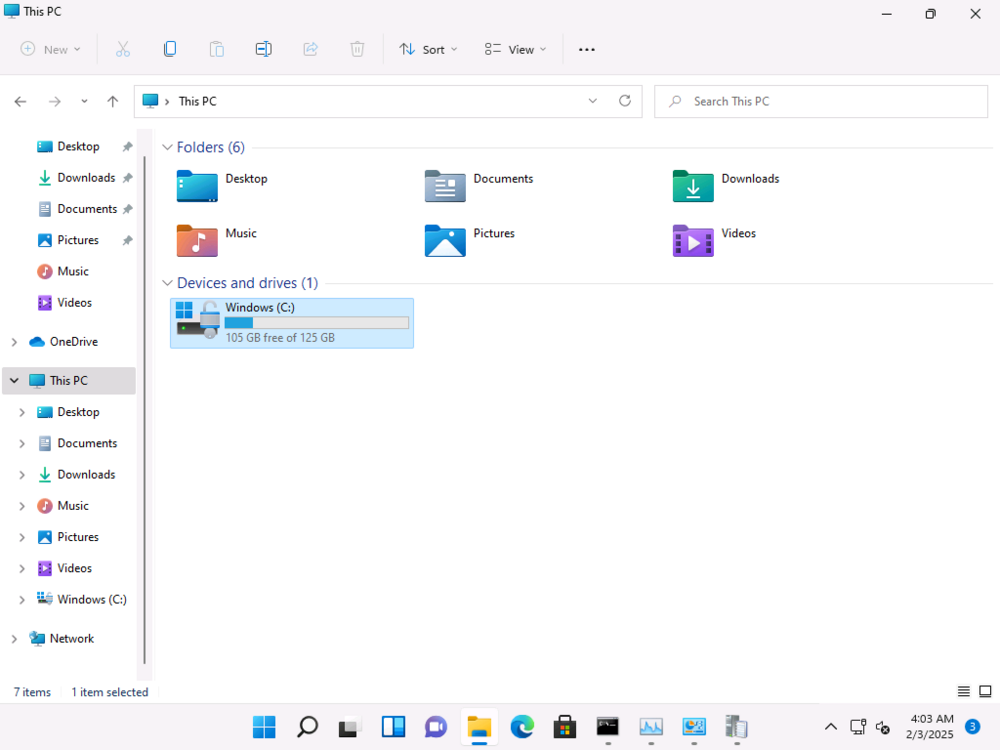
and it's encrypting without any interaction from me
-
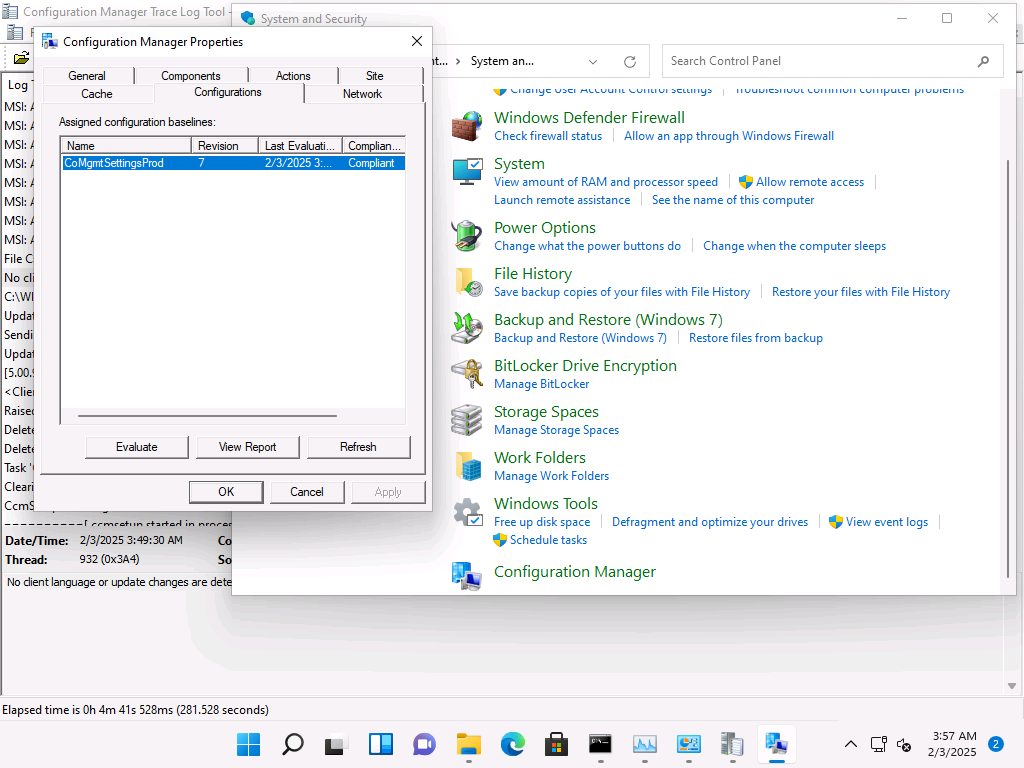
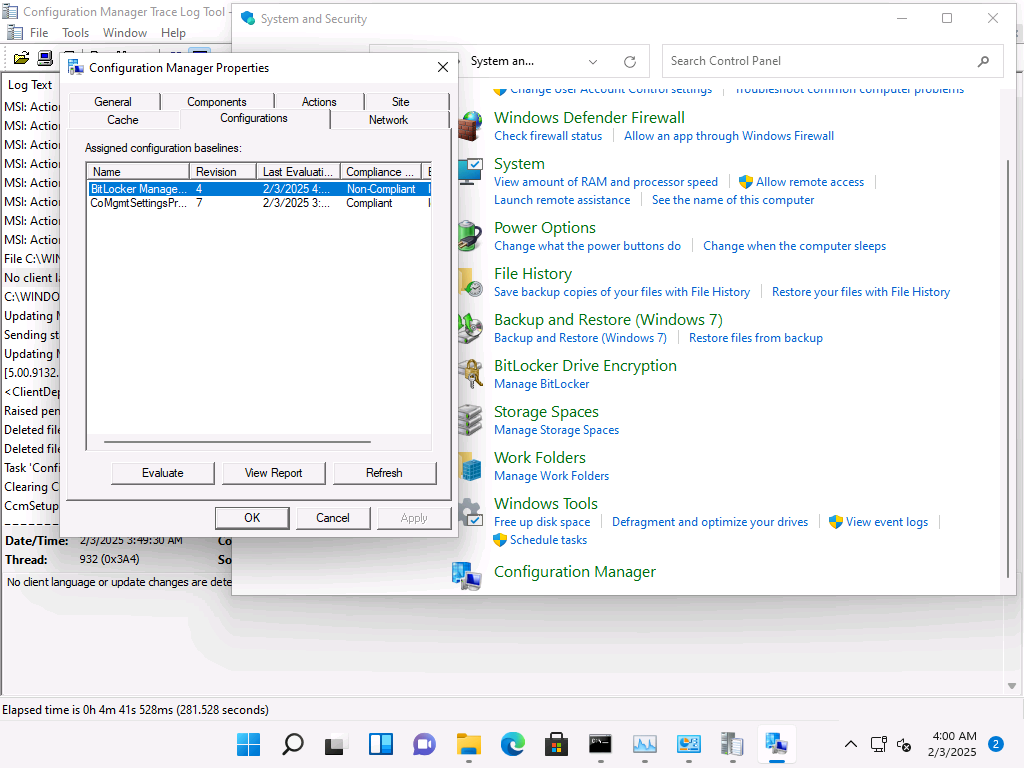
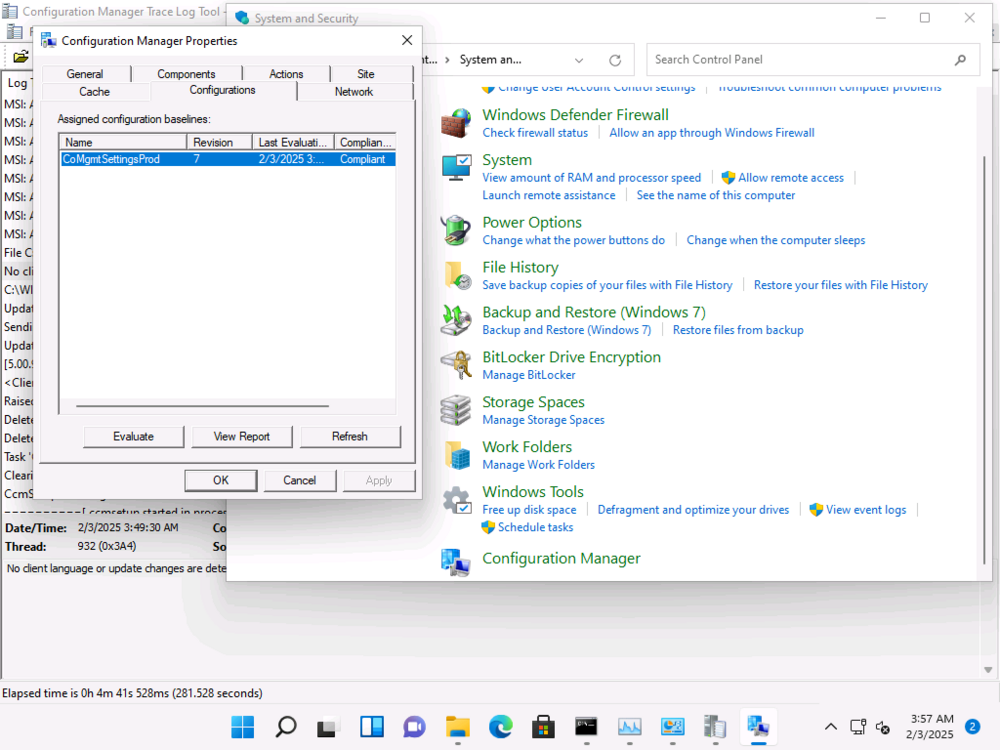
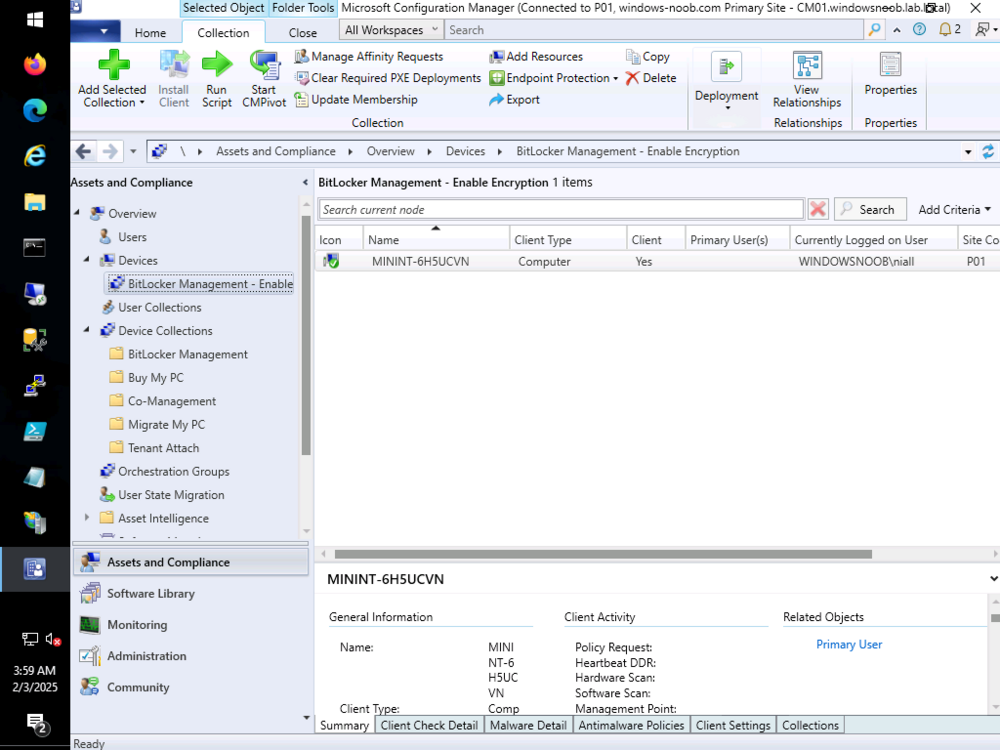
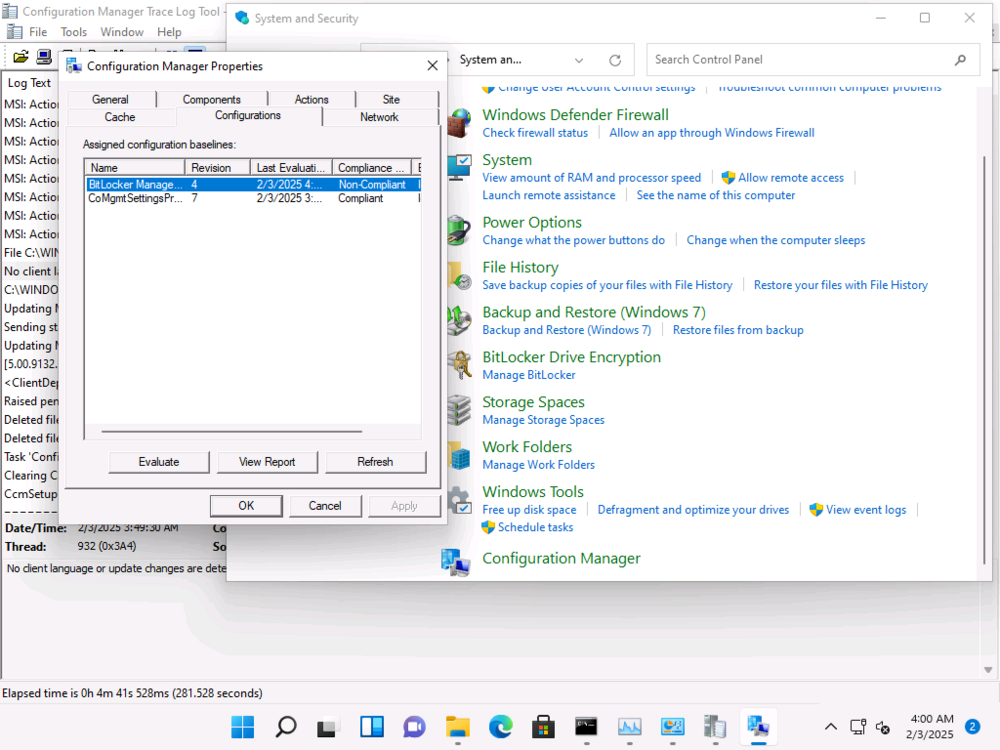
before getting bitlocker policy added the device to my bitlocker policy collection the client has determined it is 'non compliant' for Encryption
-
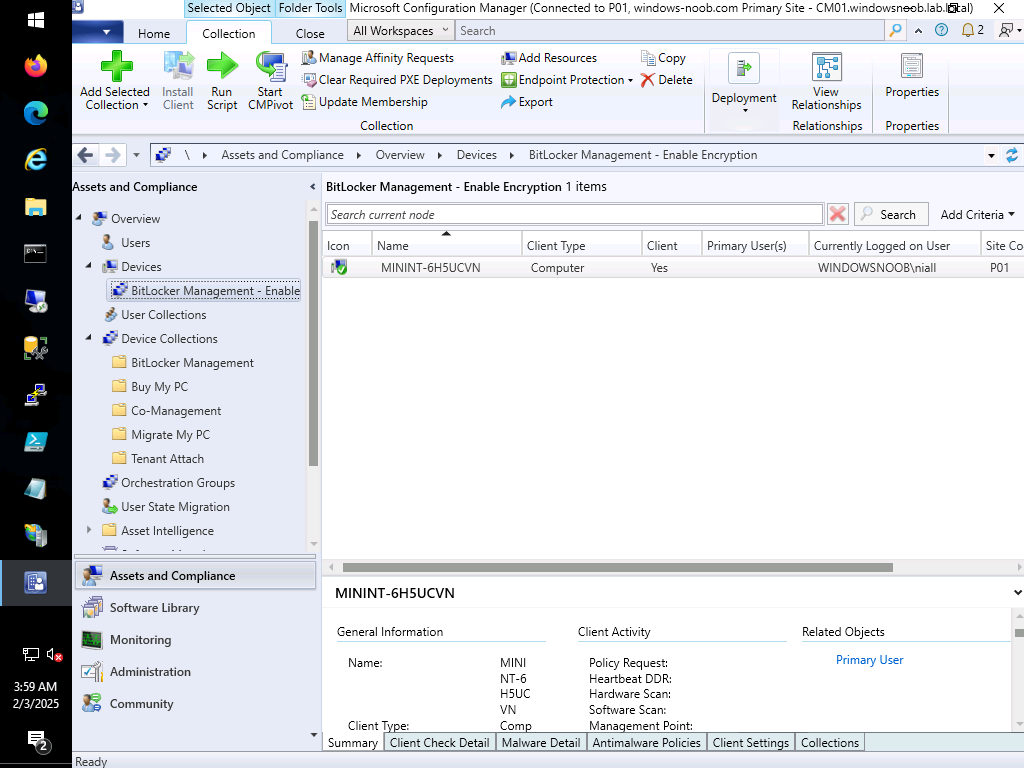
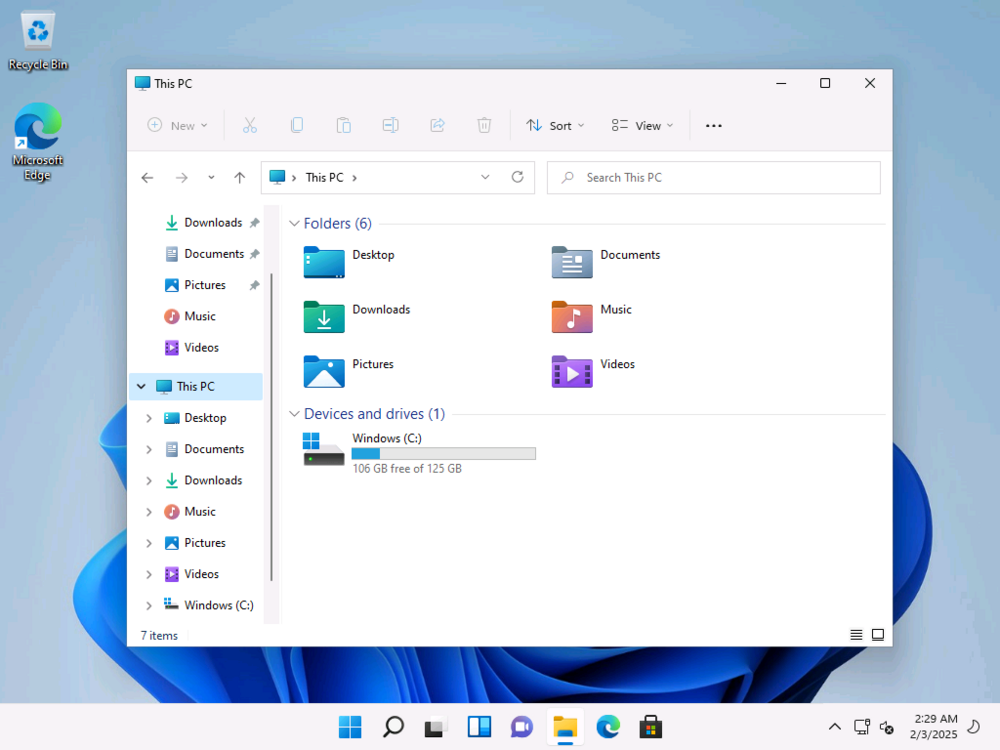
ok imaging done, device is NOT encrypted (as I wanted), next up, i'll add it to a collection targeted by BitLocker Encryption policy and see what happens
-
i'm imaging a VM now and will let it complete, once done i'll drop it un-encrypted into a collection targeted with BitLocker policy, i'll share my results here once done
-
i'll double check in my https 2409 lab this evening and report back have you verified that these devices are not targeted by any gpo from your 'old' mbam infrastructure ?
-
can you logon locally to a test device to verify encryption ?
-
hiya, is there any CD/DVD or iso mounted or present in a tray ? are you RDP'ing to the device when checking ? or logged on directly
-
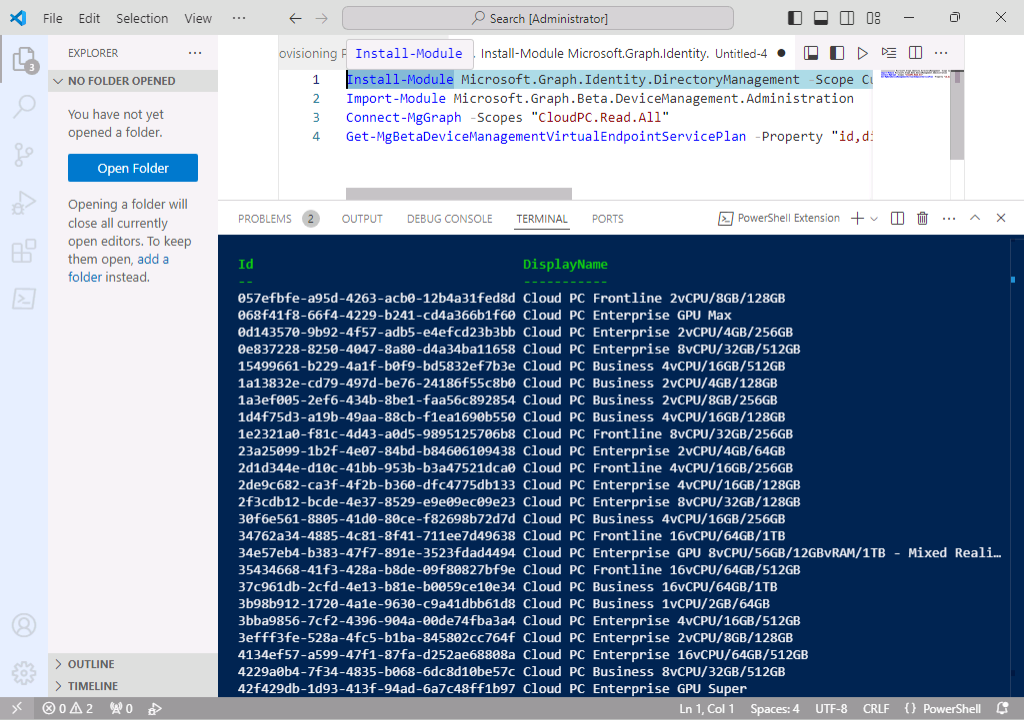
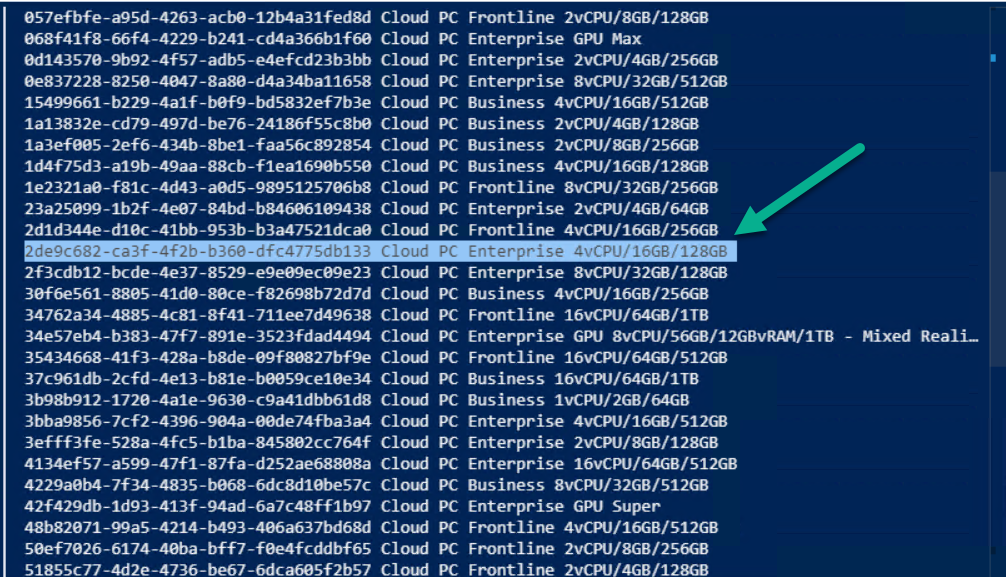
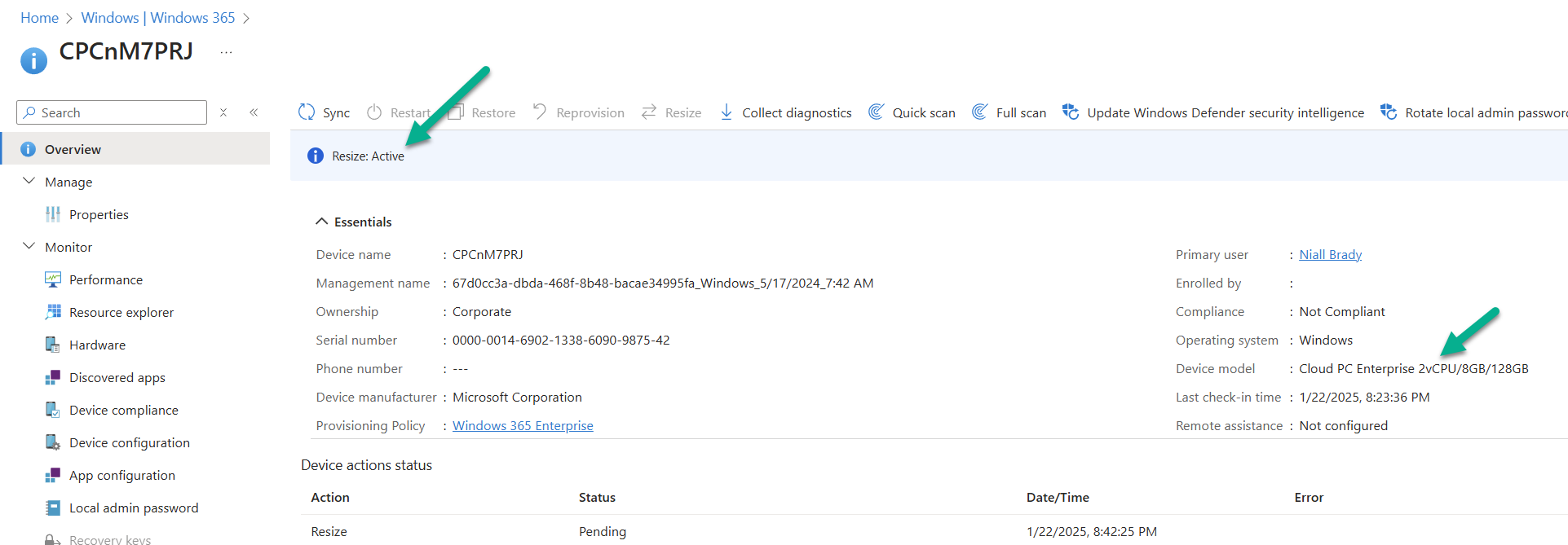
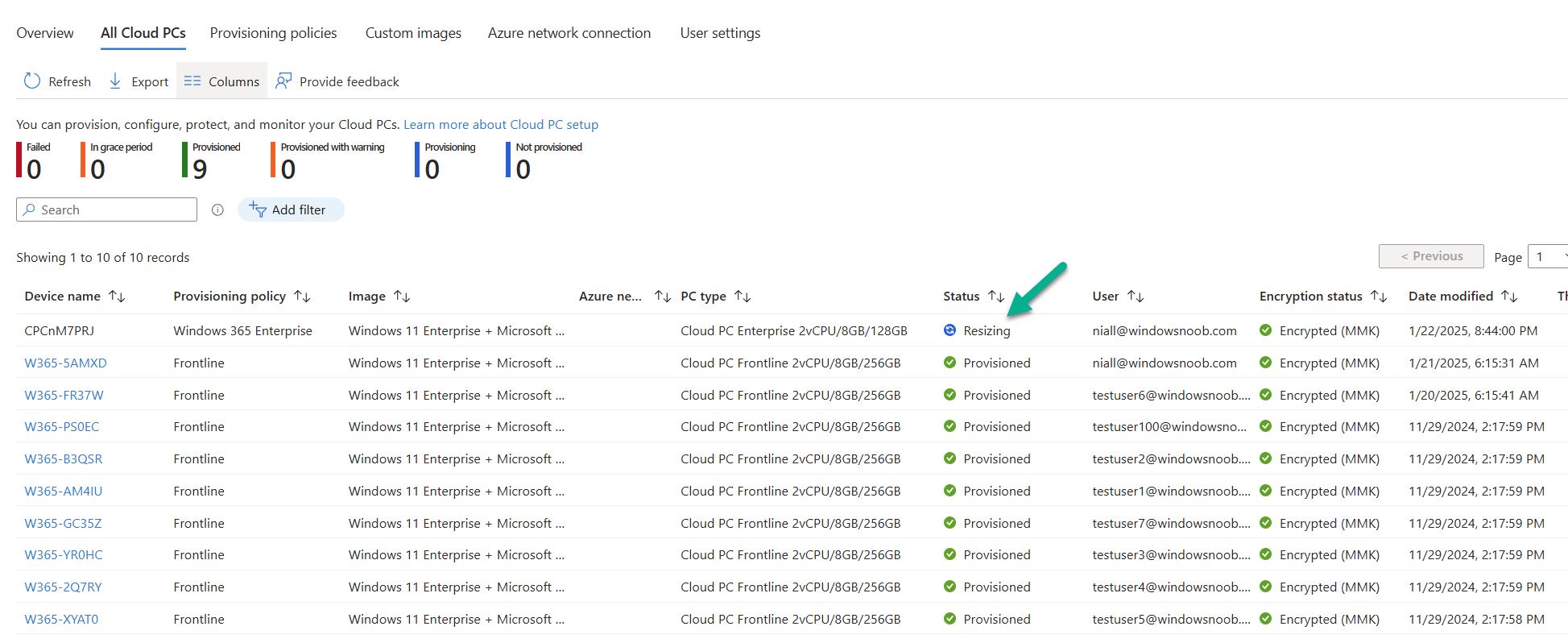
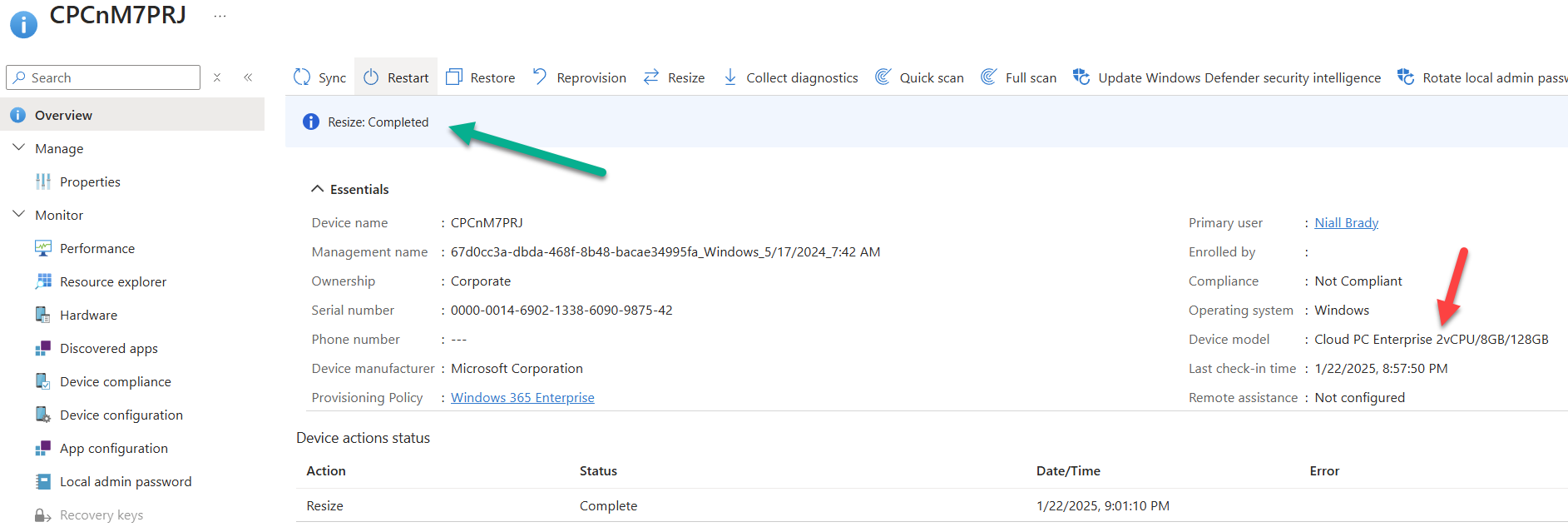
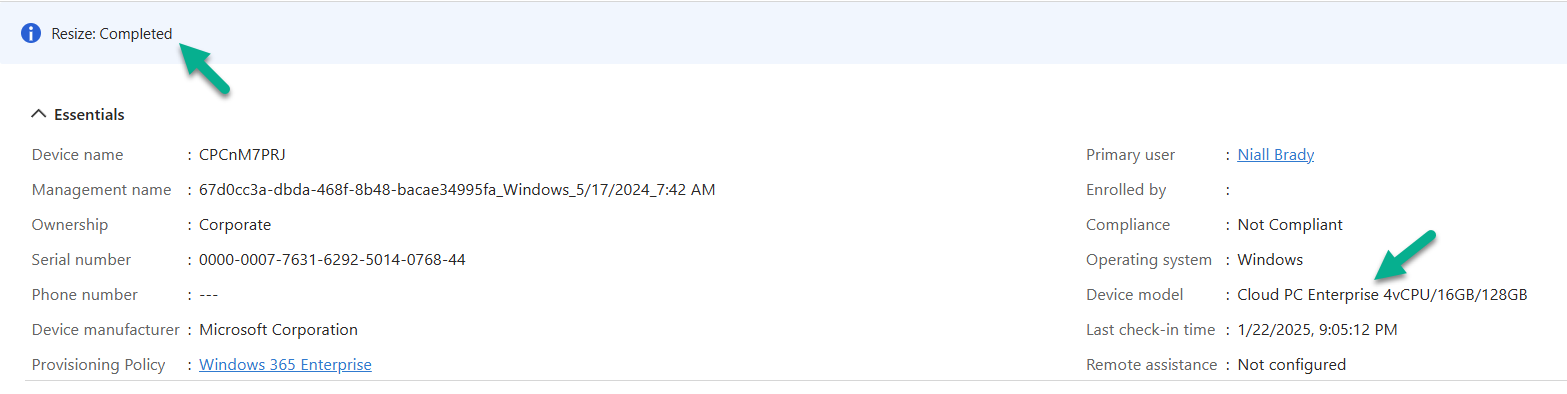
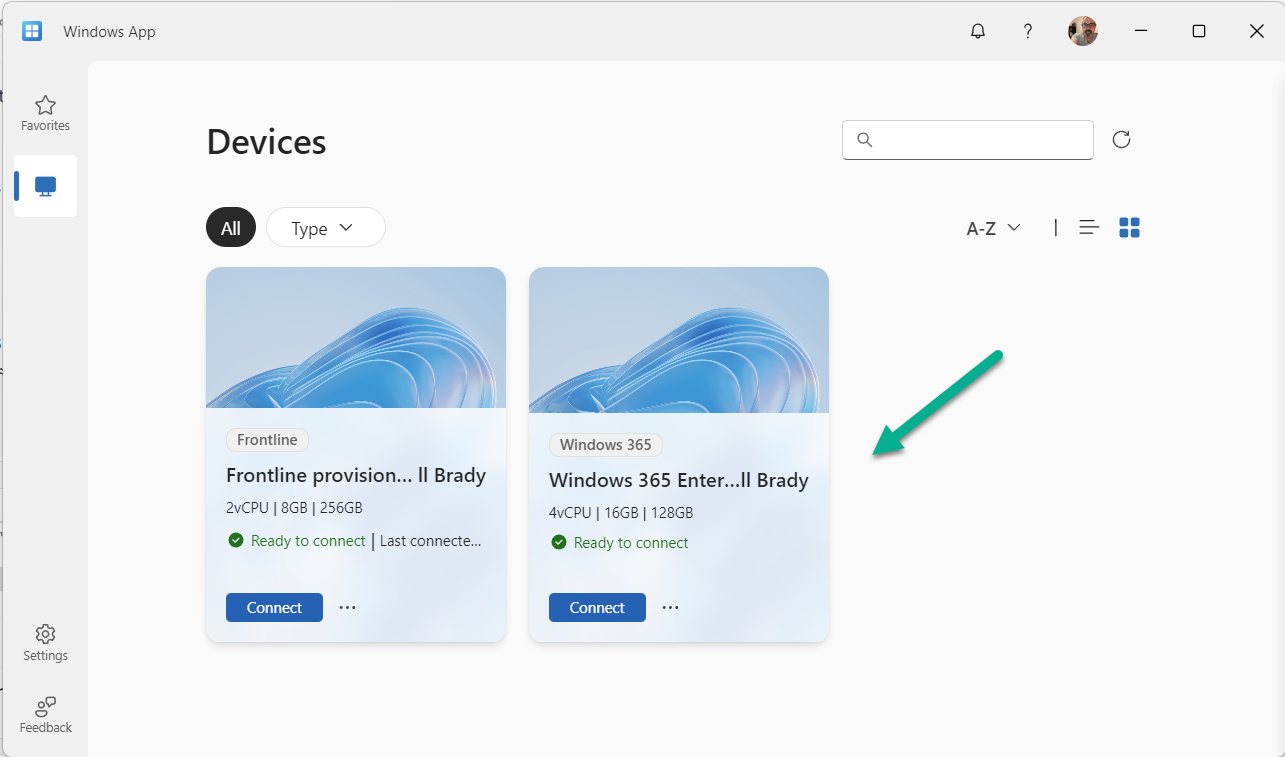
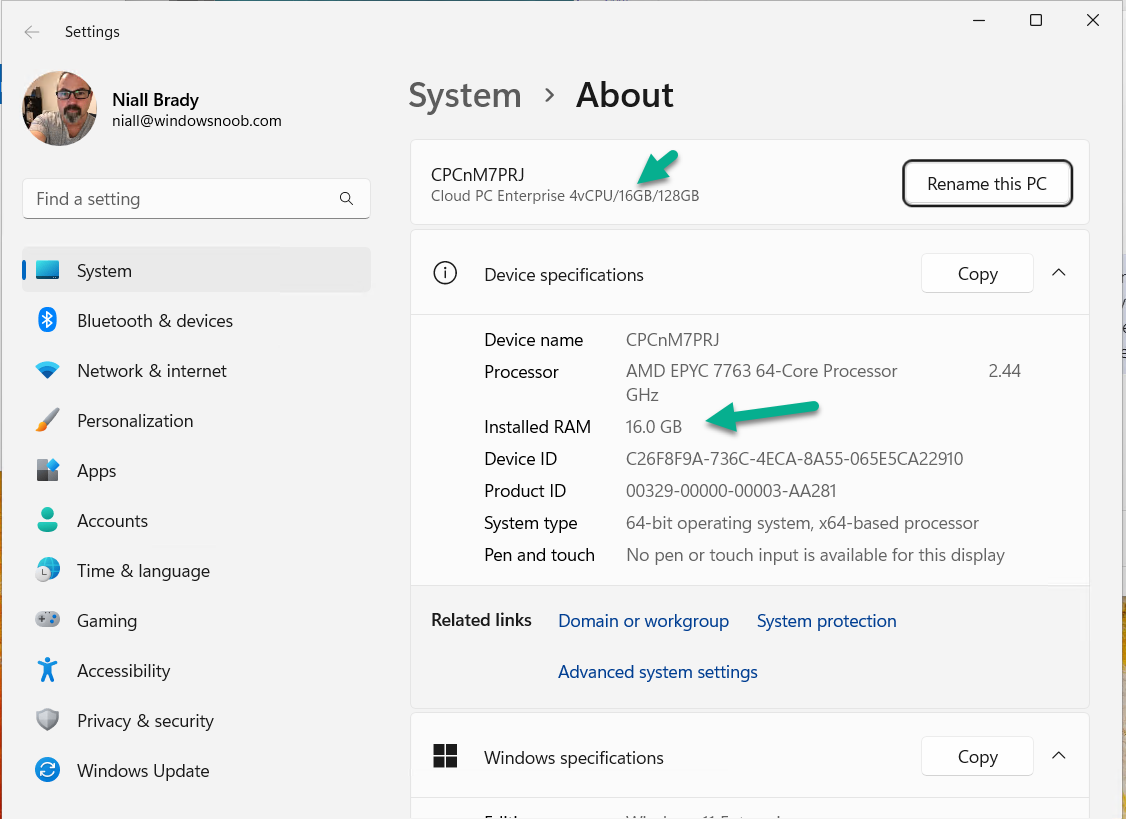
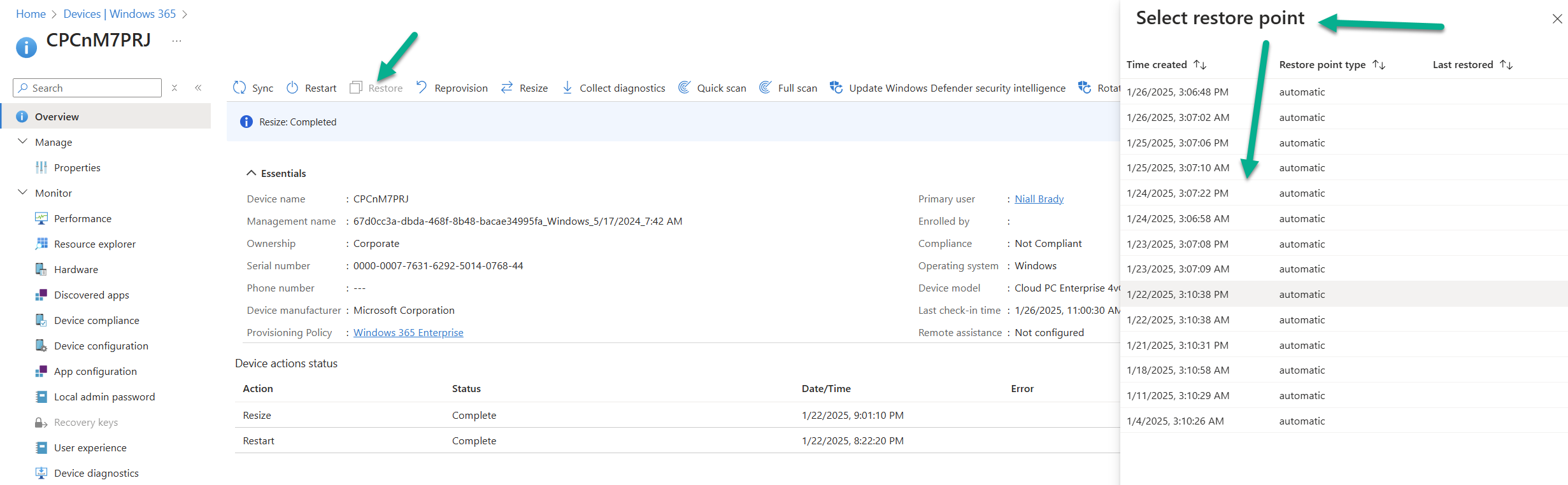
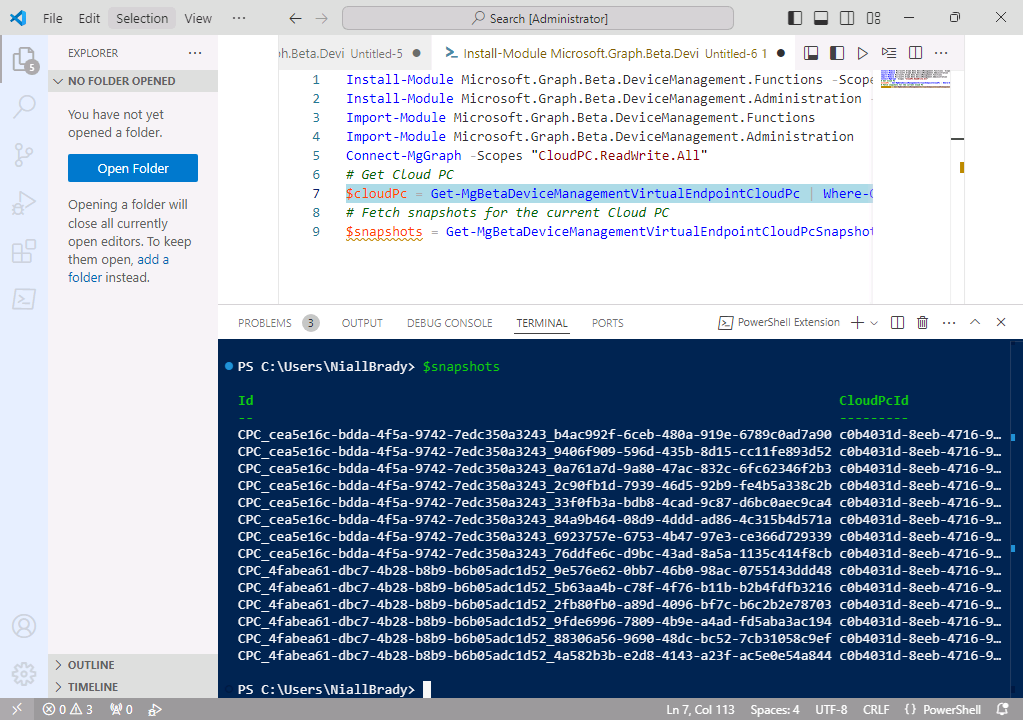
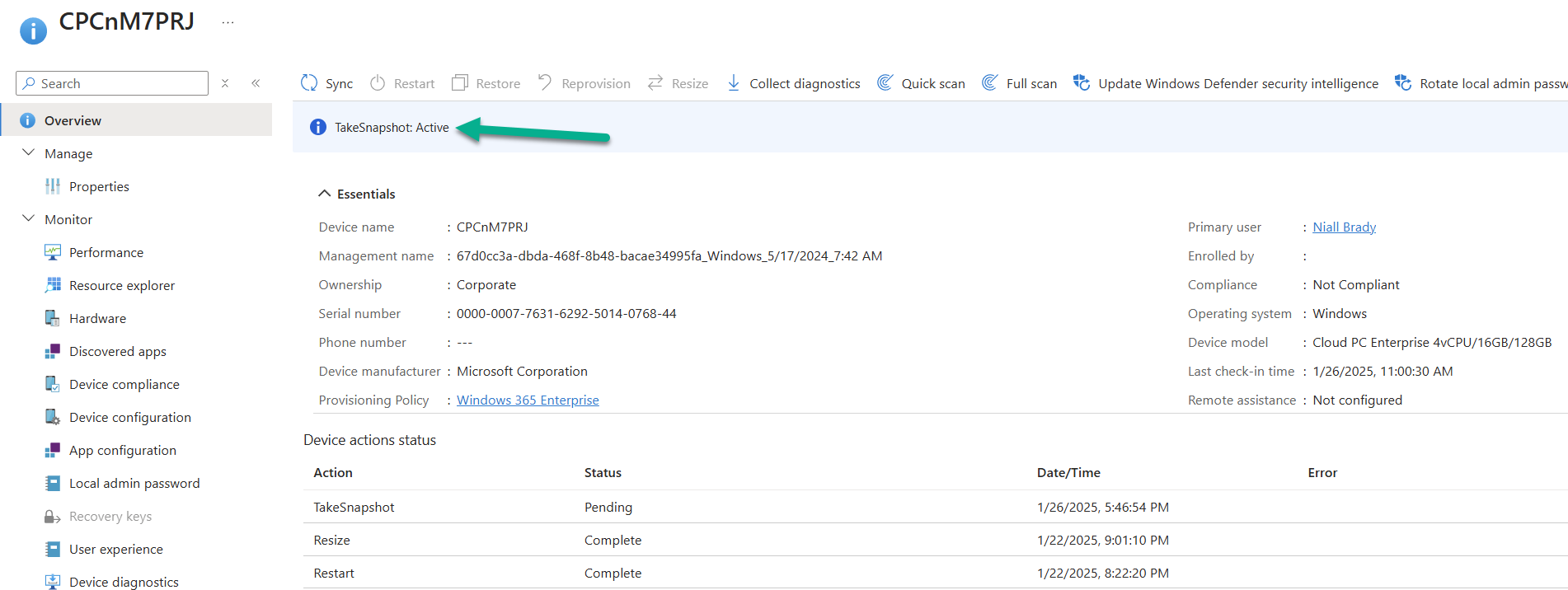
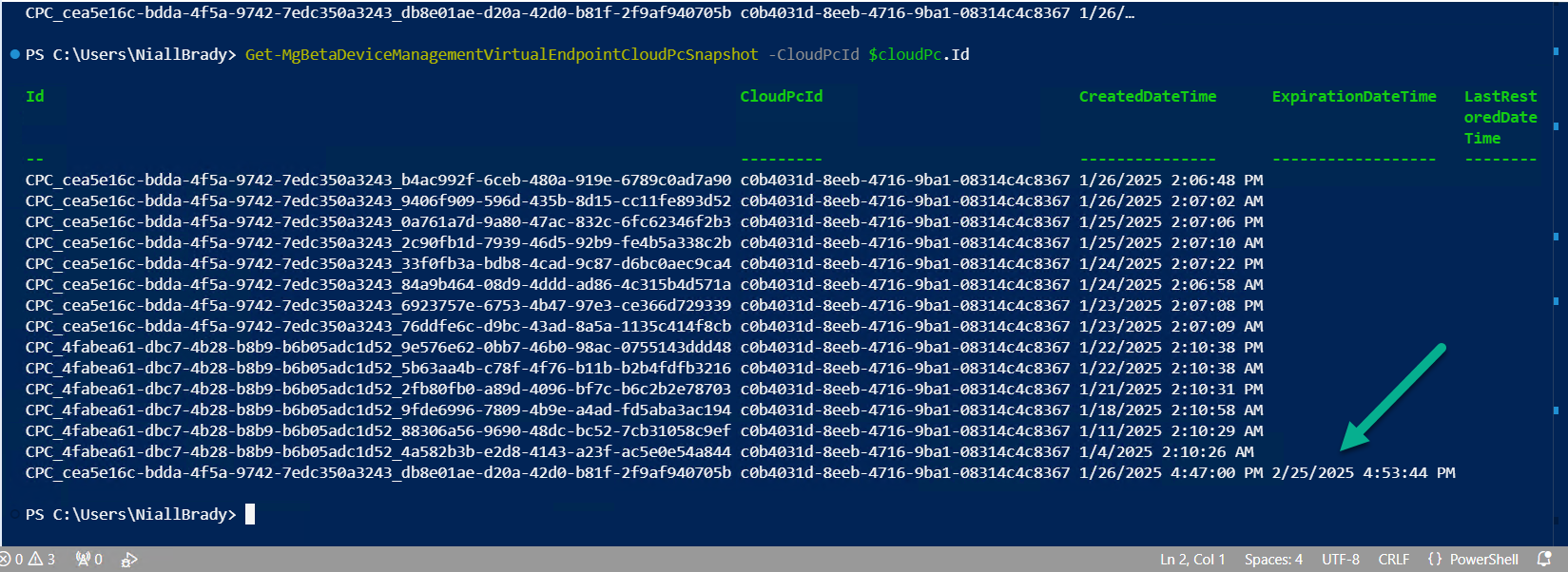
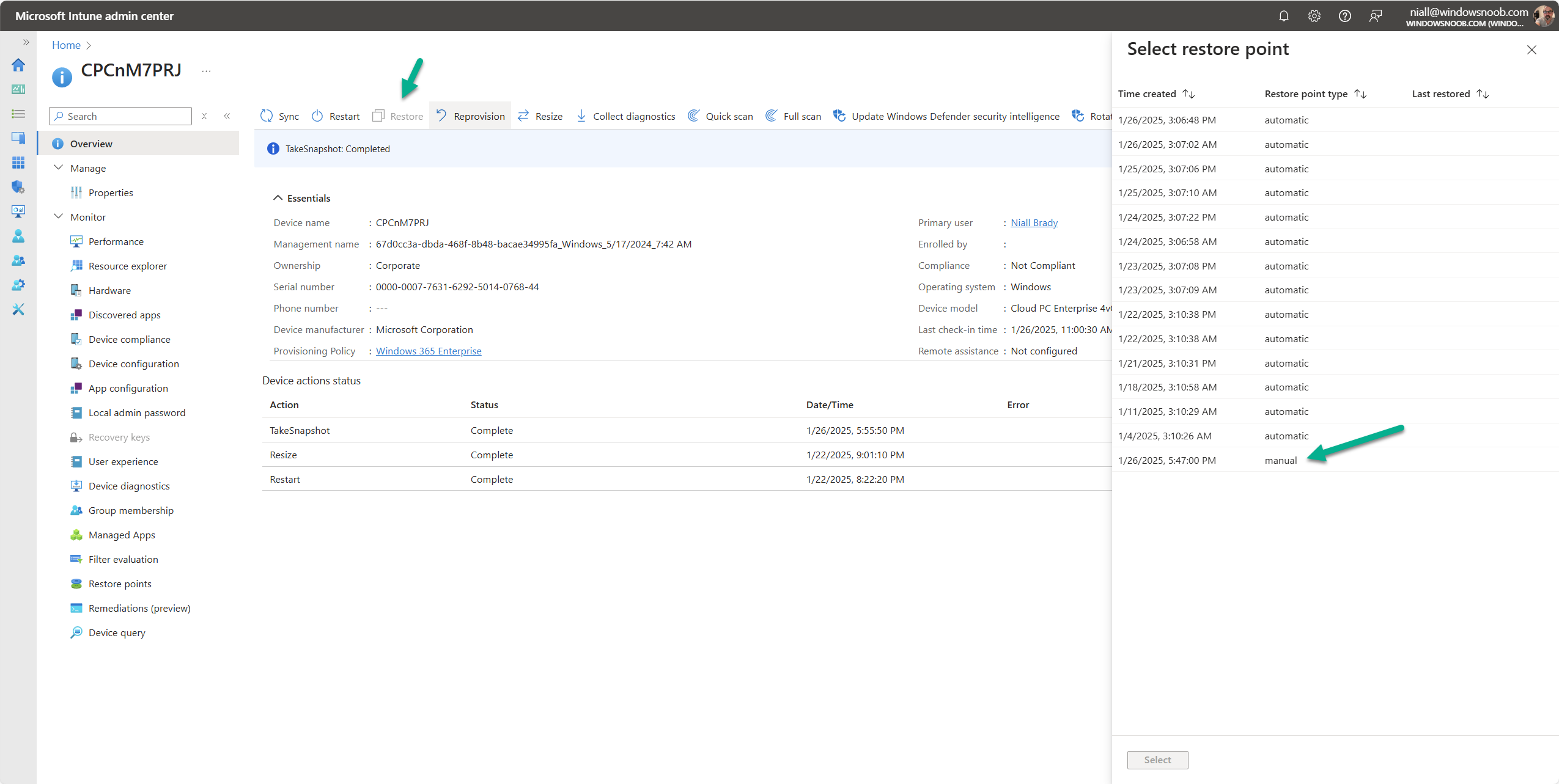
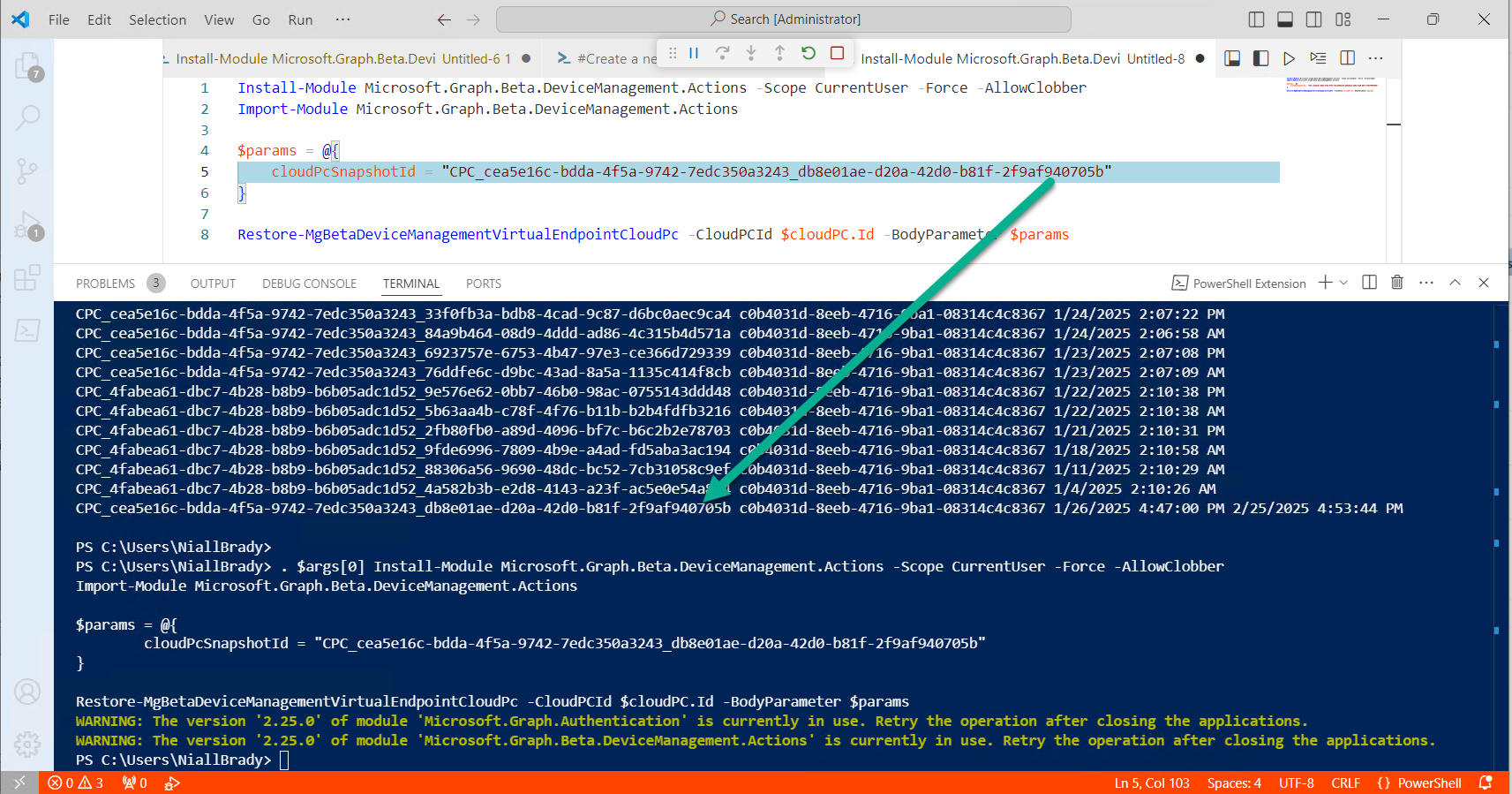
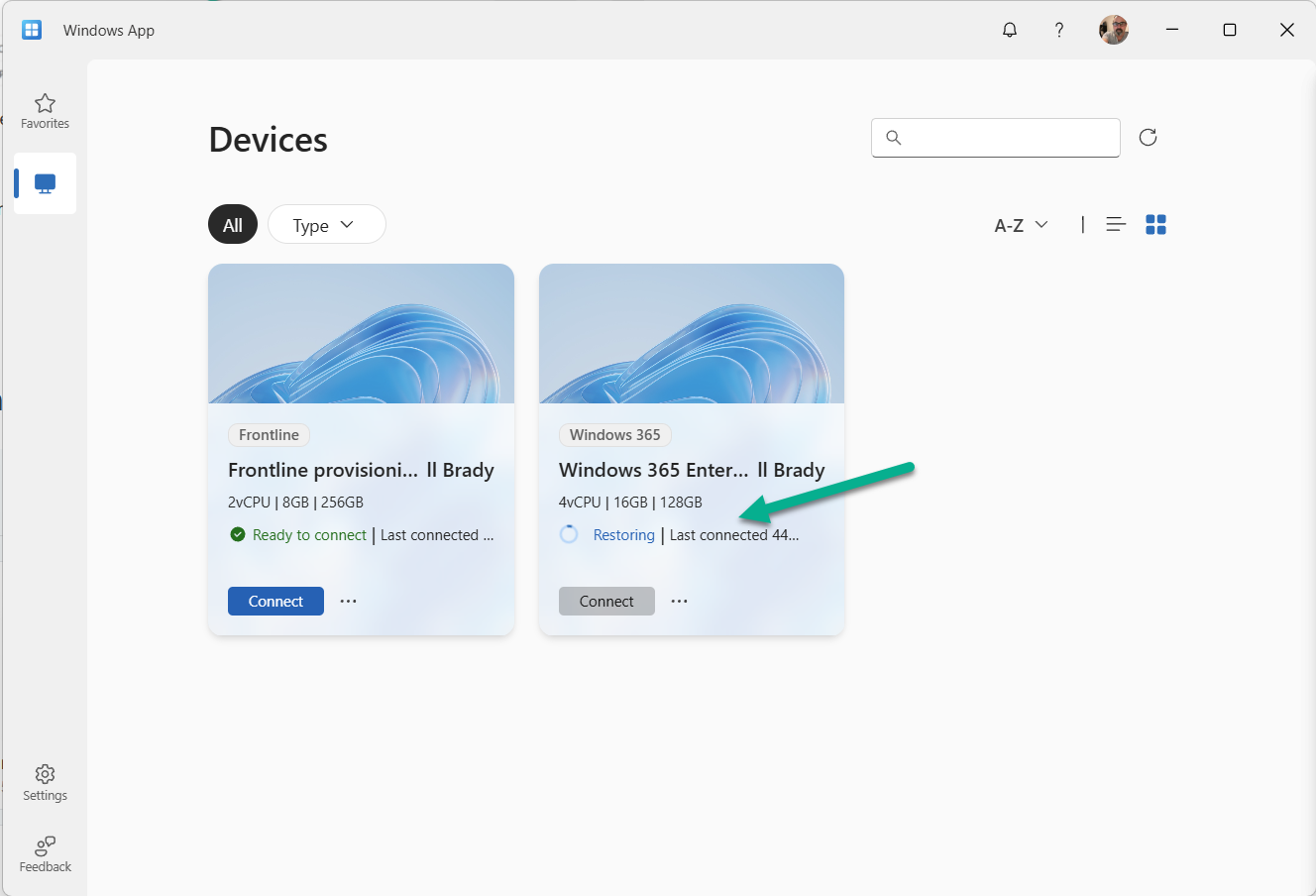
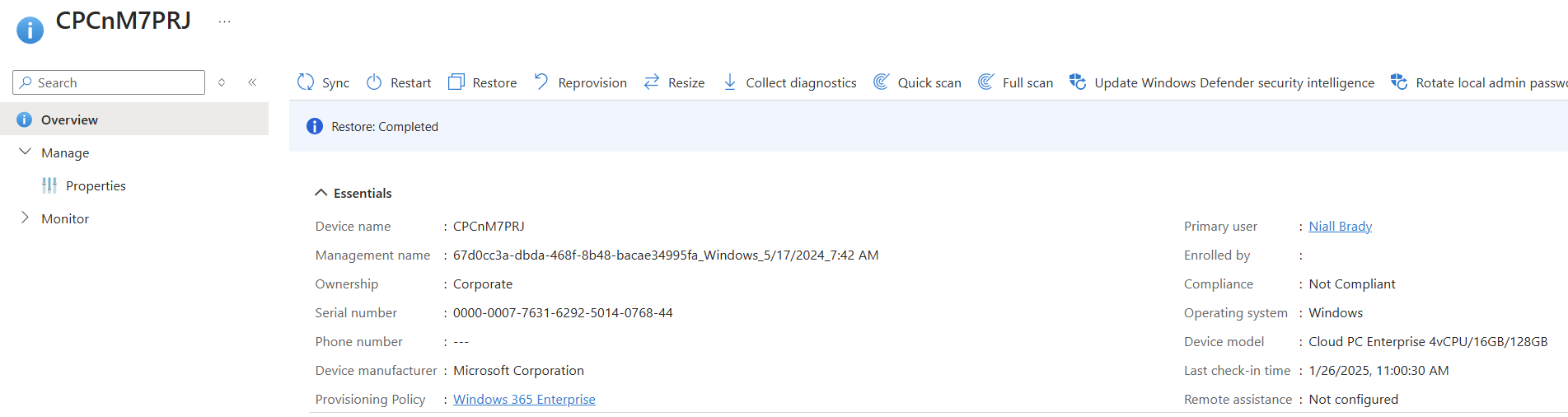
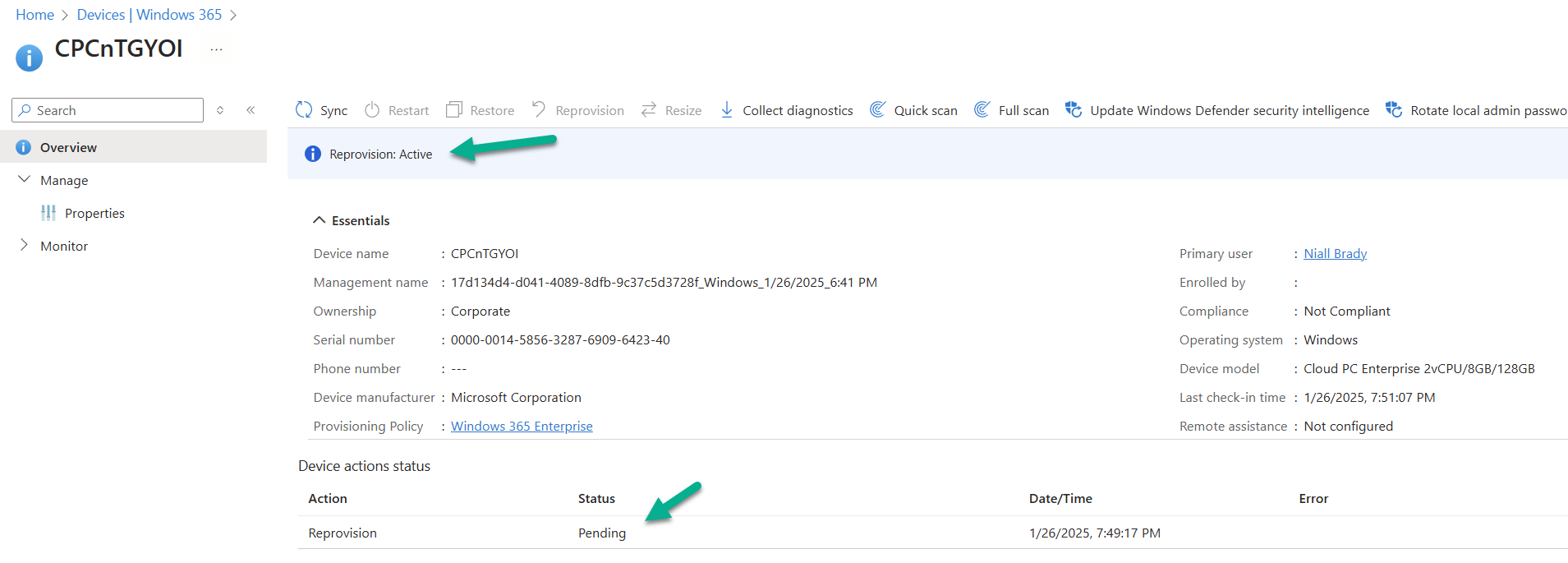
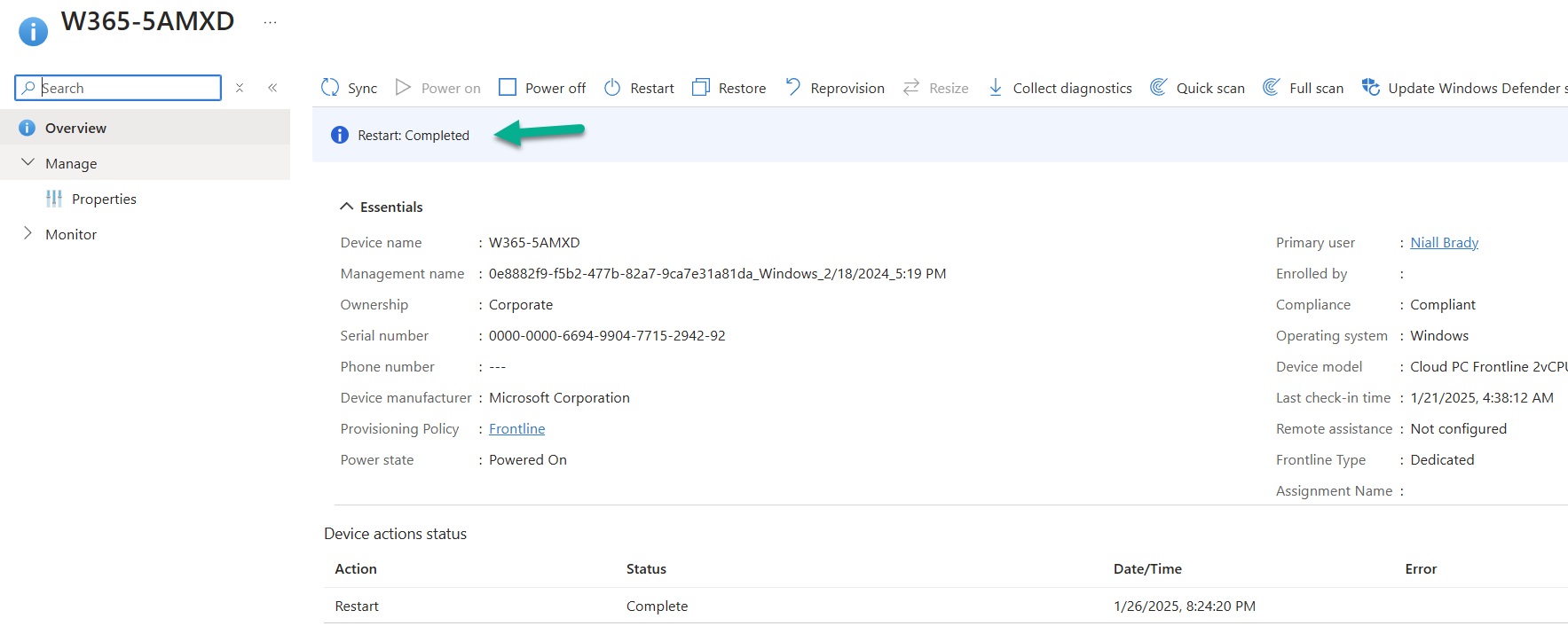
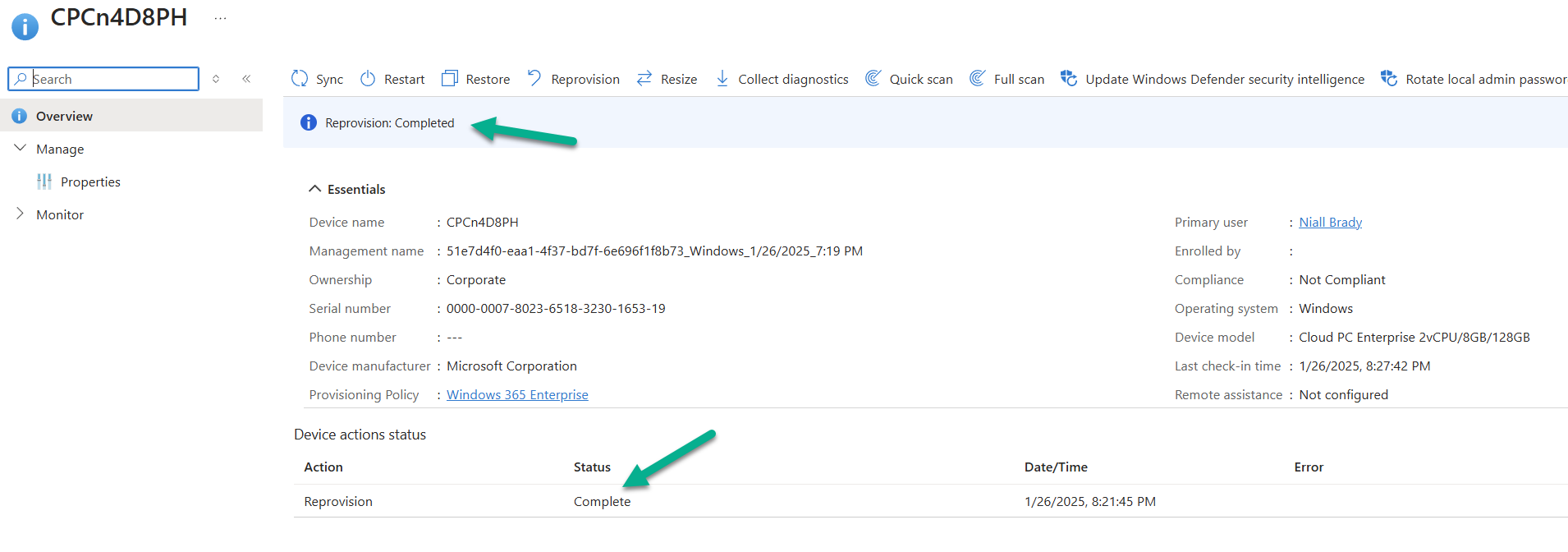
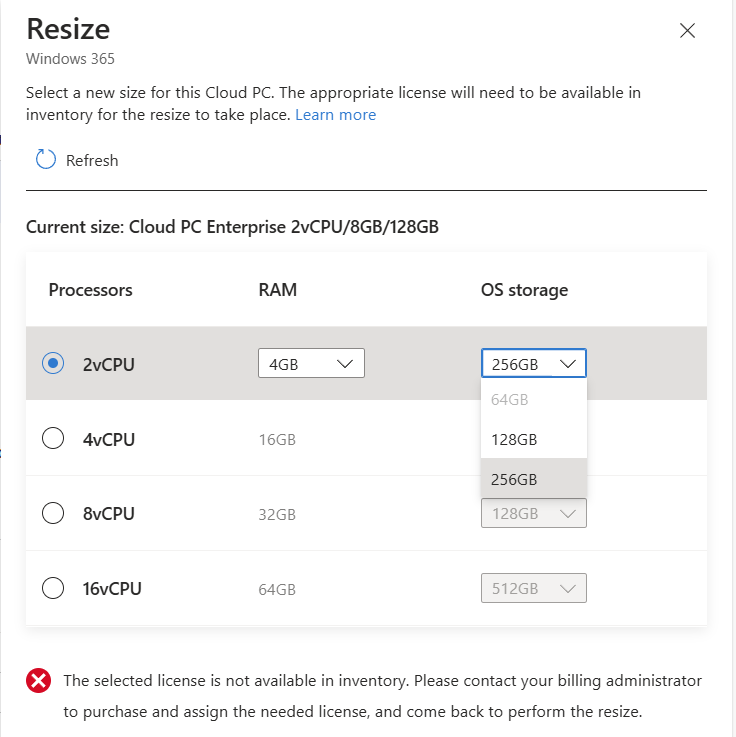
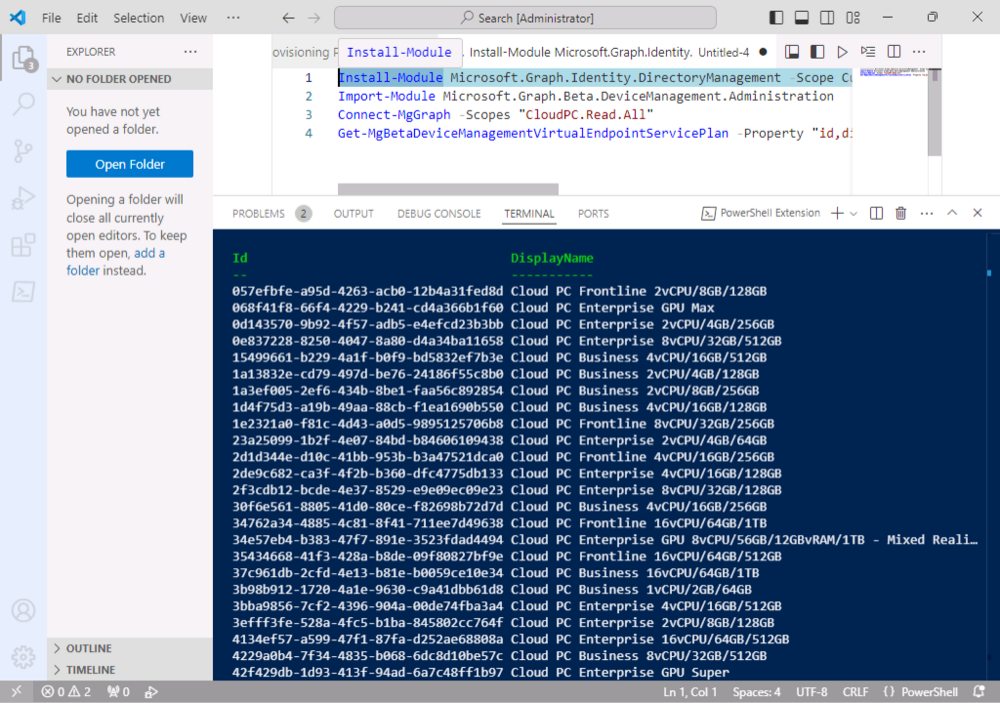
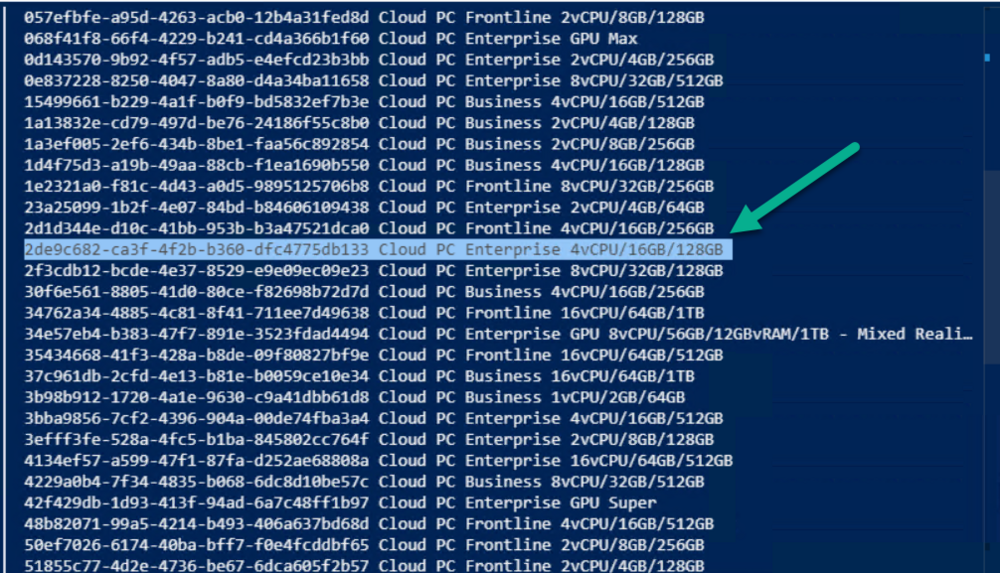
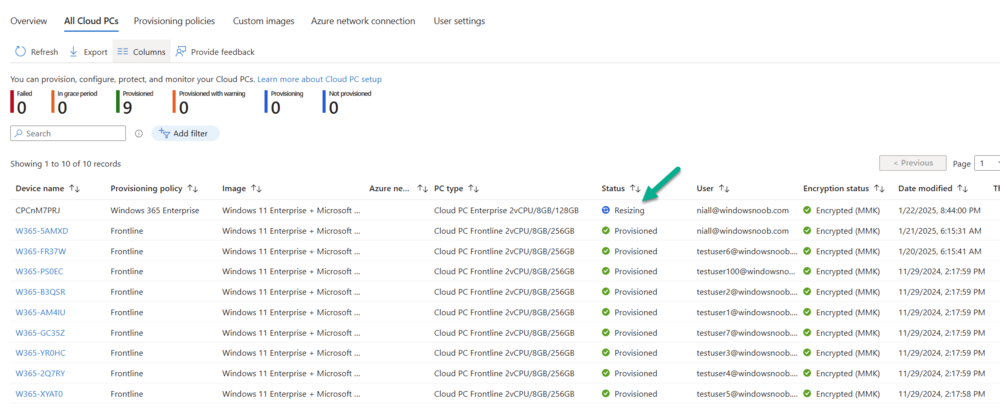
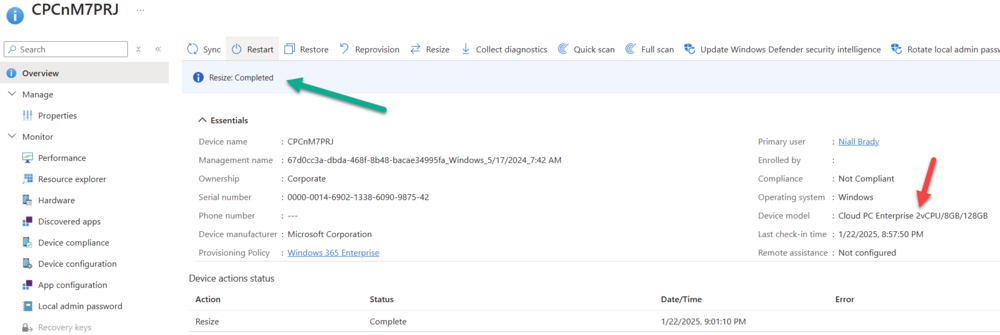
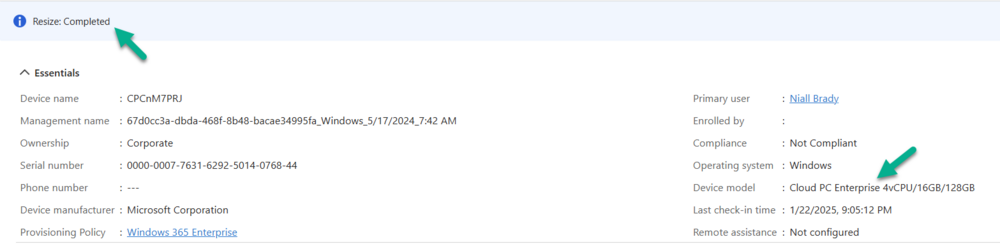
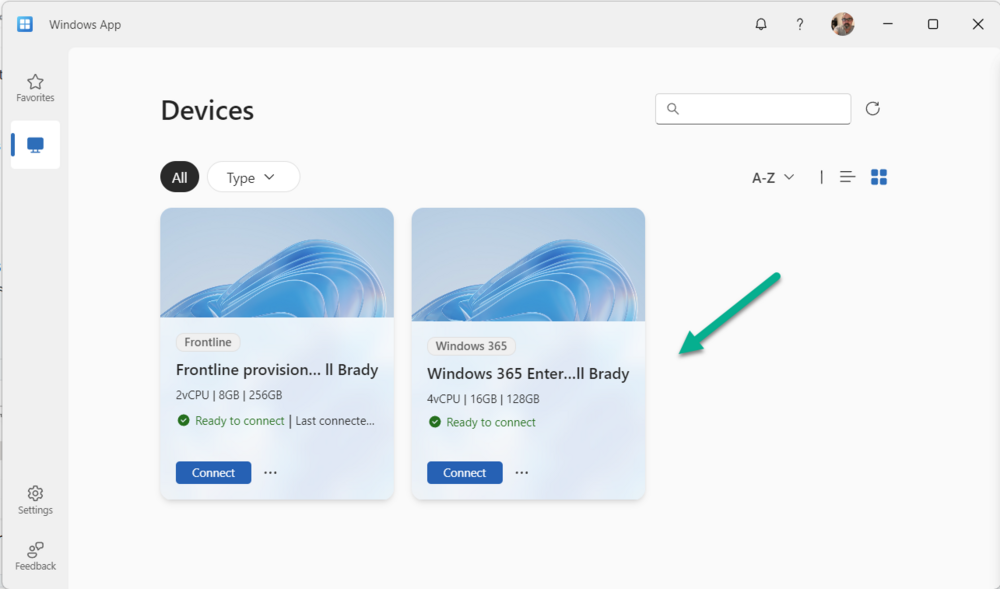
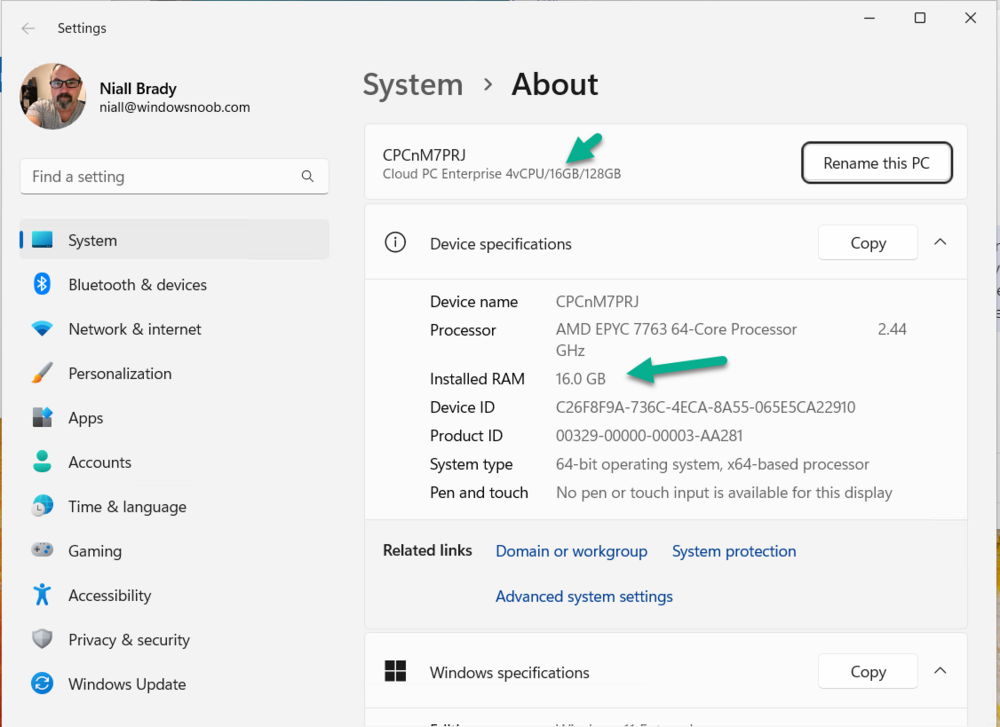
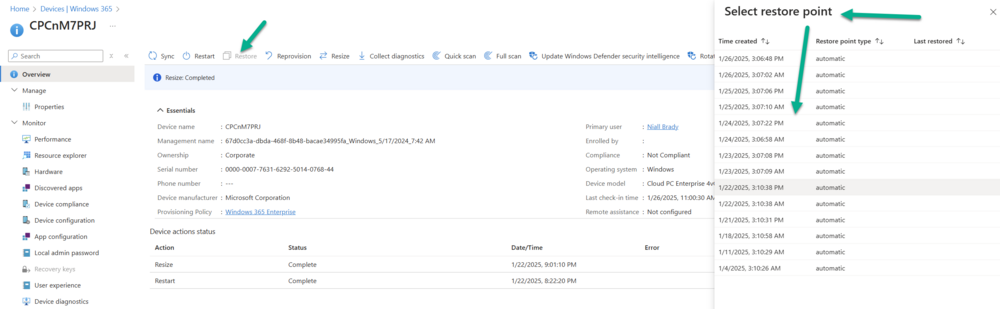
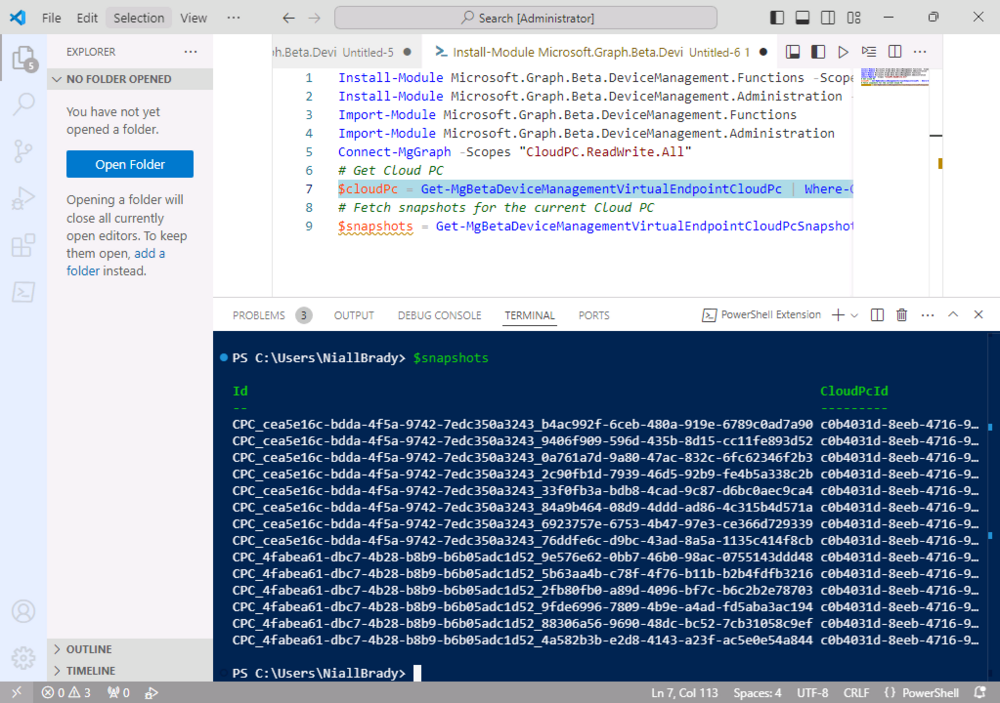
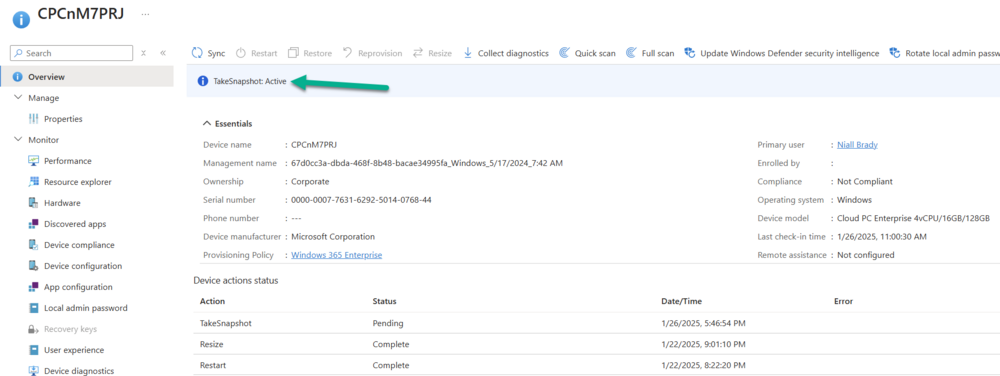
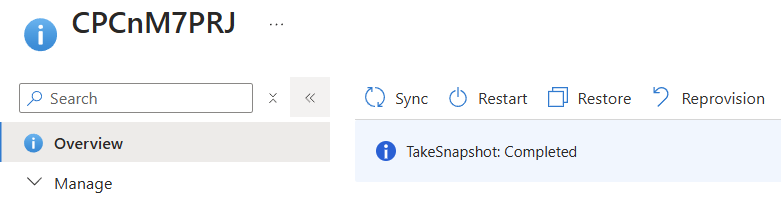
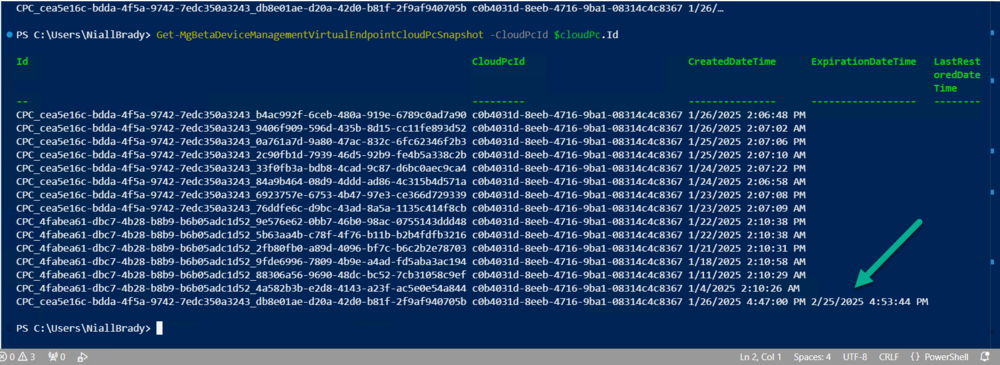
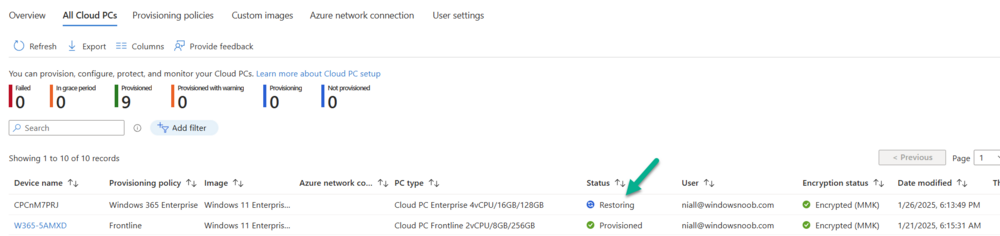
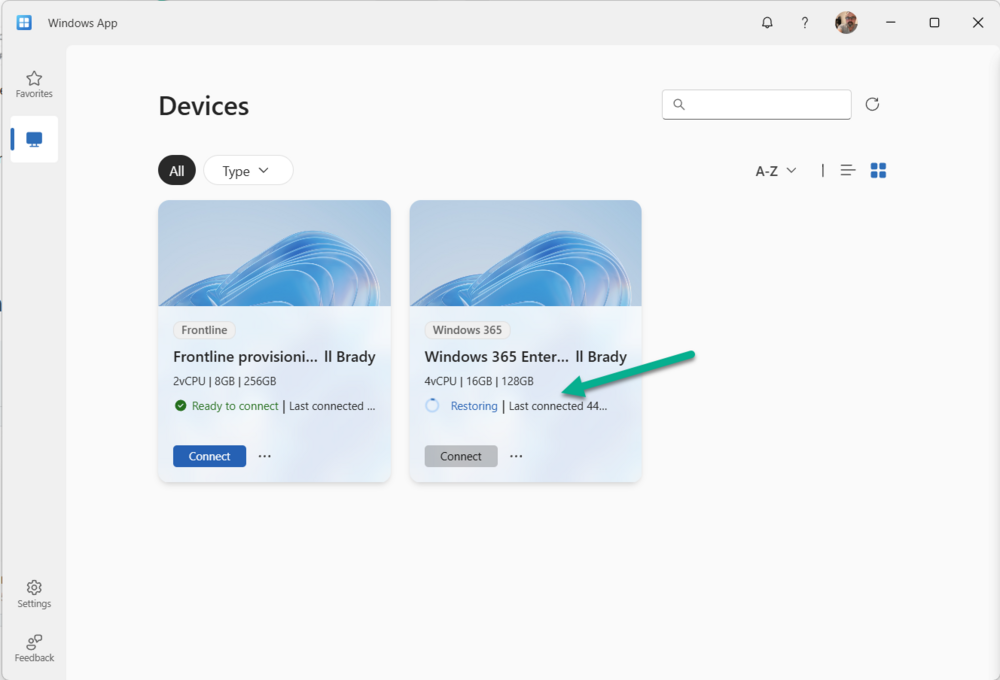
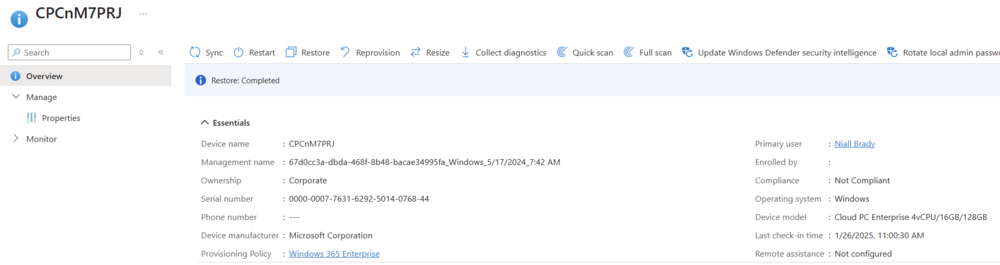
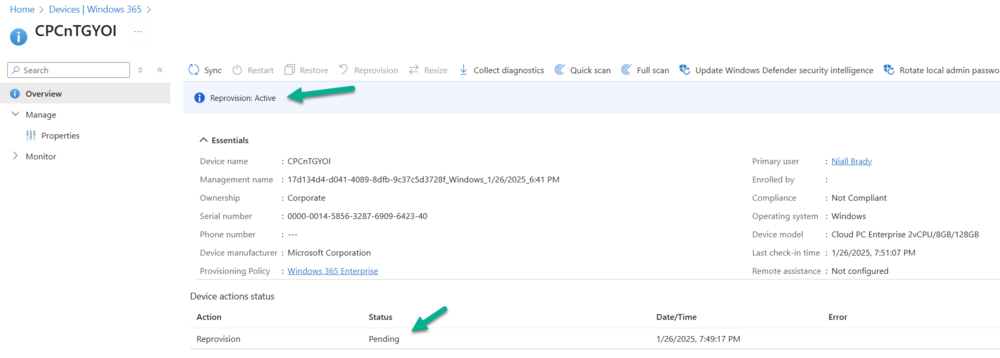
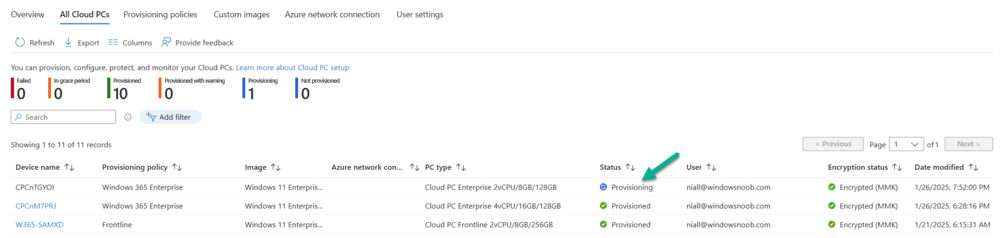
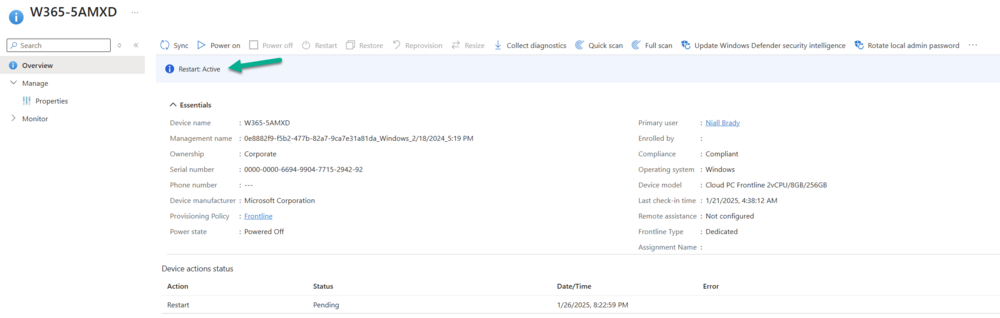
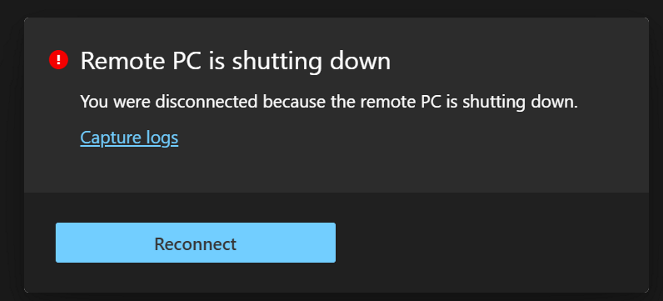
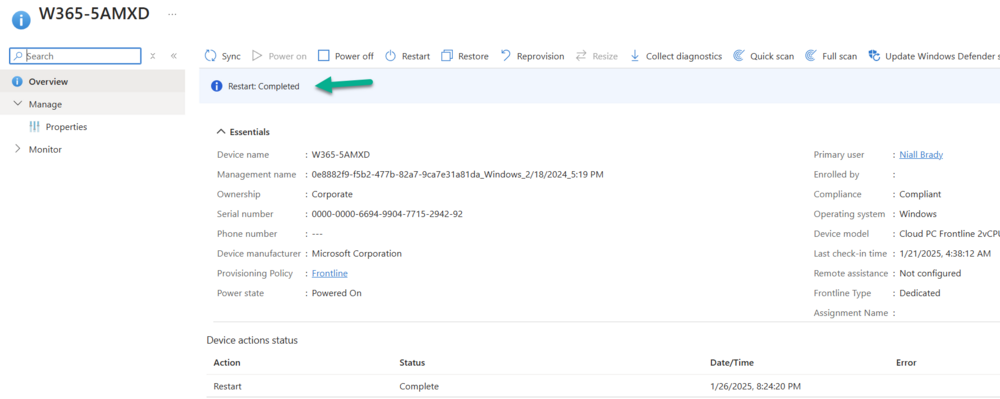
Introduction This is Part 4 of a new series of guides which will cover managing Windows 365 Cloud PCs using PowerShell and Microsoft Graph. This mini series should help you get started with automating and managing your Cloud PCs using PowerShell via Microsoft Graph. If you are new to Windows 365 Cloud PCs then please read our previous series called Getting started with Windows 365 available here. At the time of writing, Paul is a 8 times Enterprise Mobility MVP based in the UK and Niall is a 14 times Enterprise Mobility & Windows and Devices MVP based in Sweden. Below you can find all parts in this series: Automating Windows 365 part 1 - Introducing Graph and setting up Visual Studio code Automating Windows 365 part 2 - Using Graph X-Ray Automating Windows 365 part 3 - Provisioning Cloud PC's Automating Windows 365 part 4 - Managing your Cloud PC <- you are here Automating Windows 365 part 5 - TBD In this part of our guide to managing Windows 365 Cloud PCs via PowerShell and Microsoft Graph, we'll cover the following management actions: Resize Restore Reprovision Restart Resizing your Windows 365 Cloud PCs The Resize remote action for Windows 365 Cloud PCs retains user and disk data which is very cool, and allows you the IT Admin to resize the users device as required based on usage or requests. The resize action allows you to: Upgrade the RAM, CPU, and storage capacity of a Cloud PC. Downgrade the RAM and CPU of a Cloud PC. Note: The resize option does not support reducing disk space. Also worth mentioning, you cannot resize a Frontline provisioned Cloud PC. The available options when attempting to resize your Cloud PCs are also based on the Windows 365 licenses you have in your tenant. For example, in our tenant we have the following licenses available: Windows 365 Enterprise 2 vCPU, 8 GB, 128 GB Windows 365 Enterprise 4 vCPU, 16 GB, 128 GB Windows 365 Enterprise 16 vCPU, 64 GB, 512 GB There are various resize options available but for this guide we'll upgrade from 2vCPU to 4vCPU, we cannot downgrade the disk space from 128GB to something smaller as this is not supported and we don't have the licenses available anyway. With that in mind in the Microsoft Intune admin under Devices > Device onboarding > Windows 365 > All Cloud PCs, if you select a device and choose Resize, you are presented with the options to Resize. Selecting an inappropriate option results in you being informed that the selected license is not available in your inventory as shown below in the screenshot. Keep this in mind when you attempt to resize your Cloud PCs via Graph. To get started with Resize via Graph and PowerShell, we need to list all the service plans available. Remember, these are not all the sizes available, just a list of them all. Using the following code, we can list all of those service plans, this uses the following cmdlet Get-MgBetaDeviceManagementVirtualEndpointServicePlan documented here. Install-Module Microsoft.Graph.Identity.DirectoryManagement -Scope CurrentUser -Force -AllowClobber Import-Module Microsoft.Graph.Beta.DeviceManagement.Administration Connect-MgGraph -Scopes "CloudPC.Read.All" Get-MgBetaDeviceManagementVirtualEndpointServicePlan -Property "id,displayName,type,vCpuCount,ramInGB,storageInGB,category,provisioningType,supportedSolution" Launch Visual Studio Code give it a go. The results will be displayed similar to the below output. To demonstrate the Resize action, we will upgrade one of our Cloud PCs, you can try this out on one of your own Windows 365 Cloud PCs by substituting the relevant service plan information. Currently, our Cloud PC is 2 vCPU, 8 GB, 128 GB as you can see below. Looking at the output from Graph for our service plans, we can see that we need service plan with the ID 2de9c682-ca3f-4f2b-b360-dfc4775db133 as this matches the subscription we have available. In the code below, we use the Get-MgBetaDeviceManagementVirtualEndpointCloudPc cmdlet, documented here, to retrieve the details of the device we are going to resize. Remember, you will need to change the ManagedDeviceName from CPCnM7PRJ to one of your own Cloud PC device names and select an available target service plan Id. We store the service plan information in the variable targetServicePlanId in the $params array. You will also need to change this to your target service plan ID. Finally, we issue the Resize-MgBetaDeviceManagementVirtualEndpointCloudPc cmdlet to kick start the resize process. Read about that cmdlet here. Install-Module Microsoft.Graph.Beta.DeviceManagement.Administration -Scope CurrentUser -Force -AllowClobber Import-Module Microsoft.Graph.Beta.DeviceManagement.Administration Connect-Graph -Scopes "CloudPC.ReadWrite.All" $cloudPc = Get-MgBetaDeviceManagementVirtualEndpointCloudPc | Where-Object { $_.ManagedDeviceName -eq "CPCnM7PRJ" } $params = @{ targetServicePlanId = "2de9c682-ca3f-4f2b-b360-dfc4775db133" } Resize-MgBetaDeviceManagementVirtualEndpointCloudPc -CloudPCId $cloudPC.Id -BodyParameter $params If you have picked a service plan which is not applicable, based on the criteria we have mentioned previously, you will receive a failure to resize when you view the device in the Intune admin center. If however you have executed the code against a valid target service plan, you will see the Resize action taking place in Intune. Return to the All Cloud PCs view under Devices > Device onboarding > Windows 365 > All Cloud PCs you will notice that the device will be listed with its Status as Resizing. After some time, the resizing operation will complete and this will be reflected under Device actions status when viewing the targeted device. In the screenshot below however you can also see that the old device model is listed. Triggering a Sync of the device or just waiting will update the model to the correct specs. In the All Cloud PCs view, the Status will now report as Provisioned and the PC type should reflect the new service plan. We can see below that the device does indeed have the new changes (CPU/RAM). Also, if the user attempts to access the Cloud PC from the Windows app or Windows 365 website, the size details of the Cloud PC will be reflected with the new resized information. Finally, the quick check on the Cloud PC itself confirms the change in CPU/RAM. The resize via Graph was a success! The Restore action via Graph In our previous Windows 365 series about Windows 365 we covered the Restore action, a feature specifically available to Cloud PCs. These restore points allow you, as the admin, to choose from a series of long or short term restore points. Long term restore points are saved every 7 days and there are a maximum of 4 long term restore points. Short term restore points are saved based on the user settings interval, so can be every 4, 6, 12, 16 or 24 hours. Read more about restore points at our blog post, here. You can view the available restore points for a device by navigating to Devices > Device onboarding > Windows 365 > All Cloud PCs in Intune. You then select a device and choose Restore from the menu. You are presented with a list of the available restore points which can be selected to revert the Cloud PC to. When managing our Cloud PCs for Restore via Graph, we need to begin by querying those restore points for our device. Start off by running the relevant modules and connecting to Graph. Next, you need to obtain the details of the Cloud PC you want to run the Restore action on. We are reusing our code from previous to do this by running the Get-MgBetaDeviceManagementVirtualEndpointCloudPc cmdlet and filtering on a specific hostname. Then we utilise the Get-MgBetaDeviceManagementVirtualEndpointCloudPcSnapshot cmdlet to gather all the snapshots for this Cloud PC. Read more about that cmdlet here. Install-Module Microsoft.Graph.Beta.DeviceManagement.Functions -Scope CurrentUser -Force -AllowClobber Install-Module Microsoft.Graph.Beta.DeviceManagement.Administration -Scope CurrentUser -Force -AllowClobber Import-Module Microsoft.Graph.Beta.DeviceManagement.Functions Import-Module Microsoft.Graph.Beta.DeviceManagement.Administration Connect-MgGraph -Scopes "CloudPC.ReadWrite.All" # Get Cloud PC $cloudPc = Get-MgBetaDeviceManagementVirtualEndpointCloudPc | Where-Object { $_.ManagedDeviceName -eq "CPCnM7PRJ" } # Fetch snapshots for the current Cloud PC $snapshots = Get-MgBetaDeviceManagementVirtualEndpointCloudPcSnapshot -CloudPcId $cloudPc.Id After executing, all the snapshots will be stored in the $snapshots variable. Let's say that we want to create a new snapshot for this Cloud PC. We can execute the New-MgBetaDeviceManagementVirtualEndpointCloudPcSnapshot cmdlet to achieve this. Details of this cmdlet are here. #Create a new snapshot New-MgBetaDeviceManagementVirtualEndpointCloudPcSnapshot -CloudPcId $cloudPc.Id In the Intune console, if you take a look at the targeted device you will see that Take Snapshot: Active is reported and initially in a Pending state before becoming Active. Once the Restore action of taking the snapshot is compete, the Device action status will be updated to reflect this. You can now re-run the Get-MgBetaDeviceManagementVirtualEndpointCloudPcSnapshot -CloudPcId $cloudPc.Id command to see the newly created, manual, snapshot listed. Likewise, in the Intune console, the snapshot will be listed. Note that the Restore point type will be listed as manual. OK, let's look at how you can restore to a specific restore point. You previously collected all the snapshots for a device and stored them in the $snapshots variable. You can use the ID from that data to run the restore. These are the ID's starting with CPC. Find the ID you want to use for your restore point and use the code below, changing the cloudPcSnapshotId details to match the ID of your snapshot. The code runs the Restore-MgBetaDeviceManagementVirtualEndpointCloudPc cmdlet to restore the Cloud PC. You can read about this cmdlet here. Install-Module Microsoft.Graph.Beta.DeviceManagement.Actions -Scope CurrentUser -Force -AllowClobber Import-Module Microsoft.Graph.Beta.DeviceManagement.Actions $params = @{ cloudPcSnapshotId = "CPC_cea5e16c-bdda-4f5a-9742-7edc350a3243_db8e01ae-d20a-42d0-b81f-2f9af940705b" } Restore-MgBetaDeviceManagementVirtualEndpointCloudPc -CloudPCId $cloudPC.Id -BodyParameter $params Once again, check the device in the Intune console to observe the status of the action. Here you can see from the All Cloud PCs view that the device is Restoring. and the Device action status will show when that Restore action is complete. Whilst a restore takes place, the user is unable to access the Cloud PC. In the Windows app, or the Windows 365 website, the status of the device will report Restoring Cloud PC. How to Reprovision a Cloud PC with Graph Another action, which is unique to Windows 365 Cloud PCs, is Reprovision. This action effectively deletes a user's current Cloud PC and creates a brand new one for the same user. Note that all the user's data, applications, customisations, etc, are also removed as part of this process. The code, once again, utilize the Get-MgBetaDeviceManagementVirtualEndpointCloudPc cmdlet and, as before, remember to change the name of the Cloud PC to match your device. To reprovision the device you simply need to run the Invoke-MgBetaReprovisionDeviceManagementVirtualEndpointCloudPc cmdlet against that Cloud PC. Read about that cmdlet here. Install-Module Microsoft.Graph.Beta.DeviceManagement.Actions -Scope CurrentUser -Force -AllowClobber Import-Module Microsoft.Graph.Beta.DeviceManagement.Actions Install-Module Microsoft.Graph.Beta.DeviceManagement.Administration -Scope CurrentUser -Force -AllowClobber Import-Module Microsoft.Graph.Beta.DeviceManagement.Administration Connect-MgGraph -Scopes "CloudPC.ReadWrite.All" # Get Cloud PC $cloudPc = Get-MgBetaDeviceManagementVirtualEndpointCloudPc | Where-Object { $_.ManagedDeviceName -eq "CPCnTGYOI" } # Reprovison the device Invoke-MgBetaReprovisionDeviceManagementVirtualEndpointCloudPc -CloudPCId $cloudPC.Id Let's check the Intune console once again for the status of the Reprovision action. You will see it reporting as Active in the device view. In the All Cloud PCs view it will state Provisioning in the Status column. Since our Cloud PCs using a random naming template, the device will be created with a new name. In our case the device is now called CPCn4D8PH. Finally, in the device view, the reprovisioning will be marked as Completed. Restarting a Cloud PC As with the reprovisioning via Graph, the Restart action is fairly simple to implement. The Restart device action initiates a reboot of the selected device within five minutes. Keep in mind that the device owner won't receive an automatic notification, which could result in unsaved work being lost. Since we provisioned the Cloud PC previously, we have updated the hostname in our command to get the Cloud PC via the Get-MgBetaDeviceManagementVirtualEndpointCloudPc cmdlet. Be aware of that if you have followed along and also reprovisioned prior to running this action. As mentioned, the reprovision action may have changed the device name. With details of the Cloud PC gathered, you can execute the Restart-MgBetaDeviceManagementVirtualEndpointCloudPc cmdlet. Details here. Install-Module Microsoft.Graph.Beta.DeviceManagement.Actions -Scope CurrentUser -Force -AllowClobber Import-Module Microsoft.Graph.Beta.DeviceManagement.Actions Install-Module Microsoft.Graph.Beta.DeviceManagement.Administration -Scope CurrentUser -Force -AllowClobber Import-Module Microsoft.Graph.Beta.DeviceManagement.Administration Connect-MgGraph -Scopes "CloudPC.ReadWrite.All" # Get Cloud PC $cloudPc = Get-MgBetaDeviceManagementVirtualEndpointCloudPc | Where-Object { $_.ManagedDeviceName -eq "W365-5AMXD" } # Restart the device Restart-MgBetaDeviceManagementVirtualEndpointCloudPc -CloudPCId $cloudPC.Id The device will report as Restart: Active in the device view in the Intune console. As mentioned, the user will get disconnected from their Cloud PC. and when the action is complete, it will be reported as such in the Intune console and the user will be able to log back into their device. Summary Managing your Cloud PCs via Microsoft Graph is super simple and we have showed you how you can run effective code to execute the resize, restore, reprovision and restart actions against a specific device. You can take the code provided and expand this to create scripts which could run these actions against a collection of devices, similar to the Bulk actions options available in the Microsoft Intune admin center.








-
if they click cancel then the required task sequence will not run and it will want to reboot the computer
-
Prerequsites for SCCM 2012 R2 and SCCM 1606
anyweb replied to charris211's topic in Configuration Manager 2012
check your messenger -
A quick look at using Windows 365 Cloud PC’s via Motorola Thinkphone
anyweb replied to anyweb's topic in Windows 365
thanks for sharing ! -
Prerequsites for SCCM 2012 R2 and SCCM 1606
anyweb replied to charris211's topic in Configuration Manager 2012
I have the following prerequisites, take your pick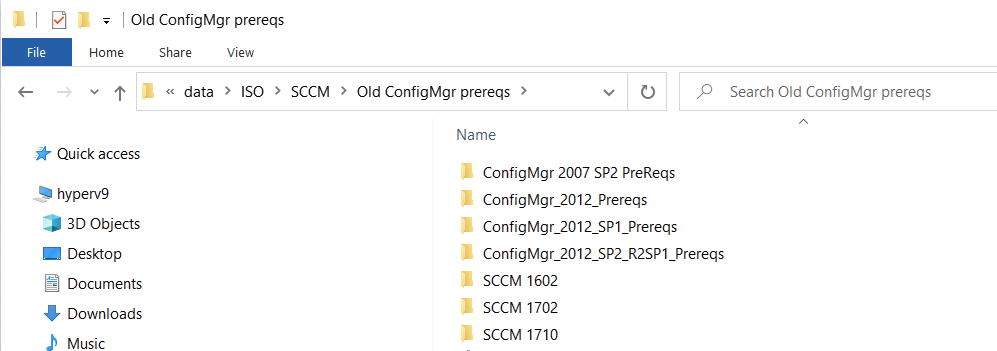
-
Introduction Shortly after Technical Preview 2411 was released I predicted that Configuration Manager 2409 would be released within a couple of days, and it was more or less, well… 4 days later. This production release was late and people were waiting to see what the new release offered/fixed. To clarify what i mean by late, if we are going by the release name, it should have technically been released in September 2024 (Configuration Manager 2409) and yet was released in December 2024. Oh well, at least it’s out. 2409 Release dates Fast Ring: December 03, 2024 Slow Ring: December 16, 2024 I upgraded my lab to 2409 using the fast ring script as soon as it was available and I had no issues at all with the upgrade. Here are the update notes from Microsoft. What’s new ? Now that we have 2409 installed, what is new/changed/broken/depreciated. I’ll highlight the important ones, you can get the entire list here. SQL related Configuration Manager now supports SQL extended protection for authentication. It’s a security feature that enhances protection against MITM attacks, making SQL server more secure when connections are made using extended protection. Starting with version 2409, Configuration Manager no longer supports SQL Server 2012 and 2014. Upgrade to the latest SQL Server version or at least SQL Server 2016. If you don’t upgrade, CM upgrades are blocked, and you see an error during the prereq check. For more information, see Supported SQL Server versions for Configuration Manager. OSD related MDT is depreciated so it’s time to remove all MDT integration from your task sequences before October 2025. Windows 11 24H2 & Windows Server 2025 are added to the Product lifecycle dashboard and supported platform. Windows 11 24H2 & Windows Server 2025 client support is added. Boot image creation in CM on Windows Server 2025 now supports the latest Windows ADK. The Windows upgrade readiness dashboard now supports Windows 11 24H2 for upgrading clients. Configuration Manager now supports BitLocker task sequence steps for Arm64 devices. Cloud related The ‘Renew Secret Key‘ feature now opens a dialog with four options for the validity period. This update also prevents applications older than 800 days (approximately two years) from renewing their secret keys. The same options are available when creating a new app. CMG Setup now uses managed Identities and third-party Server App to interact with CMG’s Azure Storage account, instead of storage account keys. Other In BitLocker Management, policies that include OS drive encryption with a TPM protector and fixed drive encryption with the Auto-Unlock option are supported on Arm64 devices. Issues I observed (post upgrade) Upgrading to 2409 twice As I had originally upgraded to 2409 using the fast ring script, I went back to see if any HFRU was released to address any issues, and there wasn’t however there was a new version of Configuration Manager 2409 … not confusing at all. So before continuing I decided to upgrade my site to 2409 again :-). After some time (the next day) my site was upgraded again and looking good, this time with version 5.00.9132.1011. Enabling CMG Enhanced Security When enabling the CMG enhanced security, using an account that was a Global Admin in Azure, I got the following error: Subscription Configuration Error occurred when granting Contributor permission to the Microsoft Entra ID app for resource group cloudattachcmg. For more information, see SmsAdminUI.log. which pointed me to the SMSAdminUI.log. Here’s a snippet from that log: [1, PID:3620][12/18/2024 11:21:17] :Hyak.Common.CloudException\r\nFailed to complete the role assignment with status code Forbidden.\r\n at Microsoft.ConfigurationManagement.AdminConsole.AzureServices.EnhanceSecurityDialog.GrantRoleBasedAccessControlToAadAppOnResourceGroup(String subscriptionId, String servicePrincipalId, String resourceGroupName)\r\n I looked at the user I was logged in as and it was indeed a Global Admin and the role enabled using PIM, however it wasn’t a subscription owner as the following indicates you need to be. When I originally setup this CMG I used a different Global Admin account which was also the subscription owner. So I assigned the subscription owner Azure resource role to my new Global Admin user, PIM’d the role and tried again. This time, it went through the upgrade wizard without a hitch! I hope this helps someone ! New abilities Below you can see the new maintenance windows feature which is part of the CMG enhanced security The renew secret key option for your Cloud Management Server App opens the following wizard with new options for secret key expiry Centralized search means you can now decide which node to search in, or choose All Workspaces to search everywhere. Until the next time, cheers niall
-
Introduction Windows 365 Cloud PC’s have evolved a lot in the last couple of years, and with the Windows app you can access them from practically any device. The Android based Motorola ThinkPhone is not new however, but I’ve been using it to access my Cloud PC’s from various locations (Sweden, Texas, Florida) over the last several months to get a good idea of it’s capabilities. To assist with that I’ve connected it to the following for ease of use: External monitor (Lenovo ThinkVision portable monitor) Phone stand (cheap eBay stand) USB C port extender Wireless keyboard and mouse This combination might mean that you need to pack less computing power as the Cloud PC does the heavy lifting. You could even skip the portable monitor and use the ThinkPhone’s built in screen but that might be a stretch if your eyesight isn’t up to it. ThinkPhone & Windows 365 So what does this phone offer exactly in relation to Windows 365 Cloud PC’s ? Well if has built in integration with Windows 365 allowing you to quickly access your Cloud PC’s with a rich experience over the native Android experience via the Window app. When you connect an external monitor you’ll see the Windows 365 integration first hand and it’s conveniently the first icon shown. Clicking it shows you what looks like a connection to a Cloud PC but the text at the bottom of the screen informs you to: Select a Cloud PC on your phone to connect. I don’t quite get why this is necessary, or why you are not shown the Cloud PC’s on your display to choose from, but this is how it works with this solution currently. It’s a step I’d like to see improved in a later release of this solution. Returning to your phone, you select the Cloud PC you want to connect to. and after doing so you are prompted to confirm your preferences in relation to what the remote PC can access on your device. your Cloud PC magically launches, how cool is that? You can do your work as normal, browse websites, use Teams for meetings and so on. It actually works very well for general office tasks. This entire blog post, from start to finish was composed on my Cloud PC using the ThinkPhone while away from my normal office environment. What needs improvement As I’ve said already I’ve used this combination (ThinkPhone + External portable monitor + wireless keyboard + mouse) in various locations around the world and for most scenarios it works really well. However there is room for improvement. Multiple monitor support Most people that dock anything to a USB-C or Thunderbolt dock do so with multiple monitors, and straight away, this scenario fails, as it can only utilize one monitor. This is probably why the online demos are always with one monitor. I’ve 3 monitors in my home office and that’s how I like to work with my Cloud PC’s. Cloud PC license support Currently it doesn’t support Frontline licensing, why ? I did notice for a brief few weeks that my Frontline Cloud PC showed up on the ThinkPhone, but it has once again disappeared. Text markup I’m not sure if this is an Android thing or a Cloud PC + ThinkPhone thing, but when I mark text (for example an entire paragraph) and want to do an action such as delete that selected text, it doesn’t let me complete that action so I have to delete the text letter by letter instead. Locking the screen When using the shortcut (windows key + L) to lock the screen, or when choosing the option to lock screen from the start menu, it completely disconnects the ThinkPhone from the session even though all I wanted was a lock screen, why is this the default behaviour ? Docking behaviour When docked, the external web camera connected to the docking station is ignored, only the phones cameras are available, why ? Watching videos When watching videos on your Cloud PC via the ThinkPhone, audio lags, you can watch a video but when you focus on what people are saying there lips don’t sync up to the actual audio. Summary The Motorola ThinkPhone is a brilliant phone in it’s own right and offers cool features that any phone efficiando would appreciate. But when it comes to Windows 365 connectivity, this is the icing on the cake. It really does offer you the ability to work remotely using just a phone, by docking to an existing USB-C docking station or by connecting external peripherals. This phone and this solution gets two big thumbs up from me and I’m definitely excited to test the next generation of this release from Motorola and Microsoft.
-
you can use one boot image, if you check my devmode follow up blog post it shows up it all fits together and yes you can use an x64 boot image, I was simply using x86 at the time for this example
-
you can deploy multiple task sequences to the same collection with a purpose of Available, some hidden, some not, the hidden ones just 'won't appear' unless acted upon using my script or a modern version of it (Powershell), the thing that matters here (for hidden task sequences) is the deploymentID