anyweb
-
Posts
9271 -
Joined
-
Last visited
-
Days Won
371
Everything posted by anyweb
-
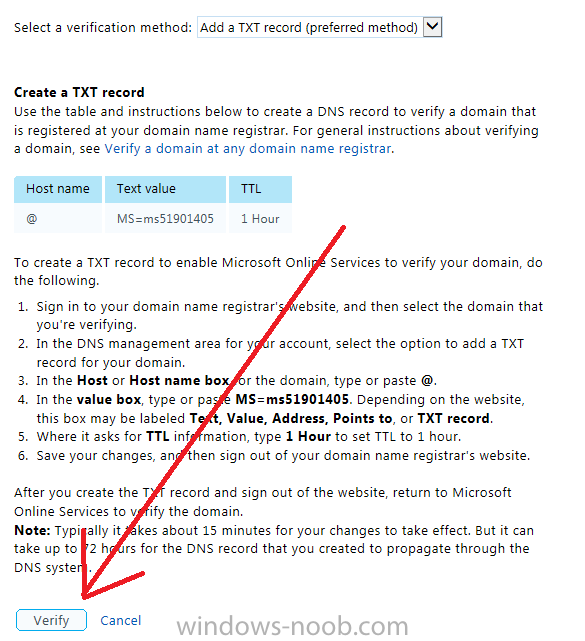
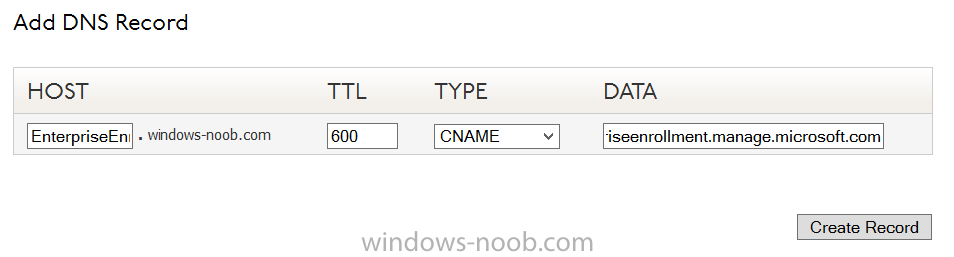
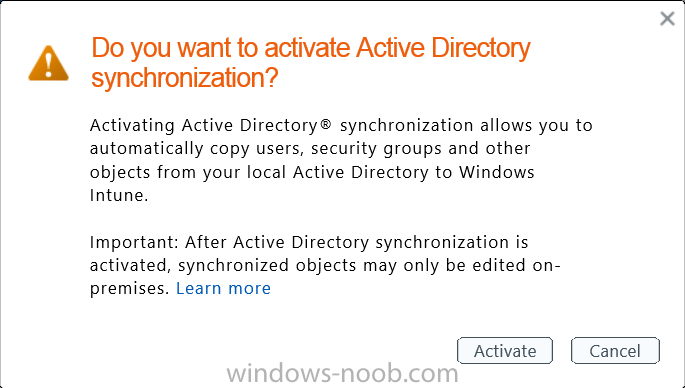
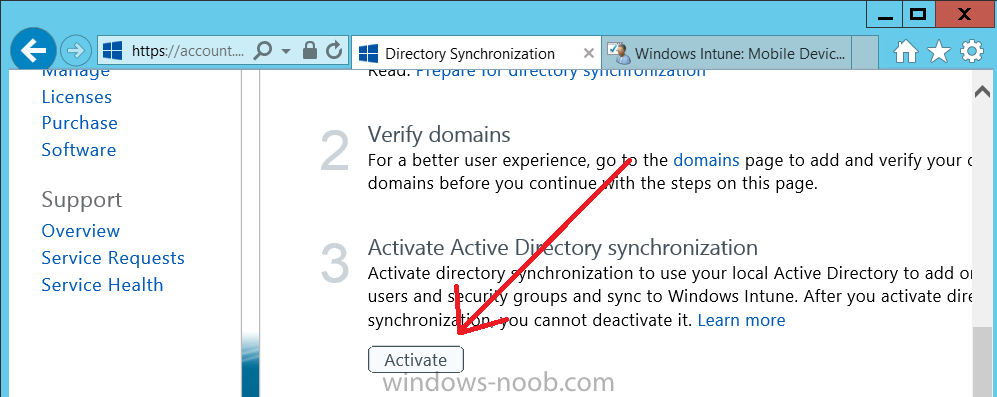
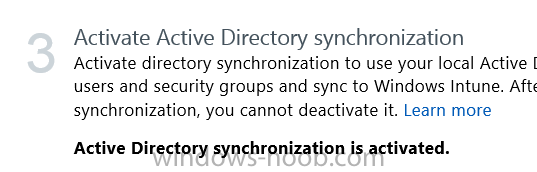
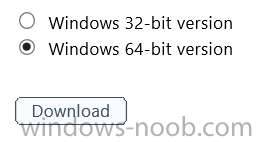
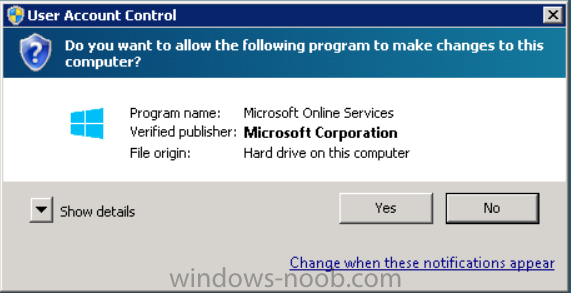
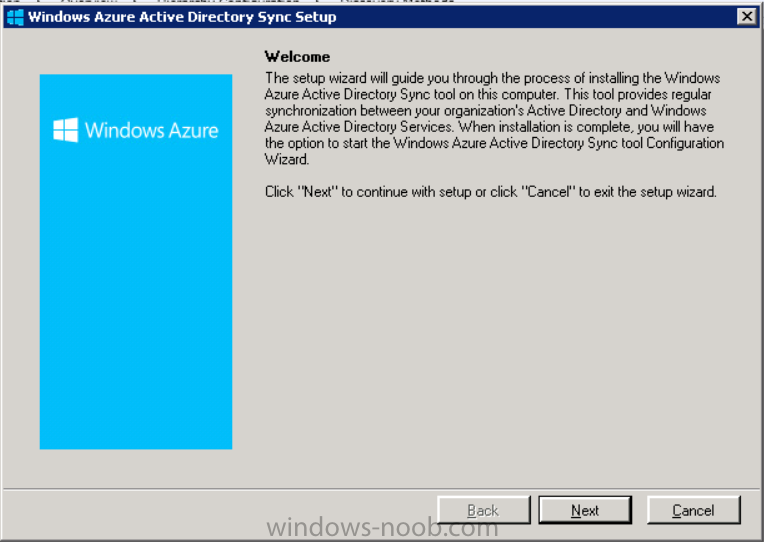
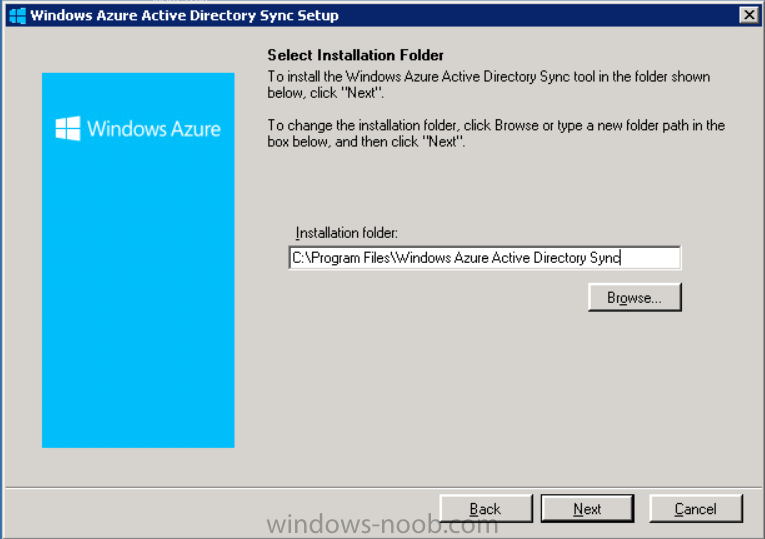
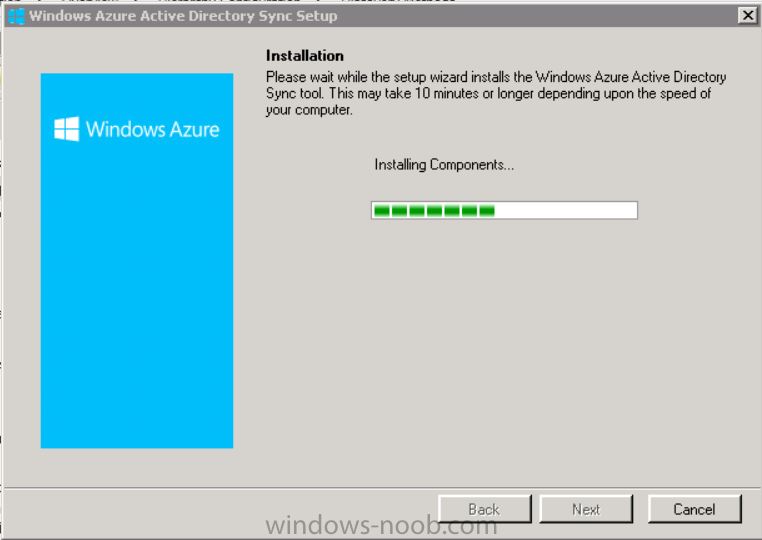
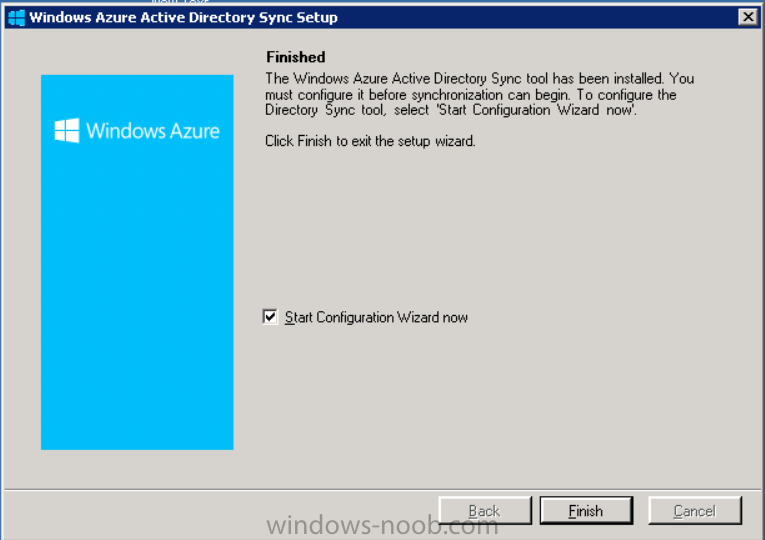
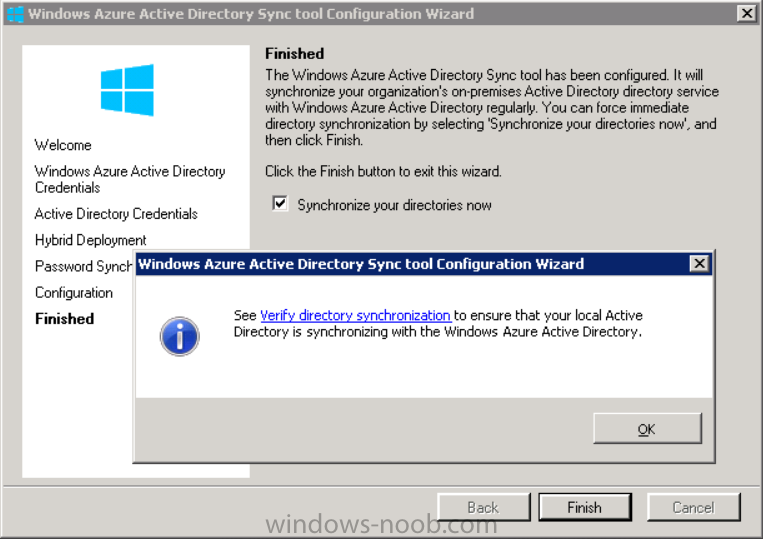
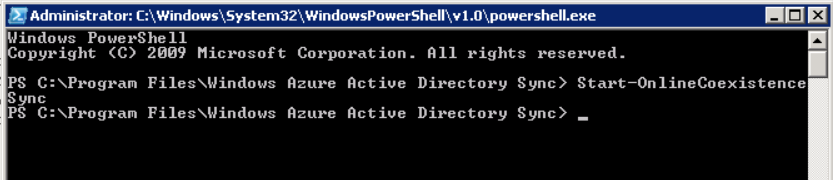
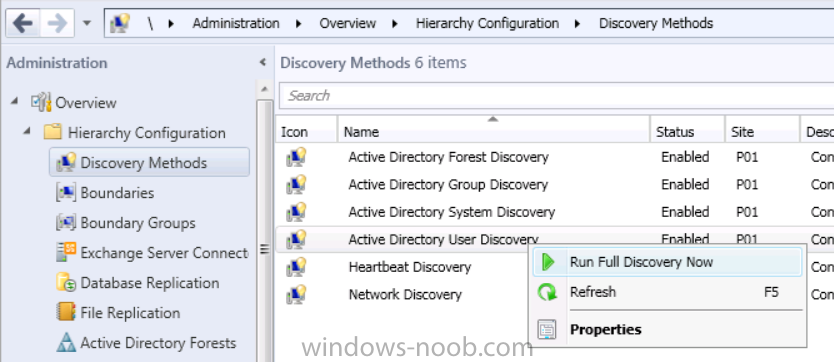
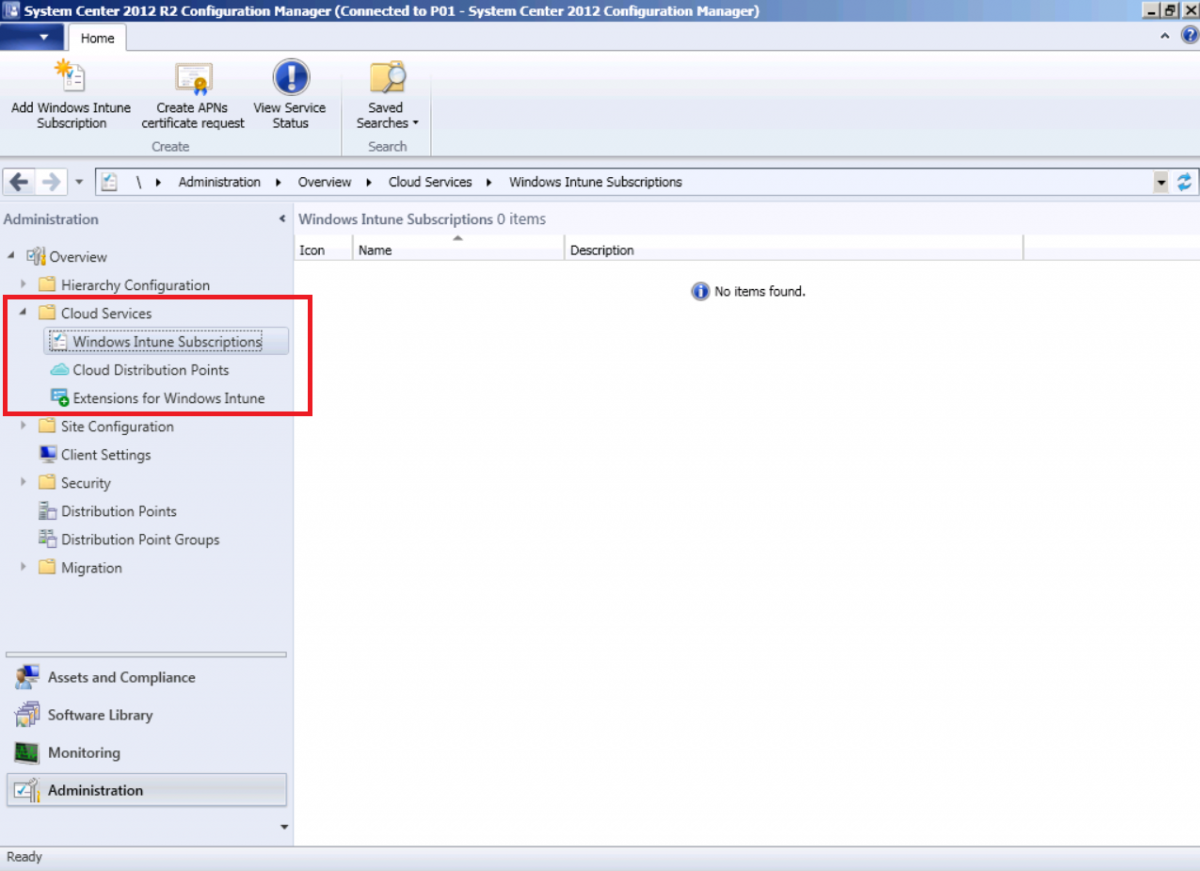
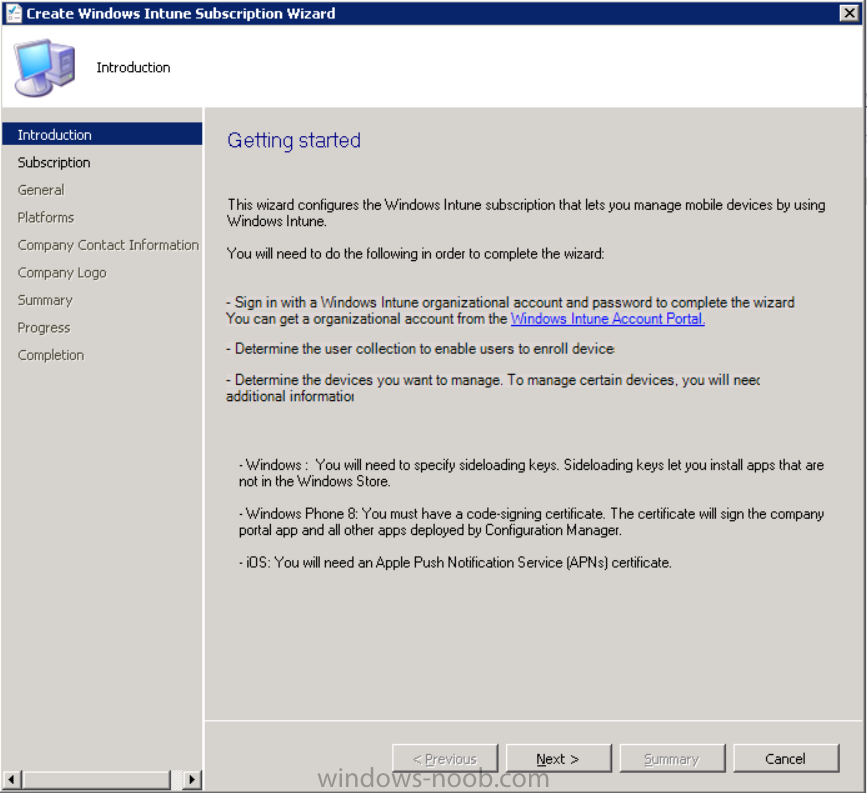
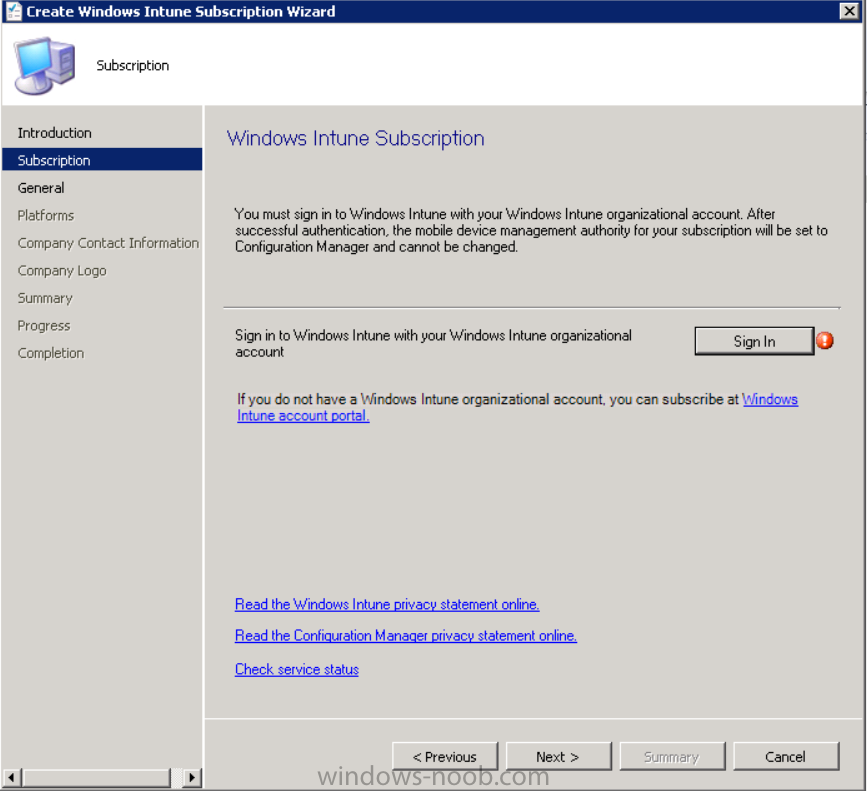
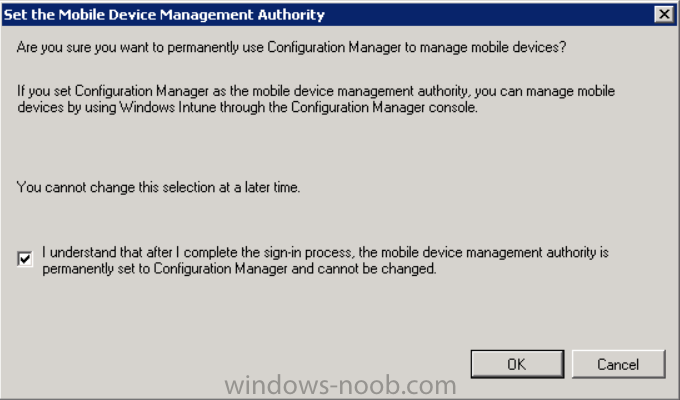
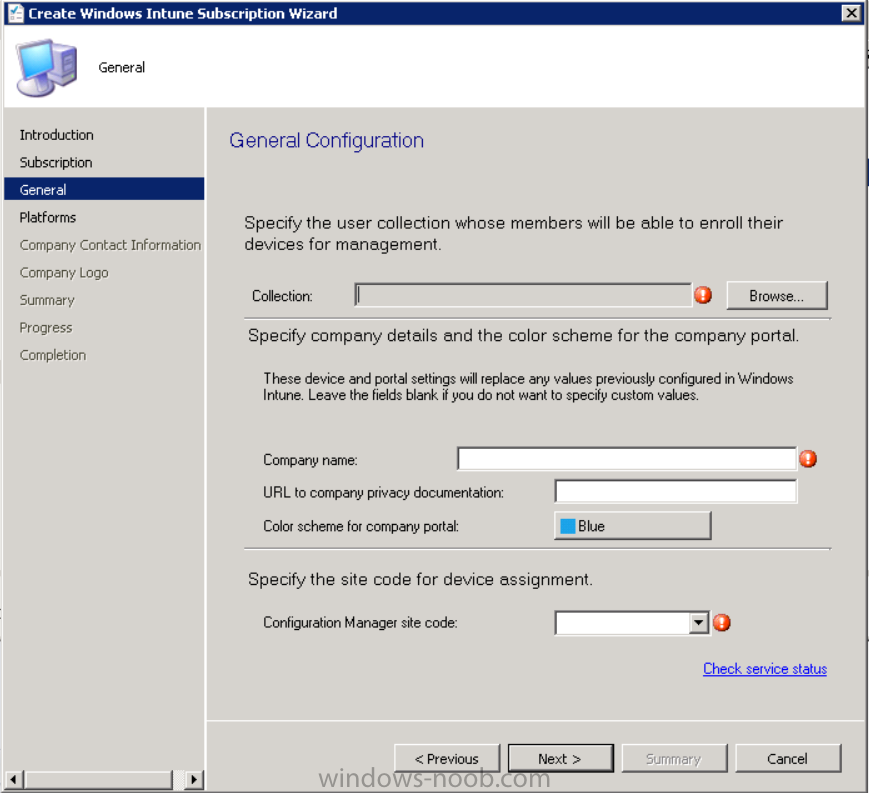
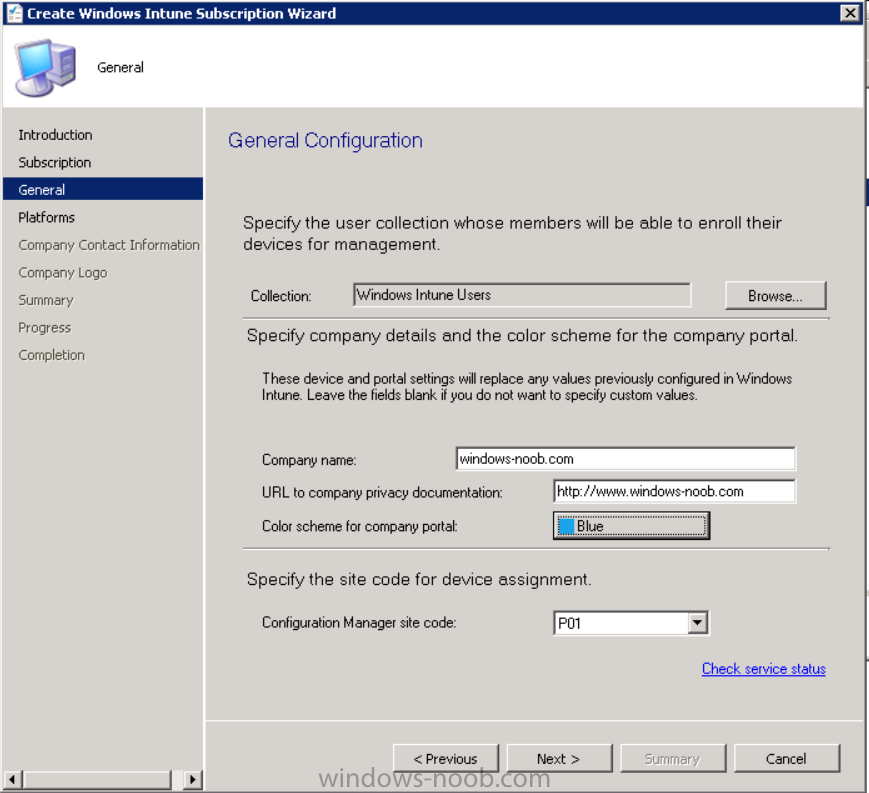
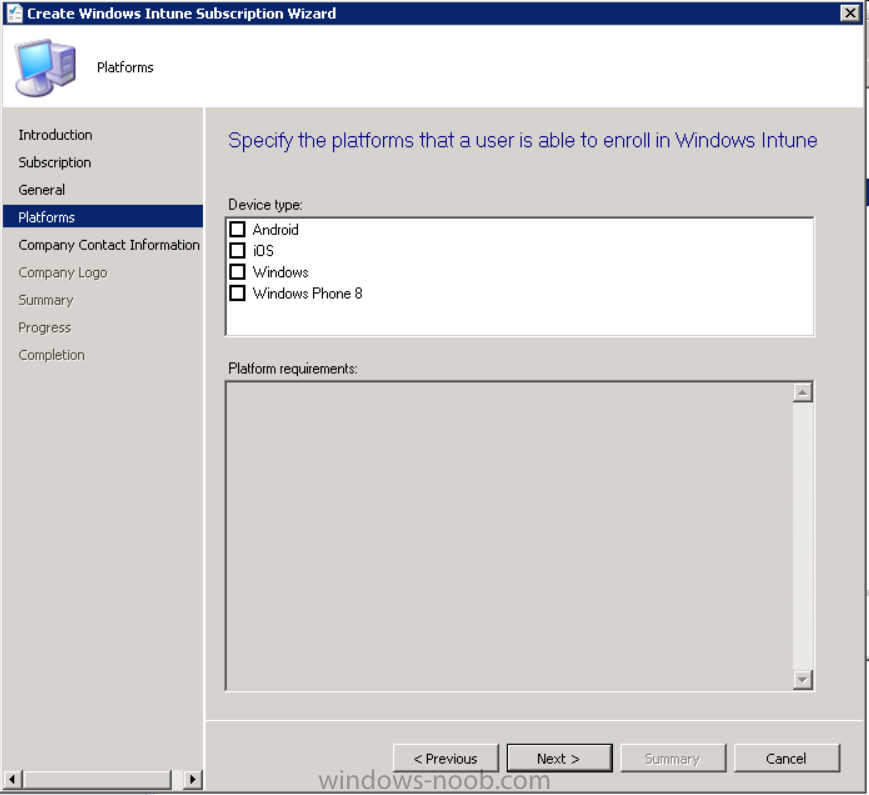
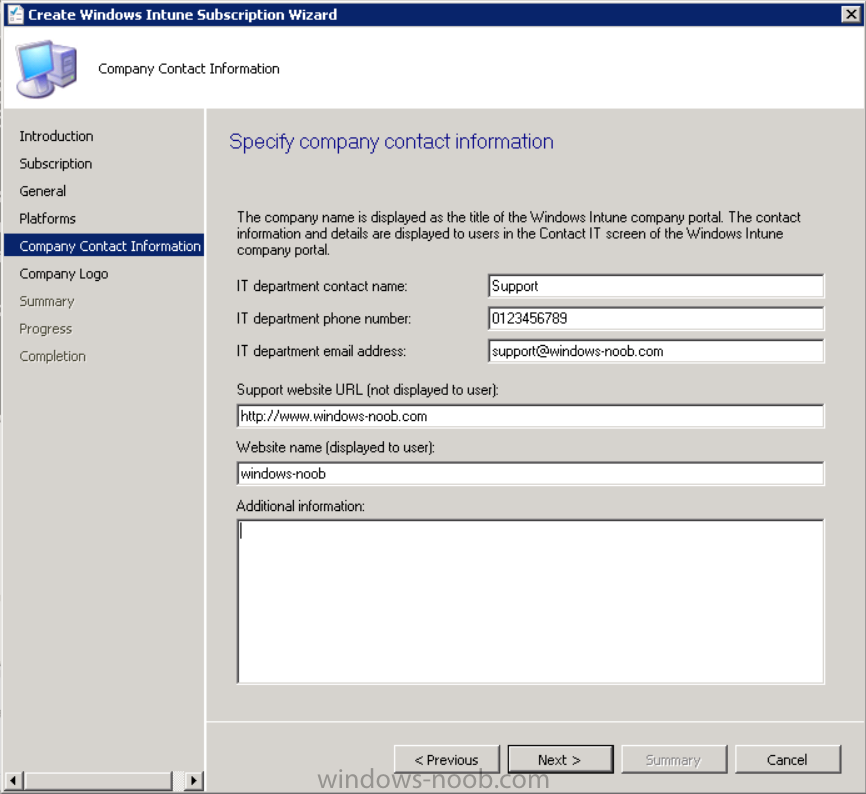
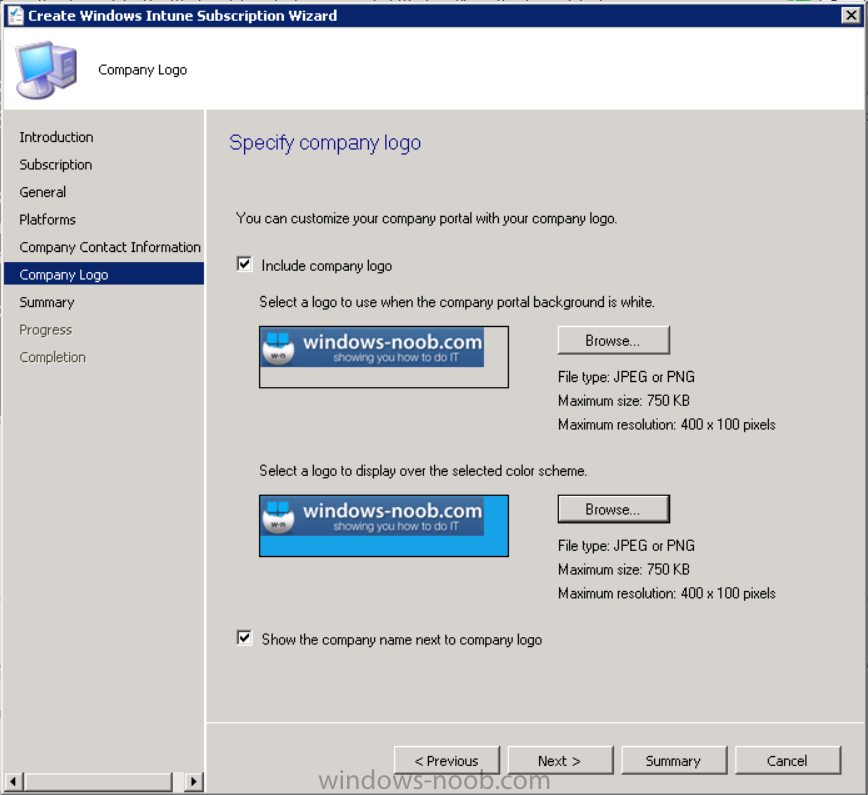
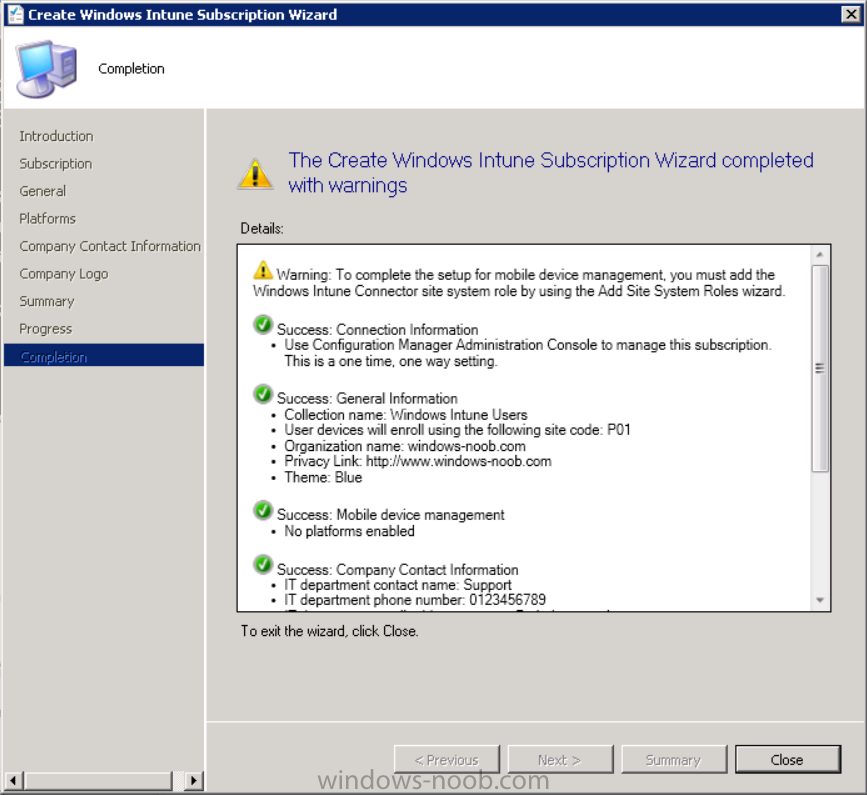
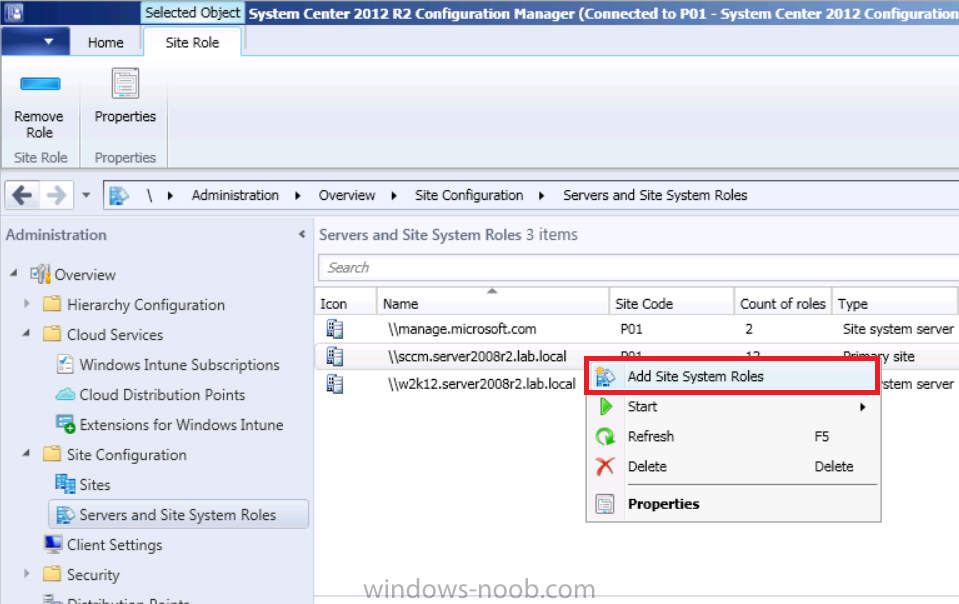
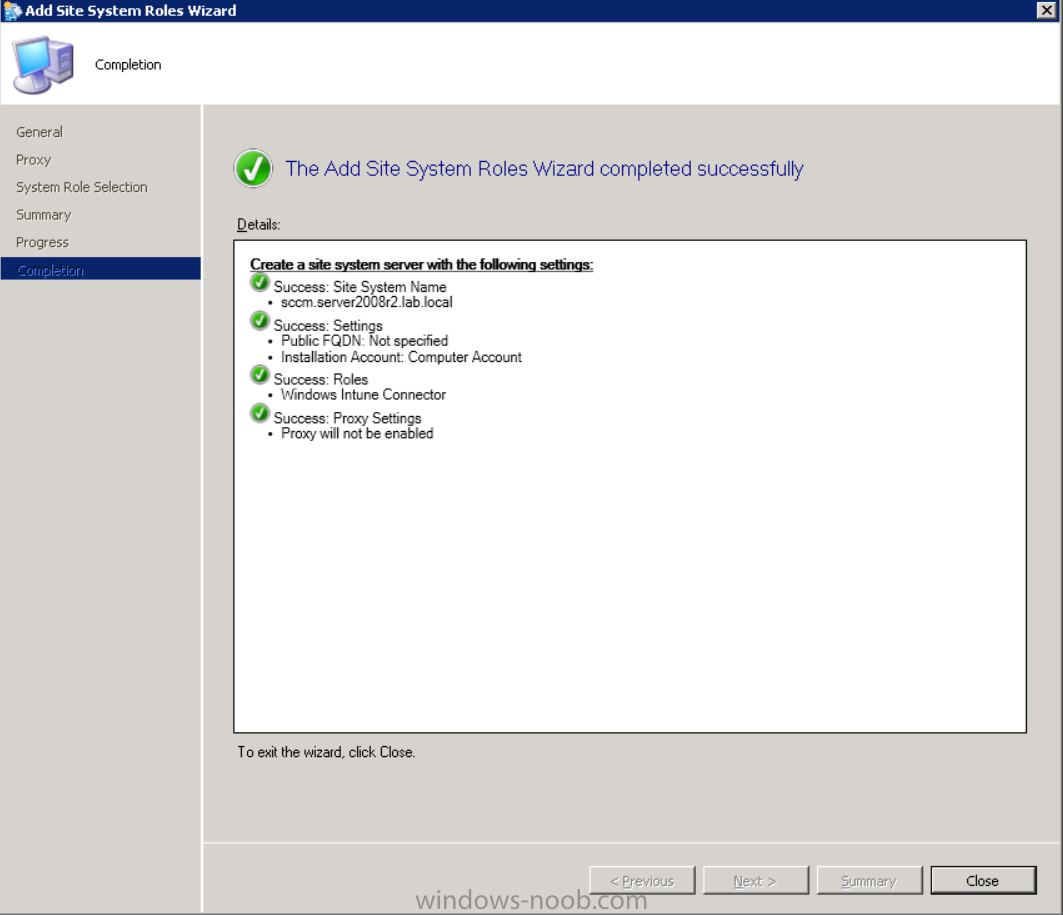
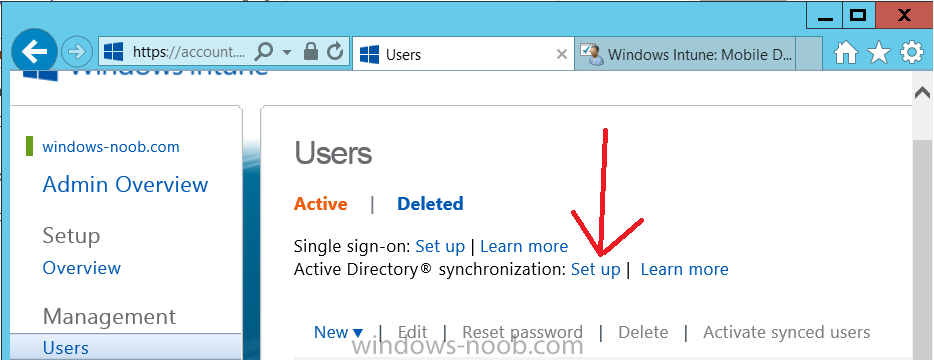
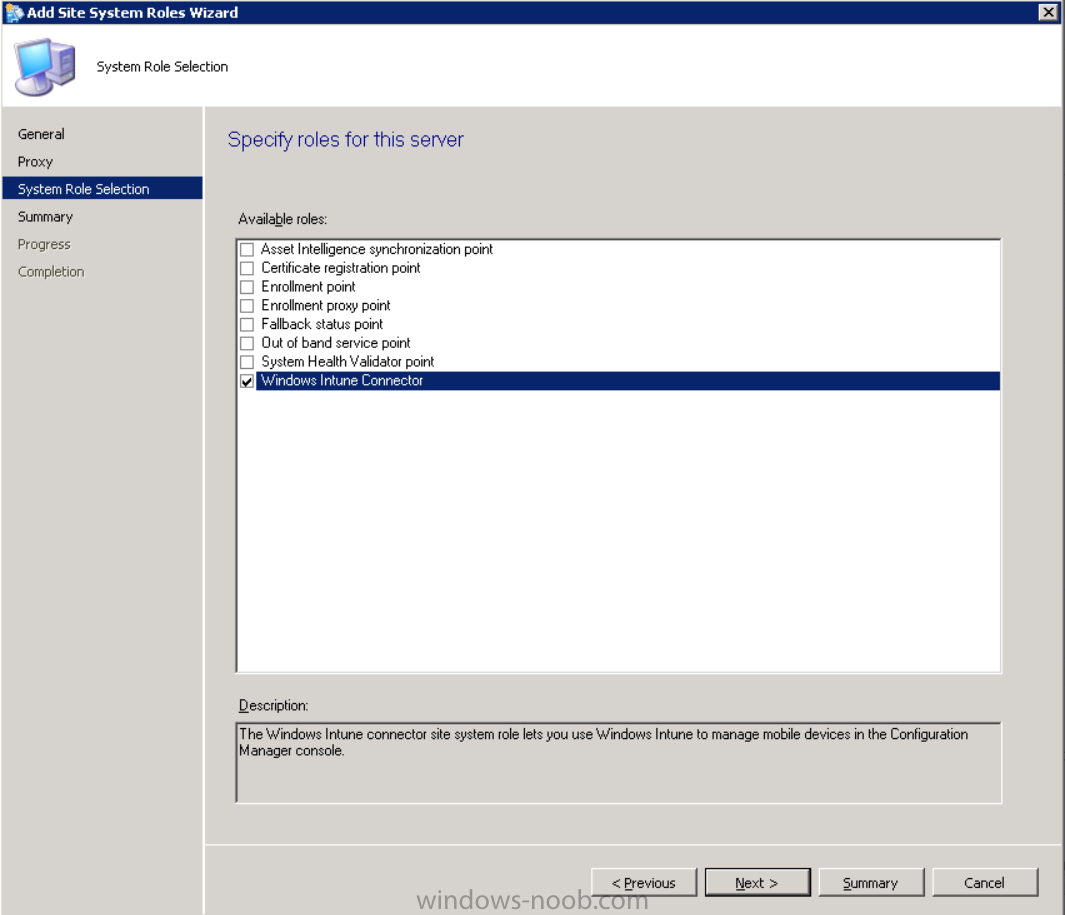
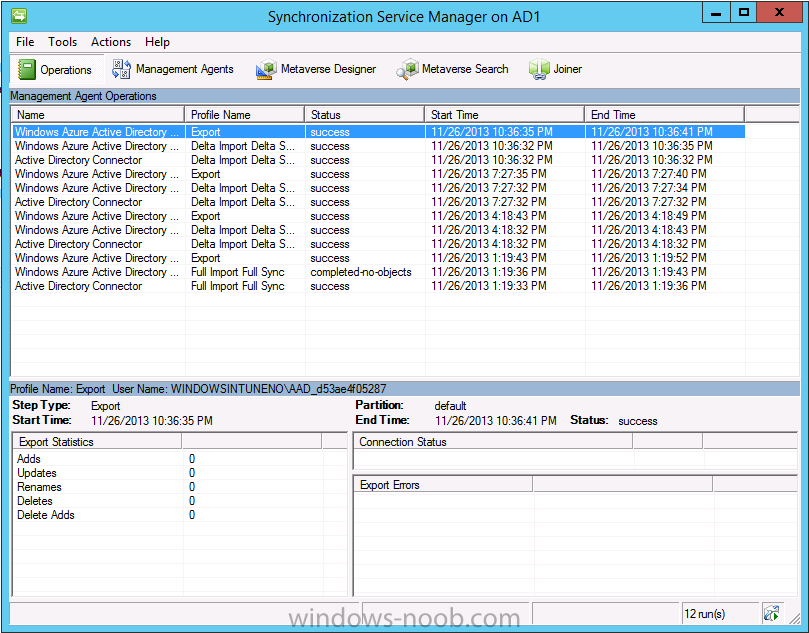
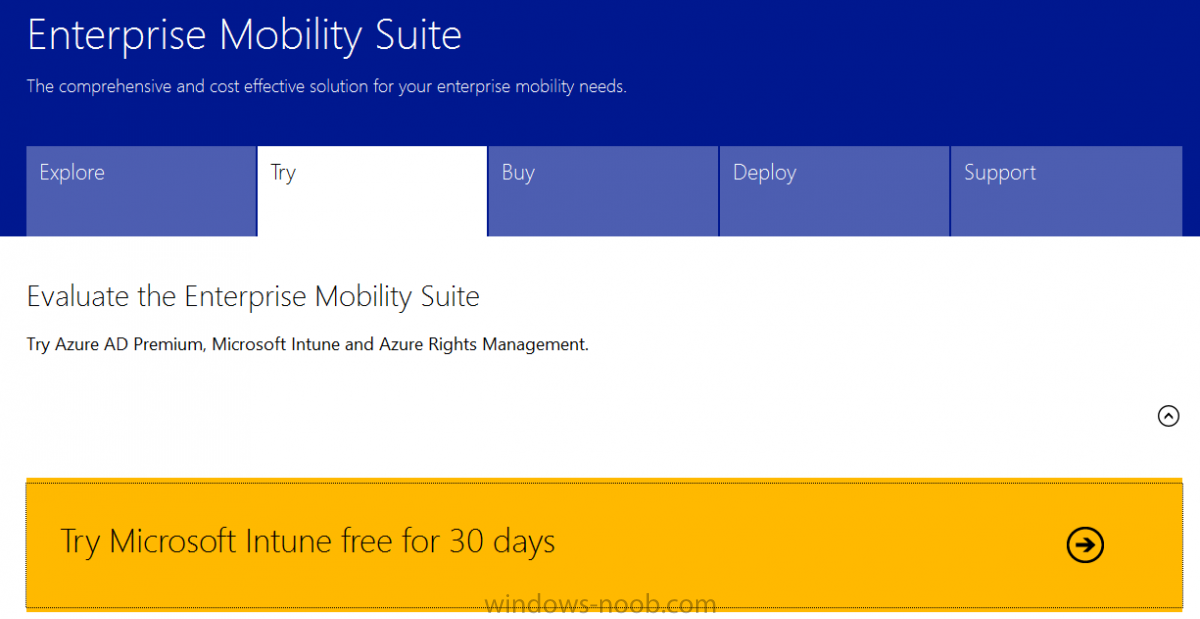
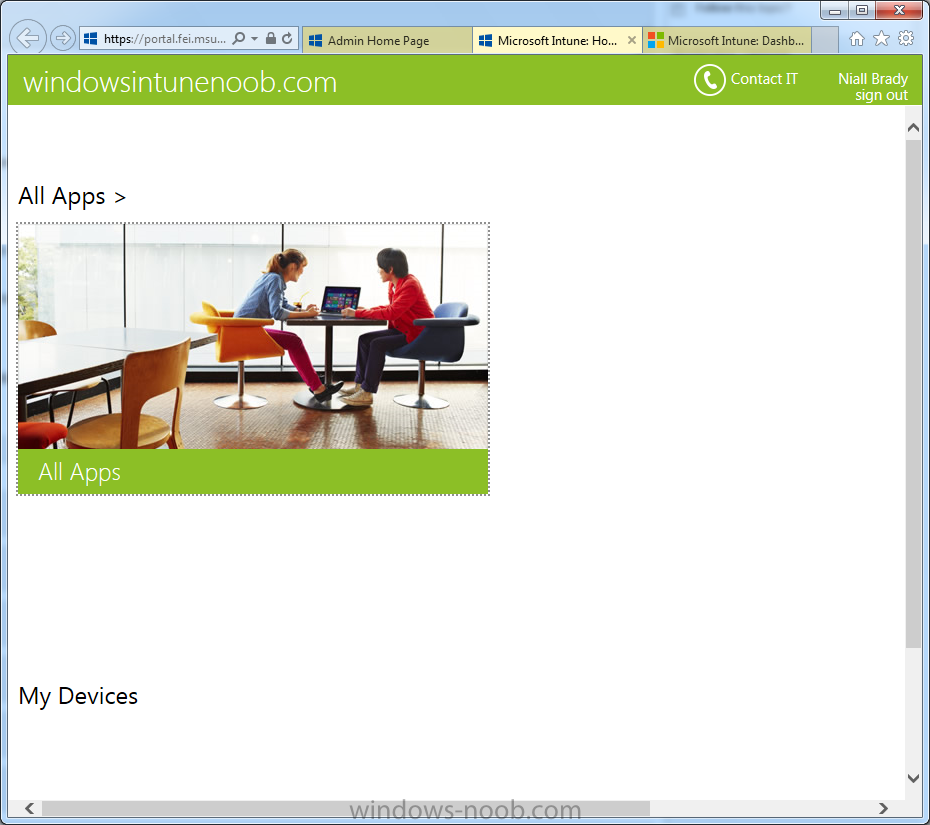
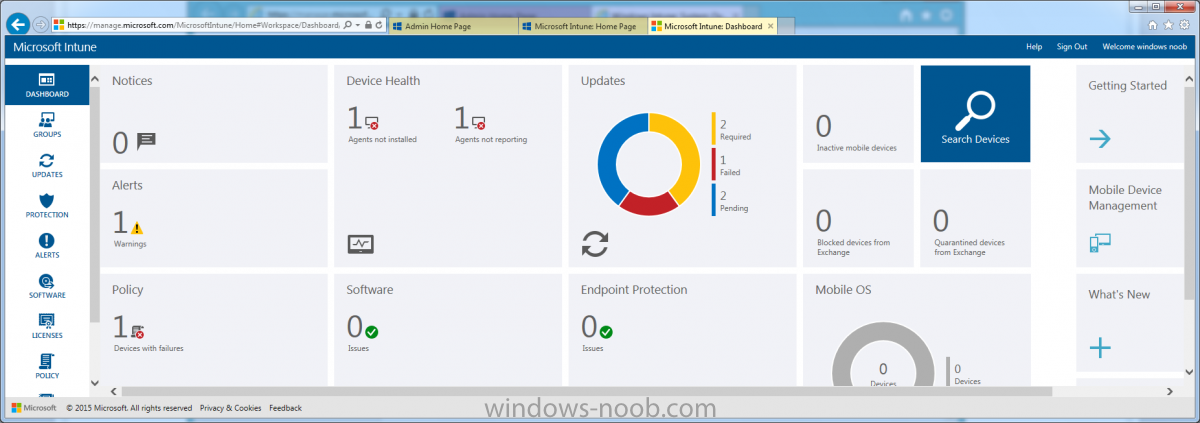
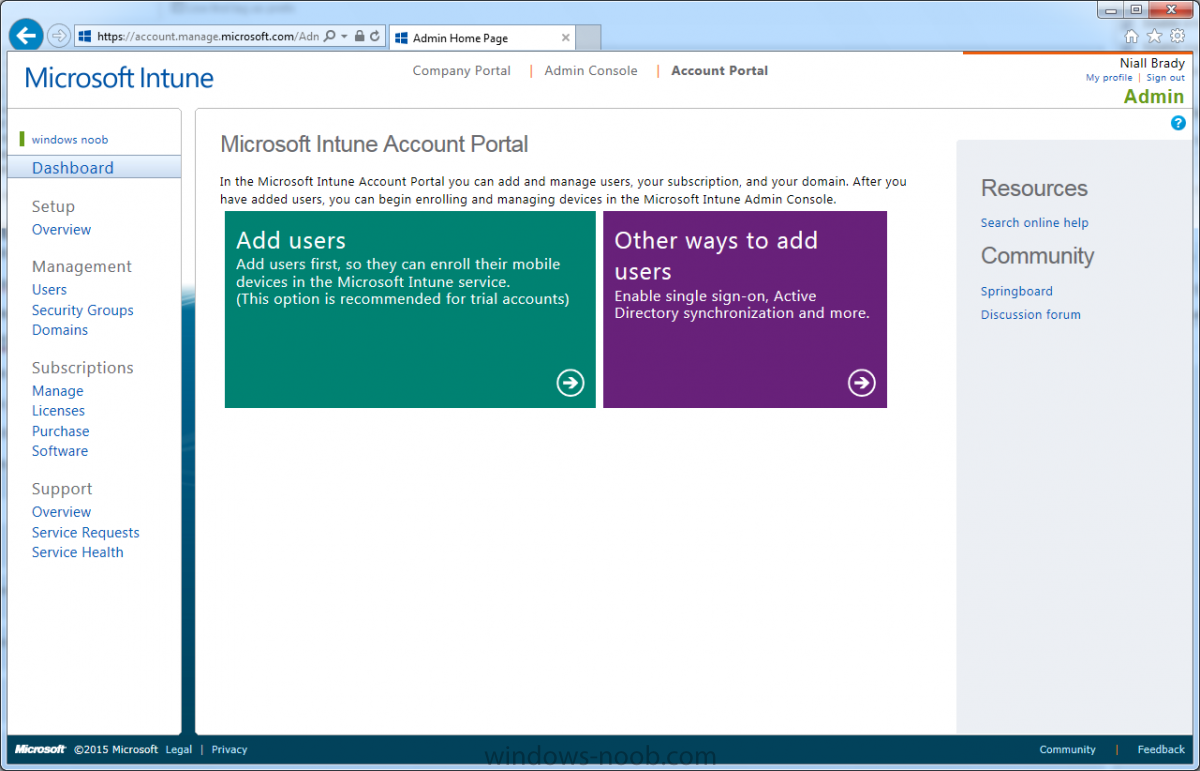
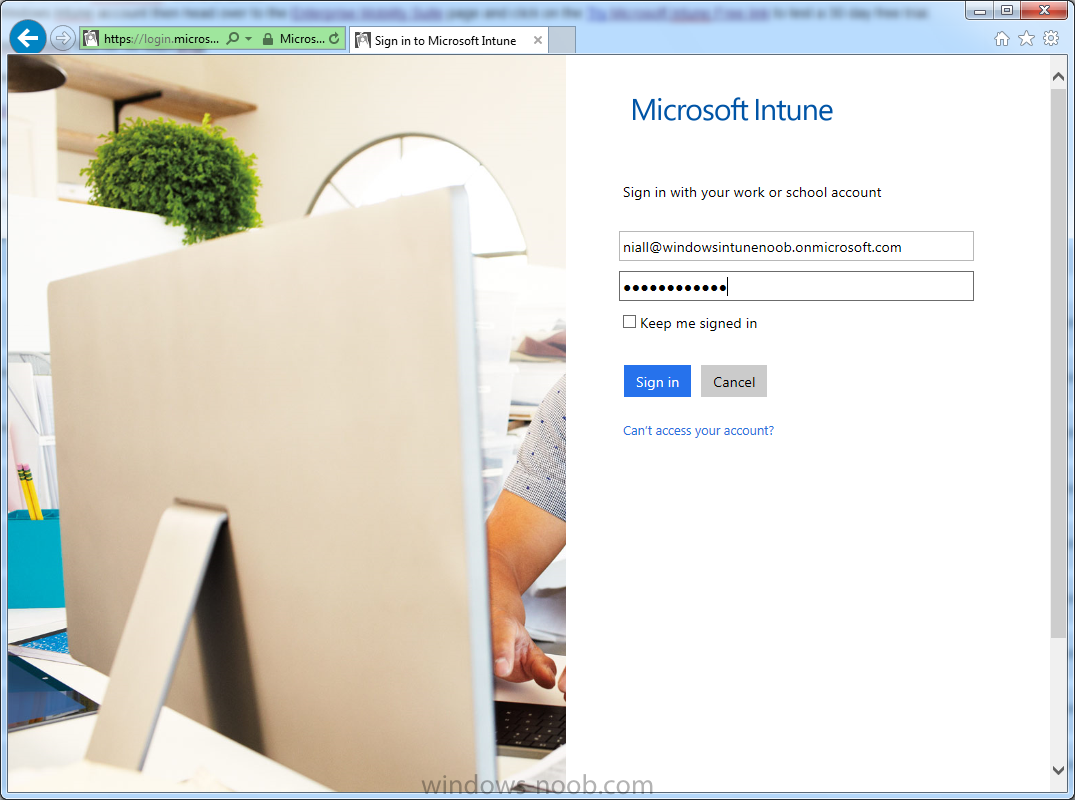
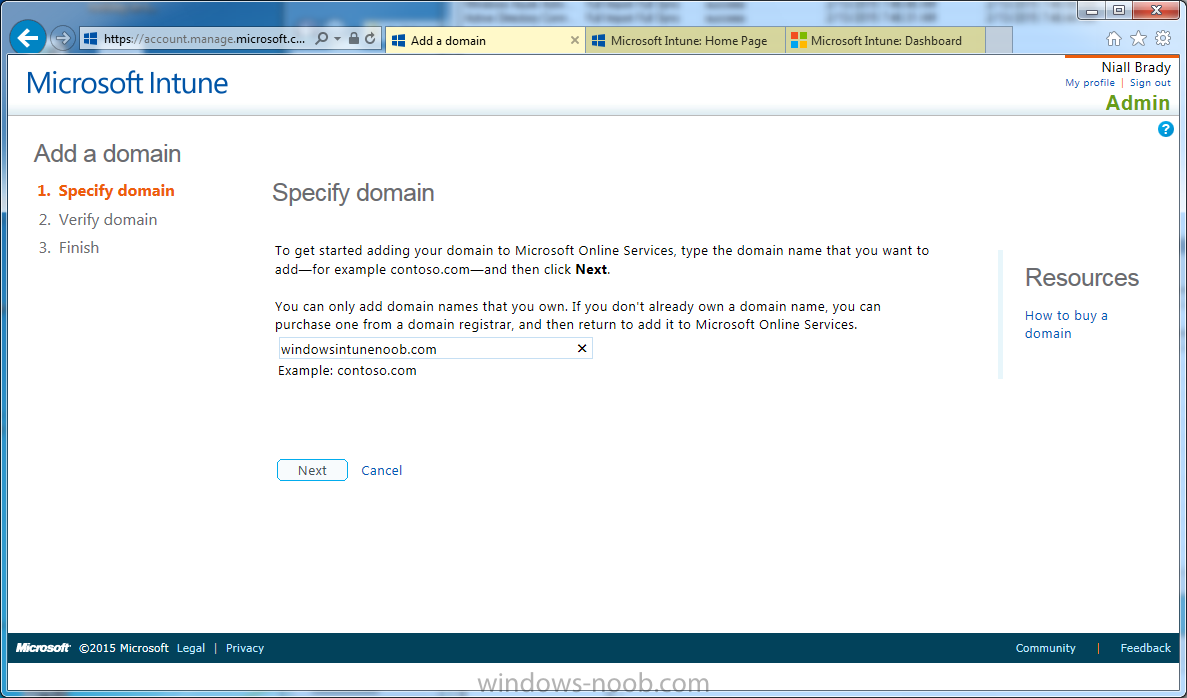
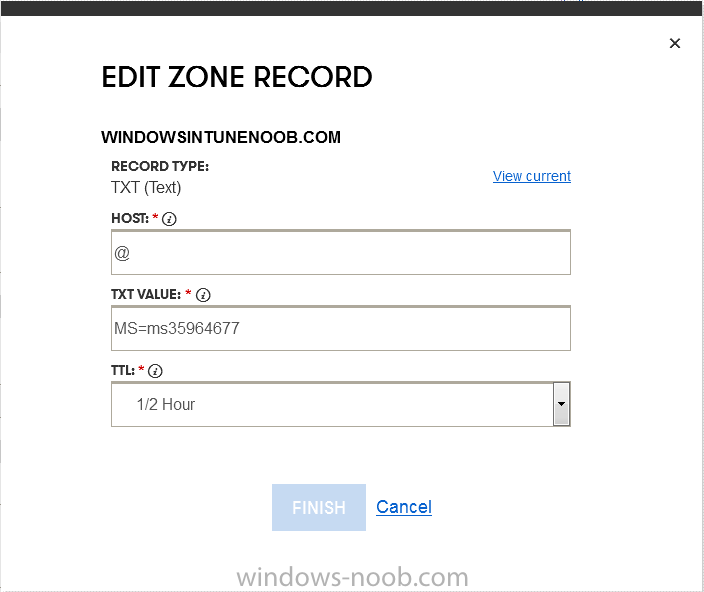
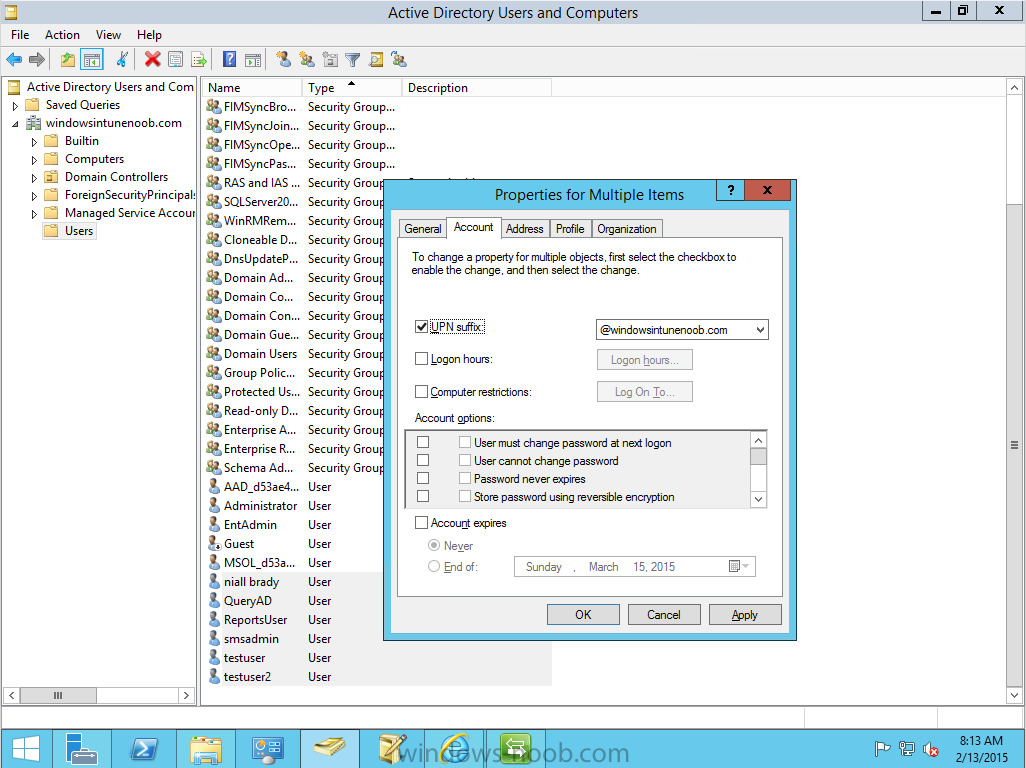
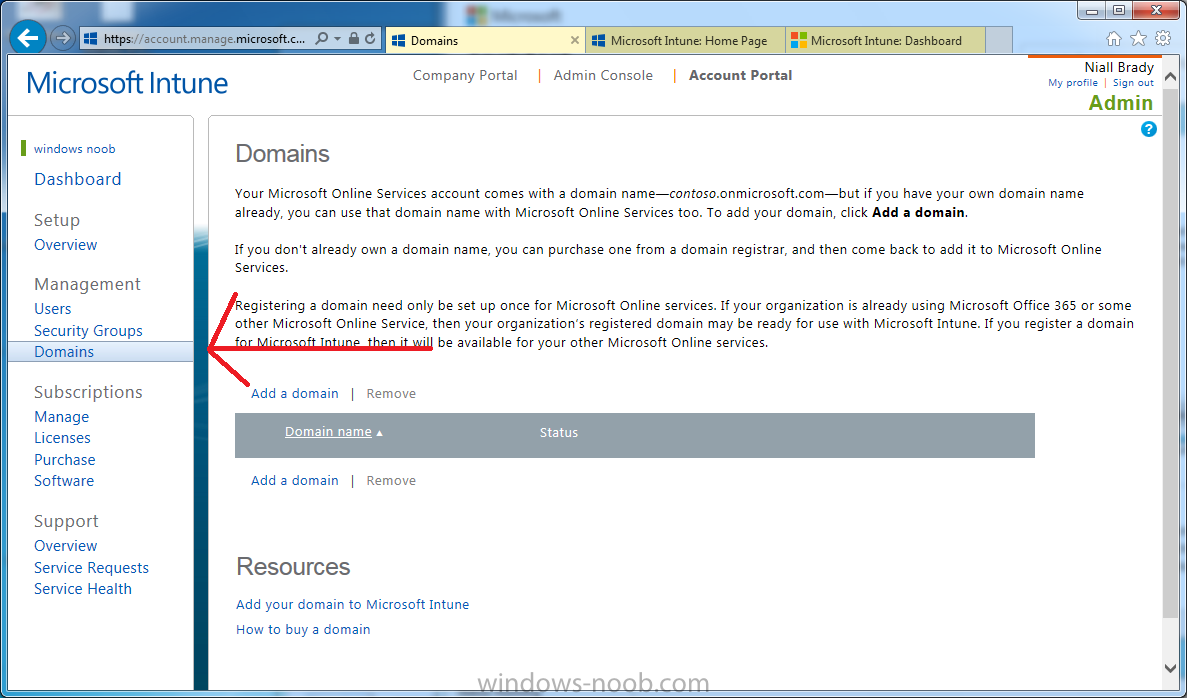
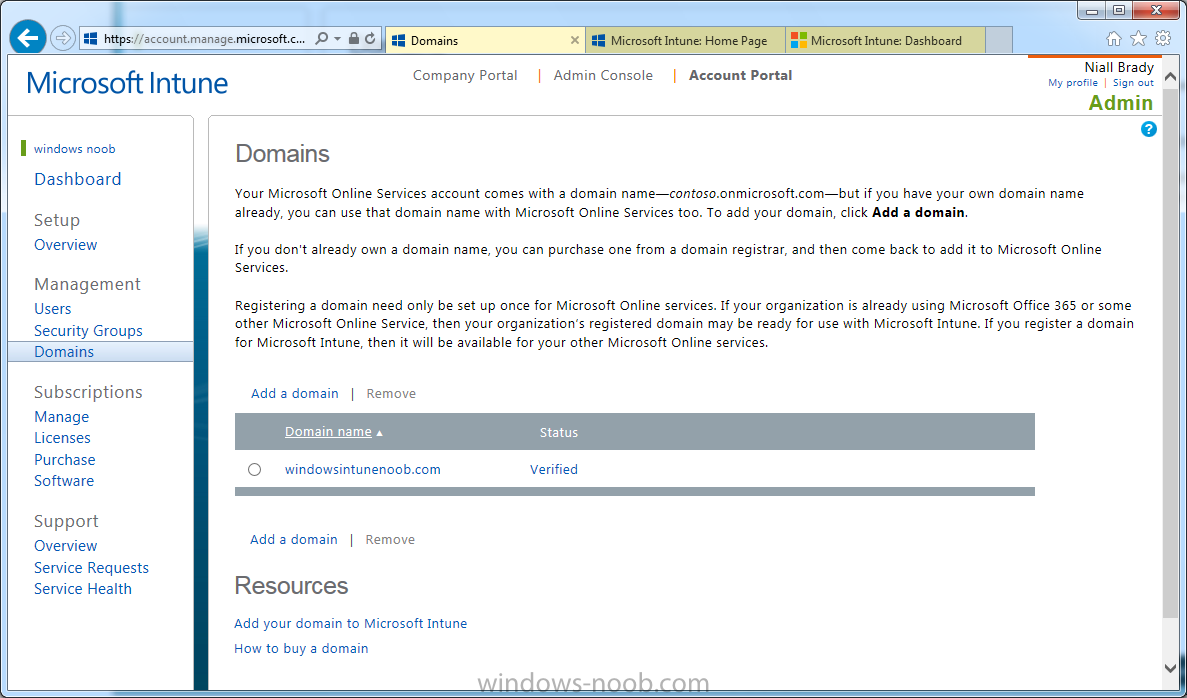
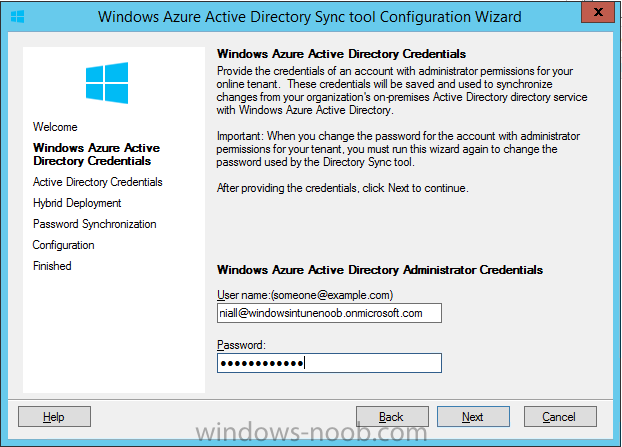
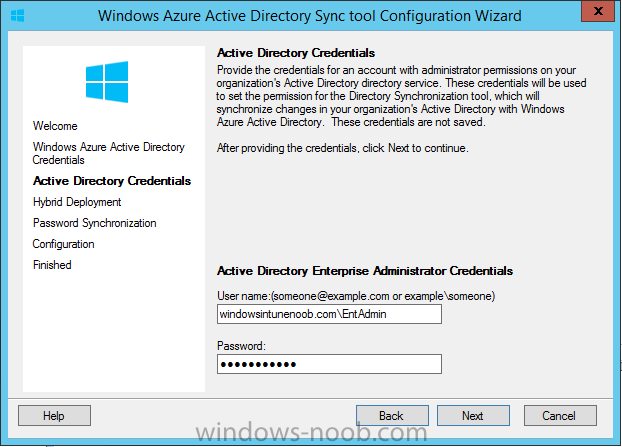
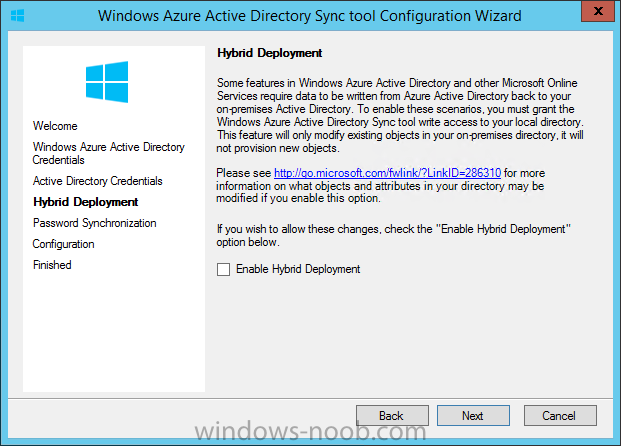
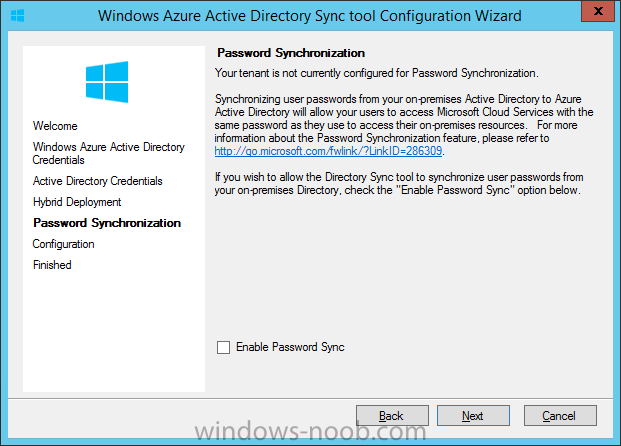
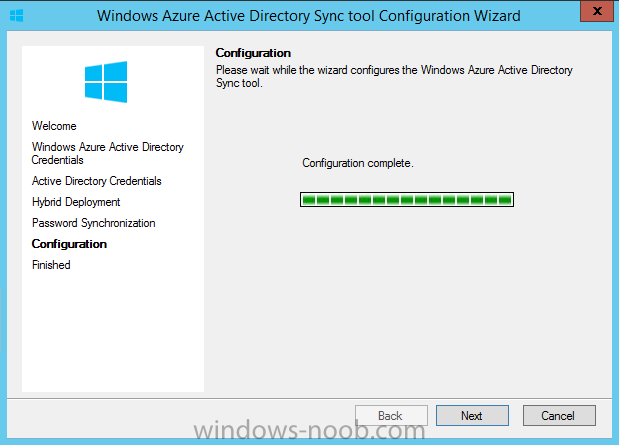
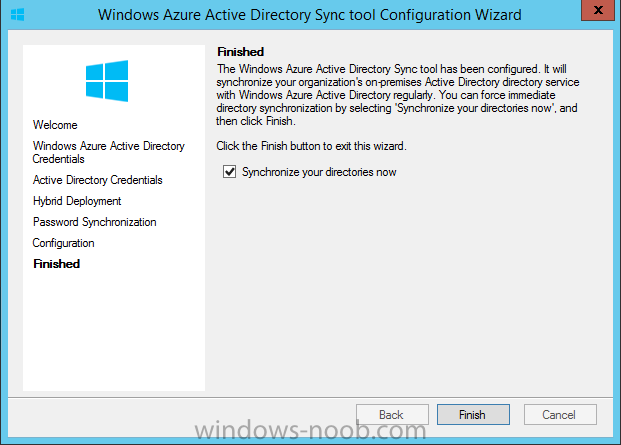
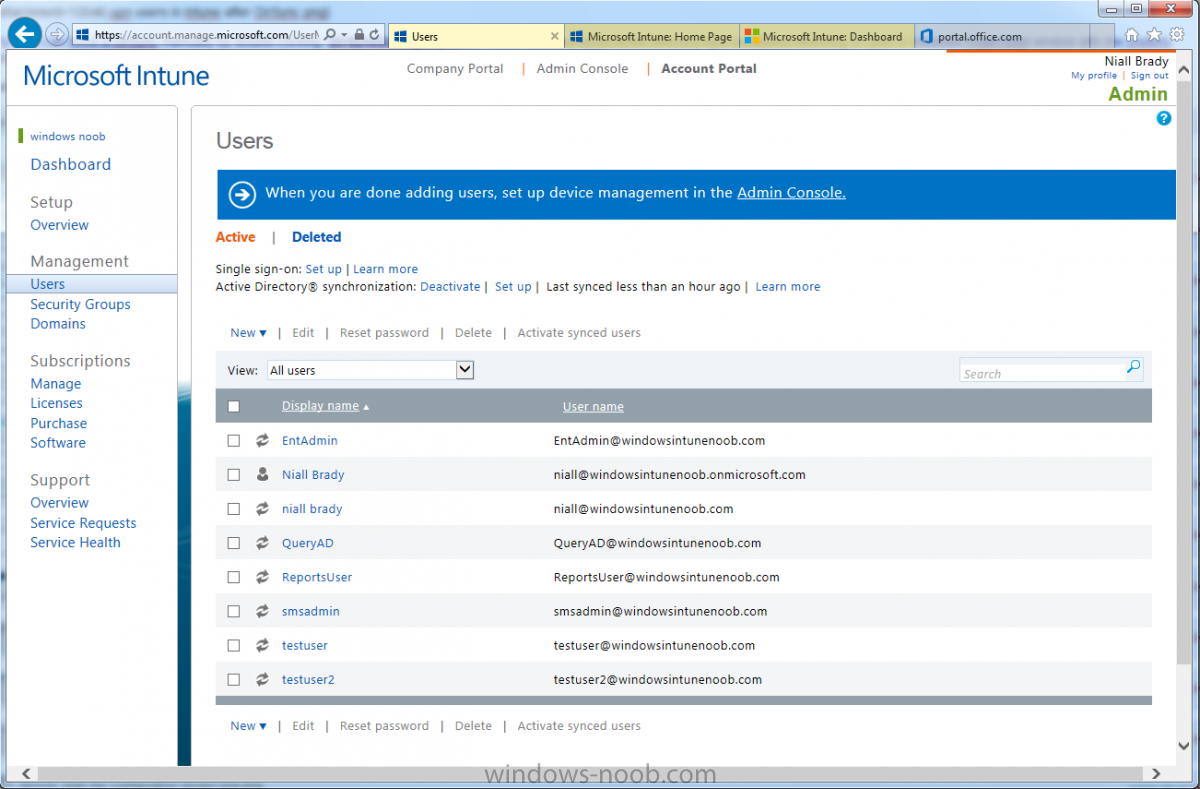
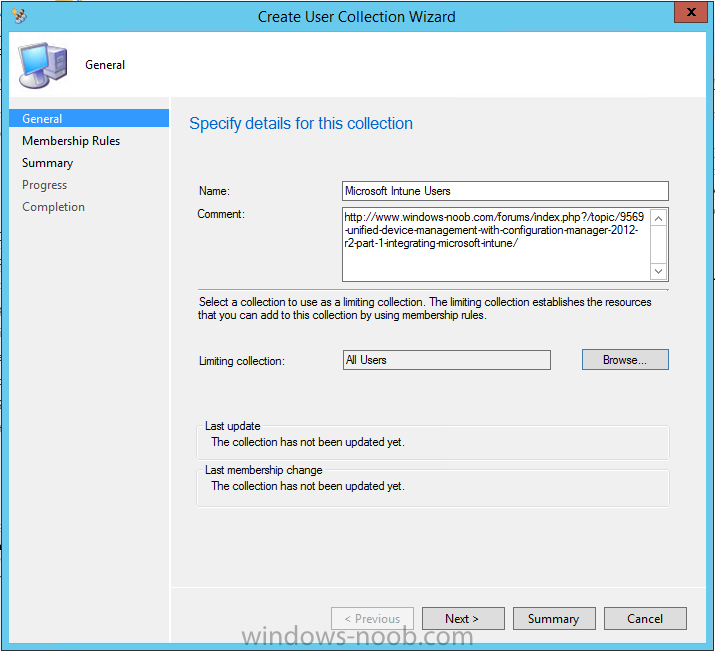
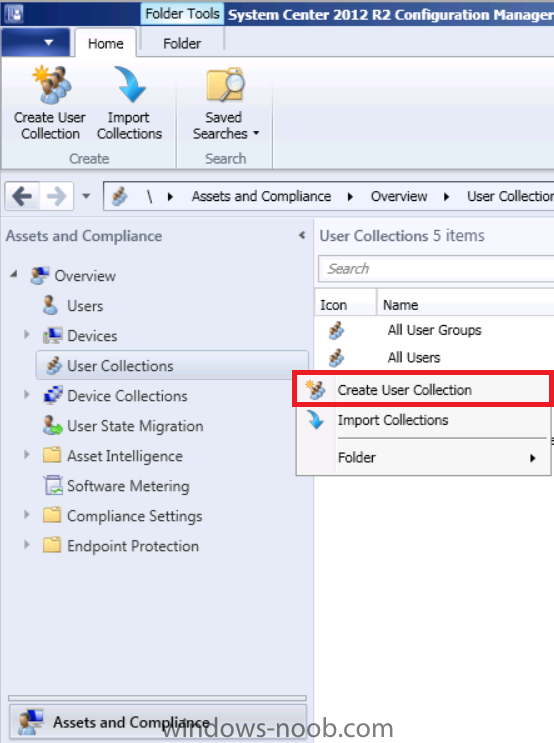
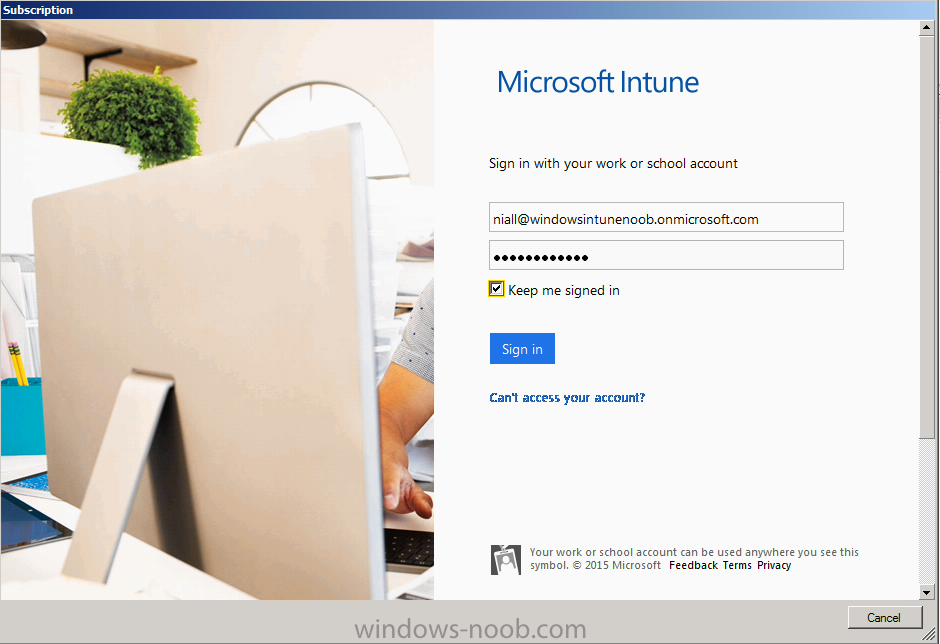
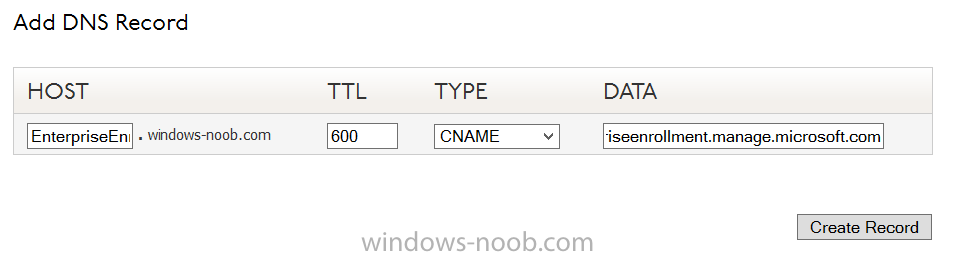
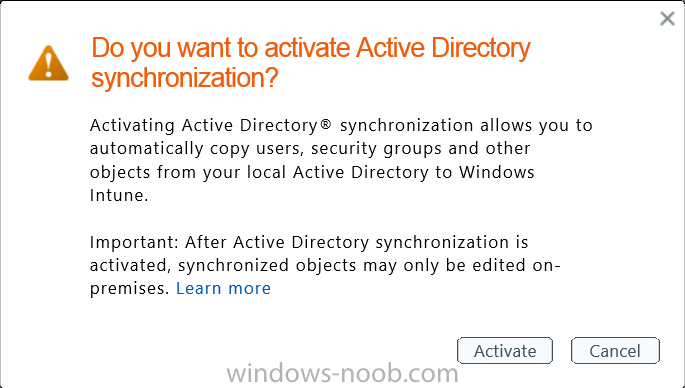
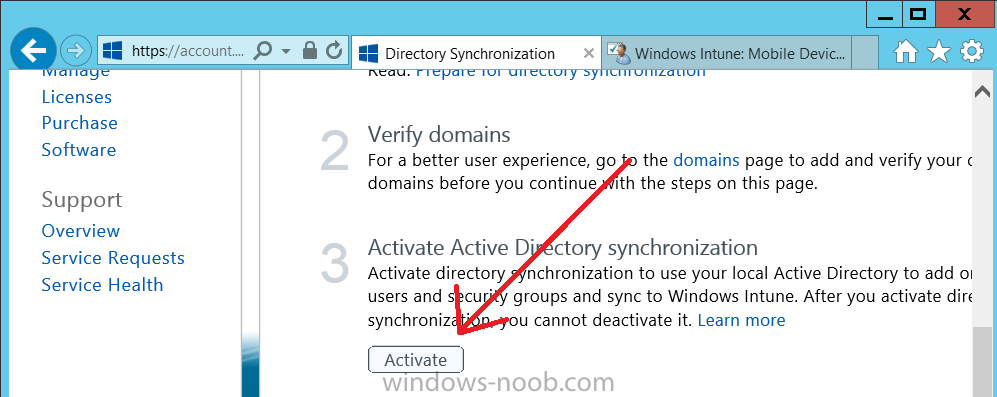
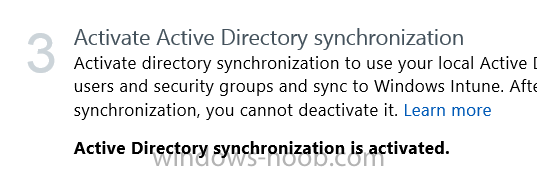
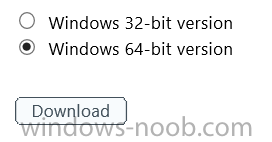
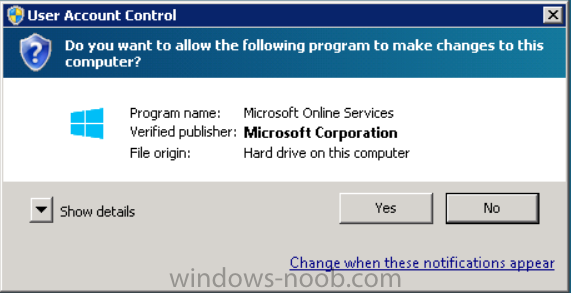
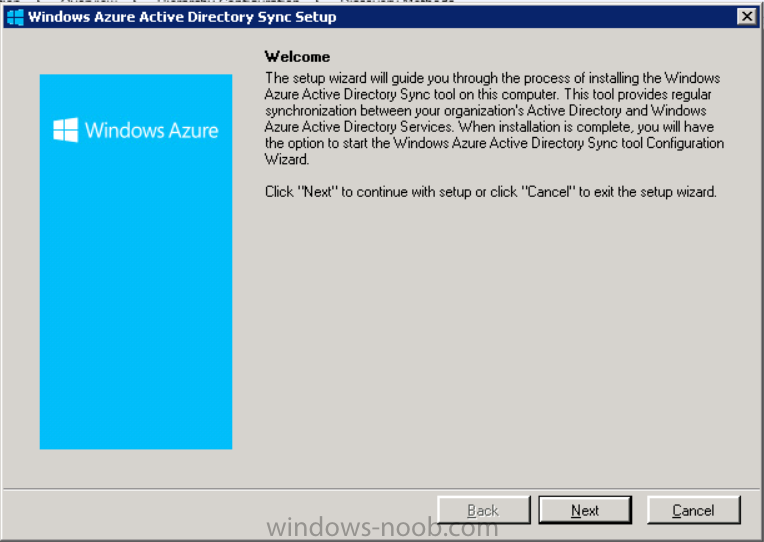
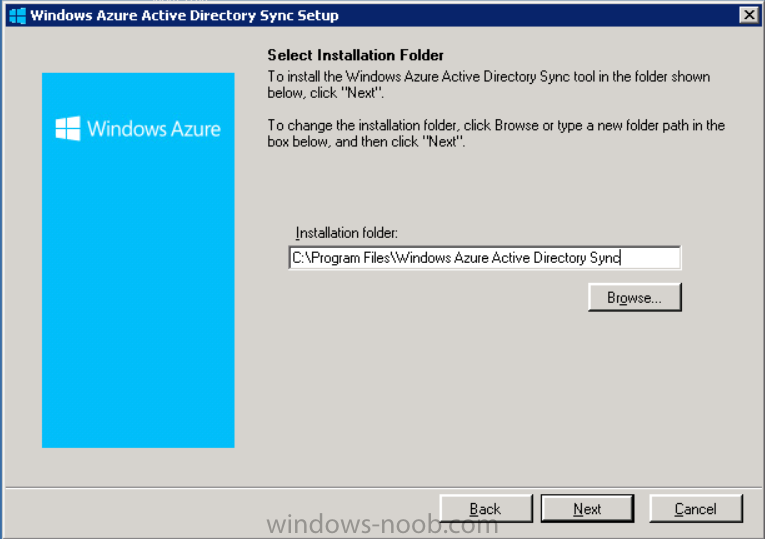
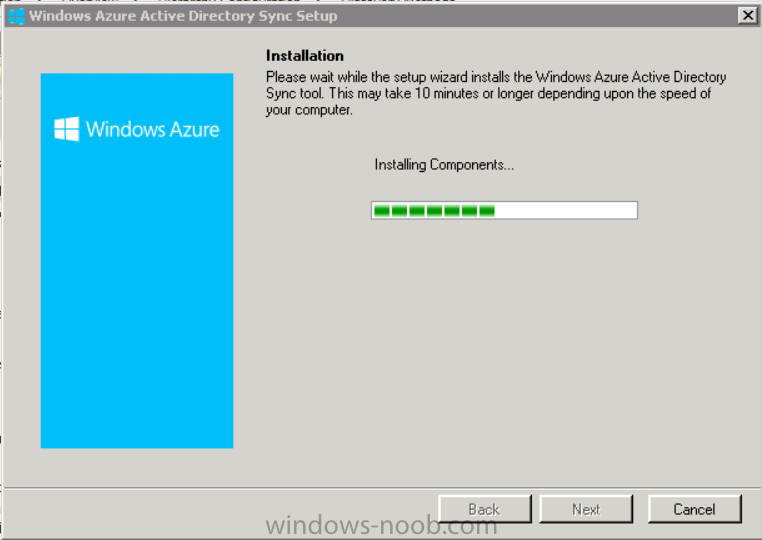
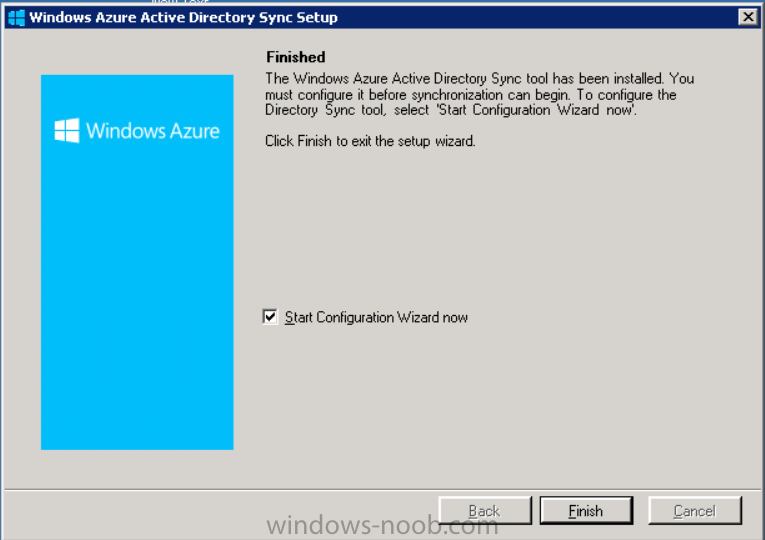
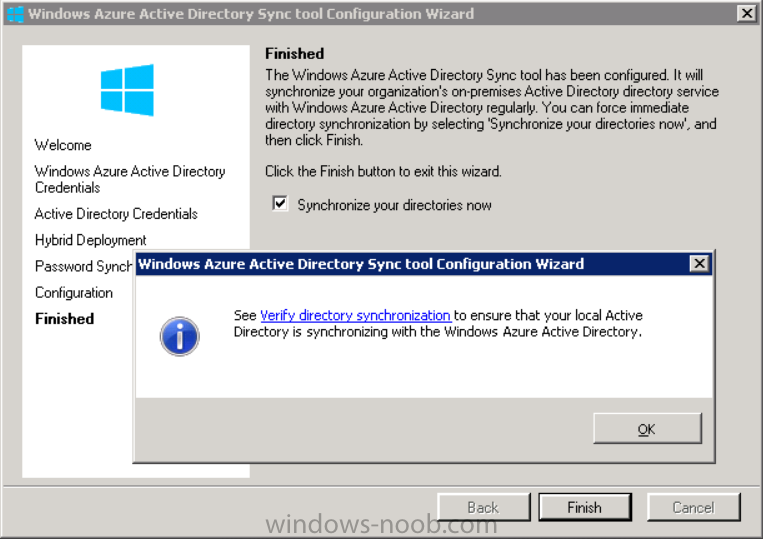
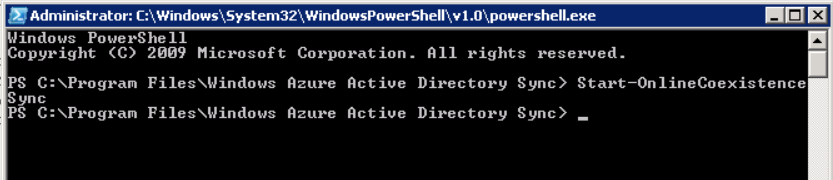
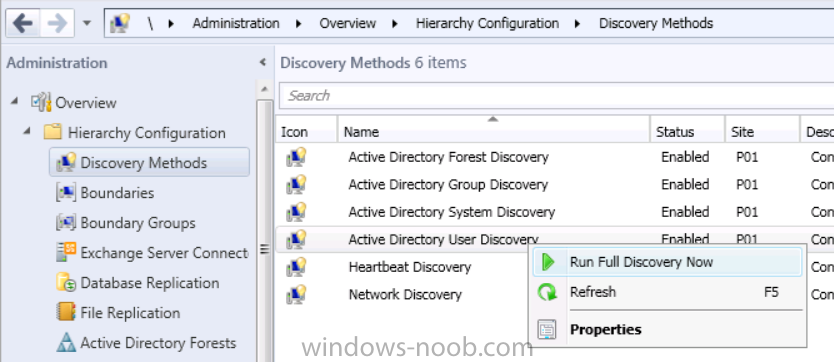
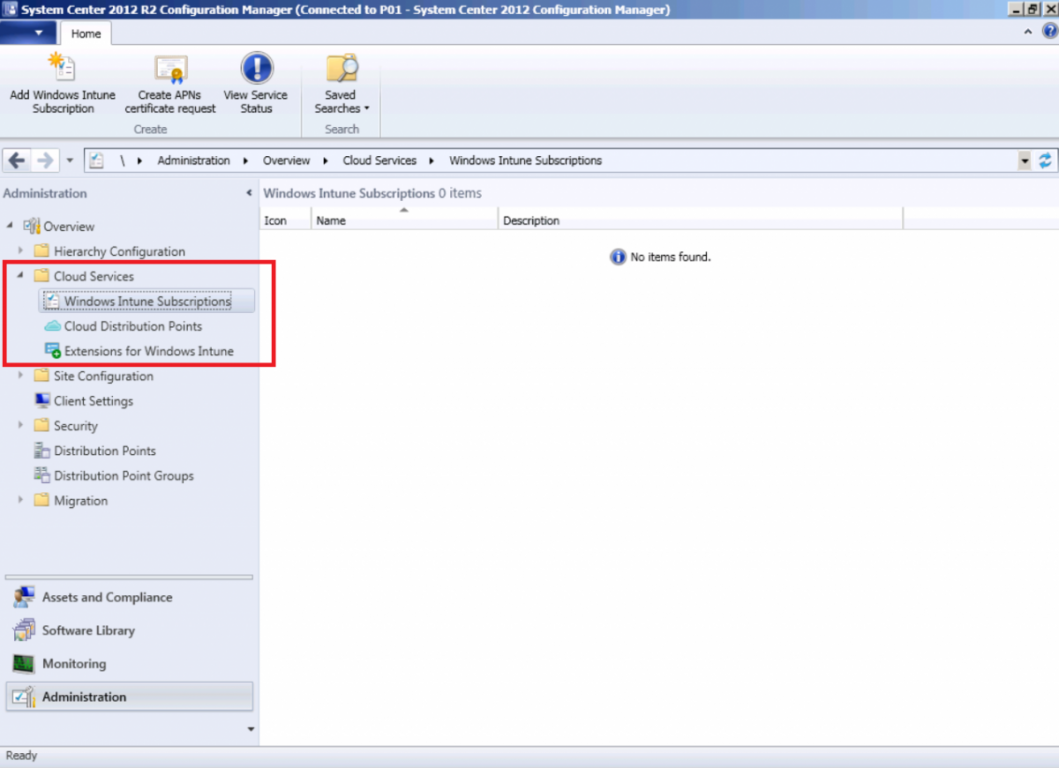
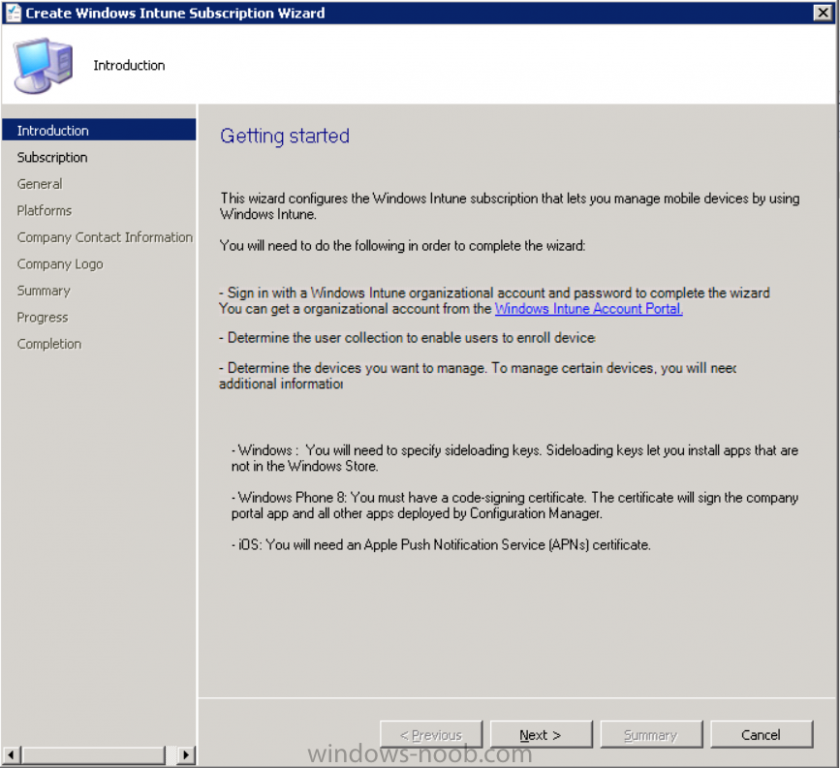
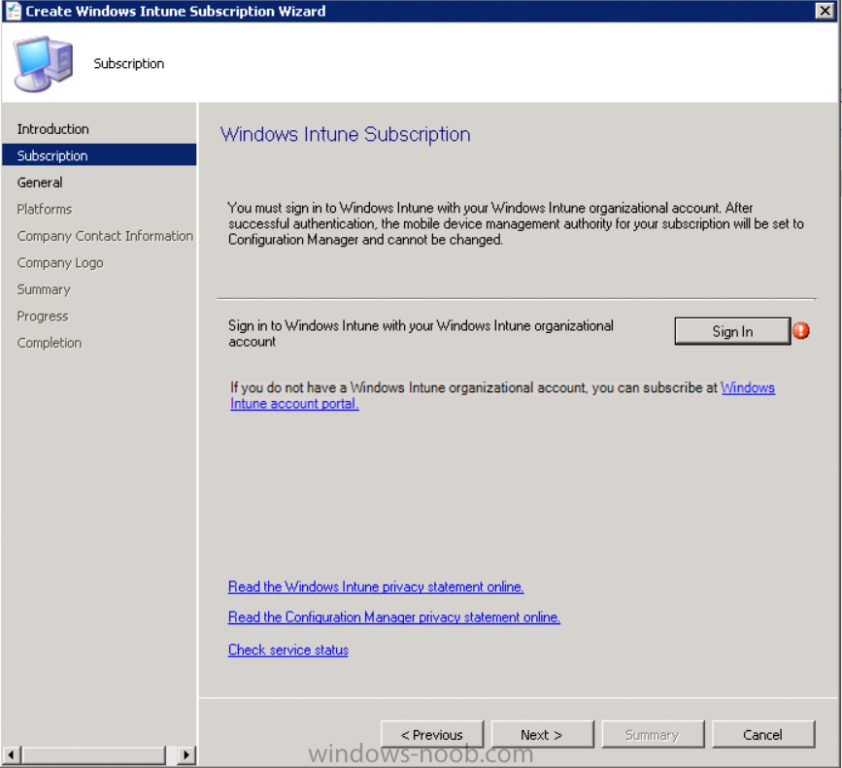
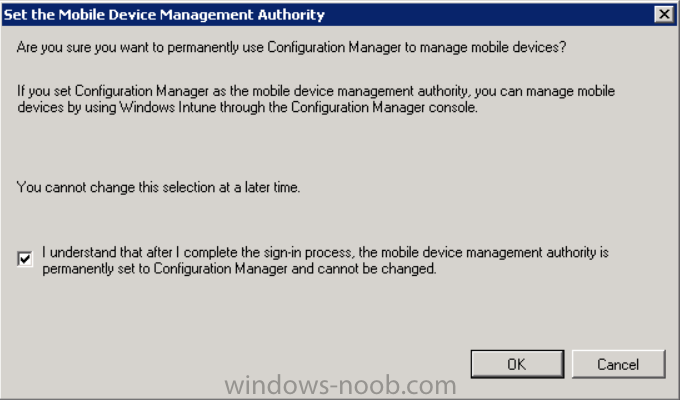
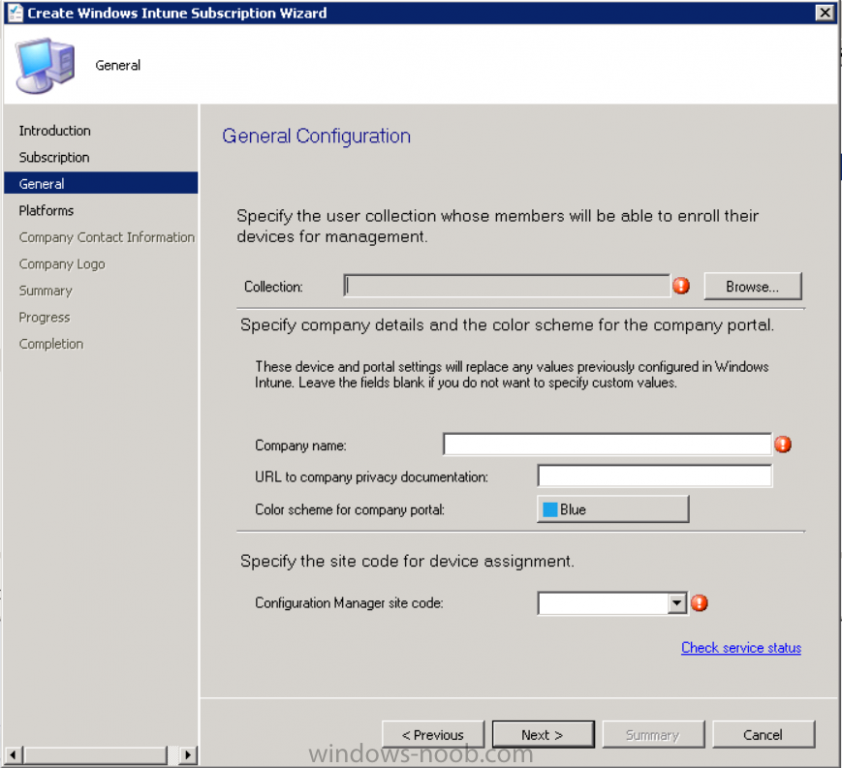
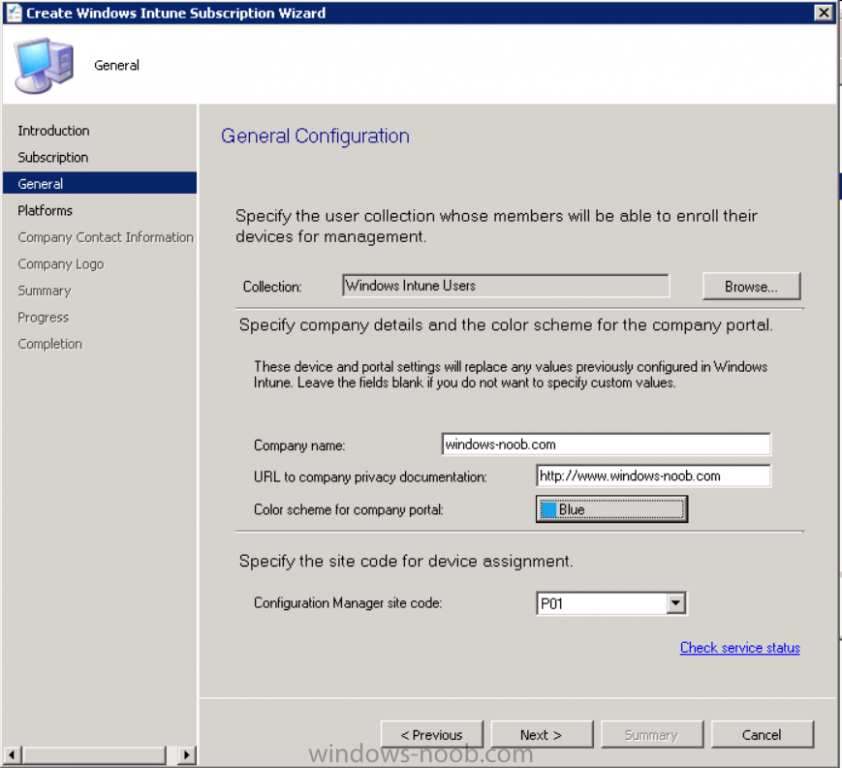
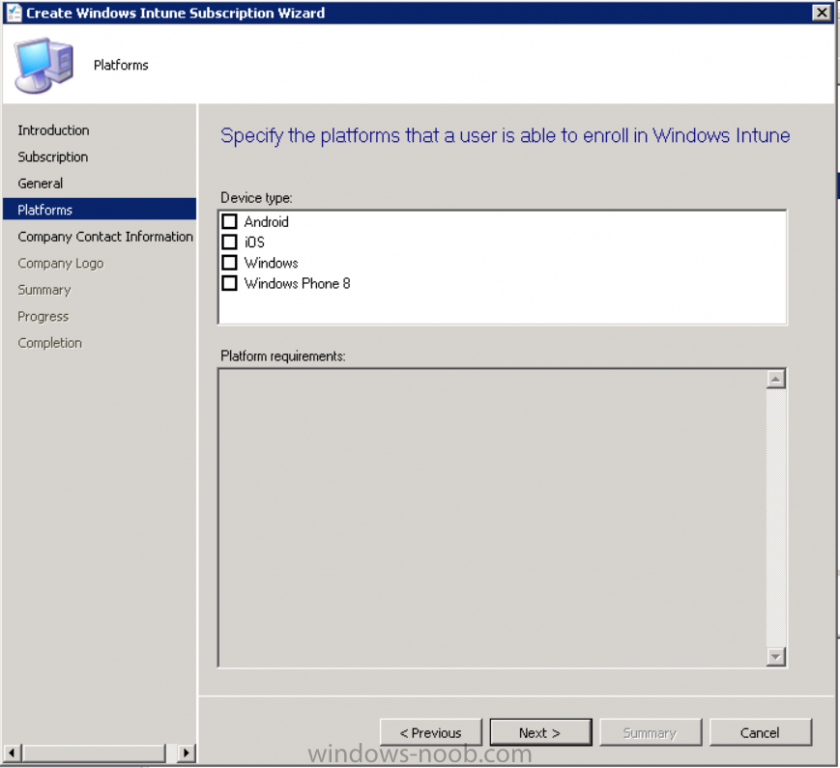
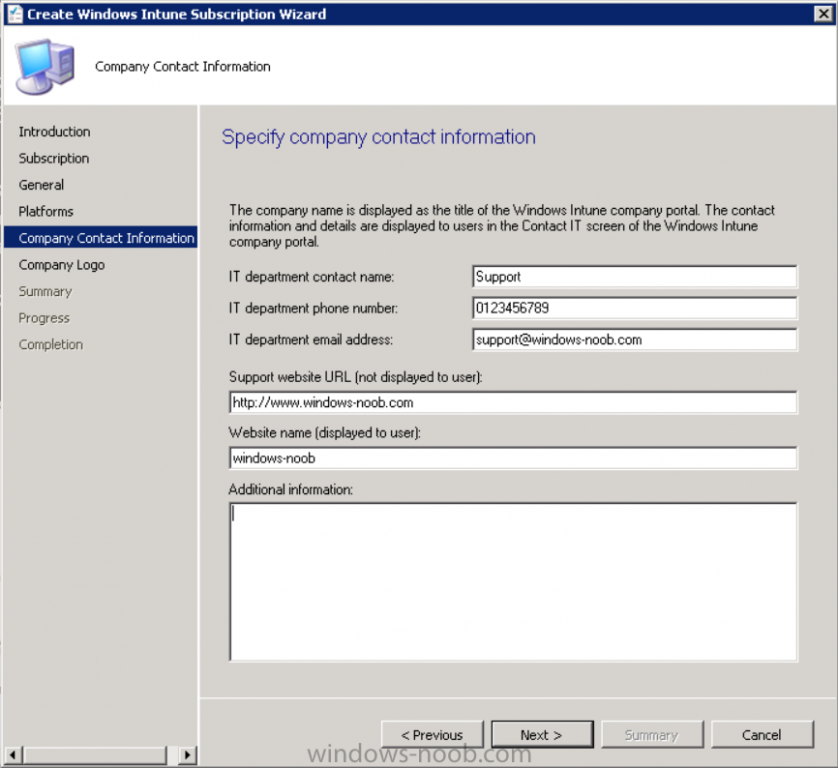
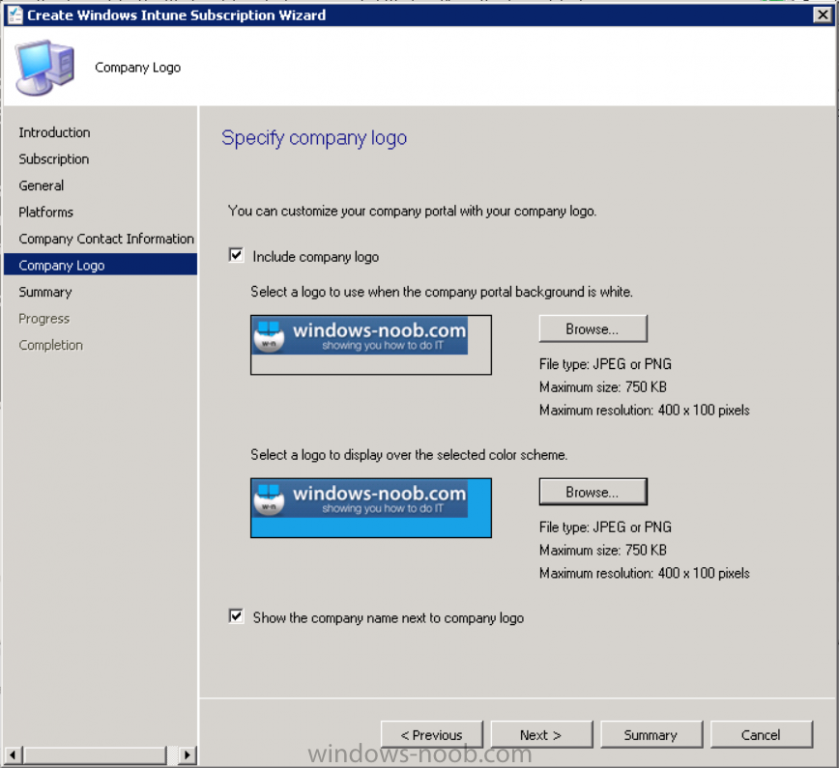
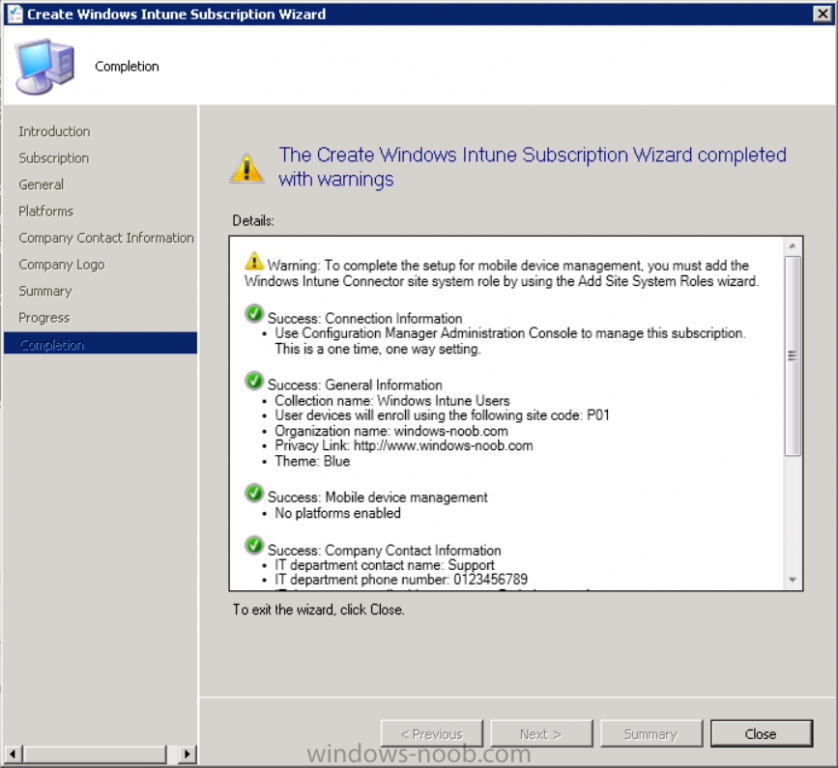
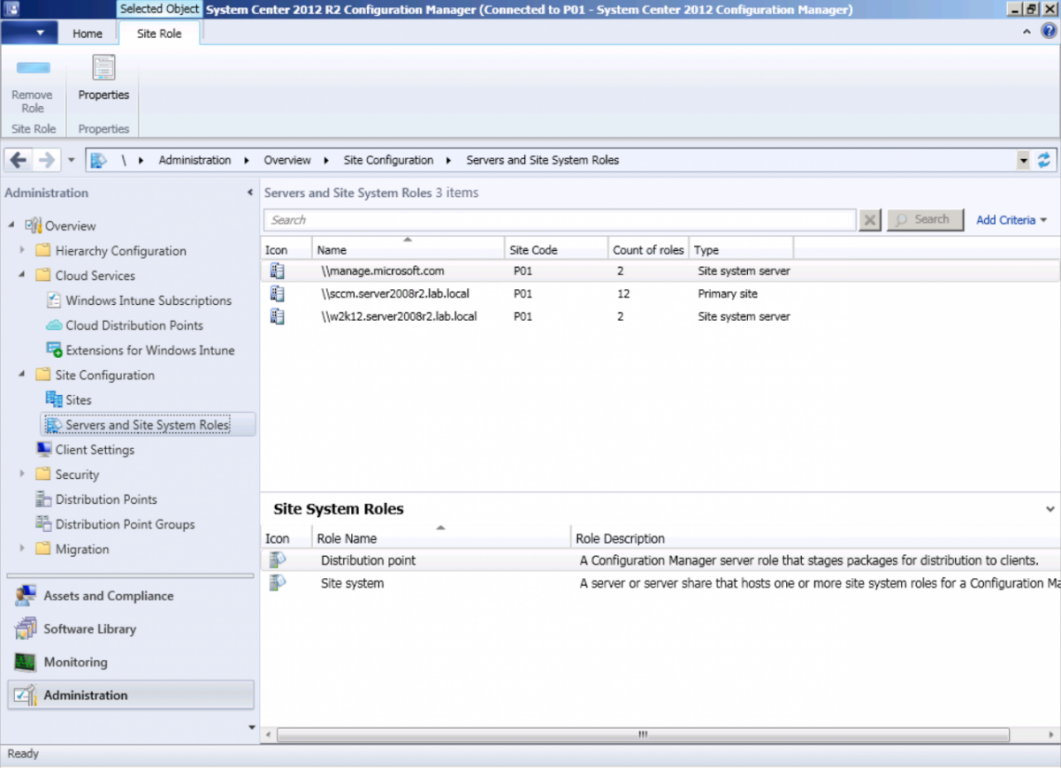
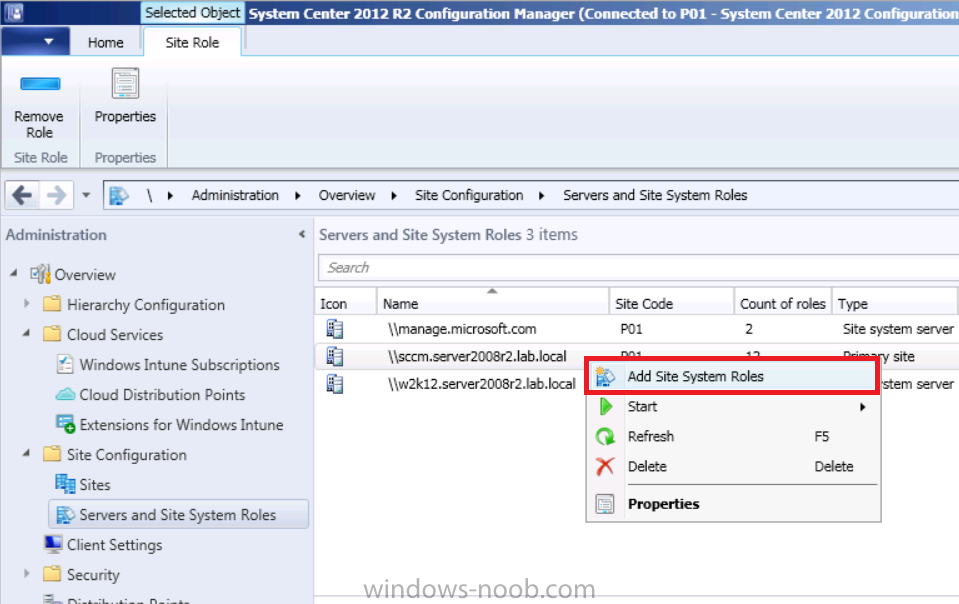
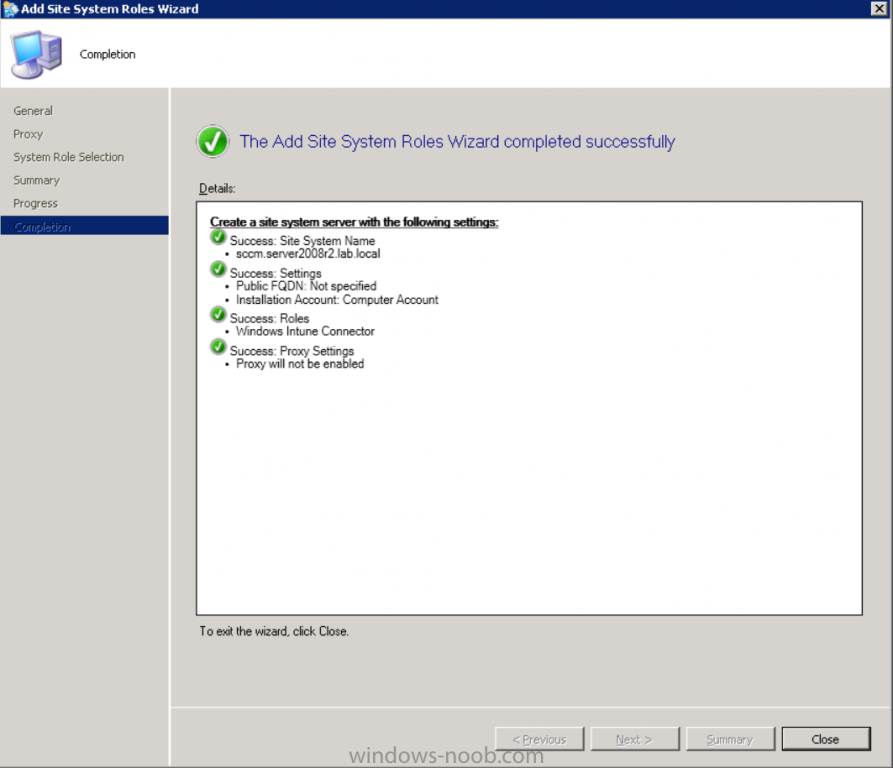
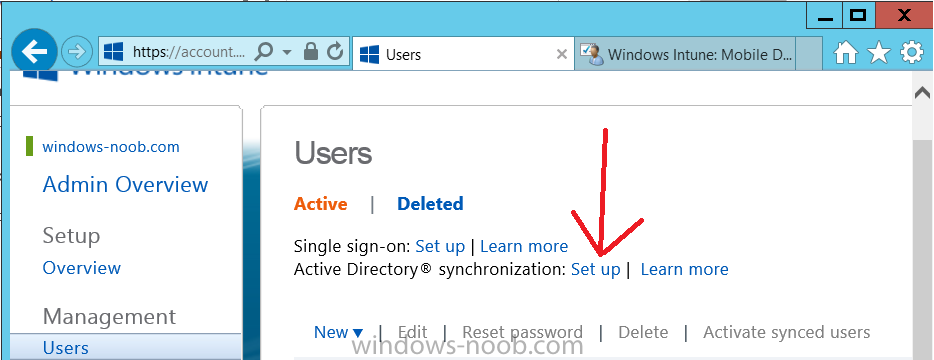
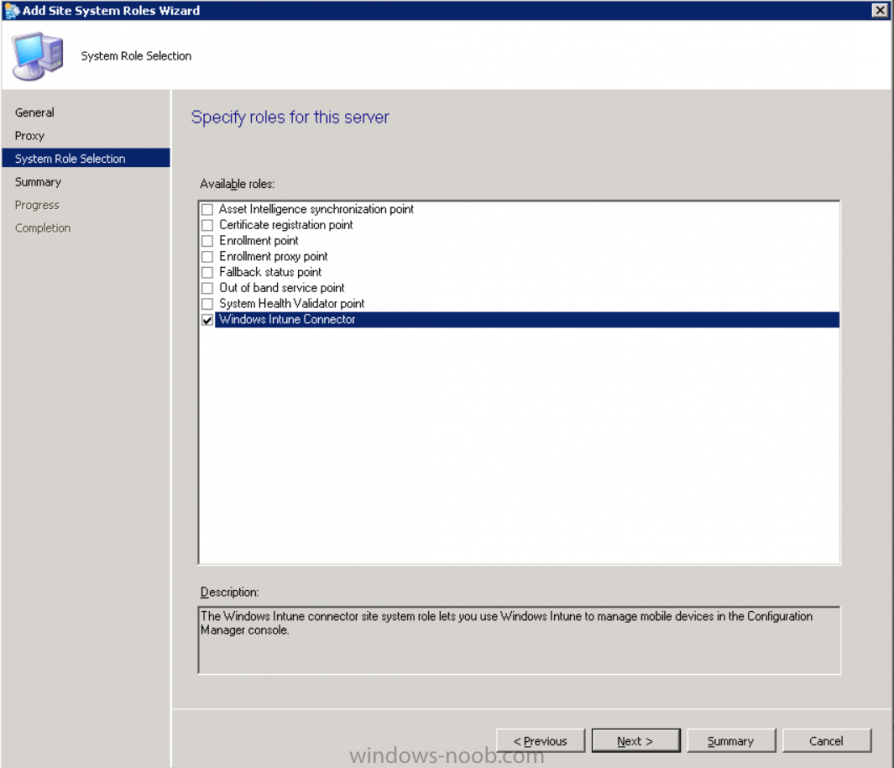
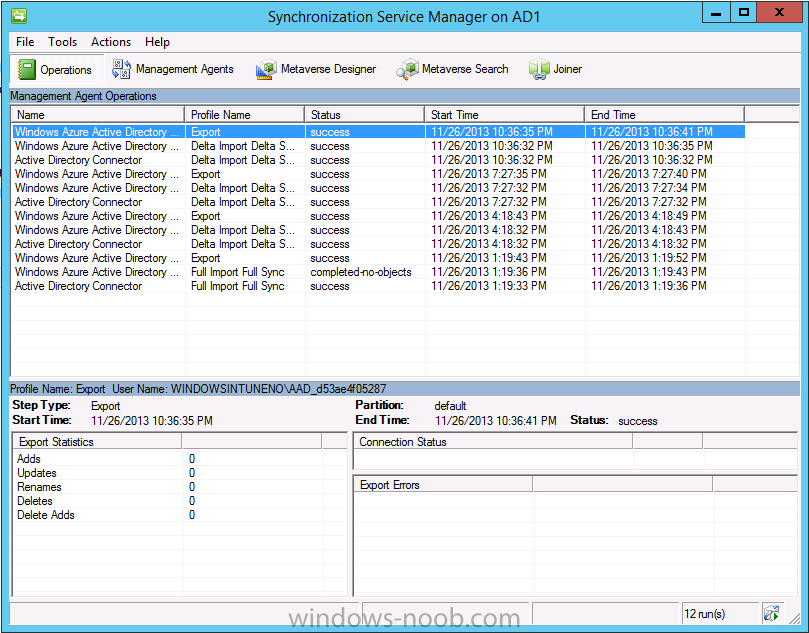
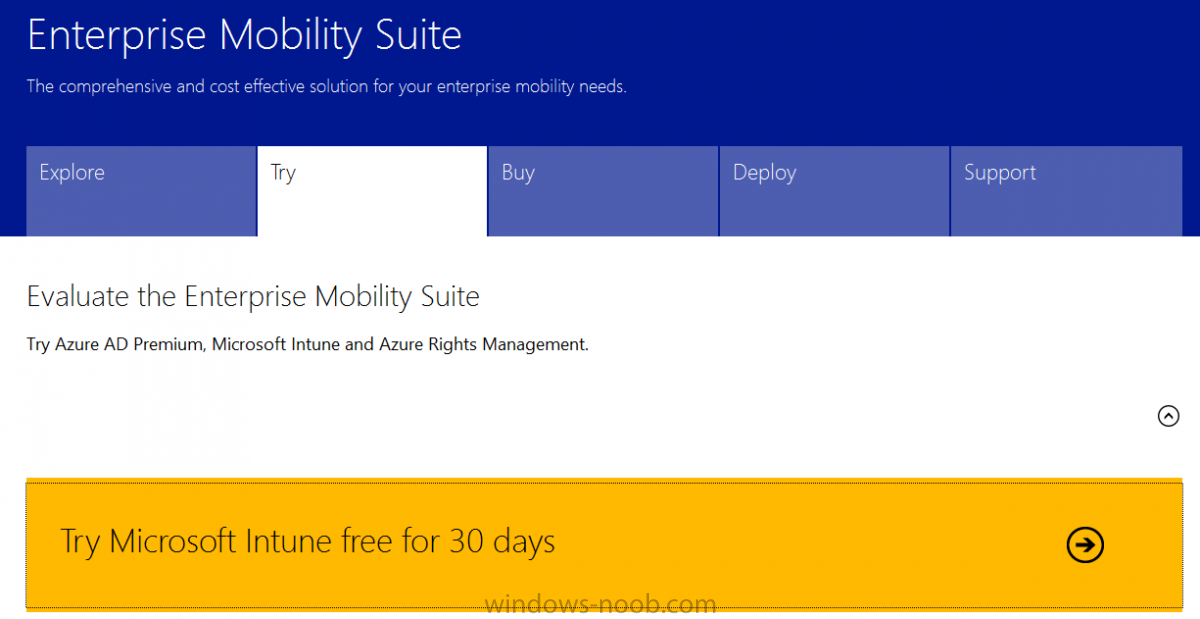
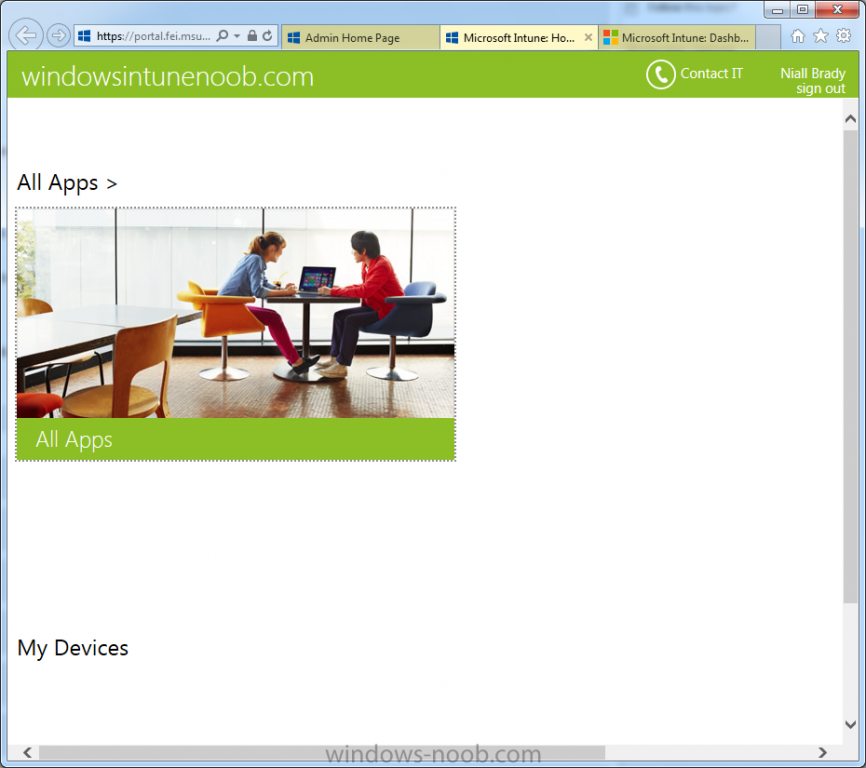
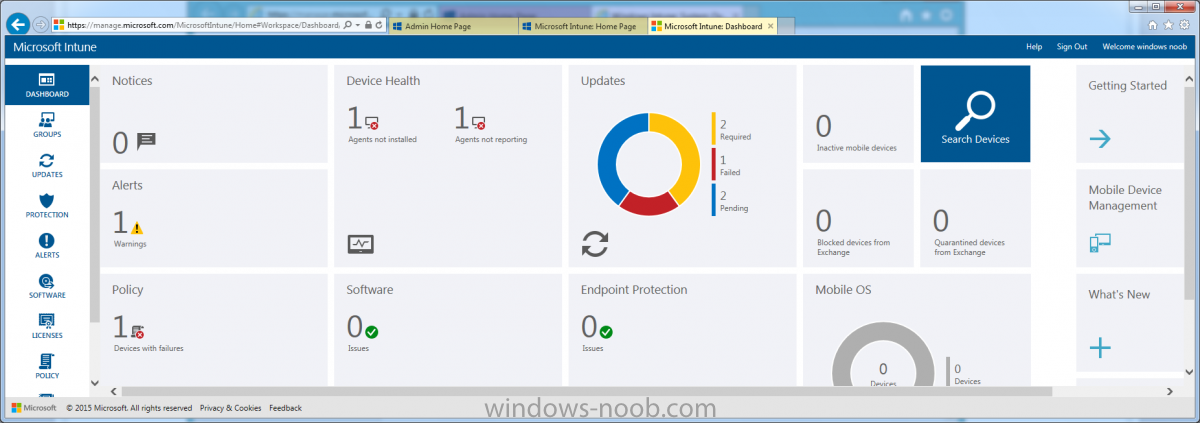
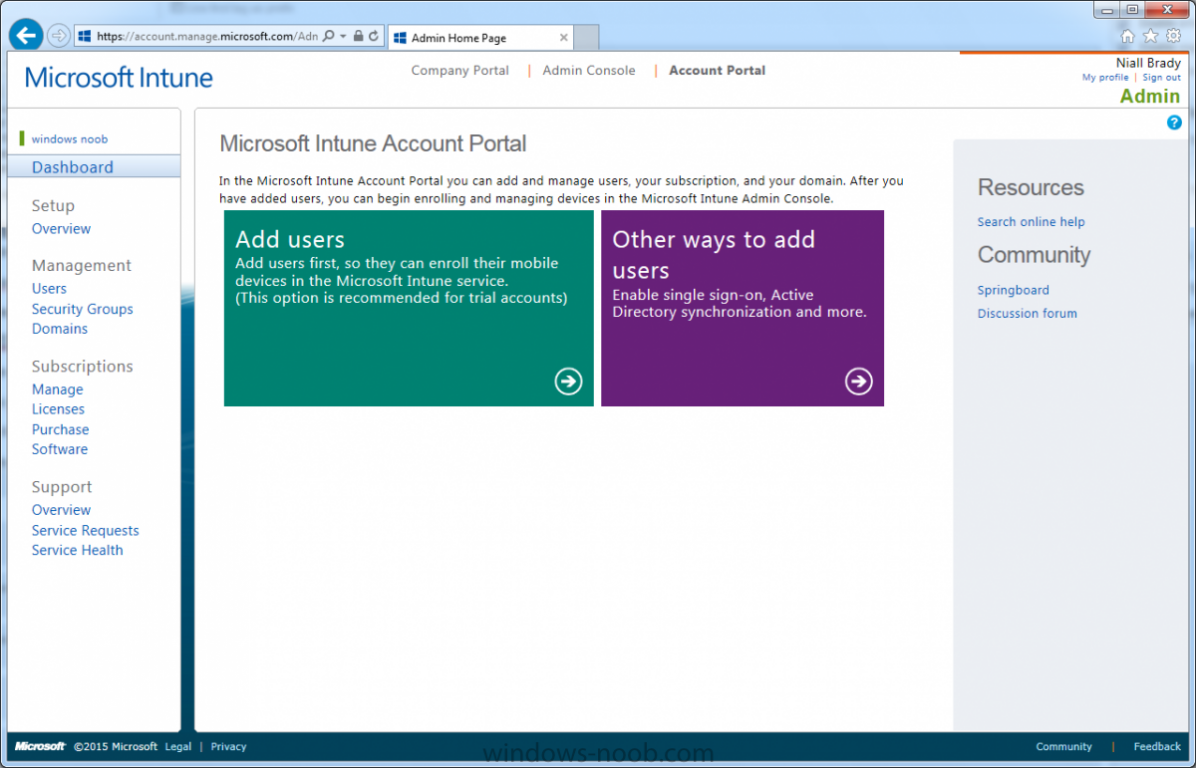
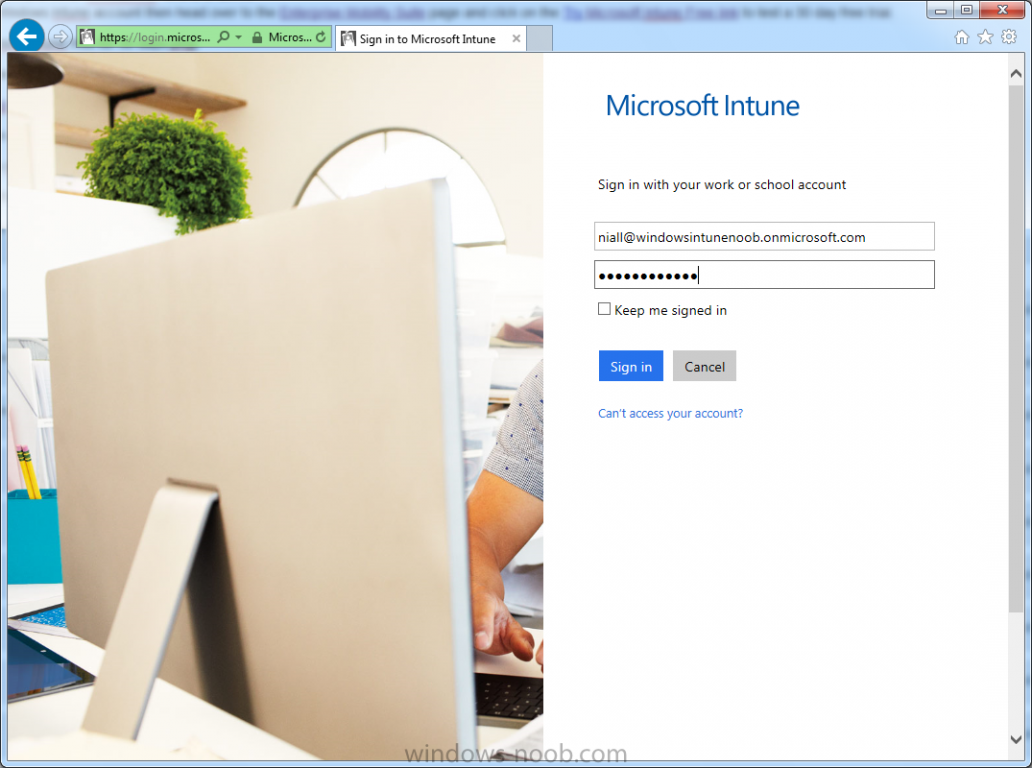
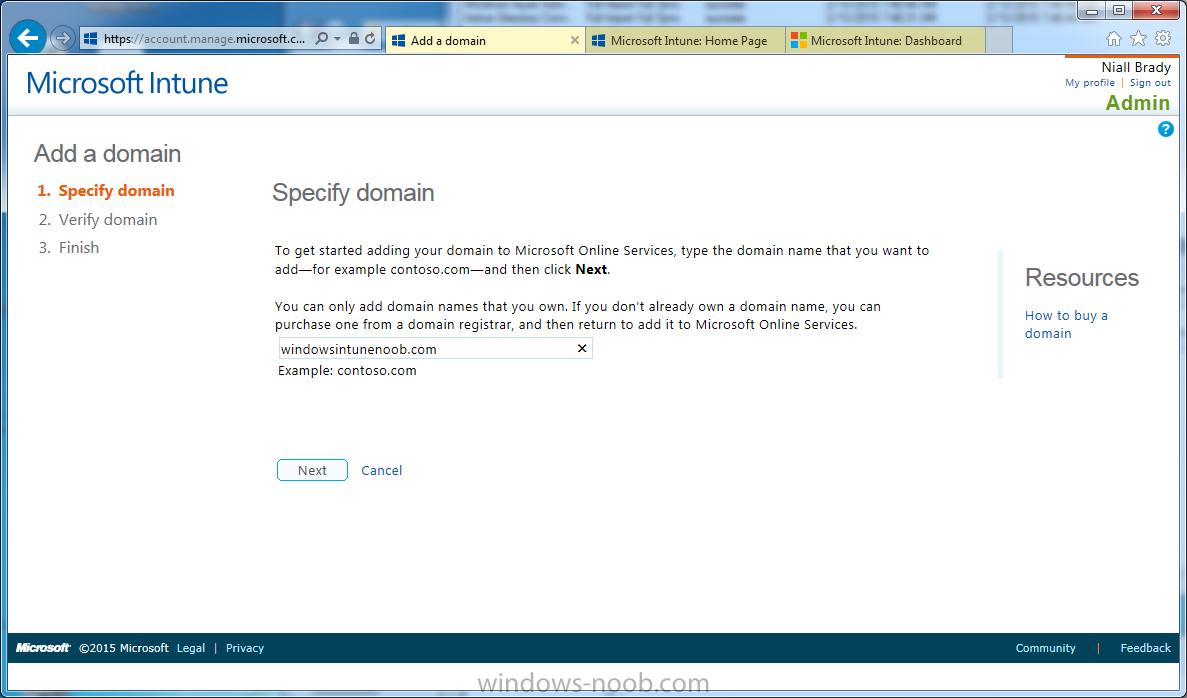
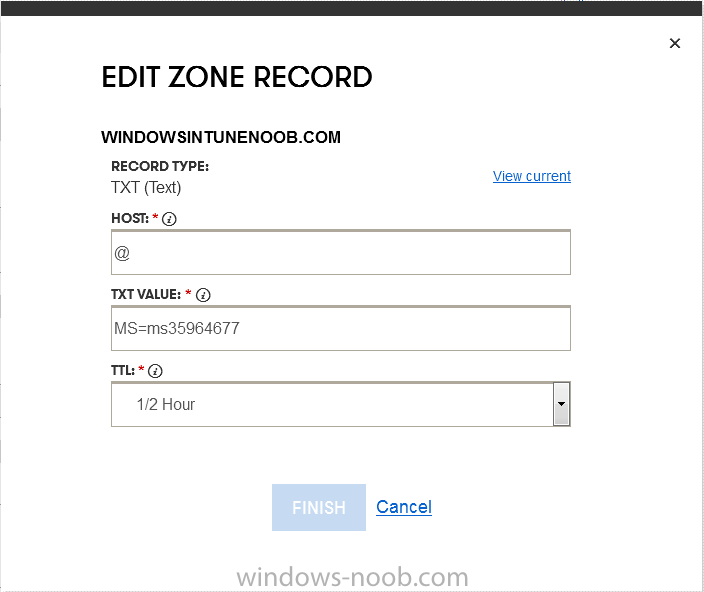
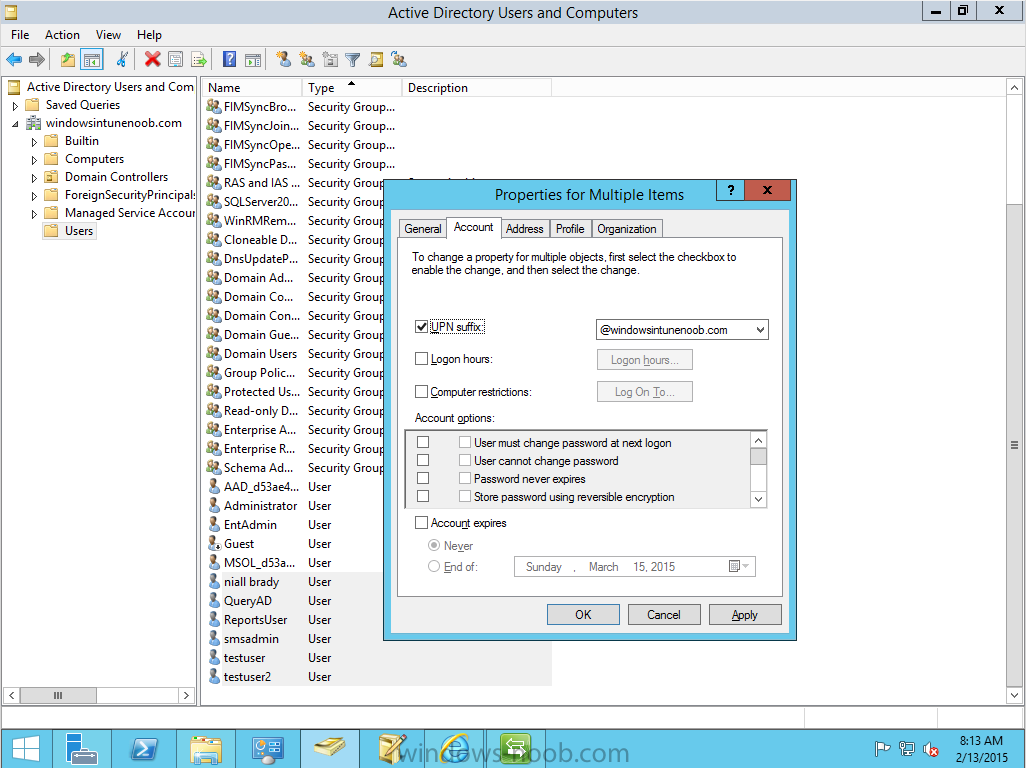
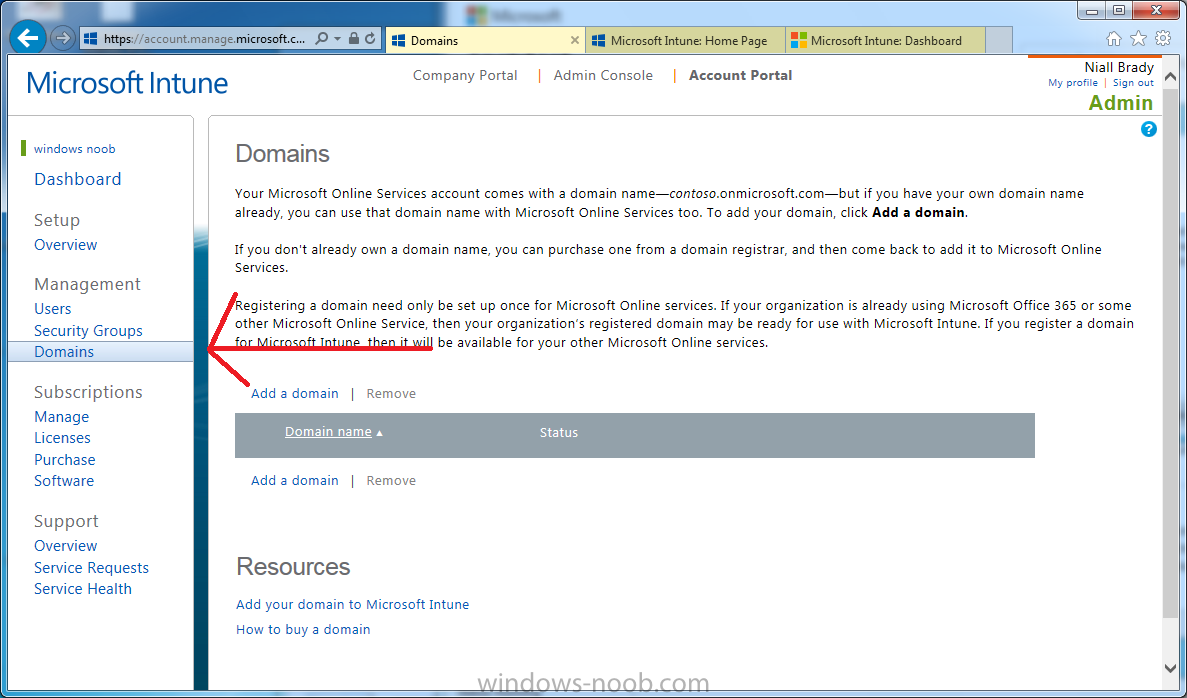
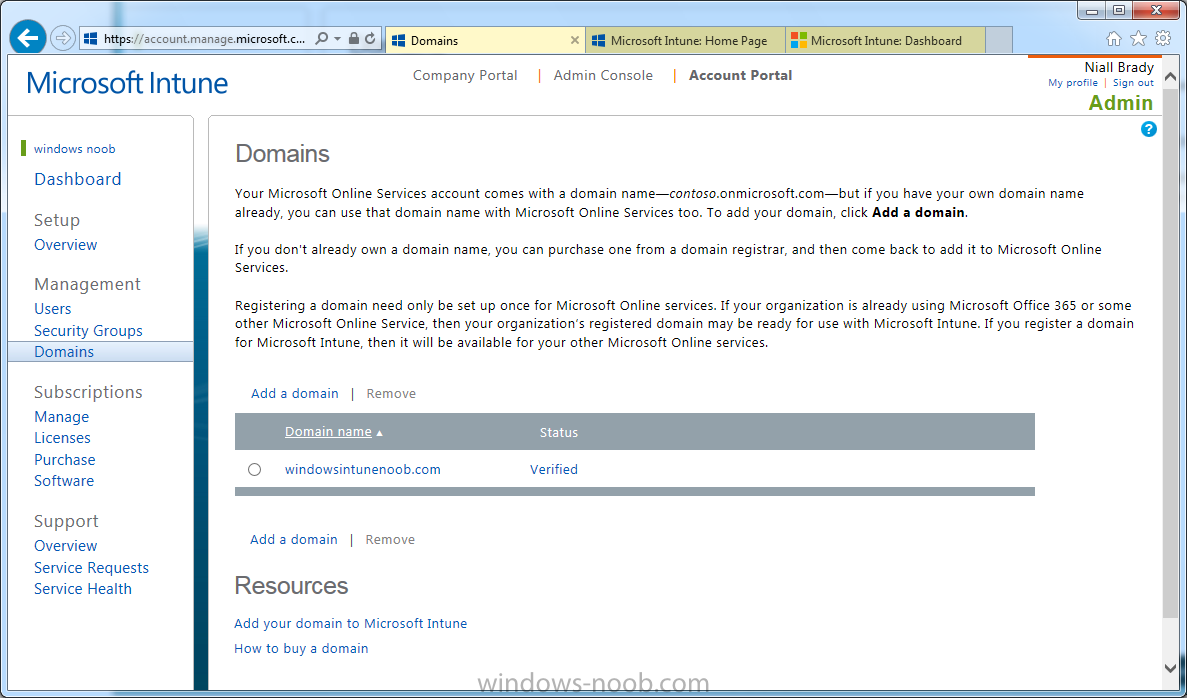
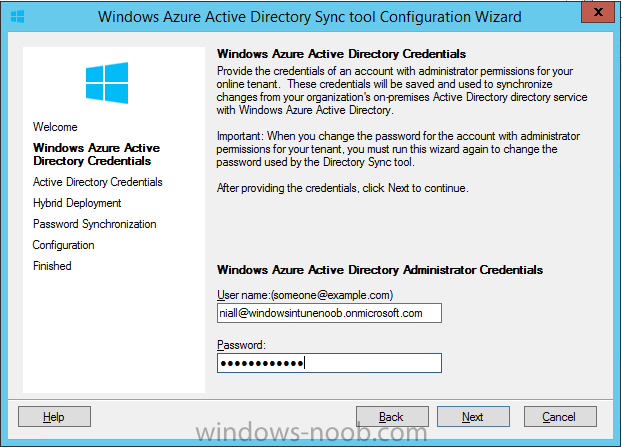
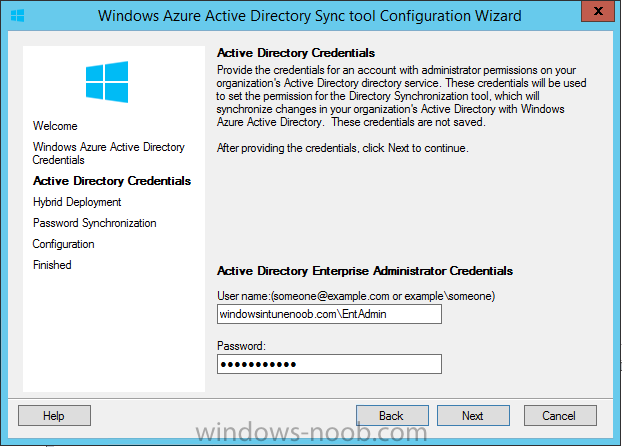
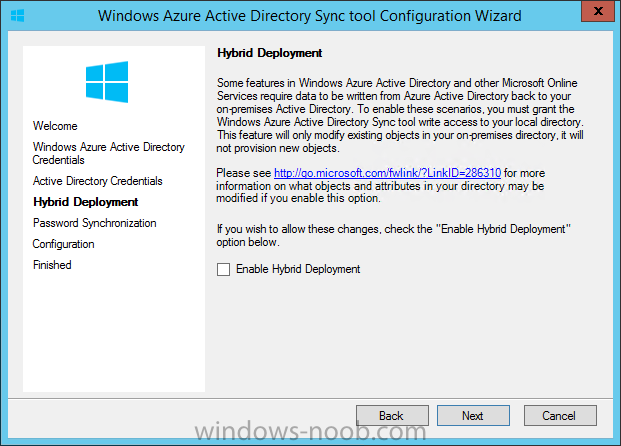
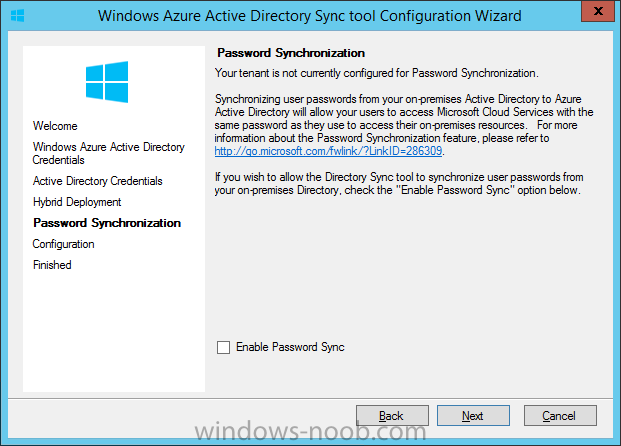
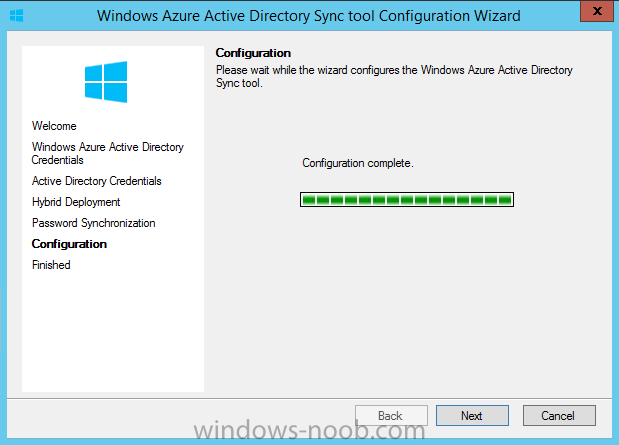
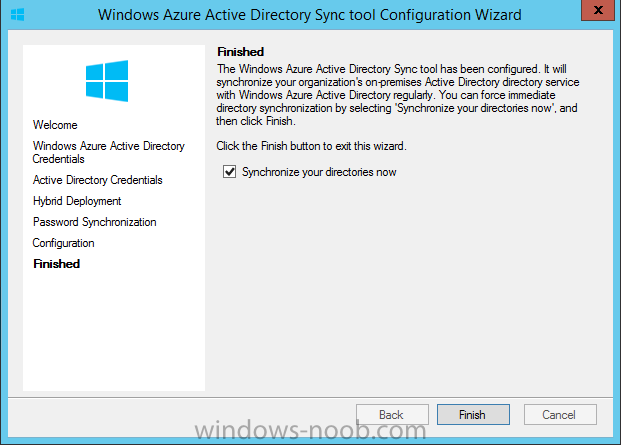
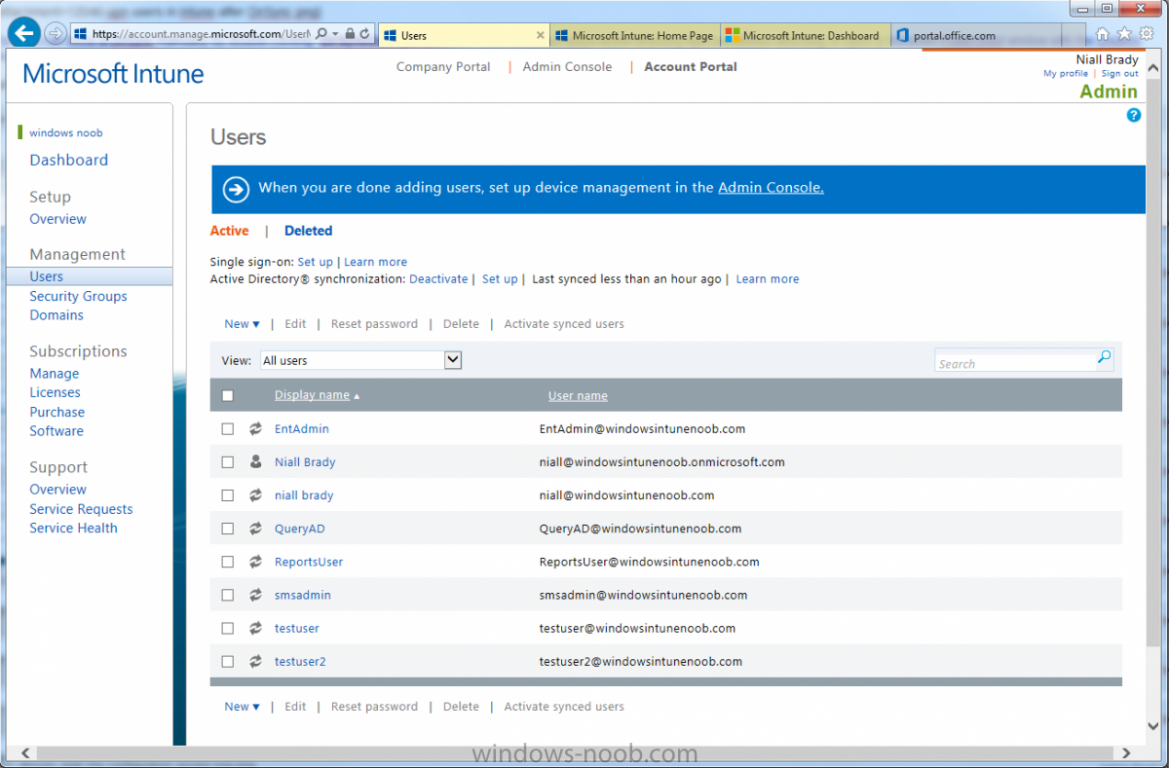
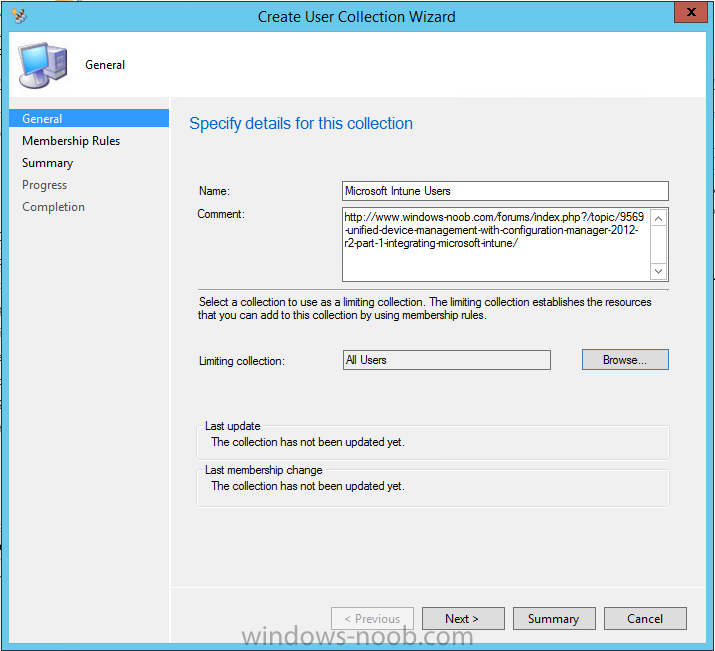
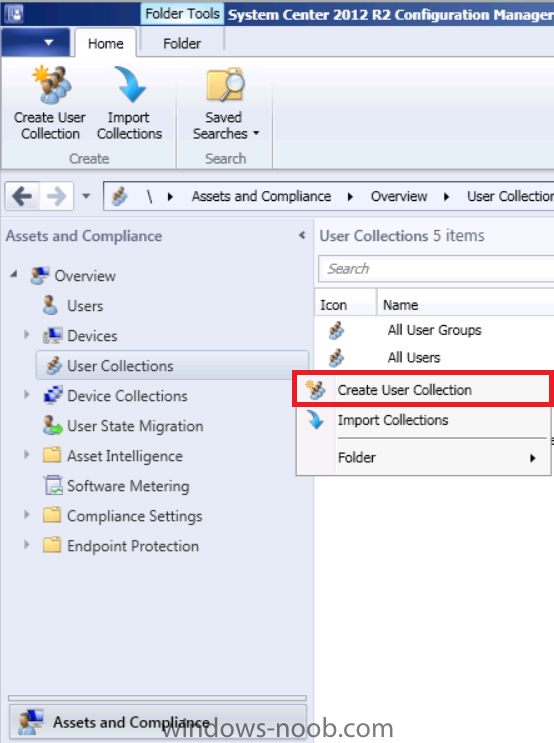
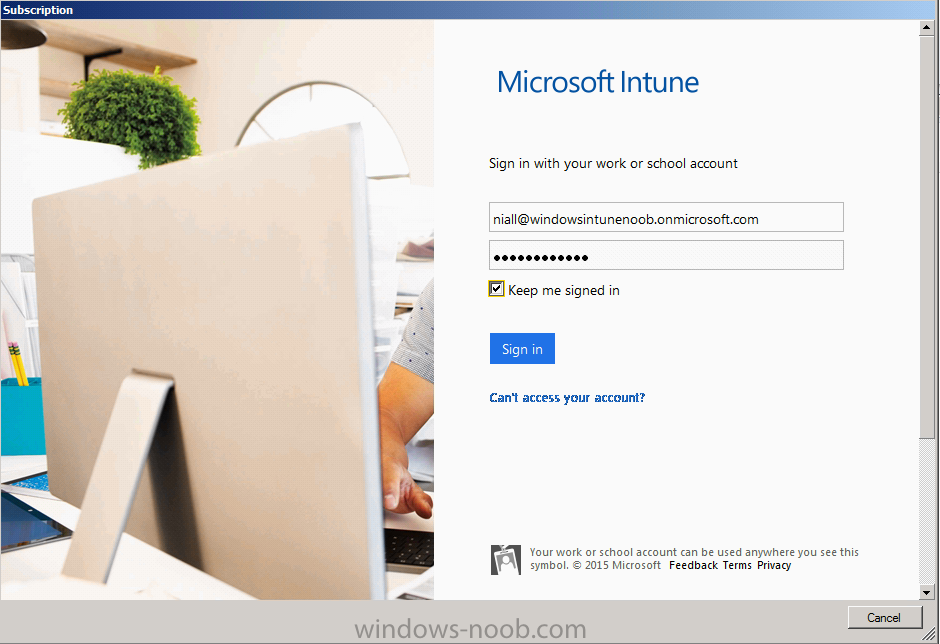
 Introduction Mobile device management (MDM) in Configuration Manager is possible via the following methods Enrollment by Configuration Manager Mobile Device Legacy Client Exchange Server Connector The methods above provide you with different abilities, Enrollment by Configuration Manager let’s you manage older and less popular hardware such as Windows Mobile 6.1 Windows Mobile 6.5 Nokia Symbian Belle whereas the Mobile Device Legacy client can manage similar older mobile operating systems such as Windows CE Windows Mobile 6.0 Finally you can do remote wipe or settings control for devices managed by Exchange 2010 using Exchange ActiveSync by using the Exchange Server Connector. How does Microsoft Intune fit into all of this ? Microsoft Intune can be utilized in two main ways Standalone - Intune managed and run in the cloud Hybrid - An on-premise System Center 2012 R2 Configuration Manager environment which is connected to Microsoft Intune in the cloud As you’ll probably want a single pane of glass for managing your modern mobile devices as well as your company servers and computers, integrating Microsoft Intune with Configuration Manager 2012 R2 is a logical next step. In this post I’ll show you how to integrate Microsoft Intune with System Center 2012 R2 Configuration Manager to form a hybrid scenario in order to perform unified Mobile Device Management. By integrating System Center 2012 R2 Configuration Manager with Microsoft Intune you have unified Mobile Device Management (MDM) of modern mobile devices such as Android, Windows Phone 8, iOS, Windows RT. This ability has been in place since Configuration Manager 2012 SP1 but has been updated with several new abilities and refined with the release of System Center 2012 R2 Configuration Manager and several times since then, in addition, Windows Intune was renamed to Microsoft Intune (see this blog post for details). When you use Configuration Manager with Microsoft Intune, you have the following management capabilities: You can retire and wipe devices. You can configure compliance settings on devices. These include settings for passwords, security, roaming, encryption, and wireless communication. You can deploy line of business apps to devices. You can deploy apps from the store that the device connects to, Windows Store, Windows Phone Store, App Store, or Google Play. You can collect hardware inventory. You can collect software inventory by using built-in reports. In this mini-series of guides on managing modern devices I will show you what you need to do to successfully integrate Configuration Manager 2012 R2 with Microsoft Intune and then manage them. Step 1. Get a Microsoft Intune account If you don’t already have a Microsoft Intune account then head over to the Enterprise Mobility Suite page and you should see a heading which says "Try the Microsoft Enterprise Mobility Suite" and beneath that is a Try Now button. Click on the Try Now button to test a 30 day free trial. After the 30 day free trial is complete you'll be asked if you want to buy a subscription as Microsoft Intune isn’t free, there is licensing cost involved. To get details of those costs please review the Microsoft Intune Licensing FAQ which can be found here. After signing up you can login to the Microsoft Intune Account portal using the credentials you specified (while will be something like user@domain.onmicrosoft.com) as shown below You will be presented with a webpage page like the one below: At the top of the screen you’ll notice three main tabs, These tabs are described below and each one is click-able and will take you to the respective page once you have created credentials above: Company Portal Admin Console Account Portal The Company Portal pictured below, will open a new window that shows applications added to Microsoft Intune and deployed to the logged in user, it will show All devices (for the logged on user, with a maximum of 5 devices per user) and some support options. The Admin Console pictured below, is where you’ll do your day to day activities in Microsoft Intune for Standalone Intune environments. This is Silverlight powered so you’ll most likely get prompted to install Silverlight if it’s not already installed. The Account Portal pictured below, is where you manage Microsoft Intune subscriptions, licenses and initial setup of Intune Users. Step 2. Add a public company domain In order to ensure users are synchronized correctly you must create or have access to a verified public domain within the Microsoft Intune Account Portal. If this step is not performed you might end up with users with onmicrosoft.com UPN (User Principal Name) related names. Logon to https://account.manage.microsoft.com/ which is the Microsoft Intune Account Portal and click on Domains under Management in the left pane. Next, click on Add a Domain and enter your domain name as shown in the screenshot below: Click on Next, you’ll be asked if you want to verify using a TXT or MX record, I have chosen TXT in this example (and it’s the recommended choice as the other option could potentially give you issues). To allow Microsoft Online Services to verify your domain you will need to logon to your domain registrar or DNS provider for the domain in a separate web browsing session. The steps are listed below Logon to your Domain provider (eg: GoDaddy) and select the domain that you're verifying, editing or adding a DNS record to. In the DNS management area for your account, select the option to add a TXT record for your domain. In the Host or Host name box for the domain, type or paste @. (If your domain registrar doesn’t let you enter an @ symbol then simply remove it (leave the @ blank). An @ in the Hostname represents the blank record for the root domain (eg: windowsintunenoob.com). In the value (or data) box, type or paste MS=ms57610744. (Note: this was the value I was prompted to add, your value will most likely be DIFFERENT, enter the value that you were given.) Depending on the website, this box may be labeled Text, Value, Address, Points to, or TXT record. Save your changes. Once done you can check those settings by clicking on Edit again and it should look something like this (again, this is in your DNS providers web page, not the Intune Account Portal). In the Microsoft Intune account portal Domain section, click on Verify to verify the Account like in the screenshot below Once the account is verified you should see something like the following Click on close Step 3. Create a CNAME DNS entry In order to enroll Windows Phone 8, Windows RT and Windows 8.1 devices you’ll need to create a CNAME DNS entry which directs EnterpriseEnrollment to manage.microsoft.com In your domain registrar, add a new CNAME record like the one below (note: the screenshot below shows a different domain name to my Intune domain name, use whichever is appropriate for your company) To do this create a CNAME resource record for the verified domain in the public DNS. The CNAME resource record must contain the following information: Alias name: EnterpriseEnrollment Fully qualified domain name (FQDN) for the target DNS host: EnterpriseEnrollment.manage.microsoft.com Step 4. Setup User Principal Names for your Users Before you synchronize the Active Directory user account, you must verify that user accounts have a public domain UPN. For more information, see Add User Principal Name Suffixes in the Active Directory documentation library. To ensure that users that will be managed have the above Public Domain as their primary User Principal Name (UPN) in Active Directory you can verify the UPN attribute in Active Directory Users and computers. The Active Directory attribute for each user is synced up for each user to the corresponding user in Microsoft Intune. You can apply the UPN suffix via a script or manually in ADSIedit. To create a UPN suffix for a forest see this post (thanks @NickolajA). Step 5. deploy and configure Active Directory Federated Services (ADFS) If you plan to use single sign-on, Deploy and configure Active Directory Federated Services (ADFS) as described here. In this guide I am not configuring or using ADFS for SSO but you may want to do so. If I do publish a guide for setting up ADFS in the future i'll amend this post to reflect that. Step 6. Enable Active Directory synchronization Note: The dirsync tool is being depreciated, use the AD Connect tool instead from here. For a comparison chart between the tools – DirSync, AADSync, AD Connect, and FIM, refer to this link: https://msdn.microsoft.com/en-us/library/azure/dn757582.aspx Activating Active Directory synchronization allows you to automatically copy users, security groups and other objects from your local (on premise) Active Directory to (a cloud based) Windows Intune. In the Windows Intune Admin Console select Users and click on Active Directory synchronization: Set up. Follow the guidance on the page it links to (which are the first 3 steps shown below) and when ready click on Activate Another window will pop up, click on Activate again. If all goes well you’ll be informed that Active Directory synchronization is activated. Next you download the actual dirsync.exe tool to run on your Domain Controller, choose the correct architecture. Once downloaded make sure that you have .NET Framework 3.5 SP1 and .NET Framework 4 installed on the computer which you run the DirSync tool, then run the tool with suitable credentials. (I ran it as a Domain Enterprise Administrator). Click next at the welcome Accept the EULA and then select the installation directory And click next again to let it install When the installation is complete (it takes some time to install all the components) click Next and place a checkmark in Start Configuration Wizard now then click Finish. On the DirSync tool Configuration wizard welcome screen click Next and logon with your Admin credentials that you used when setting up Microsoft Intune. For example in my lab I use niall@windowsintunenoob.onmicrosoft.com These credentials will be saved and used to synchronize changes to your users from your organization’s on-premise Active Directory with Windows Azure Active Directory. Next enter your active directory enterprise administrator credentials, after entering your AD credentials (eg: windowsintunenoob\EntAdmin) If you want to enable Hybrid Deployment select it here next you'll be prompted if you want to enable Password Synchronisation. If you require this then select Enable Password Sync, and click Next, this is not the same as Single Sign on, but does reduce complexity as described here. Once done you’ll see configuration complete Let it complete until Finished. Once done if will allow you to Sychronize your directories You’ll then get a message prompting you to click on a link for details about the Active Directory synchronization progress - http://technet.microsoft.com/en-us/library/jj151797.aspx Click Ok. At this point you can wait a bit before once again browsing the Users link in Microsoft Intune. It should have populated with your users if all went well with DirSync. In addition you can browse Groups and you’ll see your Active Directory User Groups listed. Tip: You can force a DirSync manually by double-clicking DirSyncConfigShell.psc1 in the Windows Azure Active Directory Sync installation directory, to open a Windows PowerShell window with the cmdlets loaded. In the Windows PowerShell window, type Start-OnlineCoexistenceSync, and then press ENTER. And finally, you can also monitor DirSync activity using the MiiSync tool located in C:\Program Files\Windows Azure Active Directory Sync\SyncBus\UIShell, however you should log off as the current user and logon again before running the tool (so that the correct AD Security group membership is updated for your profile.) Note: If you haven't verified your own domain name with Microsoft Intune as the primary domain, then the Primary UPN of your user accounts in Active Directory that are added as members of the Windows Intune Users (or Microsoft Intune Users) collection must match the domain you are using in intune, for example : someuser@somedomain.onmicrosoft.com. Also keep in mind that user accounts must be activated if you are not synchronising passwords using DirSync - which means before that user can enroll a device they should login to the Intune Portal themselves on a web browser and set/change their password. Step 7. Perform Active Directory User Discovery In the Configuration Manager console perform a User discovery as shown below, this will mean Configuration Manager will have the most up to date details of your users including any UPN changes you made above. Step 8. Create a user collection called Microsoft Intune Users Micrososft Intune will need a user collection to allow users to enroll their devices, so let’s go ahead and create one. In the System Center 2012 R2 Configuration Manager console select Assets and Compliance then select User collections, right click and choose Create User Collection. The create user collection wizard will appear, give the collection a suitable name like Microsoft Intune Users and limit it to the All Users collection or whichever User collection you deem appropriate. Note: Earlier versions of this guide created a collection called Windows Intune Users, however since Microsoft renamed Windows Intune to Microsoft Intune in October 2014, you should probably do the same, therefore any screenshots or references to a Windows Intune Users collection in these guides should be replaced with Microsoft Intune Users. Continue through the wizard until completion. Once you’ve created the User collection add some users to it using whatever method you wish (direct membership or query). Step 9. Add Microsoft Intune Subscription In the System Center 2012 R2 Configuration Manager console select Administration, and expand Cloud Services, select Microsoft Intune Subscriptions from the options available. In the ribbon above, click on Add Microsoft Intune Subscription The create Microsoft Intune subscription wizard appears Click on Next and you’ll be presented with the Microsoft Intune sign in page. This will pop up a Set the Mobile Device Management Authority window. Place a checkmark in the check box and click on OK. Selecting this choice will ensure that Configuration Manager will manage your mobile devices by using the Microsoft Intune connector and any mobile devices currently managed by Intune will now be managed by Configuration Manager. This is not reversible, so if you want to manage your mobile devices with Windows Intune then don’t select this option. Tip: If you have computers currently managed by Intune then they will remain managed by Intune. Only mobile devices will be managed by Configuration Manager if you chose it to be the authority above. You’ll be presented with the login page, fill in your details used in Step 1 and click on Sign In. After signing in click on next, you’ll see the General Configuration screen Click on browse and browse to the Windows Intune Users collection we created earlier, next fill in the Company name and URL to company privacy documentation, finally select the color scheme for the company portal and the Site code used for Device Management. Next you will get the platform support screen, leave all 4 choices deselected. We will enable one of them in the next part of this guide. The 4 choices you have and their requirements if any are explained below: Android: There are no platform requirements for Android devices. iOS: You will need an Apple Push Notification Service (APNs) certificate. Windows: You will need to specify sideloading keys. Sideloading keys let you install apps that are not in the Windows Store. Windows Phone 8: You must have a code-signing certificate. The certificate will sign the company portal app and all other apps deployed by Configuration Manager. For now, select no platforms, we will add them later. Then click next, and fill in the company contact information And add your company logo And click through to the completion notice, take note of the warning at the top of this screen. Step 10. Add the Microsoft Intune Connector role Note: The Windows Intune Connector role does not appear until after you have completed the Windows Intune Subscription wizard. In Site Configuration, expand Servers and Site System roles and note that you now have a new site system server listed, namely manage.microsoft.com. Select your Primary server and right click, choose Add Site System roles. Note: If you have a hierarchy, you must install this role on the CAS server. Fill in appropriate details for the General page and if you use a Proxy to access the internet then add those details on the Proxy page, on the System role selection page select our Windows Intune Connector role. The Windows Intune Connector role is like a gateway between Configuration Manager and Windows Intune (in the cloud) and it checks every 5 minutes for changes and relays that information up to manage.microsoft.com. Complete the Add Site System Roles wizard. To verify if the connector role installs correctly refer to the Sitecomp.log logfile which records details of the Windows Intune connector role installation. Congratulations you've completed the first part of this mini-series, in the next part we will add iOS support. cheers niall Log Files The following Log Files are useful for troubleshooting problems with Windows Intune Integration in System Center 2012 R2 Configuration Manager. clouddmp.log dmpdownloader.log dpmuploader.log cloudusersync.log For a full list of logfiles related to the Windows Intune Connector see here Related reading Unified Device Management with Configuration Manager 2012 R2 - Part 2, adding Support for iOS devices Unified Device Management with Configuration Manager 2012 R2 - Part 3, deploying apps to iOS devices Unified Device Management with Configuration Manager 2012 R2 - Part 4, configuring compliance on iOS devices Unified Device Management with Configuration Manager 2012 R2 - Part 5, enabling support for Windows 8.1 devices Unified Device Management with Configuration Manager 2012 R2 - Part 6, deploying Windows 8.1 apps (appx) Unified Device Management with Configuration Manager 2012 R2 - Part 7, deploying Windows Store apps Unified Device Management with Configuration Manager 2012 R2 - Part 8, adding Android devices Unified Device Management with Configuration Manager 2012 R2 - Part 9, deploying Apps to Android devices Unified Device Management with Configuration Manager 2012 R2 - Part 10, adding Windows Phone 8 devices Unified Device Management with Configuration Manager 2012 R2 - Part 11, using Intune Extensions James Bannan, an awesome Configuration Manager MVP - http://www.jamesbannanit.com/ James and Peter demoing BYOD - Unifying BYOD Management with Windows Intune and Configuration Manager 2012 - http://channel9.msdn.com/Events/TechEd/NewZealand/2013/WCL309 What’s New in System Center 2012 R2 Configuration Manager - http://technet.microsoft.com/en-us/library/dn236351.aspx How to Manage Mobile Devices by Using Configuration Manager and Windows Intune http://technet.microsoft.com/en-us/library/2c6bd0e5-d436-41c8-bf38-30152d76be10#BKMK_RTcert Support Tool for Windows Intune Trial Management of Window Phone 8 - http://www.microsoft.com/en-us/download/details.aspx?id=39079 Set up Windows Intune Direct Management for Windows Phone 8 Mobile Devices - http://technet.microsoft.com/en-us/library/jj733640.aspx How to: Edit DNS records - A, CNAME, MX, TXT, and SRV https://help.hover.com/entries/21204757-How-to-Edit-DNS-records-A-CNAME-MX-TXT-and-SRV Configuring Configuration Manager SP1 to manage mobile devices using Windows Intune- http://blogs.technet.com/b/configmgrteam/archive/2013/03/20/configuring-configuration-manager-sp1-to-manage-mobile-devices-using-windows-intune.aspx Deploying and Configuring Mobile Device Management Infrastructure - http://channel9.msdn.com/Events/MMS/2013/UD-B309 Windows Intune Company Portal App - http://blogs.technet.com/b/windowsintune/archive/2013/11/25/windows-intune-company-portals-for-ios-and-android-now-available.aspx Downloads You can download a Microsoft Word version of this guide here. How can I manage modern devices in System Center 2012 R2 Configuration Manager - Part 1 - Integrating Windows Intune.zip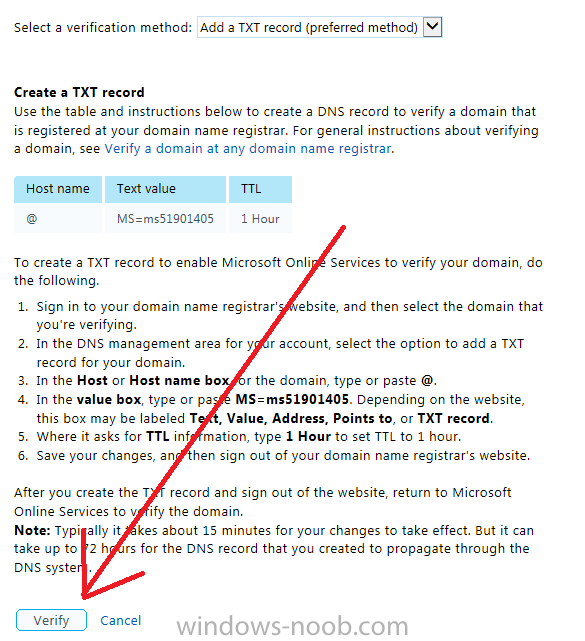


-
when you deployed Windows 8.1 did you install .NET 3.5 from the SXS on the Windows 8.1 media or Windows 8 media...
-
Can I stop SCCM from auto deleting WSUS folders?
anyweb replied to monsouj's topic in Configuration Manager 2012
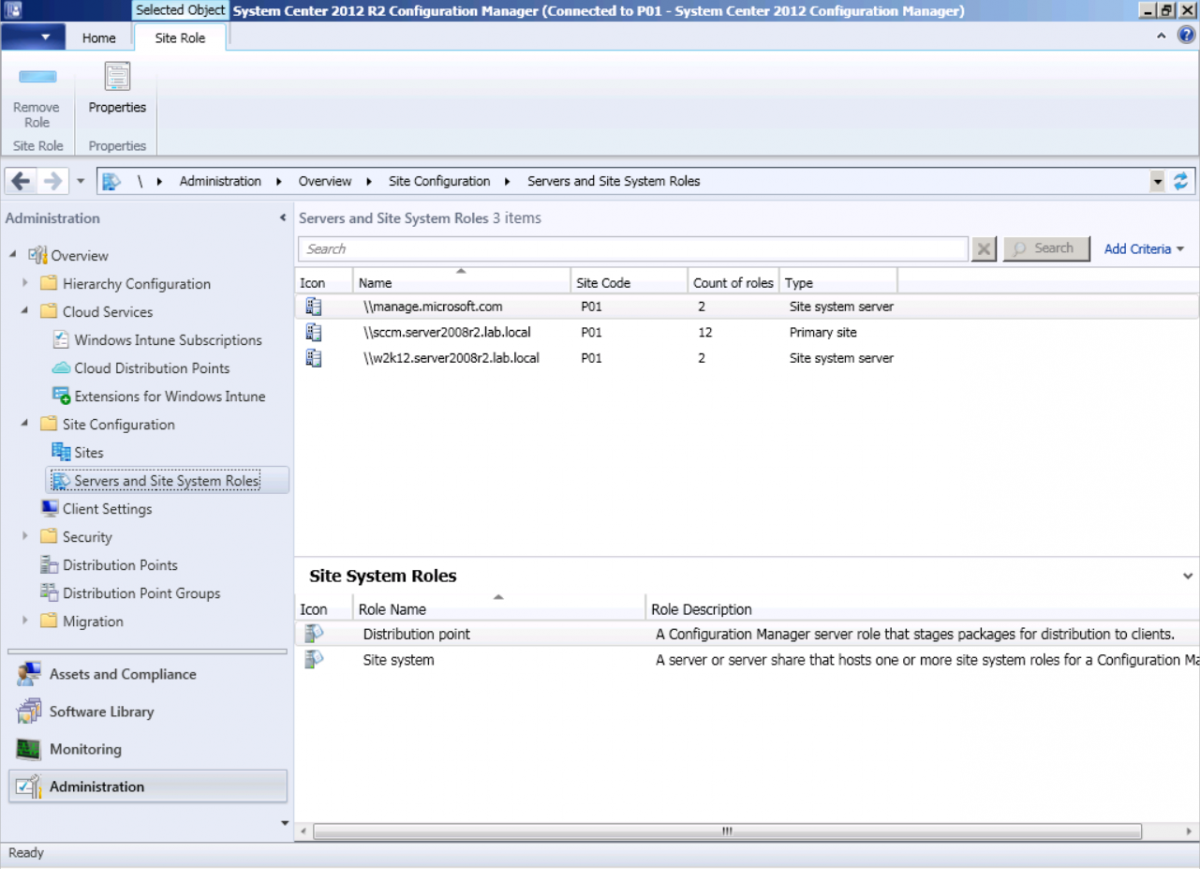
"CM can delete them and will with a maintenance task each week. You can't see or edit this task. " from Brian's post here -
see this post for details of how to do it
-
check the built in templates for ADR creation, there are two, one is for patch tuesday. Once you've checked that then do check part 9 here.
-
what happens when you click on 'get help with this error' ? what does your windowsupdate.log and wuahandler.log file look like ?
-
can one of you with the problem video the boot sequence from F12 to the error and upload it here please
-
R2 doesn't support Windows XP at all, you'd need to import a WinPE 3.1 boot wim in to R2 just to properly deploy Windows XP, and the version of USMT would be USMT 4
-
ah good old typos they get us all
-
I havn't added that post yet, hopefully soon
-
well the fish has come and gone twice with to 'public betas' of Windows 8, so it's quite likely we'll see another version of it in the future
-
dont do anything in wsus, your SUP controls what wsus syncs and when
-
well you need to deploy whatever script you have to a collection and to run hidden test the script on a virtual machine and run the script with system permissions *use psexec to test it*
-
the fish was jut part of Windows 8.1 preview
-
are those rare systems in the right collection or not ?
-
works fine, you can either disable bitlocker in Windows and then reboot and migrate your data via hardlinking or disable bitlocker in WinPE using some logic like you have here CM12 in a Lab -The CM12 BitLocker FrontEnd HTA - video CM12 in a Lab - The CM12 BitLocker FrontEnd HTA
-
great stuff, hope this helps others
-
if Microsoft release out of cycle patches then deploy then without an ADR (just create a regular SDR to deal with out of cycle patches).
-
did you follow my guide exactly ? did you set UDA options on the distribution point ?
-
if you want to patch systems with updates released before you started your cycle then create baselines for each year containing updates for that platform eg: Windows 7 updates - 2013 Baseline Windows 7 updates - 2012 Baseline and so on....
-
the clients will get their updates from the sources in the order that you specify so if you specify only UNC shares then that's where they'll get them from, is that enough info ?
-
when the guide was written (RTM) there was no such option. But I will amend it for everyones benefit.
-
welcome Nigel
-
what is the version number listed in control panel for your Windows ADK 8.1 ?
-
are you using at least 1gb of ram in your deployment test machine ? what errors are your logs telling you ?