anyweb
-
Posts
9271 -
Joined
-
Last visited
-
Days Won
371
Everything posted by anyweb
-
 attach your smsts.log file please.
 -
how long has it been at high cpu load ?
-
have you tried running diskpart on the hard disc on your virtual machine to create a partition ? which version of MDT are you using ? MDT 2012update 1 has logic in it to determine if the disk is not partitioned...
-
use the OSDComputername variable, here's some Configuration Manager 2007 info about same (you can adapt it to work with CM12) http://www.windows-noob.com/forums/index.php?/topic/1133-setting-computername-during-deployment/ or here's another way http://www.windows-noob.com/forums/index.php?/topic/5542-how-can-i-easily-prompt-for-a-computer-name-in-configuration-manager-2012/ or using a super cool HTA here http://www.windows-noob.com/forums/index.php?/topic/7294-the-cm12-bitlocker-frontend-hta
-
is it working now ?
-
if you have SCUP then it's possible, do you ?
-
Trying to deploy over PXE UEFI x86 with WDS 2012
anyweb replied to goudviske's question in Deploy Server 2012
i don't think that document says anywhere that you can do UEFI network boot, please contact HP and ask them does it support it (or not) -
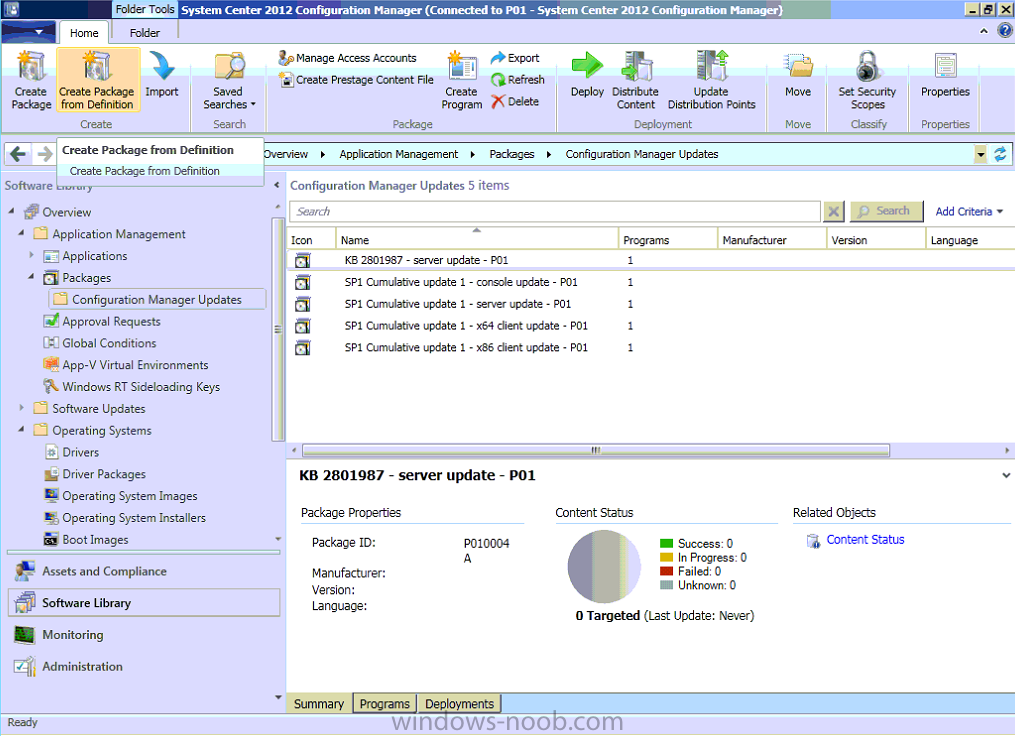
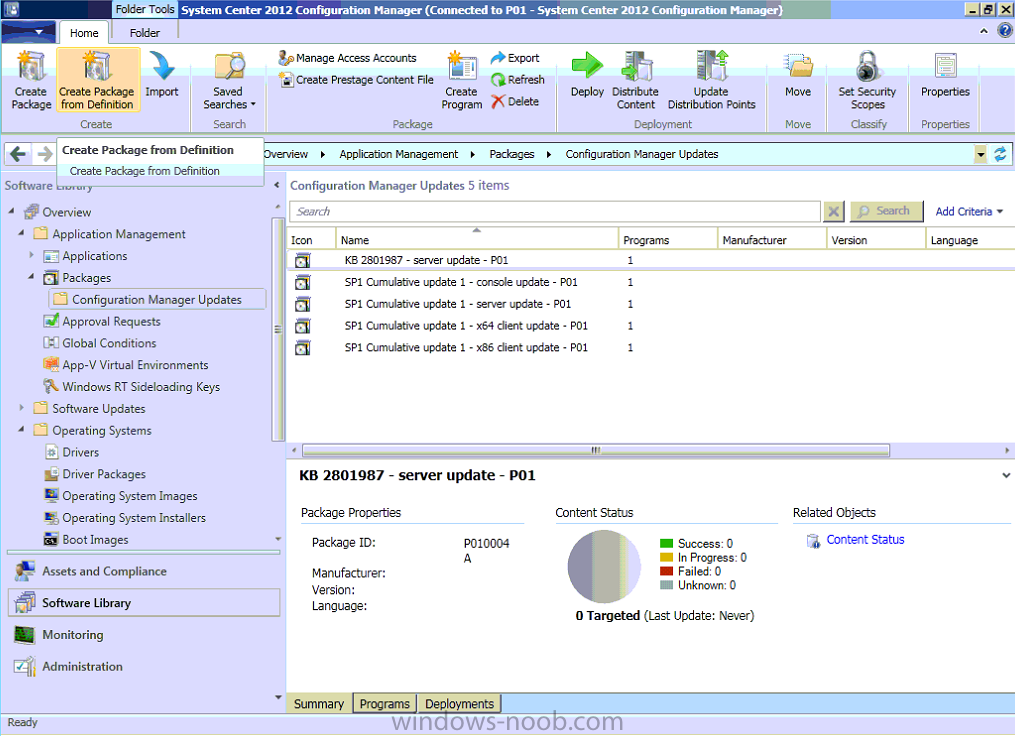
they will work fine with the sp1 client but it's advisable to have both the clients and servers running the same version the CU1 upgrade process creates the needed packages so you can easily target your clients with the update
-
Trying to deploy over PXE UEFI x86 with WDS 2012
anyweb replied to goudviske's question in Deploy Server 2012
does the HP Elitepad 900 support UEFI network boot in it's bios ? -
which logs ? which task ? did you review the kb above ?
-
Stop SCCM 2012 from publishing to Active Directory
anyweb replied to pnyce24's topic in Configuration Manager 2012
the easiest way is to remove the computer account of that Configuration Manager site server in the security permissions of the System Management container in AD -
sounds like you have the authenticode issue - here's the fix
-
what URL are you specifying ?
-
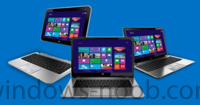
On April 18, Microsoft didn't share the one number many company watchers had been awaiting: An updated count of number of Windows 8 licenses sold. There was no guarantee the Softies would provide an updated count today, the day it released its Q3 FY2013 earnings. But many of us had been expecting it. Microsoft officials said they sold more than 40 million copies of Windows 8 the first month it was commercially available. On January 8, Microsoft officials said the company had sold 60 million licenses of Windows 8 to date. This total included sales of licenses to OEMs, as well as Windows 8 upgrades. It did not include copies of Windows 8 sold via volume-licensing agreements. It may or may not also include Windows RT license numbers. (Microsoft officials declined to comment on that when I asked.) At the time, Microsoft execs said the 60 million figure was roughly in line with the number of Windows 7 licenses sold during the same period of time after its launch in October 2009. Windows 8 and Windows RT went on sale on October 26, 2012. Today marks almost six months since Windows 8 launched. read the rest at ZDNet > http://www.zdnet.com/the-microsoft-number-we-all-want-to-know-windows-8-sales-to-date-7000014238/
-
Microsoft may be having the last laugh with Thursday's report that the company enjoyed a strong uptick in sales and profits for the first three months of 2013. The software giant pulled in revenue of $20.5 billion in its fiscal third quarter, up 18 percent from the same period in 2012, while also reporting operating income of $7.6 billion, up 19 percent, and diluted EPS of $0.72, up 20 percent. "The bold bets we made on cloud services are paying off as people increasingly choose Microsoft services including Office 365, Windows Azure, Xbox Live, and Skype. While there is still work to do, we are optimistic that the bets we've made on Windows devices position us well for the long-term," Microsoft CEO Steve Ballmer said in a statement. Microsoft's financial results are always closely watched, but never more so than in the wake of reports from IDC and other research firms that PC sales around the world have declined precipitously in recent months. PC makers shipped 76.3 million units in the first three months of the year, a 13.9 percent decline from the same period in 2012, according to an IDC report issued about a week ago. That's the steepest year-over-year decline since the research firm began tracking the PC market's quarterly performance in 1994, IDC said. Many industry watchers were quick to blame supposedly sluggish demand for Microsoft's new Windows 8 operating system as a main culprit for the troubled state of the PC industry. Report after report has pointed to a slow transition to the new touch-optimized OS among consumers and businesses, but Redmond has steadily insisted that sales of Windows 8 licenses have been brisk. Now it looks as if the numbers just may be on Microsoft's side in this debate. The company's Windows Division reported revenue of $5.7 billion, up 23 percent from the same period a year ago, though Microsoft noted that an adjustment related to its Windows Upgrade Offer rendered the division's year-over-year sales as flat. In fact, Microsoft enjoyed revenue growth in all of its main business units. Sales for Servers & Tools were up 11 percent from the year-ago quarter, the Microsoft Business Division was up 8 percent, the Online Services Division was up 18 percent, and the Entertainment and Devices Division was up 56 percent, with Xbox Live membership growing 18 percent year-over-year to its current 46 million-strong user base. "Our diverse business continues to deliver solid financial results, even as we navigate the evolving device market. Looking ahead, we will continue to invest in long-term growth opportunities to drive our devices and services strategy forward and deliver ongoing value to shareholders," said Peter Klein, Microsoft's chief financial officer. In its earnings report, Microsoft also announced that Klein would be leaving the company at the end of its current quarter. Klein has spent more than a decade at Microsoft, including four years as CFO. His successor will be named "in the next several weeks," the company said. "It has been a pleasure to work with Peter as CFO. He's been a key member of my leadership team and a strategic advisor to me, and I wish him the very best," Ballmer said. Klein, who led Thursday's conference call with investors and analysts, said going forward Microsoft would increase its push into the tablet market with hardware partners and its own Surface-branded devices as a way to adjust to the "declining traditional PC market." via PCMag > http://www.pcmag.com/article2/0,2817,2417938,00.asp
-
thanks you do realise you can use configmgr to patch workstations as well as servers, servers usually end up in collections that use maintenance windows to decide exactly when they get patched, it's up to you to decide what those patches are and what the maintenance windows should be. as long as you havn't configured wsus to deploy updates to those machines and as long as you havn't got a GPO pointing to WSUS as the source for updates then you should be ok.. is the Configuration manager server managed by a configmgr client ? please review what I've posted in part 9 (and 10) to get a better overview of the whole sync process and deploying updates..
-
Jorgen is right, you need to apply the setttings to windows once it's installed, in other words after the setup windows and configmgr step, and here's the guide for those that were wondering http://www.windows-noob.com/forums/index.php?/topic/2283-customising-windows-7-deployments-part-3/
-
I haven't tried it, please do and report back
-
Linking Task Sequences
anyweb replied to Vancouverite's question in Deploy software, applications and drivers
try this method http://blogs.msdn.com/b/vinpa/archive/2010/09/01/how-to-add-a-known-unknown-computer-to-a-specified-collection-during-os-deployment.aspx -
WIndows 8 Languages not applying automatically
anyweb replied to Jeff K's topic in Configuration Manager 2012
well if does it have a valid ip address and can you ping the fqdn of the mp during osd ? if not you need to fix that issue first, before worrying about languages. if you want to troubleshoot this effectively then place pause steps between the Apply operating system step and apply windows settings step and the Setup Windows and configmgr step, you should see your unattend.xml file change a few times during those three steps (before the reboot) to pause the tasks sequence use a run command line step which runs a vbscript/windows script file to prompt the enduser with a msgbox to click OK to. the task sequence will 'pause' until you click the ok in the msgbox cscript.exe pause_ts.wsf -
OSDComputerName for "already known computers"
anyweb replied to InigoMontoya's topic in Configuration Manager 2012
1. x:\windows\temp\smstslog\smsts.log 2. yes and then redistribute the boot image to your dp's, press F8 to enable the command prompt in WinPE and get the log above 3. looks ok, but to be honest I wouldn't change any dhcp options unless I had to. I assume you are testing this in a lab ? and it's failing ? -
WIndows 8 Languages not applying automatically
anyweb replied to Jeff K's topic in Configuration Manager 2012
are you sure it's reading the xml file ? how do you know it's not being used ? have you tried pressing f8 before the apply operating system step and monitoring that file by re-opening it multiple times until the first reboot after apply operating system step. -
WIndows 8 Languages not applying automatically
anyweb replied to Jeff K's topic in Configuration Manager 2012
yes you can automate it, you can use computer or collection variables, or use a frontend HTA like this one that HTA allows you to select language and regional settings or even multiple languages.. -
thanks ! you do need sp1 to support Windows 8 Deployments
-
if you dont need a cas (and you don't) then instead of choosing to install a CAS install a standalone primary instead, so follow everything else that the guide covers and you'll be fine.