anyweb
-
Posts
9280 -
Joined
-
Last visited
-
Days Won
371
Everything posted by anyweb
-
Today we are excited to be releasing Windows 10 Insider Preview Build 14931 for PC to Windows Insiders in the Fast ring. An important reminder about build expirationWe wanted to include a reminder about build expiration. Since September 15th, PCs running really old Insider Preview builds started to see build expiration notifications once a day. Then on October 1st, these PCs will start rebooting every 3 hours and then on October 15th – these PCs will stop booting all together. If your PC is running one of these old Insider Preview builds, please make sure you update to Build 14926 or newer via Settings > Update & security > Windows Update. Build 14926 and newer has an updated expiration date of May 1st, 2017. If your PC is running the Windows 10 Anniversary Update (Build 14393) in the Slow and Release Preview rings today – this does not apply to you and you will not be notified of your build expiring. Read more at https://blogs.windows.com/windowsexperience/2016/09/21/announcing-windows-10-insider-preview-build-14931-for-pc/#lHDJDQKSXAlAMkum.99
-

Surface Pro4 - Start PXE over IPv6 on MDT 2013 U2
anyweb replied to bickyz's question in Microsoft Deployment Toolkit (MDT)
can you attach your smspxe.log file so we can see what it says, did you distribute both the x86 and x64 boot images to your pxe enabled dp ? -
Surface Pro4 - Start PXE over IPv6 on MDT 2013 U2
anyweb replied to bickyz's question in Microsoft Deployment Toolkit (MDT)
did you remove the dhcp scope options ? -
MDT 2013 Setting different rules for different images
anyweb replied to fmartel's question in Microsoft Deployment Toolkit (MDT)
hi first of all if you change the priority from [Settings] Priority=Default, %TaskSequenceID% to [Settings] Priority=%TaskSequenceID%, Default do you notice any difference ? -
welcome to the forums !
-
Thanks for being patient with us as we upgraded some of our engineering tools last week. Our build monitoring system is purring again and today we are excited to be releasing Windows 10 Insider Preview Build 14926 for PC and Mobile to Windows Insiders in the Fast ring. An important note about build expirationJust as we’ve always done with pre-release versions of Windows, Insider Preview builds have expiration dates. Starting tomorrow September 15th, PCs running really old Insider Preview builds will start to see build expiration notifications once a day. Then on October 1st, these PCs will start rebooting every 3 hours and then on October 15th – these PCs will stop booting all together. If your PC is running one of these old Insider Preview builds, please make sure you update to Build 14926 via Settings > Update & security > Windows Update. Build 14926 has an updated expiration date of May 1st, 2017. If your PC is running the Windows 10 Anniversary Update (Build 14393) in the Slow and Release Preview rings today – this does not apply to you and you will not be notified of your build expiring. image: https://winblogs.azureedge.net/win/2016/09/new-expiration.png Introducing Microsoft Rewards There are now more ways to get rewarded with Microsoft. Microsoft Rewards is a new rewards program that just launched earlier this week. It builds on the foundation of Bing Rewards, but with expanded ways to earn. With Microsoft Rewards, you earn points for searching with Bing, shopping at the Windows and Microsoft stores, and browsing the web with Microsoft Edge. As a Windows Insider, you can continue to earn points even on Insider Preview builds. Then you can redeem your points for Xbox or Windows gift cards and pick from thousands of games, movies, TV shows, music, and apps. Or you can use your points to get Microsoft Store discounts, Skype Credits, Xbox Live Gold memberships, and more, or even donate them to charity. To join, click here! What’s new in Build 14926Snooze in Microsoft Edge: We know you all love when we get creative with you, so we have added an experimental “Snooze” action on a tab in Microsoft Edge which provides you with a way to set a Cortana reminder on the website you are viewing. People often keep tabs open in their browser indefinitely as a “to do” list, and do not close those tabs until the action associated with that website is complete. This feature lets you put a site into a Cortana reminder that will show up as a notification and in Action Center, allowing you to quickly open that site in Microsoft Edge when you’re ready to get back to it. Updated Wi-Fi settings page (Mobile): As part of our experience of unifying the settings experience across devices – we have updated the Wi-Fi settings page via Settings > Network & wireless > Wi-Fi on Mobile to match how it works on PC. The new Wi-Fi settings page isn’t complete yet as we continue to port over functionality. If need, you can fallback to using the Wi-Fi (legacy) settings page to access any missing functionality. In addition, we added the capability for you to connect to WPS (Wi-Fi Protected Setup) networks on your phone. image: https://winblogs.azureedge.net/win/2016/09/wi-fi-settings-576x1024.png image: https://winblogs.azureedge.net/win/2016/09/wi-fi-settings-new-576x1024.png Improving your PC upgrade experience: One of the ongoing feedback items we’ve heard is how the apps that come preinstalled with Windows will reinstall after each upgrade – particularly noticeable for our Insiders that receive multiple flights per month. We’ve heard your feedback, and starting with Build 14926, when your PC updates it will check for apps that have been uninstalled, and it will preserve that state once the update has completed. This means if you uninstall any of the apps included in Windows 10 such as the Mail app or Maps app, they will not get reinstalled after you update to a newer build going forward. Making pin login easier: Ever tried to enter your pin, only to discover the numbers you’ve been typing are nowhere to be seen because Num Lock was off? We’re happy to announce that that will no longer happen! With this build, regardless of your Num Lock state, numbers will be input if you’re typing into the pin password field. Let us know what you think! Read more at https://blogs.windows.com/windowsexperience/2016/09/14/announcing-windows-10-insider-preview-build-14926-for-pc-and-mobile/#xpuOCgHAvrCvV1H2.99
-
have you seen my blog post here ? https://www.niallbrady.com/2016/05/13/how-can-i-use-powershell-to-populate-windows-10-cb-cbb-ltsb-and-insider-preview-collections-in-system-center-configuration-manager-current-branch/
-
no timeframe yet but rest assured they are working on it...
-
i've asked Microsoft PG for comment on a fix, they are aware of the problem and are working on the solution
-
Server 2016 - Skip Product Key failing
anyweb replied to Lagamorph's topic in Configuration Manager 2012
is there a pid.txt or similar in the sources folder with the key ? otherwise have you tried specifying the tp key ? -
you see the Install Software step, that will do for starters or if you plan on doing dynamic applications use the Install Applications group (and steps)
-
Client Push install fails with weird error
anyweb replied to Opt1mus1980's topic in Configuration Manager 2012
sounds like Bit9 Daniel, and that also causes issues :/ -
The CM12 UEFI BitLocker Frontend HTA - Part 1. The features.
anyweb replied to anyweb's question in Frontends, HTA's and Web Services
should do, but if you want to be really sure use this one instead -
simply edit the task sequence and add them somewhere after the Setup Windows and ConfigMgr step
-
search for obsolete records matching the mac address.
-
without log files we can only guess what your problem is, so please include them (in a zip)
-
the upgrade os upgrades the os from one version of windows to another, in place, that's what it does, the messages in software center are not helpful but will be better from sccm 1606 onwards
-
It’s been a busy few weeks here in Redmond. Last week, we had engineering reviews where each team presented their plans for the next few months to make sure that the customer scenarios we want to deliver are all prioritized appropriately. It was great to see all of the Windows leaders in the same room and the energy and excitement about this release was obvious by some of the live-tweeting that went on during the week. You will see the results of the reviews in the builds that will be coming out in the next few months. Now, onto the news you all have been waiting for! Today we are excited to be releasing Windows 10 Insider Preview Build 14915 for PC and Mobile to Windows Insiders in the Fast ring. Improving app and update downloads in Windows 10 with Delivery Optimization Starting today, Windows Insiders that have Delivery Optimization enabled will be able to download new Insider Preview builds, OS updates, and app updates from other PCs on their local network as well as from other PCs on the Internet. We introduced Delivery Optimization with the Windows 10 November Update giving users the ability to get updates from PCs on a local network and are now enabling the ability to get updates from PCs on the Internet. When enabled, your PC may also send parts of apps or updates that you have downloaded using Delivery Optimization to other PCs. To check your settings for Delivery Optimization, go to Settings > Update & security > Windows Update > Advanced options and choosing “Choose how updates are delivered.” Read more at https://blogs.windows.com/windowsexperience/2016/08/31/announcing-windows-10-insider-preview-build-14915-for-pc-and-mobile/
-
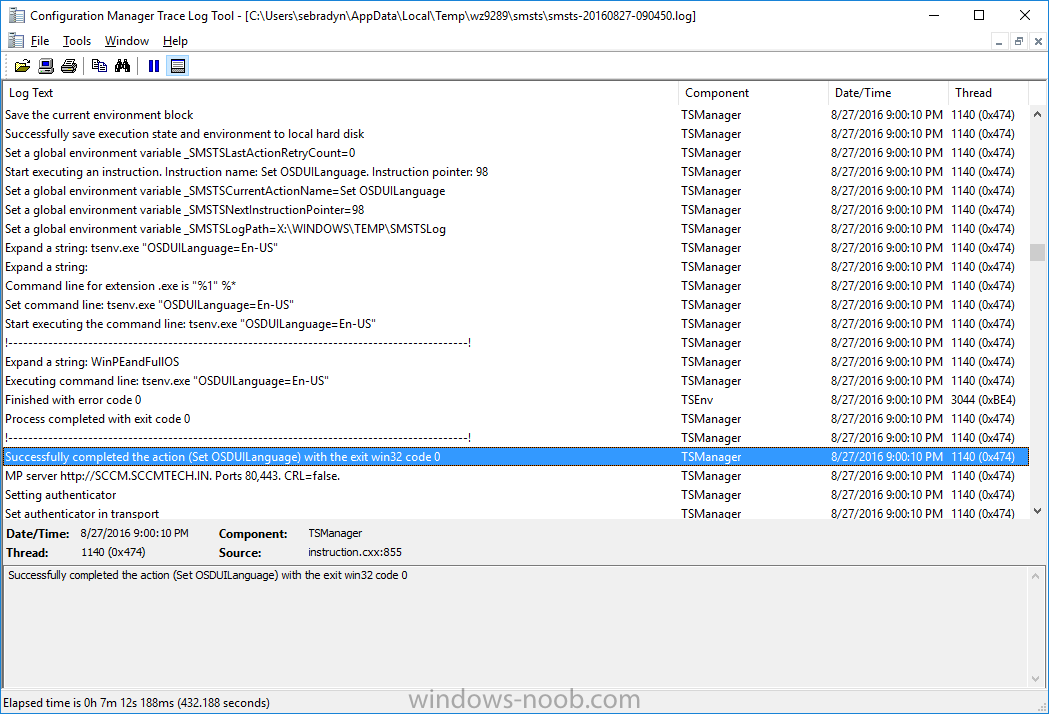
In your Swedish group, set osduilanguage it's set to en-us in your screenshot, that's wrong, obviously, don't you want sv-se instead as in my screenshot for the same step? you should then double check all the other groups that the settings are correct...
-
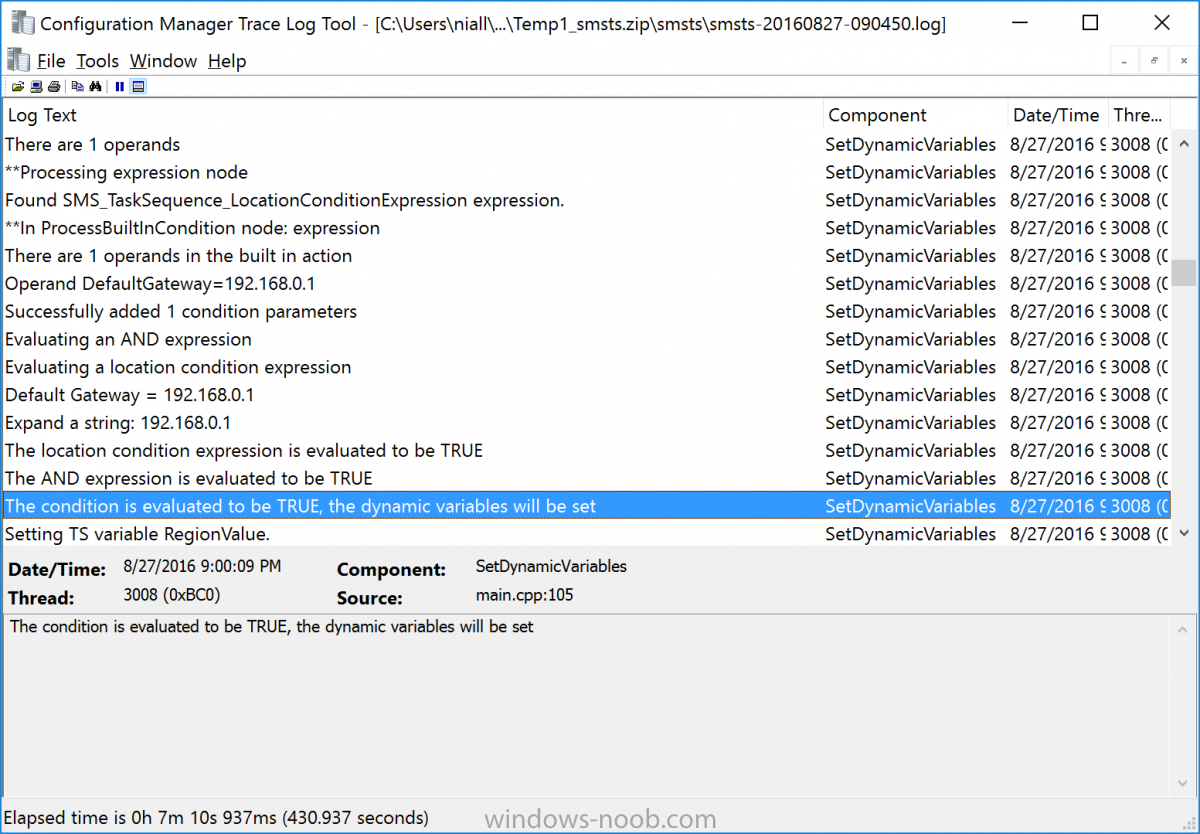
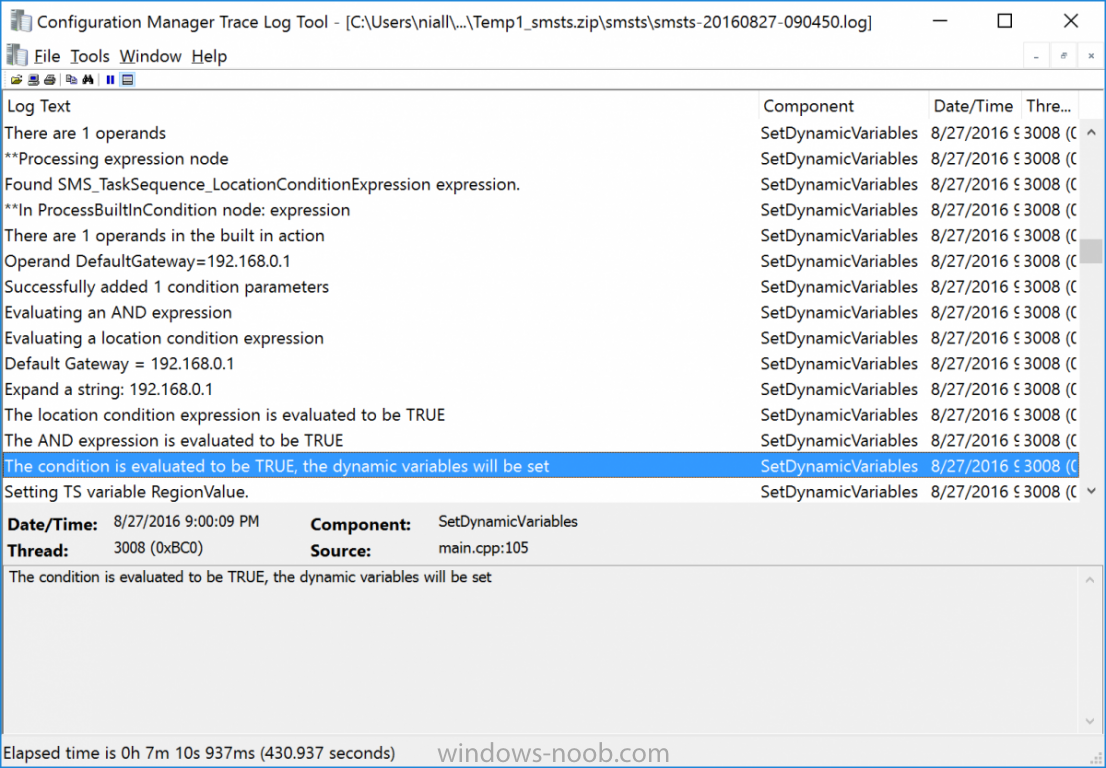
yes because it has to evaluate each of the dynamic steps and there were 5 so: true (for 192.168.0.1) false false false false further examination of your task sequence reveals the failure to apply swedish is because it applies en-us instead, look here and that takes place in the group called German so take a look at your settings for that group.... also, the group options for Swedish are set to false, so what options do you have on your groups ?
-
the step (and Swedish group) works just fine see here which means that your problem lies elsewhere, such as the apply operating system step or your unattend.xml file cheers niall
-
Win10 1607 Feature Update Install Failure via Servicing
anyweb replied to RLC-Andrew's topic in Configuration Manager 2012
did you do this and the manual steps involved ? https://blogs.technet.microsoft.com/enterprisemobility/2016/08/05/update-your-configmgr-1606-sup-servers-to-deploy-the-windows-10-anniversary-update/ if so, try deleting the 1607 updates in WSUS console, and then resync your sup and try servicing again -
not according to Microsoft you don't, where did you get the idea that you need to reinstall the SUP ?
-
Servicing Plans not working.
anyweb replied to jones.967's topic in System Center Configuration Manager (Current Branch)
did you do this ? https://blogs.technet.microsoft.com/enterprisemobility/2016/08/05/update-your-configmgr-1606-sup-servers-to-deploy-the-windows-10-anniversary-update/ -
New PowerShell Based SCCM OSD Frontend
anyweb replied to taylorblakeharris's question in Frontends, HTA's and Web Services
looks interesting, i'll take a look at it one day when i've got time , thanks for sharing ! I've not played with xaml yet.