anyweb
Root Admin
-
Joined
-
Last visited
Everything posted by anyweb
-
of course i do it all the time.
-
are you getting an ip ? what does the smsts.log file tell you ?
-
and it's much easier to do in Configuration Manager 2012 as you can see here
-
-
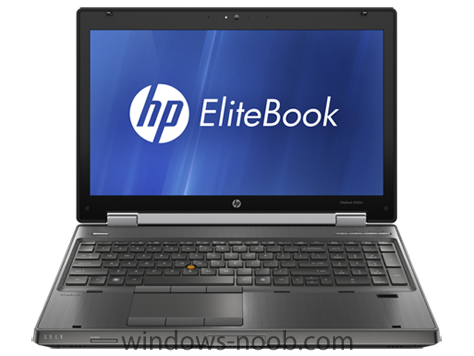
my current lab server (work supplied :-)) is a HP EliteBook 8560w Mobile Workstation, 16GB ram, 750gb internal hdd, 1.5tb external usb3 hdd with a soon to be added 256gb ssd via usb 3. It works ok but does lag occaisonally, the lag is all disc related, if i had the money i'd be going SSD the whole way
-
-
-
create one master and use separate WMI query based steps to install your device drivers (look at the task sequence XML file in this download for an example of that) no need at all to have several images, create your master image on virtual hardware, more info about that here to create you master image follow this guide:- Using SCCM 2007 Sp2 to deploy Windows 7 Deploy 7 (4 parts)
-
just click on the task sequence in the console, look at the references tab, you'll find your mdt toolkit files package there, locate the one that is the wrong version..
-
you are using MDT 2012 beta, i have NOT tested that version with this HTA, try mdt toolkit 2010 update 1 please
-
see step 4. here http://www.windows-n...ore-out-of-uda/ you need those TWO variables set (don't delete them) - if you set collection variables then you can remove the extrafiles we use to prompt the user and it'll do the same thing. however that'll apply those settings to all computers in the collection, you can of course set these variables on teh computer object itself using the same methodology
-
did you install ConfigMgr as this user (SMSadmin) ?
-
-
what collation did you choose ?
-
you mean a sample XML file containing the task sequence ? if so see below Introducing the BitLocker FrontEnd HTA Multipurpose HTA with BitLocker Support for all three common scenarios, backup, reinstall, new computer [added Jan 2012]
-
what error do you get when you pxe boot a computer ?
-
-
nice post Peter, keep it up, pinned !
-
for driver integration with ConfigMgr, Dell does a brilliant job of producing CAB files for driver importing, if only the other vendors followed suit
-
-
under advertisements you can see what has been advertised (made available/targeted) and what collections they are targeted to
-
ok so is your network card your first boot device in the bios ? then no need to press F12 twice, you only need to press F12 when it states 'press F12', that's the point i'm trying to make, F12 on most dells for example initiates a one time boot menu where you can select Network boot...
-
can you post your smsts.log file ?
-
i blogged about a side-by-side migration today, hope it helps ! http://www.windows-noob.com/forums/index.php?/topic/4926-using-sccm-2012-rc-in-a-lab-part-14-performing-a-side-by-side-migration-from-configuration-manager-2007/
-
is your boot image 64 bit or 32 bit ?