anyweb
-
Posts
9271 -
Joined
-
Last visited
-
Days Won
371
Everything posted by anyweb
-
 interesting but shouldn't be needed, I'll try and post the client settings you do need to avoid the popup, (try)
 -
yes of course just edit the wrapper.vbs, i completely forgot to update the scripts as i've rewritten the wrapper in PowerShell, i'll try and update it later this weekend
-
It’s finally released, the long awaited Windows 10 Enterprise, version 1809 (otherwise known as The Windows 10 October 2018 Update) is available for download on Microsoft’s MSDN site, also to note, the Windows 10 Enterprise LTSC 2019 version is released. There is a corresponding download for Windows 10 Enterprise version 1809 also on VLSC however it’s for ARM Architecture only (64bit), so probably not of much use to you and me… This release is packed with lots of interesting new features detailed here. Also released is the Windows ADK version 1809 here. And if that wasn’t enough, Windows Server 2019 is finally Generally Available (on MSDN), time to start downloading ! For more info about the new release, please read this: https://techcommunity.microsoft.com/t5/Windows-IT-Pro-Blog/What-s-new-for-IT-pros-in-Windows-10-version-1809/ba-p/263909 cheers niall
-
that error usually means unsupported subsystem (like using an x86 package in an x64 os or vice versa), but without the full smsts.log it's hard to be sure
-
how are you installing them, have you seen my guides on the same subject ? like here
-
Introduction At Microsoft Ignite this week in Florida, there were many new announcements of new capabilities in products such as Microsoft Intune. With so many new announcements it’s hard to keep up, but if you want to find out more, read on or select the part that interests you below. Part 1 – Introduction and news Part 2 – iOS – what’s new Part 3 – Android – what’s new Part 4 – macOS – what’s new Part 5 – Windows – highlights This content is based on an excellent session entitled “BRK3036 – Managing devices with Microsoft Intune: What’s new and what’s next” and you can review it yourself here. The session was presented by: Terrell Cox Paul Mayfield In this post we’ll look at some of the highlights for Windows 10 management with Intune. Win32 App Management feature Now when you try out this feature in Intune, you’d think you can just point to a recently downloaded EXE, or MSI file, but no, you cannot. You can only use files that have been converted into the .intunewin extension. How do you get that extension ? using this tool. Download the required tool Once downloaded, run the EXE and point it to the source folder that you have the MSI or EXE downloaded to that you want to convert, and then, spell out the file name, and finally select the output folder, it will then convert it to the *.intunewin extension as you see below. which will allow you to upload it into Intune. This new feature supports multi file installation, exe, msi, cab files.\ and you can even configure cmd line switches just like you do in Configuration Manager You can configure the requirements And you can even configure detection rules and return codes, so that you know if the app installed successfully or failed. Once added, you can assign this to groups of users, as required (mandatory) or optional (via the company portal), and keep in mind that for Office ProPlus with Intune all you need to know is that you can utilize what’s available within Intune to deploy that, I blogged it earlier here. What about Configuration Management ? A few of the concerns from customers to Microsoft was that using the MDM stack in Windows for configuring Windows was that it had a lot of important settings, but not enough for what was needed to be configured in the environment. So now within (for example) Endpoint Protection in Intune, you can configure dozens of settings, that were previously available via Group Policy, things like firewall rules or Bitlocker. But if you select, Windows 10 or later, then select the new feature Administrative Templates you have thousands of settings to choose from (searchable too), that can configure things for applications like Office Desktop. This takes the ADMX infrastructure from Group Policy and makes it possible to deploy via MDM. MDM Security baselines But wait, there’s more, you can now also configure MDM security baselines. And the idea behind these baselines is Microsoft has recommendations for what those settings should be. And with these options, you can select what should be good to select for your enterprise to have a secure compliant deployment of Windows. The recommendations are available dynamically in the console on an ongoing basis. What about Devices ? If we go to the device enrollment, windows enrollment tab you can select windows enrollment and look at the new Windows Autopilot options, as shown below. Note: The below info was taken from another related session, see my notes on that here Windows Autopilot Announced at Microsoft Ignite last year (2017), helps customers moving to modern management. Windows AutoPilot Scenarios. Hyrbid azure ad join, starting in 1809, can be hybrid azure ad joined (enrolled into Intune and device joined to on premise AD). Also announced Windows Autopilot for existing devices… Use Intune to create dynamic groups for those autopilot devices. Can pre-assign users to devices, in the Intune console you find the device (in Windows Enrollment, Windows AutoPilot devices), click assign user, When they go through autopilot they wont be prompted for the email address, instead they’ll get a custom welcome and a more personalized login. Windows Autopilot and ConfigMgr Autopilot task sequence, supported starting with windows 10 1809 Create a package with the JSON file which was created using the Powershell cmdlets Then create the autopilot task sequence, add the package, provisioning the device using the task sequence that’s it for this series, I hope you enjoyed it, cheers niall (at Microsoft Ignite in Orlando, Florida).
-
Introduction At Microsoft Ignite this week in Florida, there were many new announcements of new capabilities in products such as Microsoft Intune. With so many new announcements it’s hard to keep up, but if you want to find out more, read on or select the part that interests you below. Part 1 – Introduction and news Part 2 – iOS – what’s new Part 3 – Android – what’s new Part 4 – macOS – what’s new Part 5 – Windows – highlights This content is based on an excellent session entitled “BRK3036 – Managing devices with Microsoft Intune: What’s new and what’s next” and you can review it yourself here. The session was presented by: Terrell Cox Paul Mayfield Intune managed versus Jamf managed With Intune Managed macOS, you have basic platform MDM management which is ideal for scoped or modern management needs for corporate owned devices. You can deploy certificates, password configuration and applications and you can limit access to non-compliant Macs. There’s security with protection via device wipe and encryption. With Microsoft’s partner, Jamf (+EMS) you get Advanced MDM management of Macs, which allows you to do extensive inventory, depth of security controls, self-service application catalog and end user controls, you can also limit access to non-compliant Macs and do scripting. EMS + jamf Mac devices managed by jamf are registered with Intune and this allows Microsoft to leverage Intune for compliance and when the user logs on to the device, jamf will be managing it and ensuring that the user configuration is correct, and will check in with the Intune service to determine whether or not the device is compliant, and compliance is everything, because with non-compliance you can deny access to company resources using conditional access in Azure AD which can grant or deny access based on that compliance. MacOS new features recently added The following new features have been added to Intune to support MacOS. Join me in Part 5 for Windows features.
-
Introduction At Microsoft Ignite this week in Florida, there were many new announcements of new capabilities in products such as Microsoft Intune. With so many new announcements it’s hard to keep up, but if you want to find out more, read on or select the part that interests you below. Part 1 – Introduction and news Part 2 – iOS – what’s new Part 3 – Android – what’s new Part 4 – macOS – what’s new Part 5 – Windows – highlights This content is based on an excellent session entitled “BRK3036 – Managing devices with Microsoft Intune: What’s new and what’s next” and you can review it yourself here. The session was presented by: Terrell Cox Paul Mayfield So what about Android in the Enterprise With Android Enterprise, pre Android Lollipop (Android 5) the main way to manage an Android device was with device admin (or what’s now called legacy management). The management was limited, the end user experience was also lacking and there were gaps in security. Starting with Lollipop, Google has really been investing in their Android solution, to make it more manageable and more secure. They created work profiles which allows you to create a protected container and since that release and onwards to Android P (Android 9) they’ve basically been depreciating device admin as a way of managing those devices, indeed the API’s used for managing device admin will be removed next year (2019) when Android Q is released. Android has similar deployment scenarios to iOS, both BYOD and Corporate Owned. With BYOD devices, you’ve got Intune application protection without enrollment, and you’ve got Android Enterprise Work Profile and this is where you’ve got a container on the end users device that you control and protect, deploy apps to or do actions with that container. Work Profiles would be a good choice if you need to configure WiFi profiles. For Corporate Owned devices, you have Android Enterprise Dedicated device (kiosk mode) and there’s a preview of Android Enterprise Fully Managed coming later this year. Note that any Android device that is purchased with Android Q can no longer be managed with device admin. Well this is all well and good, but can you show us something cool with Android ? In the demo Terrell shows how you can enroll Android devices with tokens or QR codes. This is done by creating a device enrollment profile in Intune for Kiosk & Task Device Enrollment profiles. So by using the QR code it makes enrolling the Android device seamless and painless for the end user. What’s new for Android, available now The following is what’s new for Android available now in Intune. Android Enterprise Dedicated Devices (kiosk) Google Play Protect for compliance Android zero touch enrollment & Samsung Knox Mobile Enrollment (KME) Restrict Office Apps to corporate identity via app config APP Edge Browser support Please join me in Part 4 for what’s new in Intune with Apple MAC. until next time, adios !
-
Introduction At Microsoft Ignite this week in Florida, there were many new announcements of new capabilities in products such as Microsoft Intune. With so many new announcements it’s hard to keep up, but if you want to find out more, read on or select the part that interests you below. Part 1 – Introduction and news Part 2 – iOS – what’s new Part 3 – Android – what’s new Part 4 – macOS – what’s new Part 5 – Windows – highlights This content is based on an excellent session entitled “BRK3036 – Managing devices with Microsoft Intune: What’s new and what’s next” and you can review it yourself here. The session was presented by: Terrell Cox Paul Mayfield iOS deployment scenarios Typically Apple and Google talk about 2 different buckets, typically BYOD (Bring Your Own device) where an end user brings their own device or Corporate Owned devices. For iOS there are three different scenarios that Intune supports: For BYOD itself, there are 2 scenarios, the first is Data protection at the app level, which is app protection without full device management (without needing to enroll the device). The second is user based enrollment via the Company Portal (available in the Apple App Store), which allows you to push apps and policies such as WiFi profiles to the device and have device based compliance. Finally, for Corporate Owned devices there are additional options such as Apple Corporate programs like VPP (Volume Purchase Program for education), DEP (Device Enrollment Program) and ASM (Apple School Manager). This allows for supervised mode with controls, the ability to secure lock down devices such as Kiosk mode, Classroom. Or to lock management profiles to a device. Speaking of DEP enrollment, one of the feedback items Microsoft received was the desire for more security, multi factor authentication when you first logon to a DEP device. It couldn’t be done with the existing controls that Apple made available, but now they can. The first time the user starts the device, the Intune company portal will download and the user will authenticate, and at that point the authentication policies that you defined in Azure Active Directory will kick in. During the keynote we were reminded that one of the values of M365 (Microsoft 365) is to empower users, to give them the best possible experience to do more and release their creativity. With Intune, this doesn’t just apply to Productivity apps such as Office, but also management apps need to look good too. The iOS Company Portal is a good example of that and it has been over hauled and improved. What’s new for iOS the following are new for iOS: Device Management Policies Notifications Multi-token enrollment support ability to delay iOS updates email acount provisioning for Outlook Apple Business manager support App support for Microsoft Edge browser Intune Managed Browser It get’s the job done, it’s part of the data protection solution, and you can apply copy paste restrictions on it, but when it comes to actual browsing, it’s probably not the best experience. However Microsoft Edge is now available as a managed browser, and your users will be much happier with this experience. The Microsoft Edge app is supported on both iOS and Android as a managed browser. Join me in Part 3 for more Android announcements.
-
Introduction At Microsoft Ignite this week in Florida, there were many new announcements of new capabilities in products such as Microsoft Intune. With so many new announcements it’s hard to keep up, but if you want to find out more, read on or select the part that interests you below. Part 1 – Introduction and news Part 2 – iOS – what’s new Part 3 – Android – what’s new Part 4 – macOS – what’s new Part 5 – Windows – highlights This content is based on an excellent session entitled “BRK3036 – Managing devices with Microsoft Intune: What’s new and what’s next” and you can review it yourself here. The session was presented by: Terrell Cox Paul Mayfield The session started with a reminder from Paul about way back in 2013 when Intune was first launched as part of Sataya’s announcement of a new service available called Enterprise Mobility Suite (EMS) which would bring together Azure Active Directory (AAD) and Microsoft Intune. Back then, customers were not that cloud focused as they are today, things like GDPR were unheard of and even Microsoft has had to adapt their product strategy to deal with that new reality. Different offerings for different customer segments Microsoft has merged Intune and what they all Microsoft 365 (M365) flexible device management across different scenarios and personas. For example, Microsoft has one offering which they sell Per-User, for Knowledge Workers (for people’s laptops and phones, traditionally being EMM) that includes rights to Intune and ConfigMgr in Microsoft 365 Enterprise. They also have a version called Intune in Microsoft 365 F1 for Firstline Workers, where again on a Per-User basis they sell the productivity, management and identity that goes with it. For smaller customers (SMB), that might have a Microsoft 365 Business subscription, Microsoft has built in Intune experiences to protect their office use on mobile and on Windows in an offering called Microsoft Business powered by Intune. Finally, they’ve launched a version specifically for Education, where a teacher in a K12 environment can provision iOS, Windows or Android devices and use them in a classroom environment with the Microsoft for Education offering called Intune for Education in Microsoft 365 Education, yes, it’s a mouthful. The point here is that Microsoft has created these different offerings to suit different customers needs. All the above offerings are User Licensed. Intune Device License Another new announcement (coming soon) is device licenses for Intune. this is useful for scenarios where for example you need to deploy a digital sign (a monitor that shows you info in a shop or airport for example). This new license will be inexpensive and allow you to deploy things to devices by supplementing your existing stack with licenses for digital signs. Fantastic momentum with customers, show us the numbers Microsoft has seen tremendous momentum with Microsoft Intune and System Center Configuration Manager (SCCM), between them they are managing about 150 million devices, of which, Intune covers tens of millions. It’s hardly surprising, both offerings have been developing at a rapid rate of the last few years which new features and abilities coming every month. Microsoft is also showing up as a leader in different quadrants from analysts like Gartner. This great transformation from where they were in 2013 when the cloud was a ‘maybe’ to 2018 where everyone wants to be in on it (the cloud) and it becomes part of customers core values. Intune-enlightened apps provide the best control, with or without enrollment across mobile threat defence telling us that for example we have a device that is showing us a risk signal. Secure resource access where you can integrate your network access control with your application control that comes from Microsoft 365. Intune and Configuration Manager are the two management offerings from Microsoft, and Microsoft has brought these two technologies together where they are engineered in the same engineering team. And indeed, you can see this togetherness showing up in new features such as Co-Management. If you look at what Configuration Manager traditionally manages in on premise environments, it’s things such a: Operating System Deployment Win32 apps management Configuration and GPO Bitlocker Management Hardware and software inventory Update Management and then if you integrate Intune with ConfigMgr using Co-Management you gain access to a whole wealth of new abilities (both on prem and in the cloud), such as: Unified endpoint management (ios, android windows) Modern access control (conditional access, compliance) Modern provisioning (Autopilot, DEP, zero touch, KME) Modern security (Hello, Attestation, ATP, secure Score) Modern Policy (security baselines, guided deployments) Modern app management (O365 Pro Plus, Store, SaaS, VPP) Full M365 Integration (Analytics, Graph, Console, Rbac, audit) Yeah, that’s a lot of Modern things happening in the cloud attached scenario. But there are options too for Cloud Managed, where everything (other than traditional operating system deployment) is managed in the cloud (using Microsoft Intune standalone). So how can you see the value the M365 offers by integrating their cloud services together ? Well in a video shown, there’s a detonation of malware inside a lab, the scenario here was a end user that got infected by clicking on an attachment that he shouldn’t have on an unpatched machine. The attachment goes through a series of attacks that result in an escalation of privilege happening on the device. Meanwhile, in the Windows Defender Security Center, the sec-ops guys can be alerted to this infection as the AI in the cloud has identified a whole sequence of events on the infected machine (high impact incident). The admin can then go over to Intune and create device compliance policy using Windows Defender ATP policies. This policy is for Windows 10 devices, and defines what it means to be compliant with Corporate Standards. So if Windows Defender ATP see’s high risk on this device, it would mark the device as non-compliant in Intune and Azure Active Directory has a conditional access policy to deny access to corporate resources for devices that are marked as non-compliant. And similar actions can occur using different partner software on devices running iOS, Android, Mac, Windows. Many different consoles In the past Microsoft has had many different consoles or portals for managing things in the cloud, but it’s moving towards unifying them (thank goodness) via the Microsoft 365 Admin Center. This Microsoft 365 Admin center will have 7 navigation points on it, and one of them is for Security, and that’s where you’d find your ATP settings that were shown previously and another is called Device Management available at: https://DeviceManagement.microsoft.com That would cover Intune, Autopilot, Analytics, integration with Co-Management and ConfigMgr in the devicemanagement portal. https://admin.microsoft.com Join me for more information and content in Part 2 where I’ll cover the new iOS features, until then, adios !
-
Introduction Microsoft Ignite 2018 is in full swing with packed sessions and thousands of attendees, here are my notes from another Windows 10 session, this time related to updates and deployment. The session is “BRK3027 – Deploying Windows 10: Making the update experience smooth and seamless” and it’s from the following clever Microsoft folk. Patrick Siu, Suma SaganeGowda This is going to be a long and detailed post, so grab a cup of coffee or beer, whichever you prefer. Updating at scale There are already 700 million devices running Windows 10, and more than 250 million of them are running Windows 10 version 1803 (within 48 days of it’s release), conversely, that would mean there are approx 450 million users of Windows 10 using a release that is older than Windows 10 1803, so even though there are millions of people upgrading, not everyone jumps on the new release as soon as it’s made available. Why stay current ? So why do we need to stay current ? why do we need to deploy the feature updates and quality updates at the cadence that Microsoft is releasing them. Microsoft is striving that you (the customer) get’s access to these new features in an agile manner. They want to ensure that the platform supports all of the hardware innovation that is being released (things like Windows Hello capability for example) or indeed just for better performance, better stability, better battery life. Microsoft is continually making changes to Windows features to improve creativity and productivity so that your employees can benefit from that. Stay secure by staying current Last but not least, you want to stay current because of all the work they do to make Windows more secure by thwarting modern day threats as well as protecting your from zero day exploits. Differentiating between Quality Updates and Feature Updates. Quality Updates come out monthly and are basically your security updates, whereas Feature Updates come out twice a year and they are a full blown new release of Windows. It hasn’t all been plain sailing however and Microsoft understands that it’s hard to stay current and keep current, here’s some of the issues that their customers have highlighted to them. And that’s quite a list of worries and concerns. Microsoft is committed to helping resolve those and to help you stay current. There are three main ways of getting these updates delivered and we’ll go into some more details about them. Acquiring content Quality Update Download Size The biggest complaint that Microsoft has received is about the size of these monthly updates (quality updates). The large size is because you are getting all previous updates at once, as it’s cumulative. this impacts bandwidth, network. Microsoft has tried to solve this problem with delta updates and express updates. But even these have issues, key complaint is the download size to the distribution points is large. Microsoft assumed that the update size that customers were complaining about was to the clients, so they did it this way, not thinking it was the distribution points also being impacted. There were also performance issues on the clients with Express Updates (memory issues). So to address these issues, Microsoft has made changes to Windows 10 in Windows 10 version 1809 (not available at time of writing). These changes will ensure much smaller downloads to the distribution points (300mb versus 8-11GB), device performance not affected as much, applicable only to Windows 10 version 1809 and later. Not as chatty as previous express updates so less impact on Network and Bandwidth. So basically on the left you have the updates on the dp’s and on the right, what’s being downloaded to your clients. It’s a huge win ! How to leverage this ? Basically it’s available to Windows 10 version 1809 but it’s also across the board, Windows Update, WSUS, ConfigMgr. No changes to the infrastructure involved. Feature Update Delivery As before with Quality Updates, the size of the download and frequency was an issues, as was the affect of Features on demand and no single jump to the latest update, it’s a two step process. so what’s the solution from Microsoft ? Get current and secure in one step ! that’s awesome. It will also preserve FOD (feature on demand) and LP’s (Language Packs), lower network traffic to pc’s and have a better user experience. You can get this right now via Windows Update, or wait for the Public Preview this fall for WSUS and ConfigMgr customers. What about FOD and LP’s ? Features on demand are basically optional components in Windows (such as Mixed Reality). To fix this you’ve got some options. Opt into UUP Opt in to Unified Update Platform, you can read about it here, or apply a GPO to download content from WU For on prem customers if you don’t want to be part of the public preview, works today already for WU and WUFB customers. Bandwidth Impact from Updates Challenges, the updates tend to consume large amounts of network bandwidth and create latency (lag and slowness, or jerky video etc). Recommendations use Caching, shift the traffic to the clients using peer to peer mechanism’s like delivery optimization (DO) or by leveraging centralized caching (Wsus/ConfigMgr dp’s). Optimize the network, use LedBat. Peer caching with Delivery Optimization (DO). Peer caching on the edge means getting it from your peers (other computers) as opposed to getting it from a centralized server (a distribution point). It’s a peer to peer service that works with Windows Update so that the peers can acquire parts of content from different peers. It supports different types of content, eg: windows updates, feature updates, quality updates, drivers, windows store apps, Microsoft store for business apps and Office C2R updates. Note: For a deep dive into DO see the following session (on Thursday). Optimize the network Optimizing the network helps LedBat to use unused network bandwidth for updates. Does not require difficult rules, just run some PowerShell commands on your distribution points to enable LedBat. It does however require Windows Server 2016 or later. https://blogs.technet.microsoft.com/networking/2018/07/25/ledbat/ https://aka.ms/LEDBaT-Validation What about the disruption that updates cause ? On average, these feature updates take 82 minutes. So Microsoft took it upon themselves to reduce this time offline. To do that, they changed the way Windows feature updates are installed. These changes are the default behavior starting in Windows 10 version 1709. and below is a chart of how the offline time has improved since Windows 10 version 1703 was released. RS5 (Redstone 5) will be Windows 10 version 1809. to access these improvements with ConfigMgr use maintenance windows to stage the content. The Windows team is working with the ConfigMgr team to allow these maintenance windows to use just the offline time period as the maintenance window, meaning less time offline. As the staging is now low priority, it might cause timeouts for you in your maintenance window. Set the thread priority to normal to avoid that issue. Diagnosing Failures Typically, what you’d do is go search the error on the internet. So Microsoft released a new tool called SetupDiag which will help you troubleshoot these types of errors. In this example it points to errors with an AMD video driver. You can download the tool from here: https://docs.microsoft.com/en-us/windows/deployment/upgrade/setupdiag In Place Upgrade issues Use Windows Analytics to help you understand compatibility problems. If you want to make changes, use GPO’s instead of registry keys. Make sure you use supported mechanisms for user profile redirections. What about uninstalling updates ? So a business critical app doesn’t work after the update, what to do ? In the update CSP there are two options to roll back updates (by default, ten days, can be changed between 2 and 60 days). You can set this up via dism or MDM. Scripts to run during install (poor mans task sequence, v1, will change in the future). At a high level Microsoft is providing hooks into the setup process to allow you to do changes as necessary (Windows 10 1803 and later). until next time, adios !
-
- 1
-

-
Introduction Yesterday I was stuck in my hotel room with a terrible cold (flu) but I motivated myself to get out of bed and attend some sessions today, as that is what Microsoft Ignite is all about. I just attended the following session at Ignite: “BRK3018 – Deploying Windows 10 in the enterprise using traditional and modern techniques”, and wanted to share my rough notes. The session was led by these 2 clever guys from Microsoft. Rob York John Wilcox Pre-Windows 10 servicing problems Here John discussed the current challenges customers have with servicing Windows 7 or Windows 8, operating systems that are pre-Windows 10. Those operating systems have Individual servicing problems, expensive custom deployment and auditing. Which can result in: Reduced quality, users not running what Microsoft have tested, no consistency in ecosystem. Windows as a Service (WAAS) Windows as a service, is composed of two main types of updates, quality updates (such as security updates, cumulative updates) and feature updates (whch are full blown new Windows releases that come out twice a year). Windows 10 gets better with each release, things like WIP, AppLocker and so on With enhanced security, more tools for IT and end user productivity features. Change management is key. Modern Desktop Servicing Framework, this Servicing framework is the same across Office and Windows. In-place upgrade (IPU) is the recommended method (recommended over wipe and load) of upgrading to Windows 10 (either from Windows 7, Windows 8 or Windows 10 previous versions), updating documentation with common tasks. See the Microsoft docs about IPU here. WDS-less PXE Available in SCCM 1806. Network booting no longer requires Windows Deployment Services (WDS) Windows Client SKU can now host the PXE enabled DP role Removes the need for unnecessary branch infrastructure. Roadmap Windows 10 1809 support (and that’s still not released yet on Microsoft VLSC as of 2018/9/26). Full Cloud Management gateway support for OSD scenarios download on demand boot media Continued Security Improvements Network Access Account reduction Simplification Image Management Driver Management Management insights rules A look at some new features, a lot of these features were the result of user voice items. Offline servicing drive letter check, This allows you to force offline servicing to take place on a specific drive, this is useful as previously it would use your temp folder based on your login profile. The Phased deployment model The phased deployment model can be used as a red button/green button rollout with automatic or manual control of when deployments (osd/software updates) can roll out to say pilot collections of devices, and later, to production, you gauge the percentage of what you consider a successful deployment prior to rolling it out to phase 2. Boundary groups and content Inherent fallback to default boundary group, can be overridden. Doesn’t fallback for say, vpn clients, can specify cloud distribution points’s as associated Multiple peer 2 peer options Added support for Windows LedBat, you can enable it on the Distribution point properties Improvements to the Quality update download size, starting with baselines based on Windows 10 version 1809, no change needed in Configmgr. Feature update delivery, large download size to the pc. With the Unified Update Platform, get’s to the latest update in one step, in other words, you update the feature update, and instead of then updating to another new quality update, that you are patched and ready to go in one step, Microsoft will be announcing a public preview for that coming soon with Configmr and WSUS. Windows Autopilot Announced at Microsoft Ignite last year (2017), helps customers moving to modern management. Windows AutoPilot Scenarios. Hyrbid azure ad join, starting in 1809, can be hybrid azure ad joined (enrolled into Intune and device joined to on premise AD). Also announced Windows Autopilot for existing devices… Use Intune to create dynamic groups for those autopilot devices. Can pre-assign users to devices, in the Intune console you find the device (in Windows Enrollment, Windows AutoPilot devices), click assign user, When they go through autopilot they wont be prompted for the email address, instead they’ll get a custom welcome and a more personalized login. Windows Autopilot and ConfigMgr Autopilot task sequence, supported starting with windows 10 1809 Create a package with the JSON file which was created using the Powershell cmdlets Then create the autopilot task sequence, add the package, provisioning the device using the task sequence that’s it from me, until next time, adios.
-
sounds to me like the configmgr client agent version is older (like 1802) than the site version (1806) update it and you should be fine
-
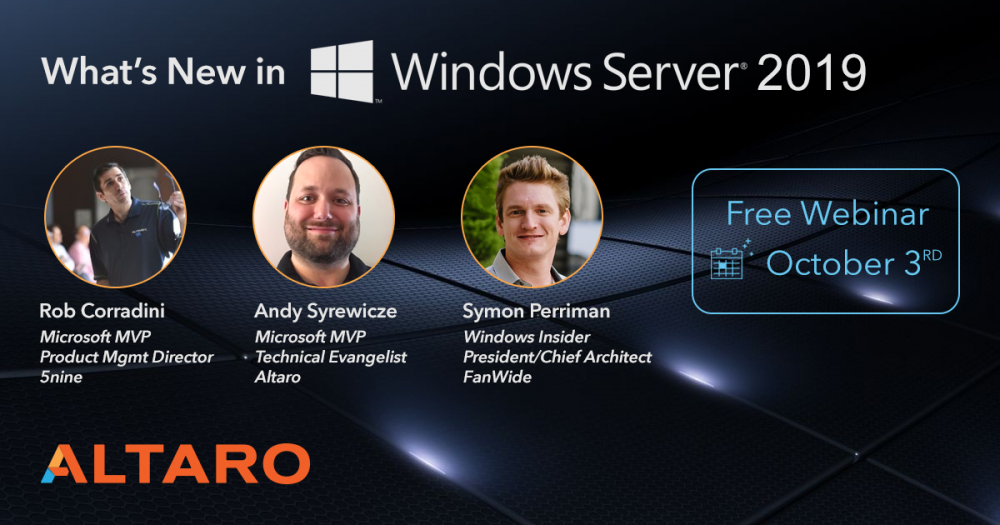
With Microsoft Ignite just around the corner, Windows Server 2019 is set to get its full release and the signs look good. Very good. Unless you’re part of the Windows Server insider program - which grants you access to the latest Windows Server Preview builds - you probably haven’t had a hands-on experience yet with Windows Server 2019 but the guys over at Altaro have and are preparing to host a webinar on the 3rd of October to tell you all about it. The webinar will be held a week after Microsoft Ignite so it will cover the complete feature set included in the full release as well as a more in-depth look at the most important features in Windows Server 2019. Whenever a new version of Windows Server gets released there’s always a lot of attention and media coverage so it’s nice to have an hour-long session where you can sit back and let a panel of Microsoft experts cut through the noise and give you all the information you need. It’s also a great chance to ask your questions direct to those with the inside knowledge and receive answers live on air. Over 2000 people have now registered for this webinar and I’m going to be joining too. It’s free to register - what are you waiting for? Save your seat: https://goo.gl/aVmX2e
-
thanks, this guide is about installing the current baseline (1802 at time of writing) not upgrading, but sure, upgrade away ?
-
thanks ! you cannot add that account because that account is already a predefined Local Administrator,
-
open either of the 2 files (stored in C:\Windows\Inf) with notepad, and see what the driver actually is, that should help you pinpoint the problem
-
good point, @PaulWhite@pickens.k12 can you please share the configmgrprereq.log which detailed that your dp server OS was the issue please ? feel free to redact it
-
Problem deploy OS on computer that has 2 or more disks
anyweb replied to Scripteur's topic in Configuration Manager 2012
you'll need to create a custom script to detect where that original system is installed, and use that for the apply operating system step (using a variable), but read my first comment in this thread.... -
ah great to hear it, thanks for the update
-
NBP file size is 0 Bytes
anyweb replied to Bei60's topic in System Center Configuration Manager (Current Branch)
have you made sure to distribute both 32 bit and 64 bit architecture boot images to your pxe enabled distribution point what does the smspxe.log reveal ? -
did you browse to the link mentioned to see why ? and what does the Configmgrprereq.log say in the root of C:\
-
you are welcome, it was one of the more difficult thing I've gotten around to blogging, and I did it to understand the process better myself and to teach others, I've done the lab 3 times already and I know it works :-), if you follow the next in the series you can also configure SCCM with HTTPS, links below How can I configure System Center Configuration Manager in HTTPS mode (PKI) - Part 1 How can I configure System Center Configuration Manager in HTTPS mode (PKI) - Part 2
-
1802 upgrade stuck at replication
anyweb replied to amit paul's topic in System Center Configuration Manager (Current Branch)
did Microsoft CSS explain why they thought your SQL was in such a bad state ? -
1802 upgrade stuck at replication
anyweb replied to amit paul's topic in System Center Configuration Manager (Current Branch)
thanks for posting the solution, your SQL server configuration was well messed up though.